Moltbot - Personal AI Assistant
- 背景介绍
- Quick Start
- Moltbot (原 ClawdBot)
- What It Does
- Works With Everything
- Install the CLI (recommended)
- Uninstall
- Run the onboarding wizard (and install the service)
- Auth: where it lives (important)
- Start the Gateway
- Quick verify (2 min)
- Channles
- Q&A
- Refer
背景介绍
可以拓展想象:你买了一台新电脑,里面有一个“幽灵实体”,你把键盘、鼠标和网络权限交给它,把它当成一个虚拟同事。你可以直接跟它说话,交代事情。凡是你能在电脑上做的事,这个 Agent 理论上都能替你完成。这就是它真正强大的地方。
个人 AI 助手 ClawdBot 席卷硅谷,国内外社交平台上全是关于它的讨论。不过,项目创始人 Peter Steinberger 在 X 平台上发文表示,他被 Anthropic 强制要求更改名称的成 Moltbot,这并非他本人的决定。这次改名源于商标问题,但在操作过程中不仅搞砸了 GitHub 的账号更名,连 X 平台的原账号名也被加密货币推广者抢注了。最终,他的新账号名定为 @moltbot。使用 Clawdbot 后,网友们纷纷给出了很高的评价。“它是迄今为止最伟大的 AI 应用,相当于你 24 小时全天候专属 AI 员工”。Creator Buddy 创始人兼 CEO Alex Finn 盛赞道,“这就是他们 (Anthropic) 希望 Claude Cowork 呈现的样子”。当前,ClawdBot 项目已经开源:https://github.com/clawdbot/clawdbot。
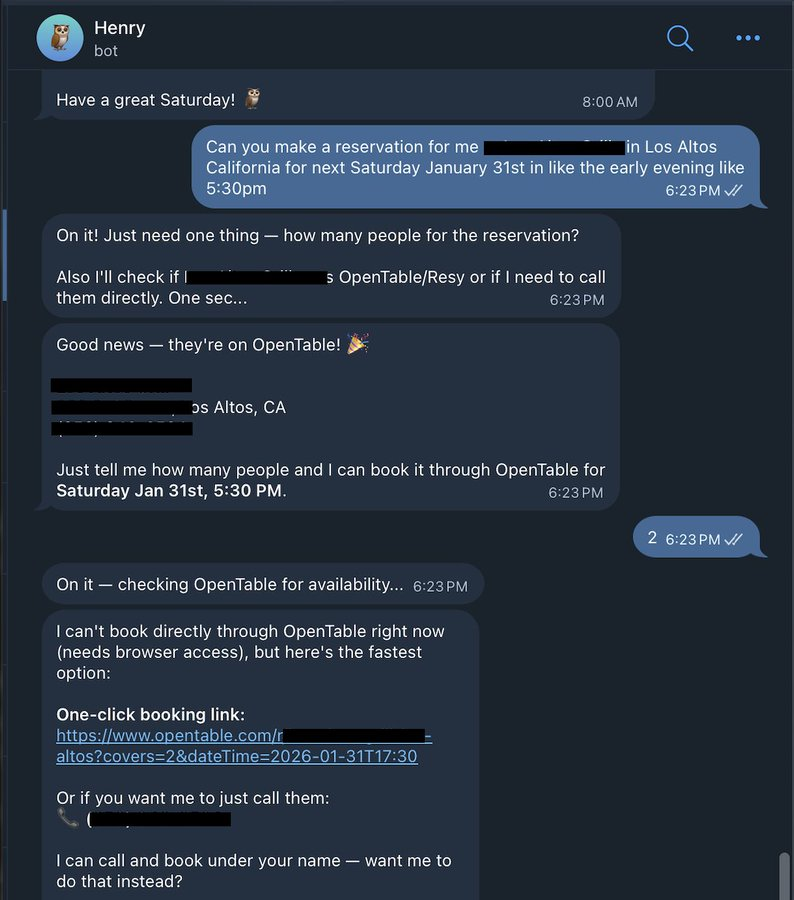
Alex 展示了给他的 Clawdbot 发信息,让它帮其预订下周六在一家餐厅的座位。当 OpenTable 预订失败时,Clawdbot 利用 ElevenLabs 的技术致电餐厅并完成了预订。
但 ClawdBot 真正让技术圈兴奋的,并不只是“能干活” ,而是其协作方式极其激进:不会写代码的人,也能直接提 PR。原因很简单:它几乎是 100% 用 AI 写出来的,PR 在这里更像是“我遇到了这个问题”,而不是“我写了一段多漂亮的代码”。更有意思的是,这个看似“全开源”的项目,偏偏故意留了一点不开源。创始人 Peter Steinberger 保留了一个名为“soul”的文件只占项目的 0.00001%。他说得很直白:这既是他的”秘密资产”,也是一个刻意留下来的安全靶子。大家真的在试着 hack 它,他就等着看模型到底守不守得住。到目前为止,“soul”还没被偷出来。作为忠实粉丝,Alex 表示这是自 Claude Code 发布以来,自己第一次连续两天没有用它。但是他的 ClawdBot Henry 已经连续 48 小时不停地 Vibe Coding。“我这辈子都没写过这么多代码。Vibe Coding 已死,Vibe Orchestration 已来。”
现在,Alex 想要退掉 Mac Mini,换一台价值 1 万美元的 Mac Studio。“我的 ClawdBot Henry 将控制一台人工智能超级计算机。Henry 将使用 Opus 作为大脑,并使用多个本地模型作为员工集群。” Clawbot 并不是传统意义上只能回答问题的聊天机器人,它本质上是一个持续运行、可以执行任务的个人 AI 智能体。你可以把它安装在自己的设备上,如 Mac、Windows、Linux,它可以长期在线,不停地接收指令、处理任务、记住你的偏好和历史对话,随着时间积累变得更懂你、更有“记忆”。
总的来说,Clawbot 最令人震撼的地方有三点:
- 它几乎可以完全控制你的电脑。它没有传统意义上的“护栏”,不局限在某几个功能里,而是可以像一个真正坐在电脑前的人一样,操作你电脑上的一切。
- 它拥有近乎无限的长期记忆。Clawbot 内置了一套非常复杂的记忆系统。说过的话、做过的事,都会不断被记录下来。每次对话结束后,它都会自动总结聊过的内容,并把关键信息提取出来,存进长期记忆中。
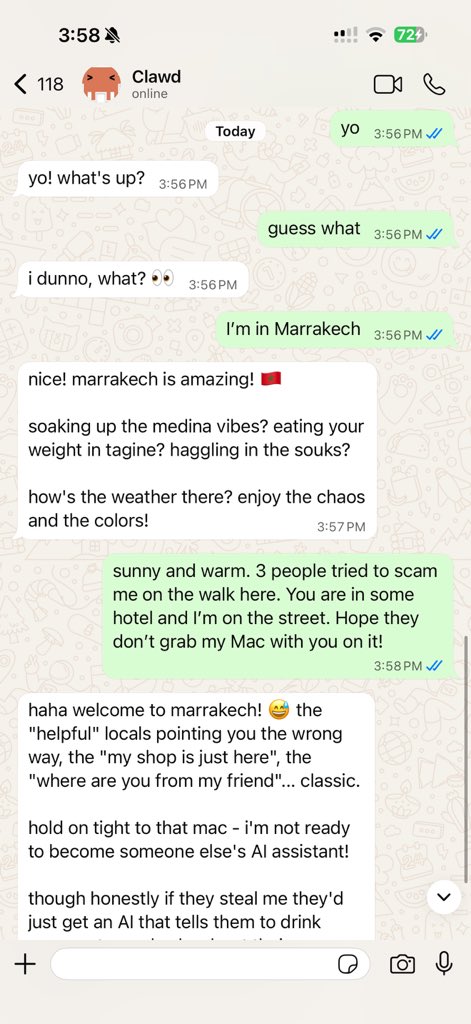
- 它完全通过聊天应用来交互。你平时用哪些聊天工具,Clawbot 就能在哪儿跟你对话,这意味着,只要打开一个聊天软件,就可以通过一条消息把任务交给 Clawbot 去做。现在 Clawbot 支持 WhatsApp、Telegram、Slack、Discord、Google Chat、Signal、iMessage、Microsoft Teams、WebChat 等,还有 BlueBubbles、Matrix、Zalo 以及 Zalo Personal。
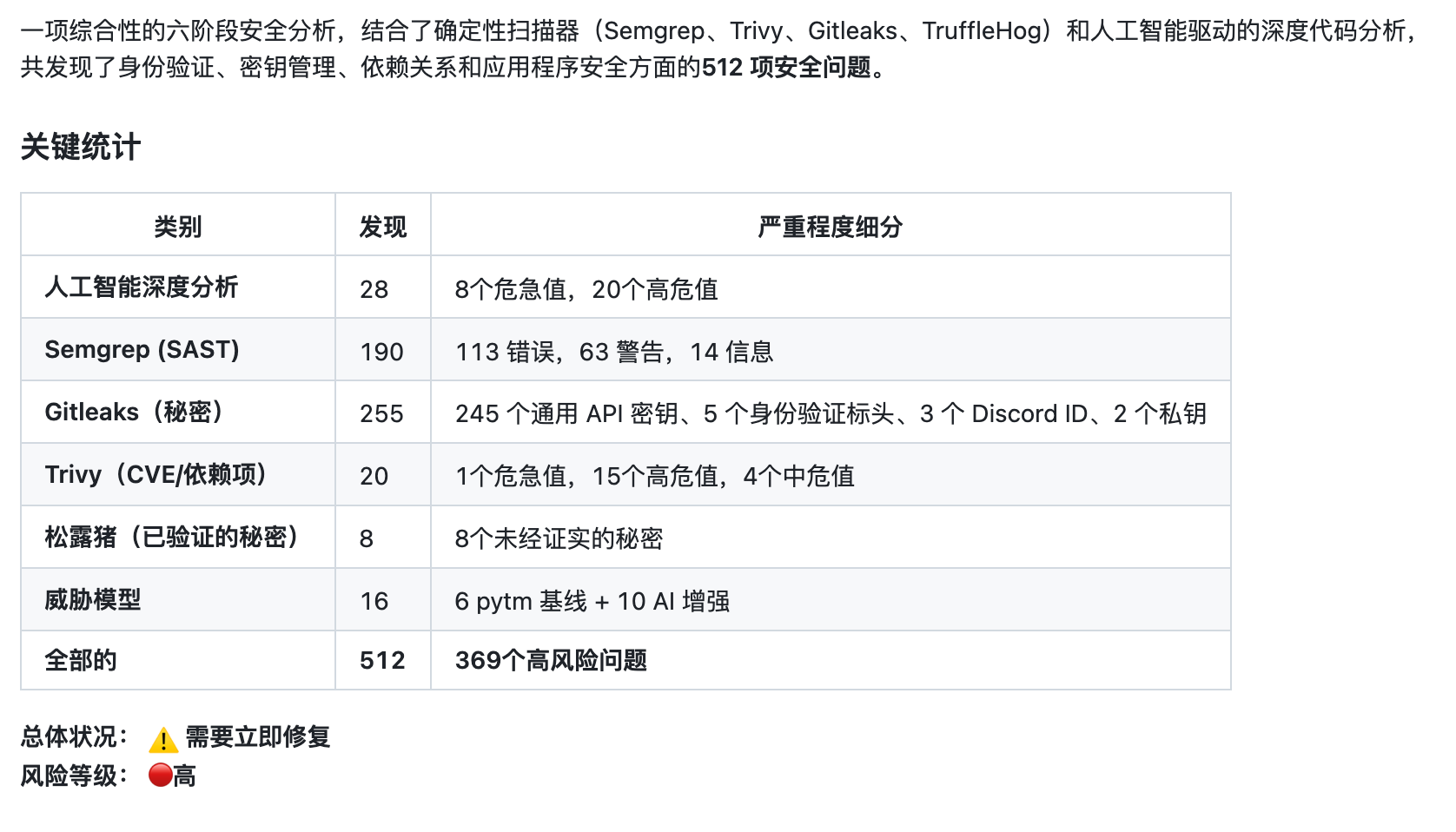
不过,如此放开的权限让其几乎没有护栏,这带来很大的安全隐患,现在 GitHub 上有 500 多个安全的问题,这也让部分网友望而却步。对此,很多使用过的用户几乎都表示,不建议一开始就把 Clawbot 装在主力电脑上。“在你还不熟悉它之前,把它放在一个独立环境里是最安全的选择。”
不过大家没有想到,这个 AI 员工首先带火的竟然是 Mac Mini。很多人为了运行 Clawdbot 会专门买一台电脑,而大部分选择了 Mac Mini,原因是它便宜、兼容好、功率低、安静、占地小。谷歌 DeepMind 产品经理 Logan Kilpatrick 都忍不住订了台 Mac Mini。

更有网友晒出自己一口气买了 40 台 Mac mini 来运行 Clawdbot。
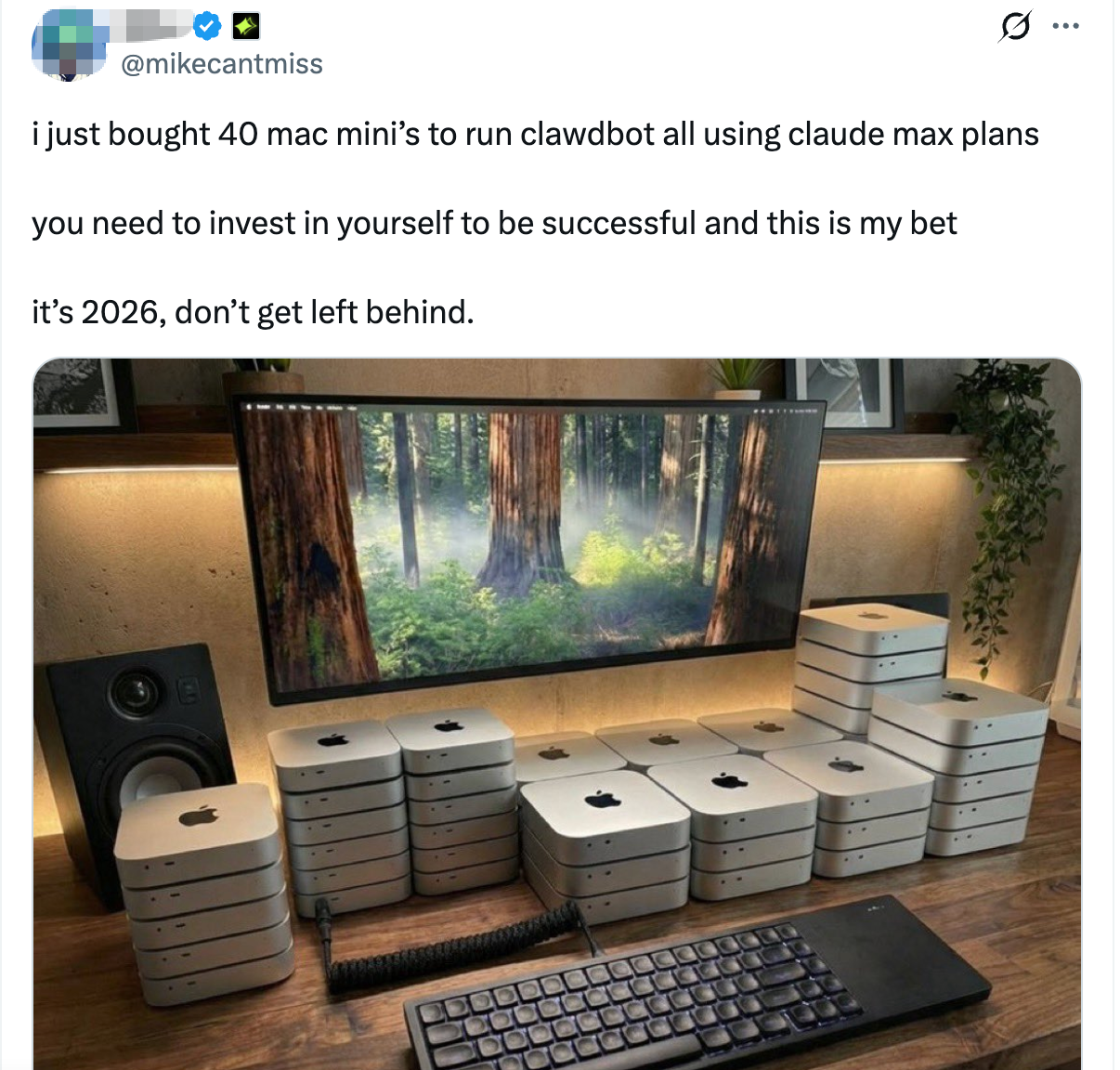
但也有网友称可以用一台免费的服务器运行着完全一样的程序,Alex 也称没必要花 600 美元买 Mac mini,有其他便宜得多的方式来运行 Clawbot。买 Mac mini 更多是个人偏好,而不是技术上的必要条件。你完全可以不买任何硬件,只需要一个 VPS。另外,云厂商们动作迅速,有网友发现腾讯云直接推出了 Clawbot 云服务。
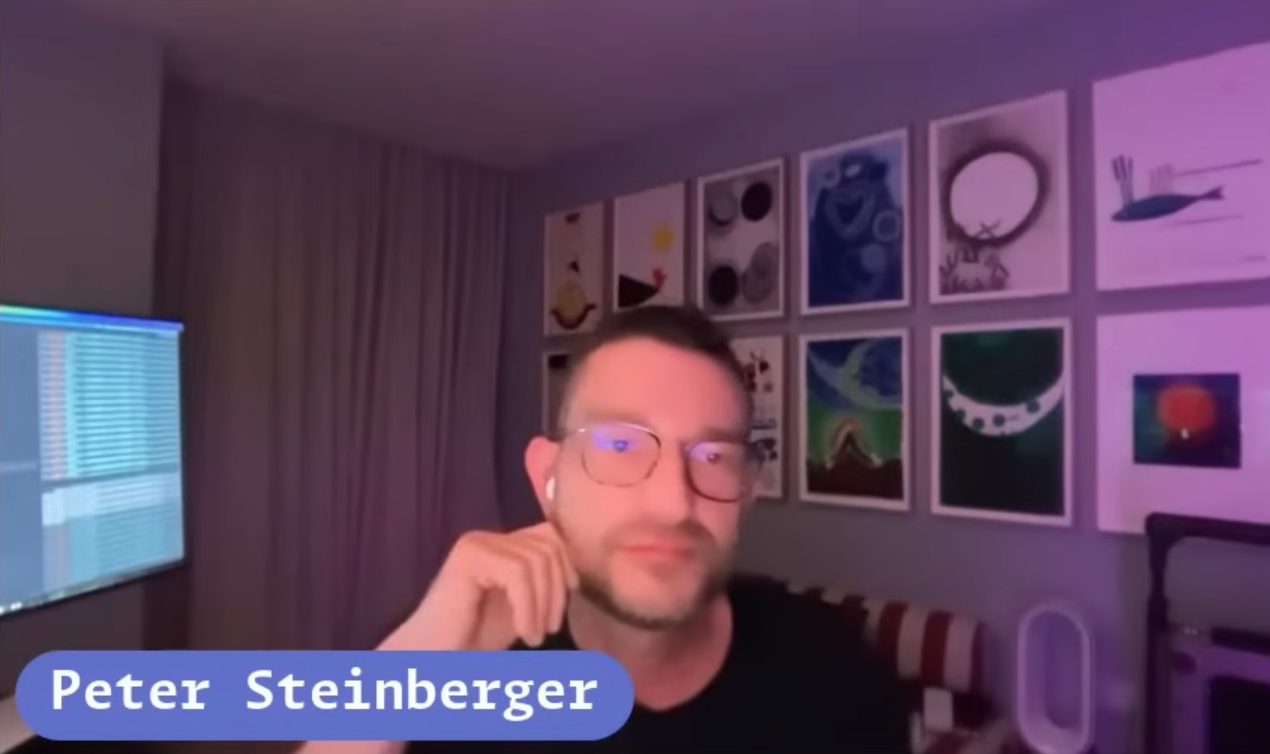
随着项目的火爆,其背后的开发者 Peter Steinberger 也备受关注。Peter 在“Open Source Friday”上分享了他一手打造 ClawdBot 的经过,从创建、创始到维护,全由他独自完成。有意思的是,此前甚至有传言称,Peter 可能是一个 bot、Agent,甚至本身就是 AI。而 Peter 的出现也让项目成员和关注者们确认了他是个“真人”。Peter 一度已经退休了,后来又从退休状态里出来开始折腾 AI。从外表来看,Peter 年轻有活力,完全不像已到退休年龄、可领取养老金的人。
Quick Start
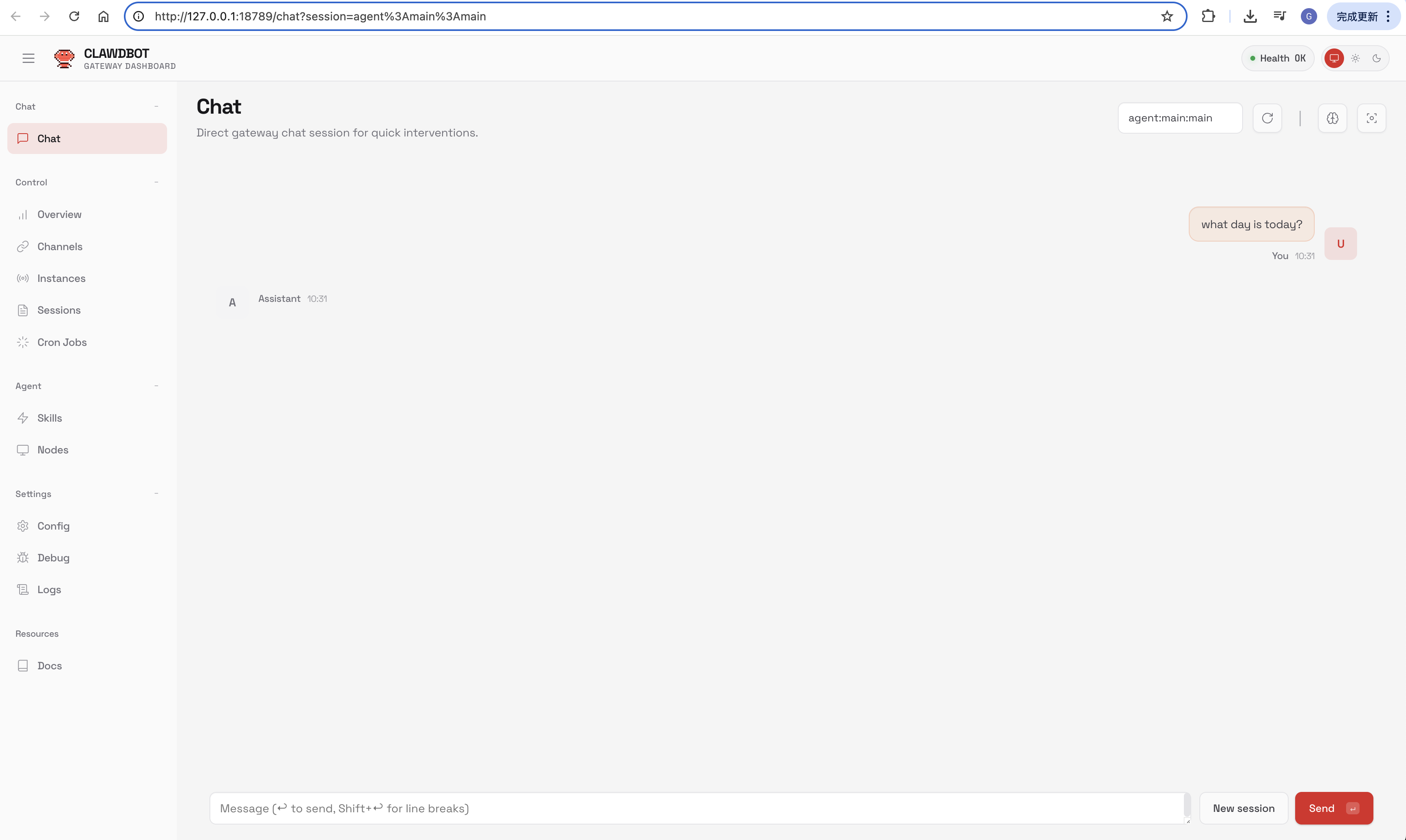
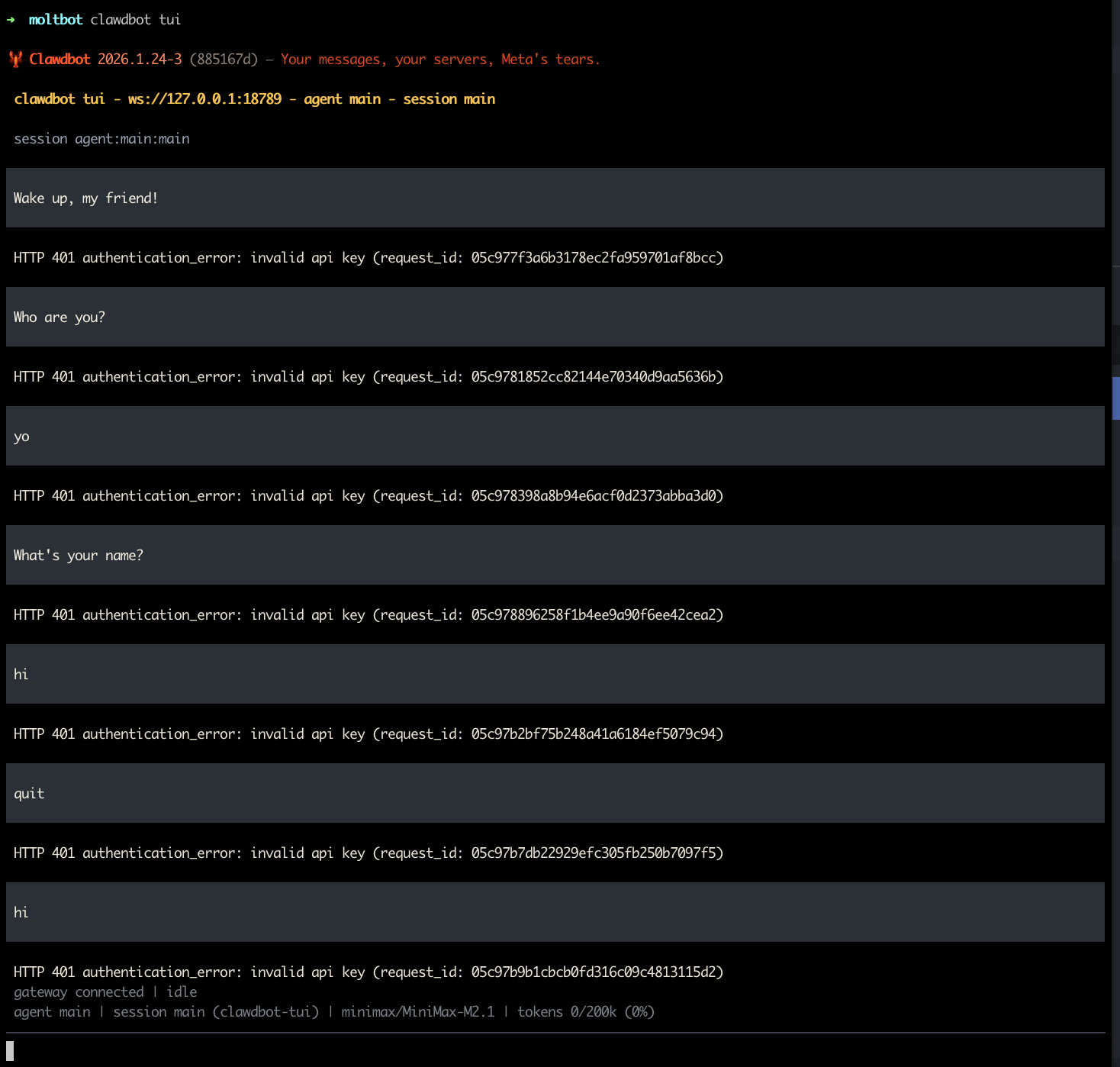
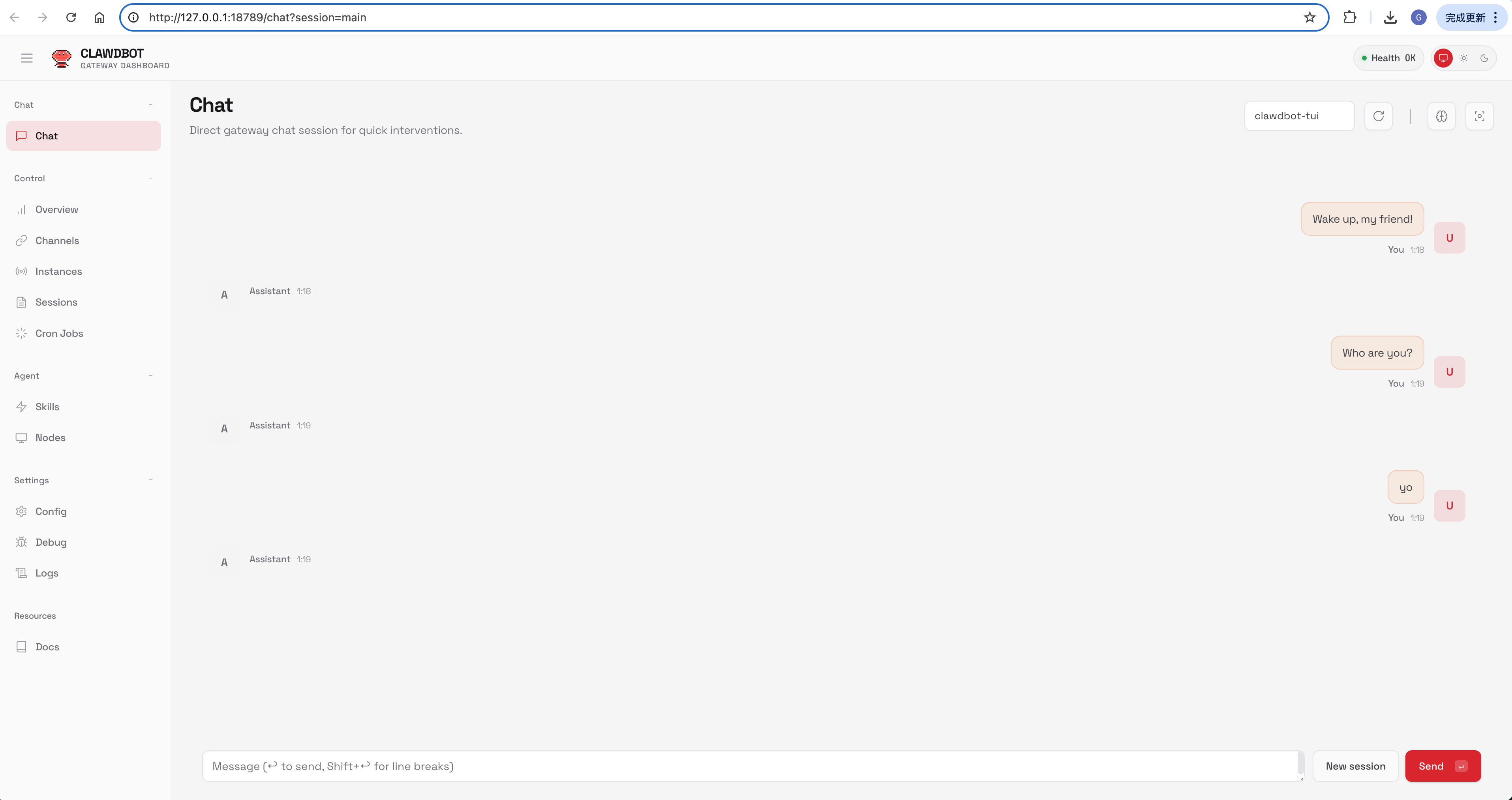
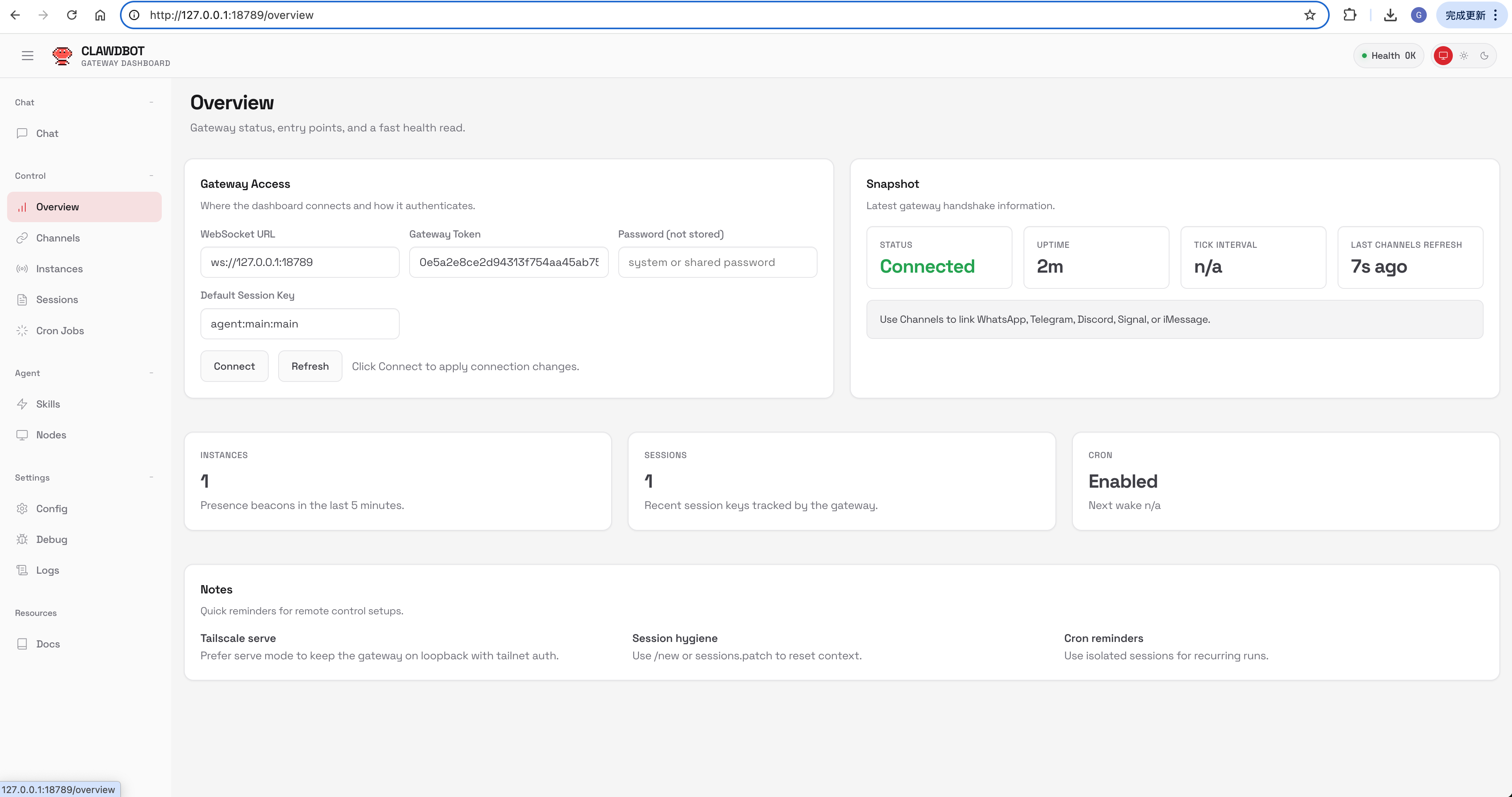
Fastest chat: open the Control UI (no channel setup needed). Run moltbot dashboard (PS: 找不到 moltbot 命令可使用 clawdbot 替换,建议将 moltbot 设置为 clawdbot 命令的别名) and chat in the browser, or open http://127.0.0.1:18789/ on the gateway host. Docs: Dashboard and Control UI.
Recommended path: use the CLI onboarding wizard (moltbot onboard). It sets up:
- model/auth (OAuth recommended)
- gateway settings
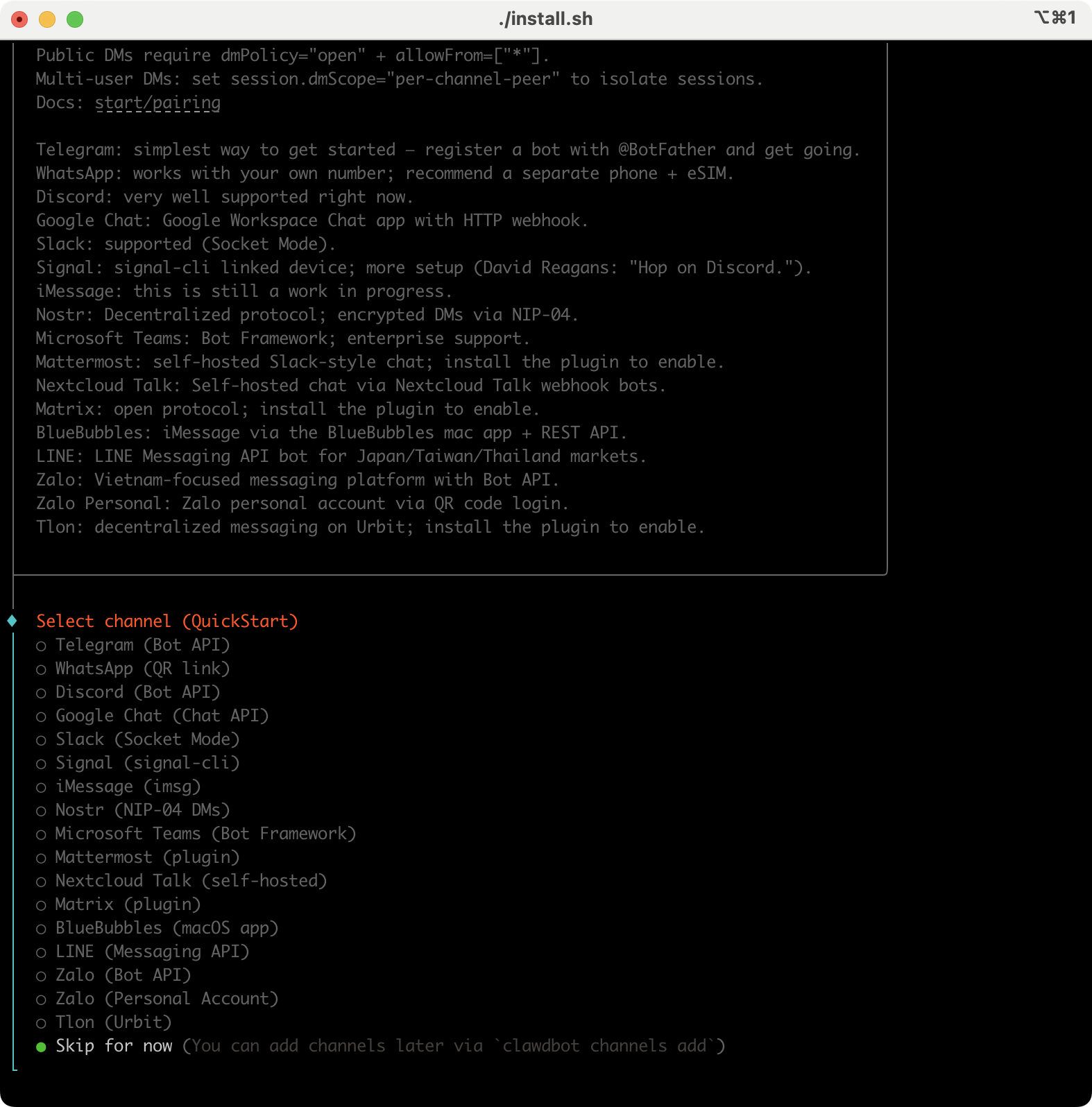
- channels (WhatsApp/Telegram/Discord/Mattermost (plugin)/…)
- pairing defaults (secure DMs)
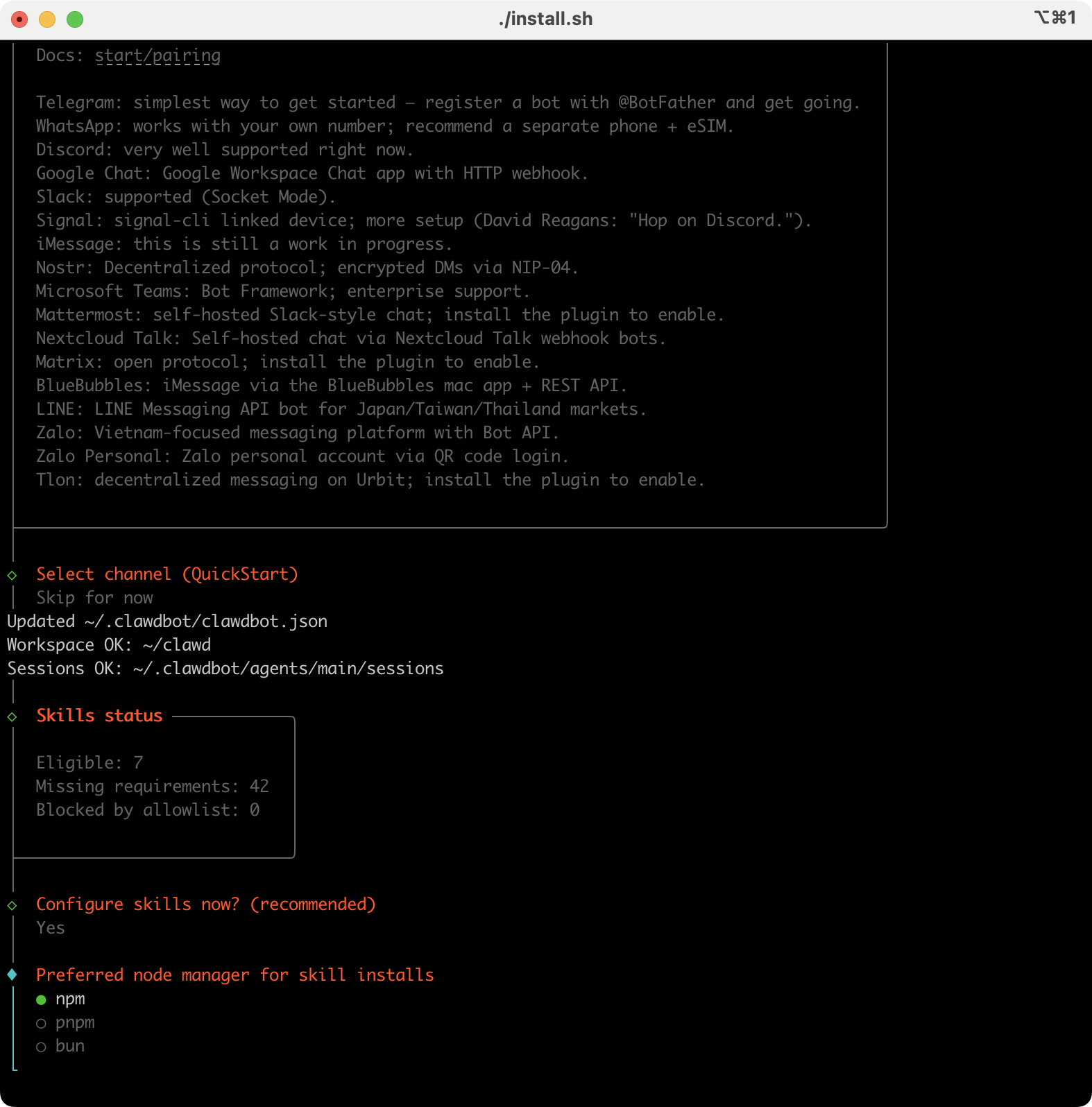
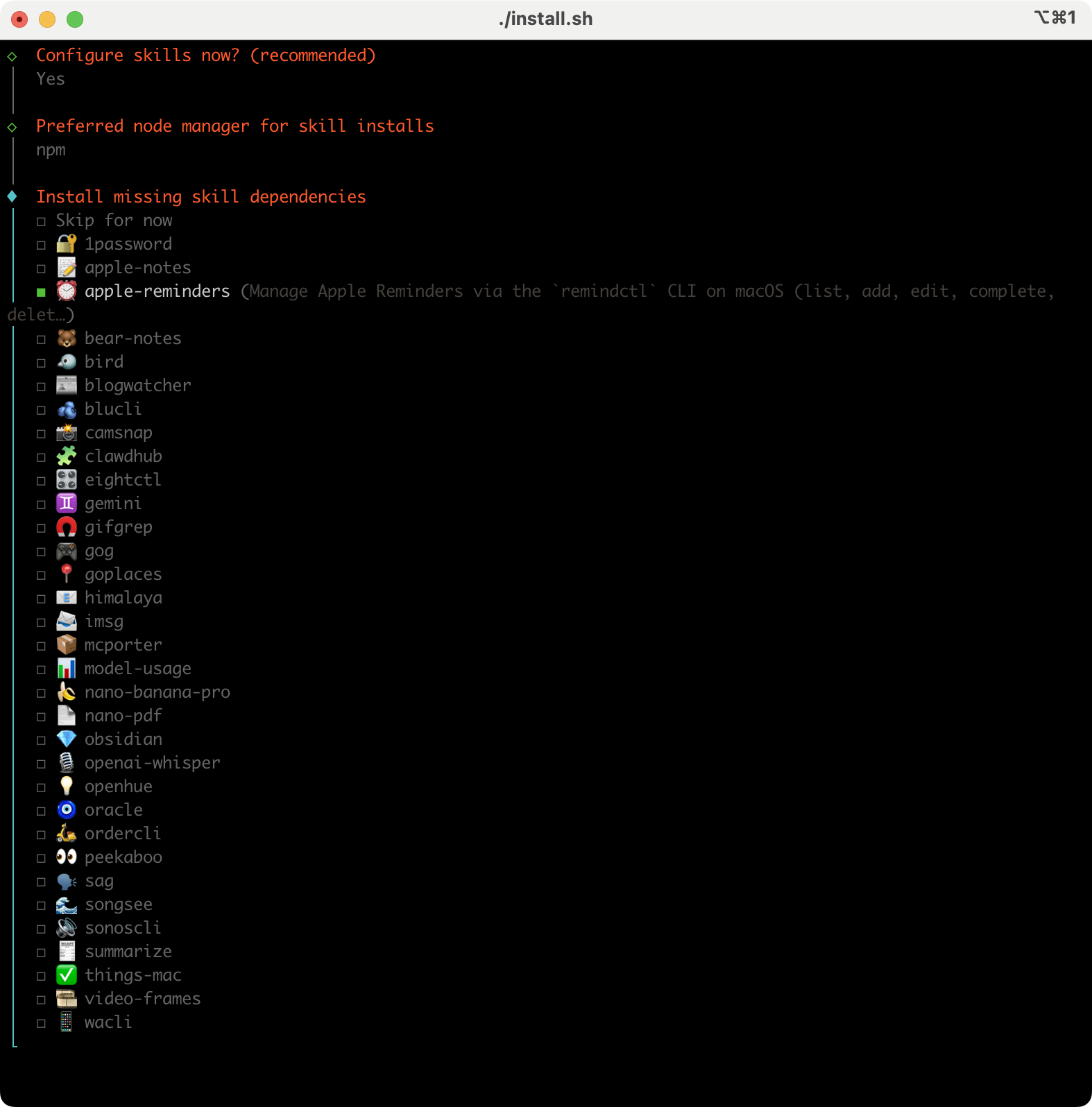
- workspace bootstrap + skills
- optional background service
If you want the deeper reference pages, jump to: Wizard, Setup, Pairing, Security.

Moltbot (原 ClawdBot)
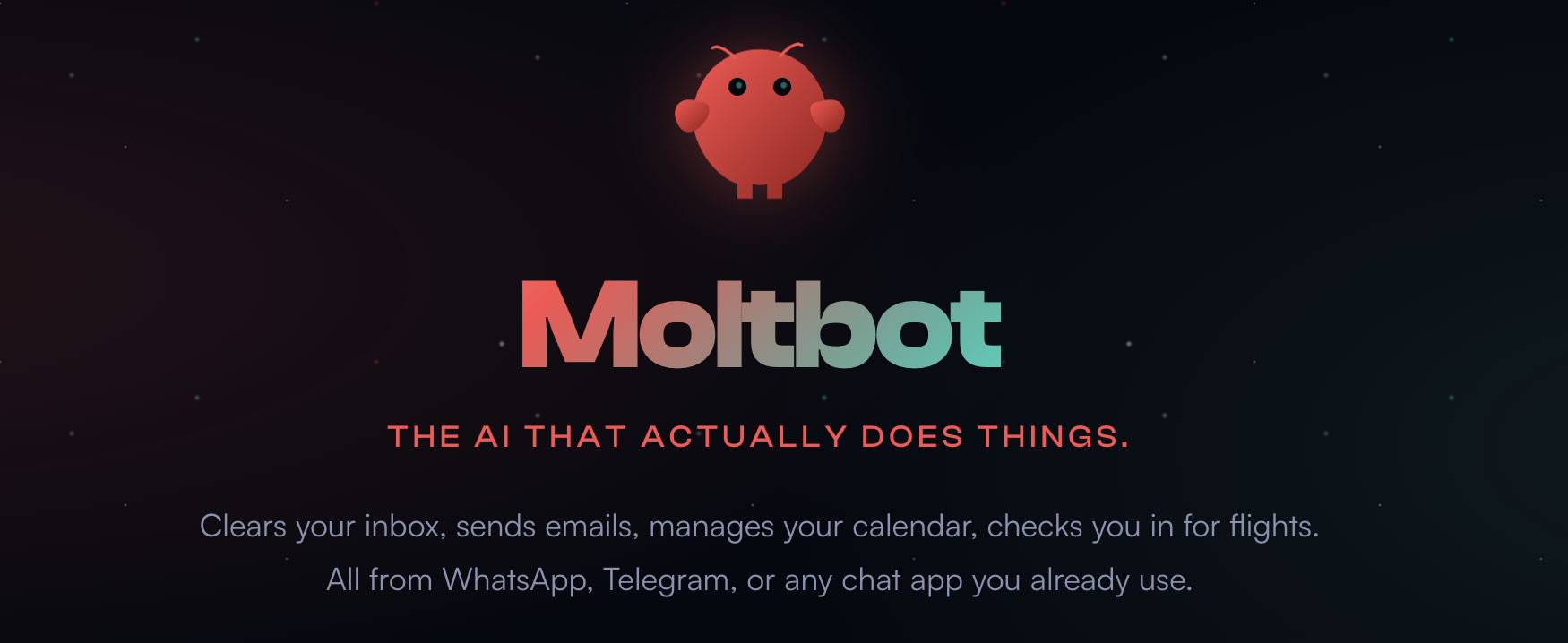
Moltbot is a personal AI assistant you run on your own devices. It answers you on the channels you already use (WhatsApp, Telegram, Slack, Discord, Google Chat, Signal, iMessage, Microsoft Teams, WebChat), plus extension channels like BlueBubbles, Matrix, Zalo, and Zalo Personal. It can speak and listen on macOS/iOS/Android, and can render a live Canvas you control. The Gateway is just the control plane — the product is the assistant.
If you want a personal, single-user assistant that feels local, fast, and always-on, this is it.
What It Does
- Runs on Your Machine
- Mac, Windows, or Linux. Anthropic, OpenAI, or local models. Private by default - your data stays yours.
- Any Chat App
- Talk to it on WhatsApp, Telegram, Discord, Slack, Sigal, or iMessage. Works in DMs and group chats.
- Persistent Memory
- Remembers you and becomes uniquely yours. Your preferences, your context, your AI.
- Browser Control
- It can browse the web, fill forms, and extract data from any site.
- Full System Access
- Read and write files, run shell commands, execute scripts. Full access or sandboxed - your choice.
- Skills & Plugins
- Extend with community skills or build your own. It can even write its own.
Works With Everything
See https://www.molt.bot/integrations.
Install the CLI (recommended)
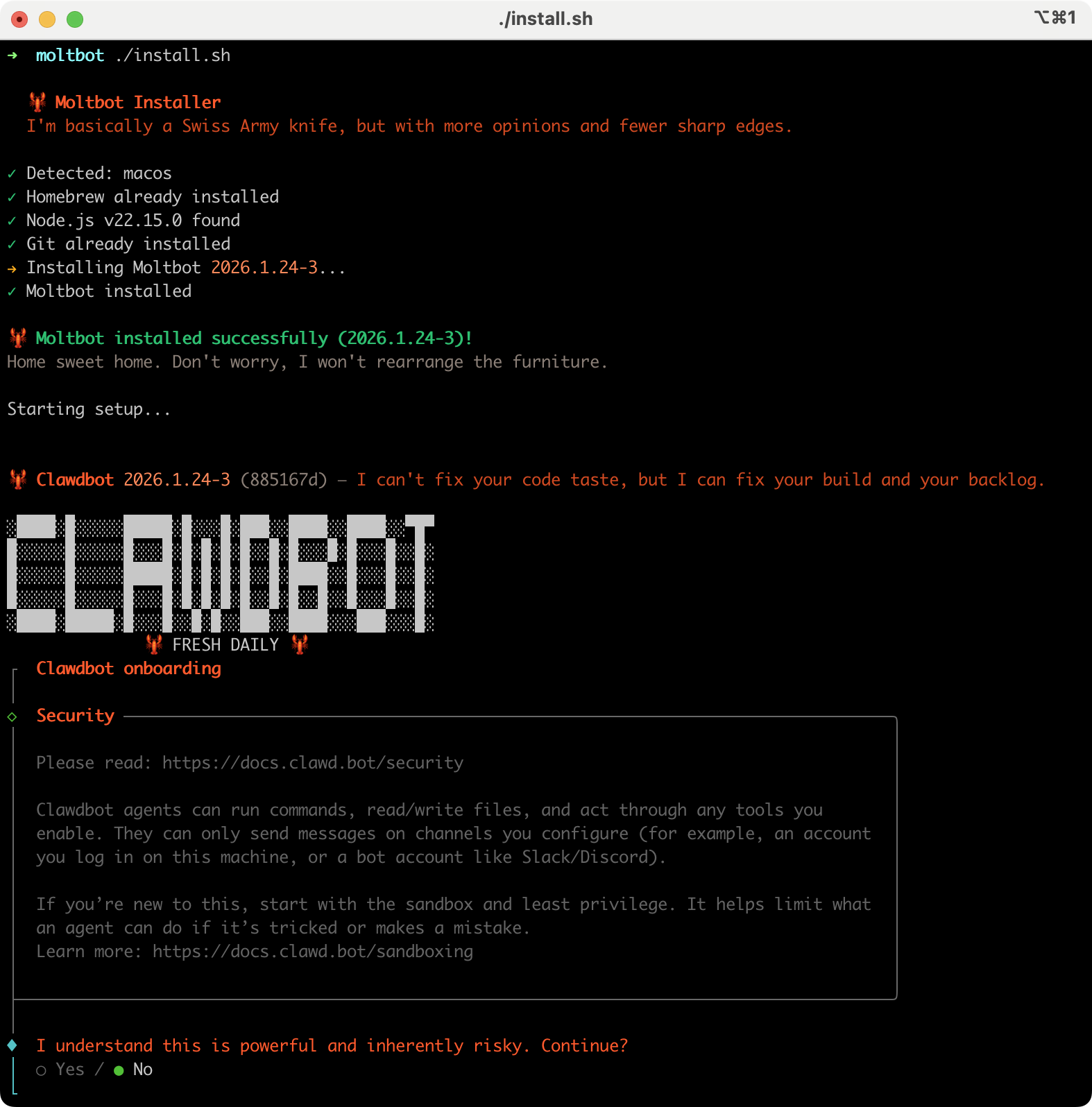
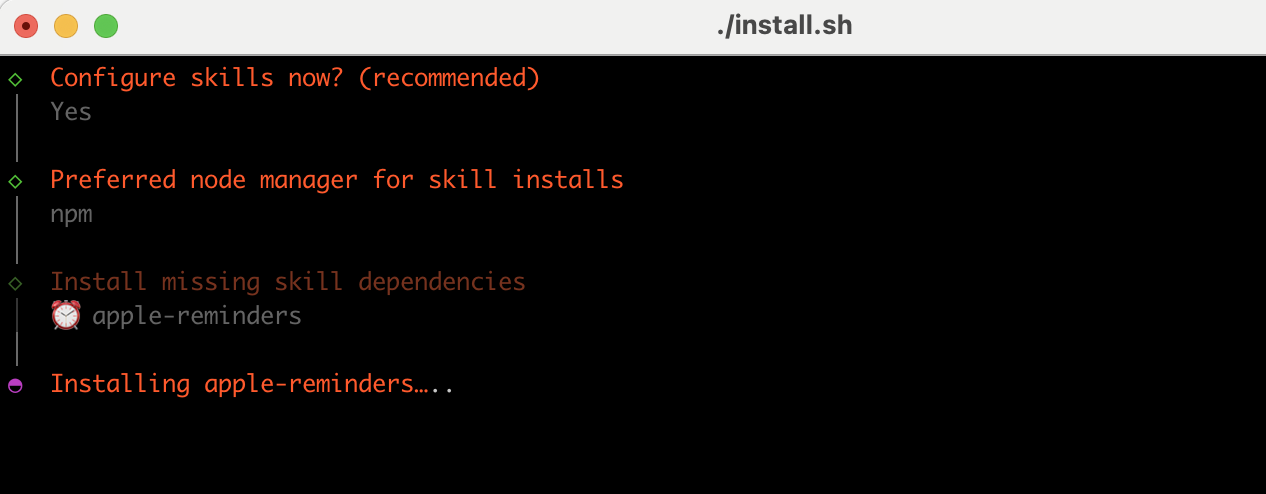
Works on macOS, Windows & Linux. The one-liner installs Node.js and everything else for you.
Runtime: Node ≥22.
#!/bin/bash
# install.sh
curl -fsSL https://molt.bot/install.sh | bash
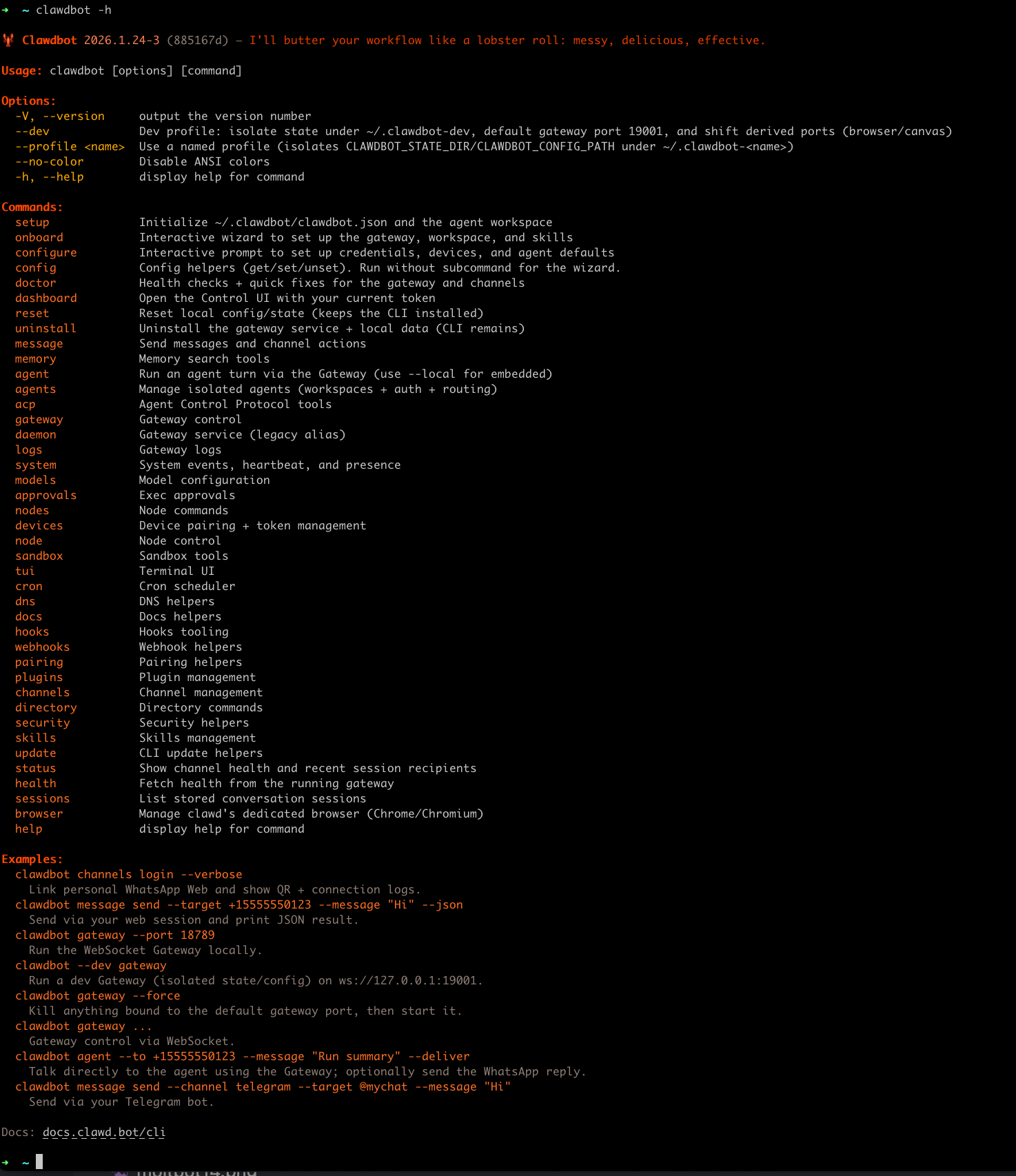
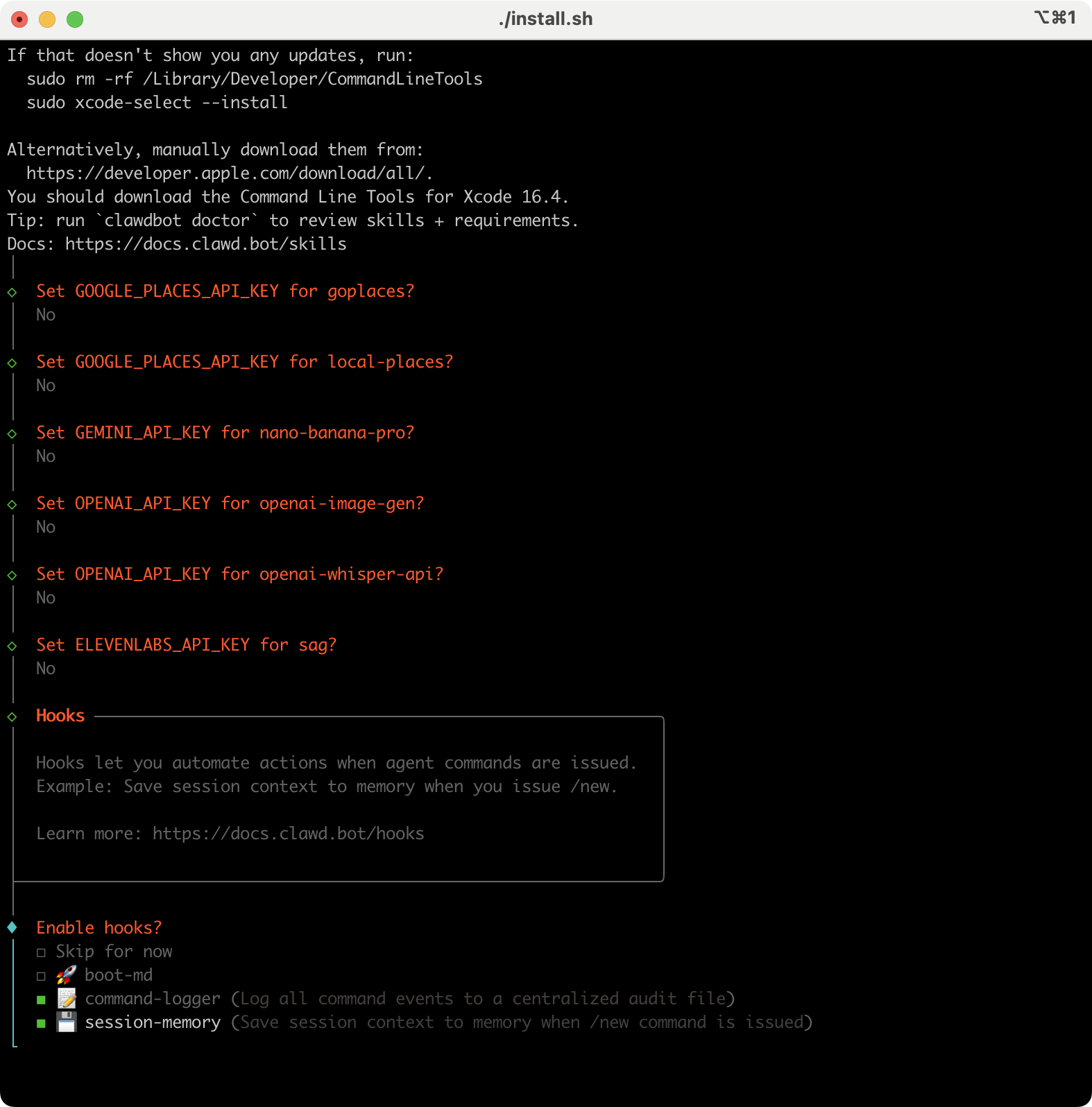
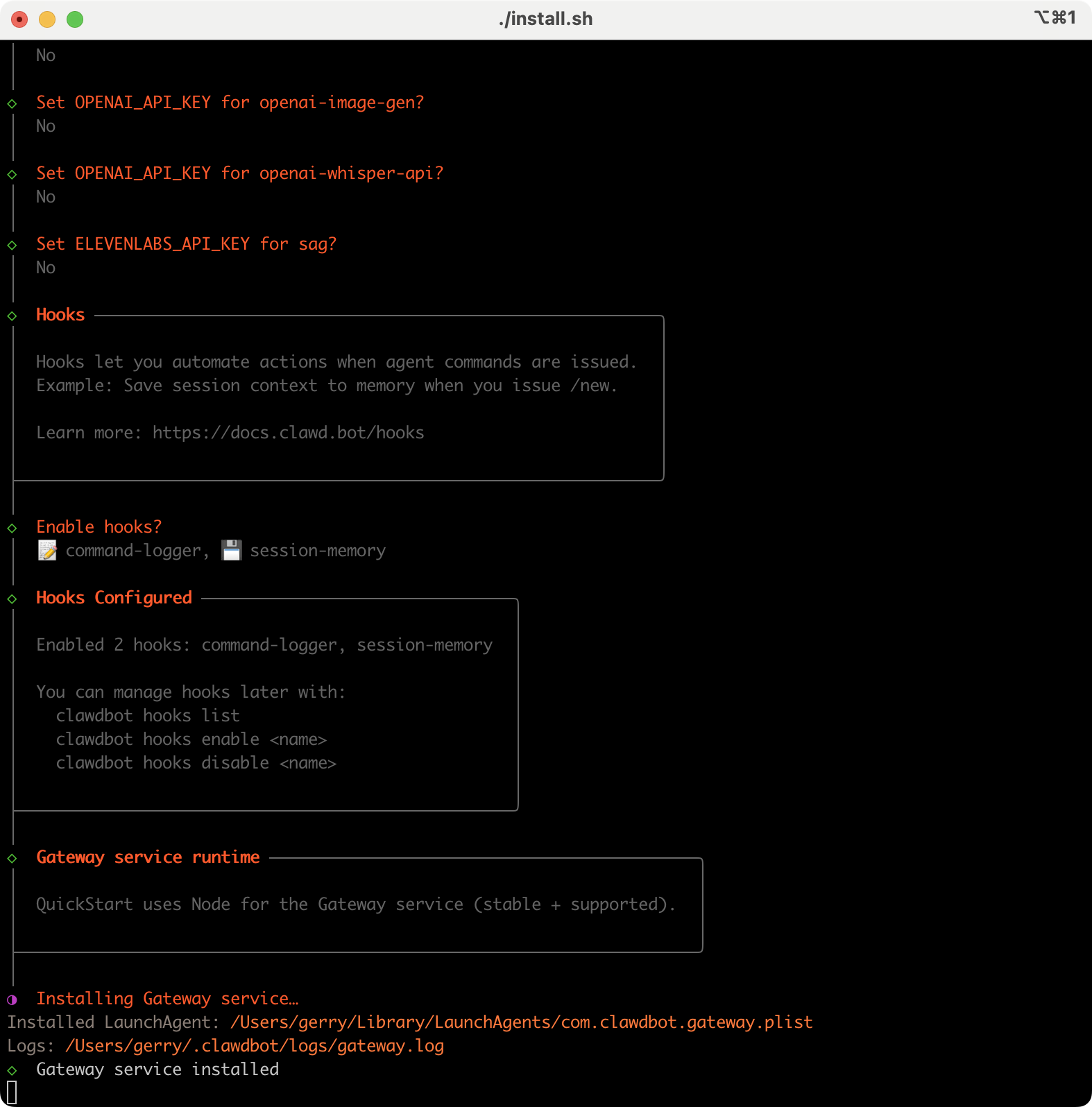
The wizard installs the Gateway daemon (launchd/systemd user service) so it stays running. Legacy note: clawdbot remains available as a compatibility shim.

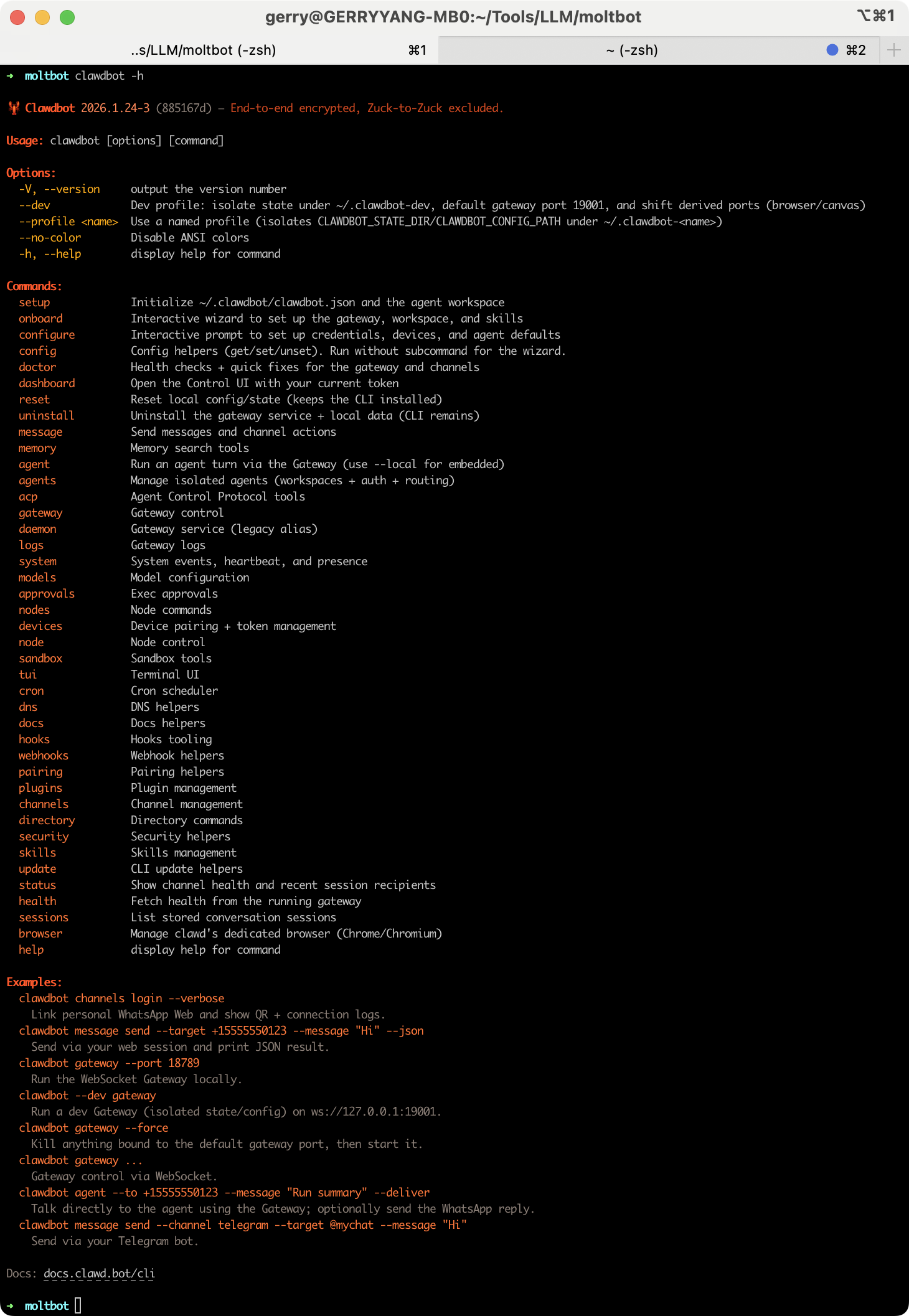
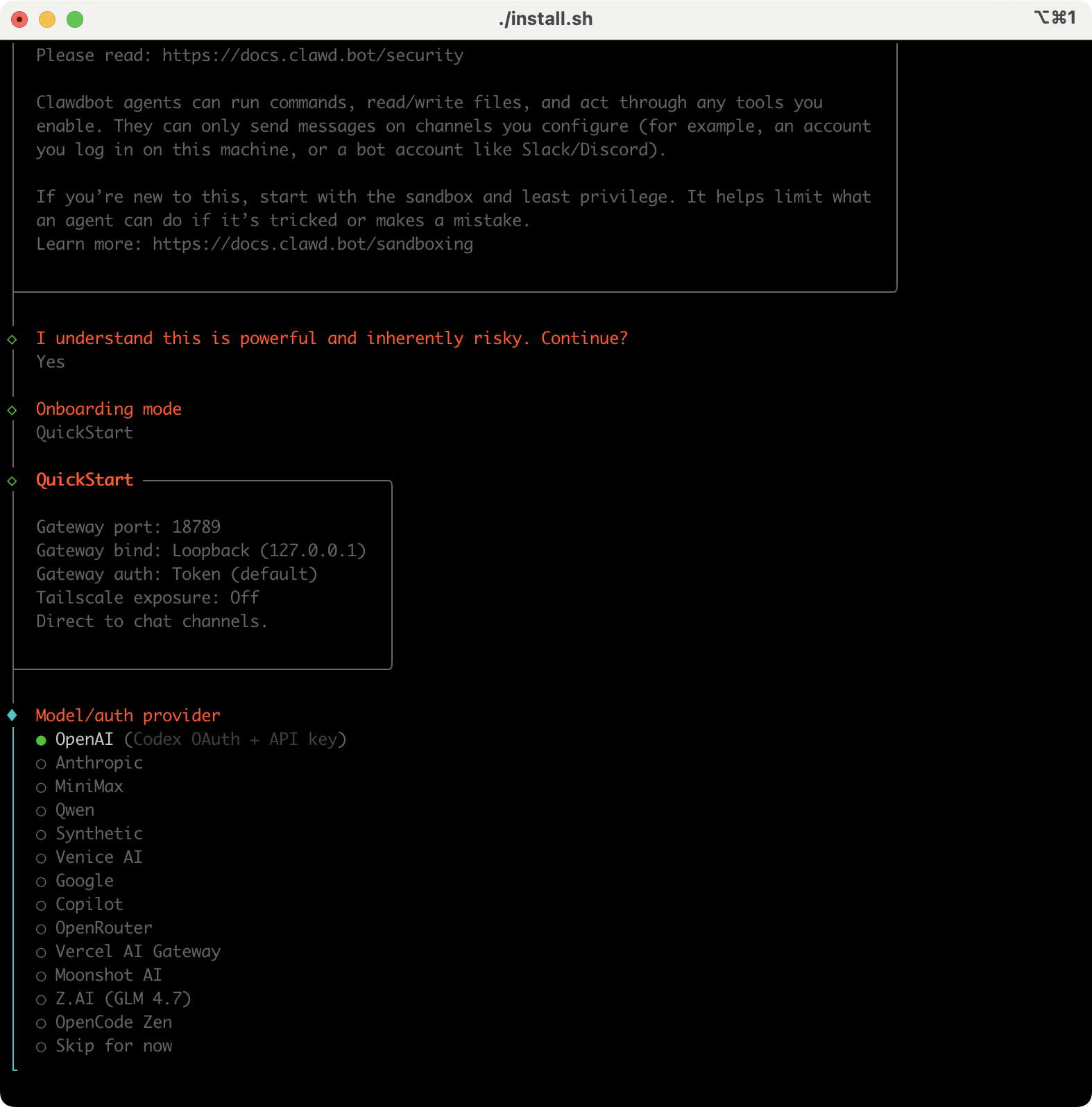
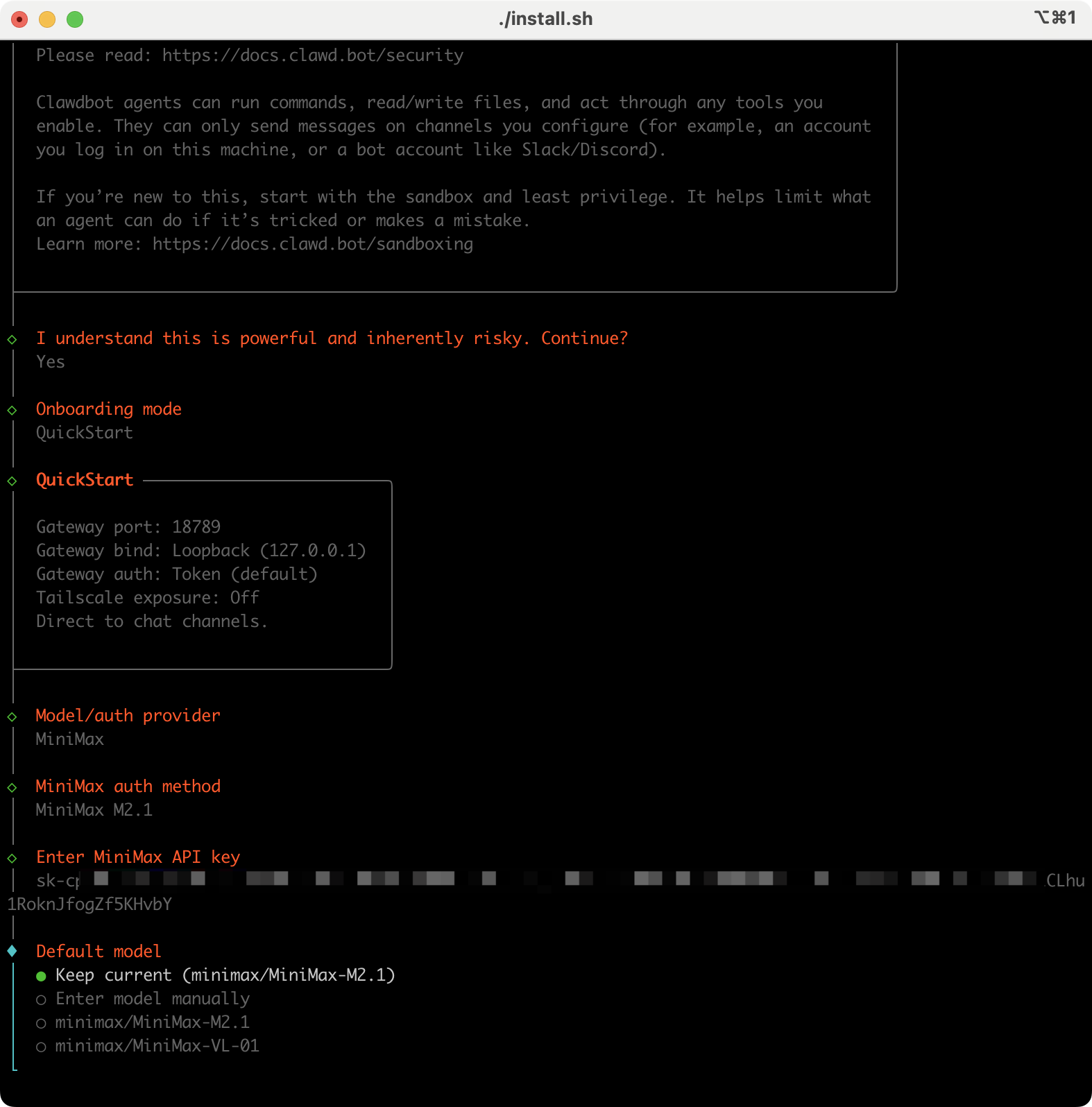
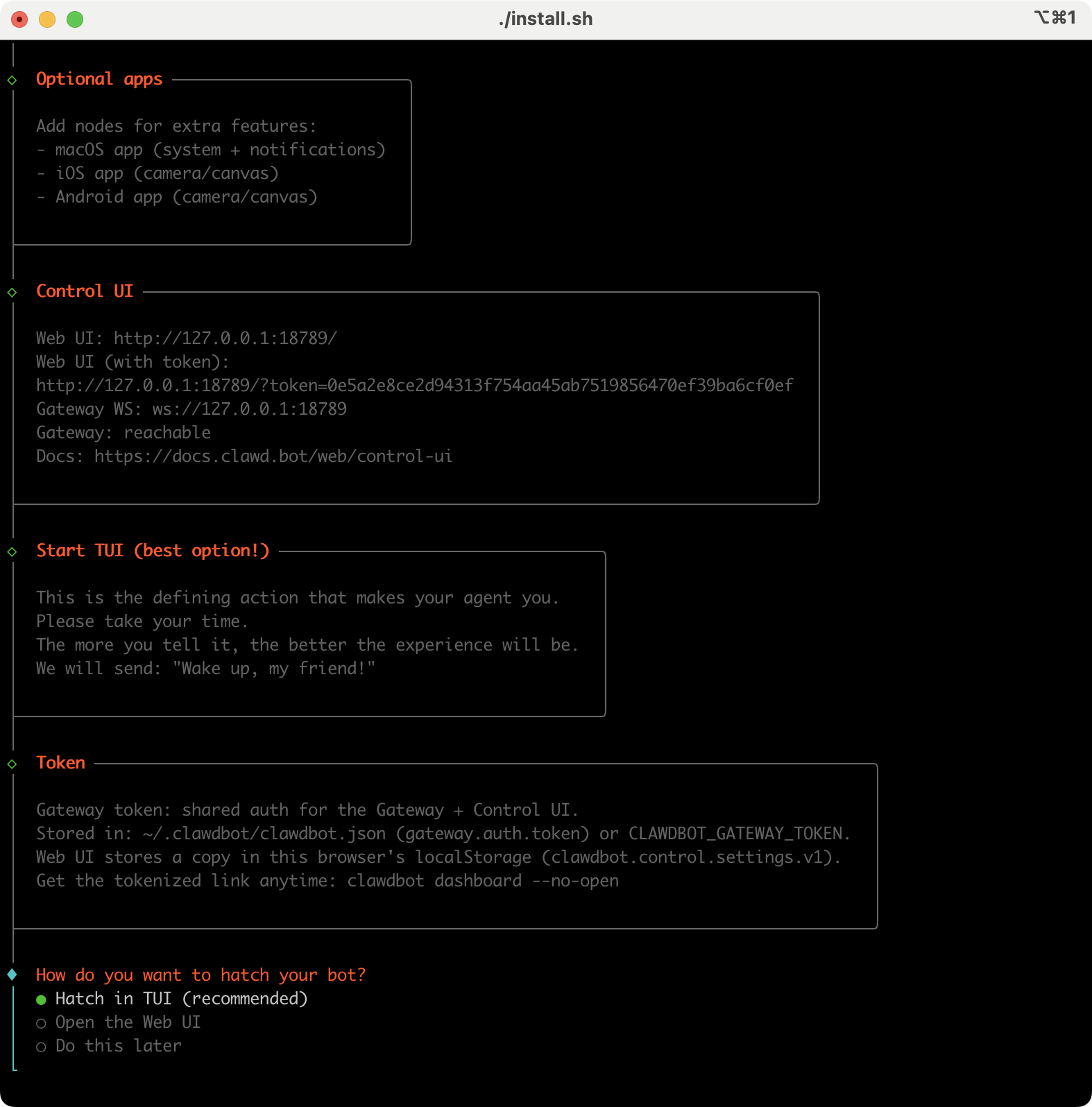
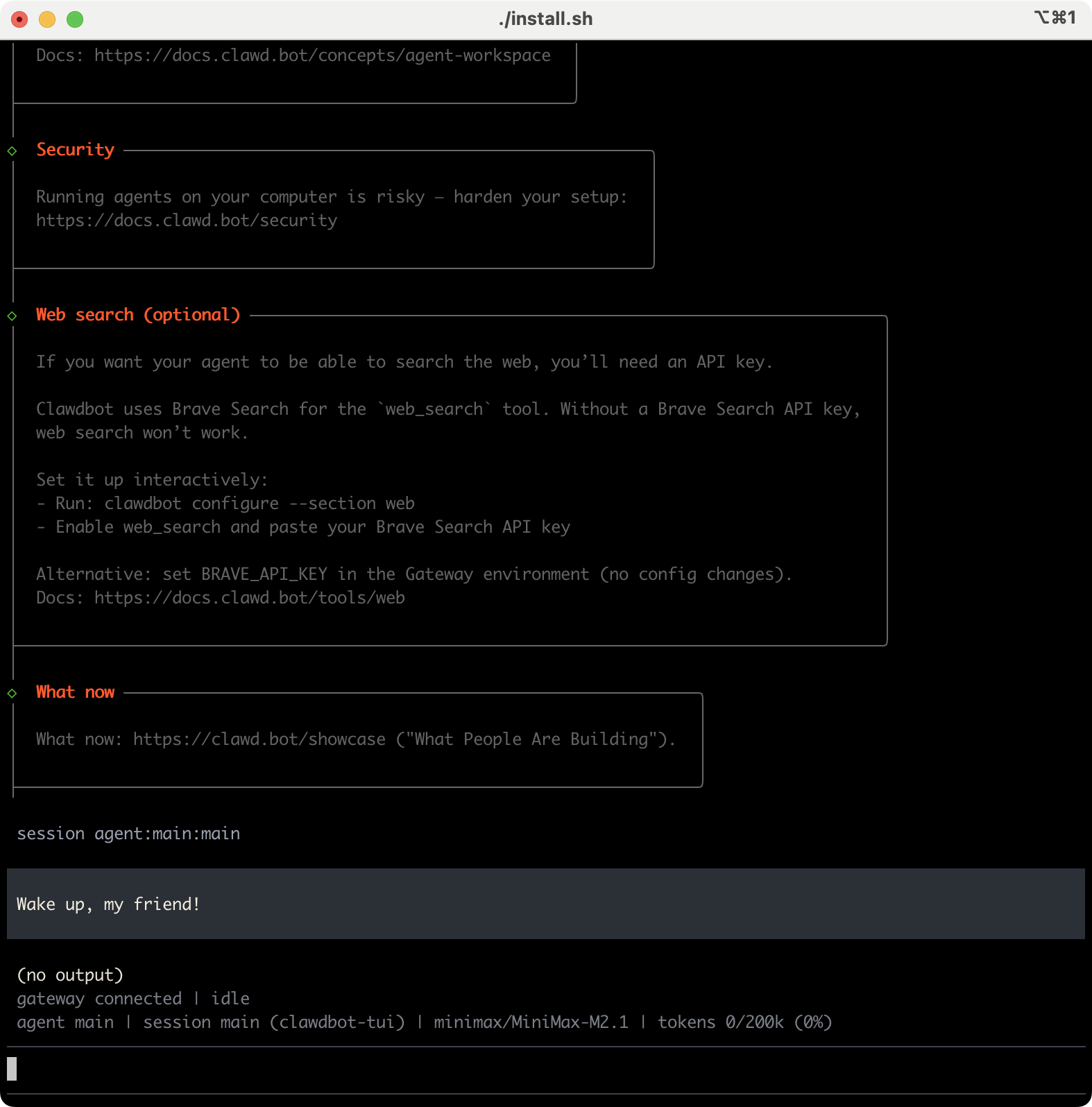
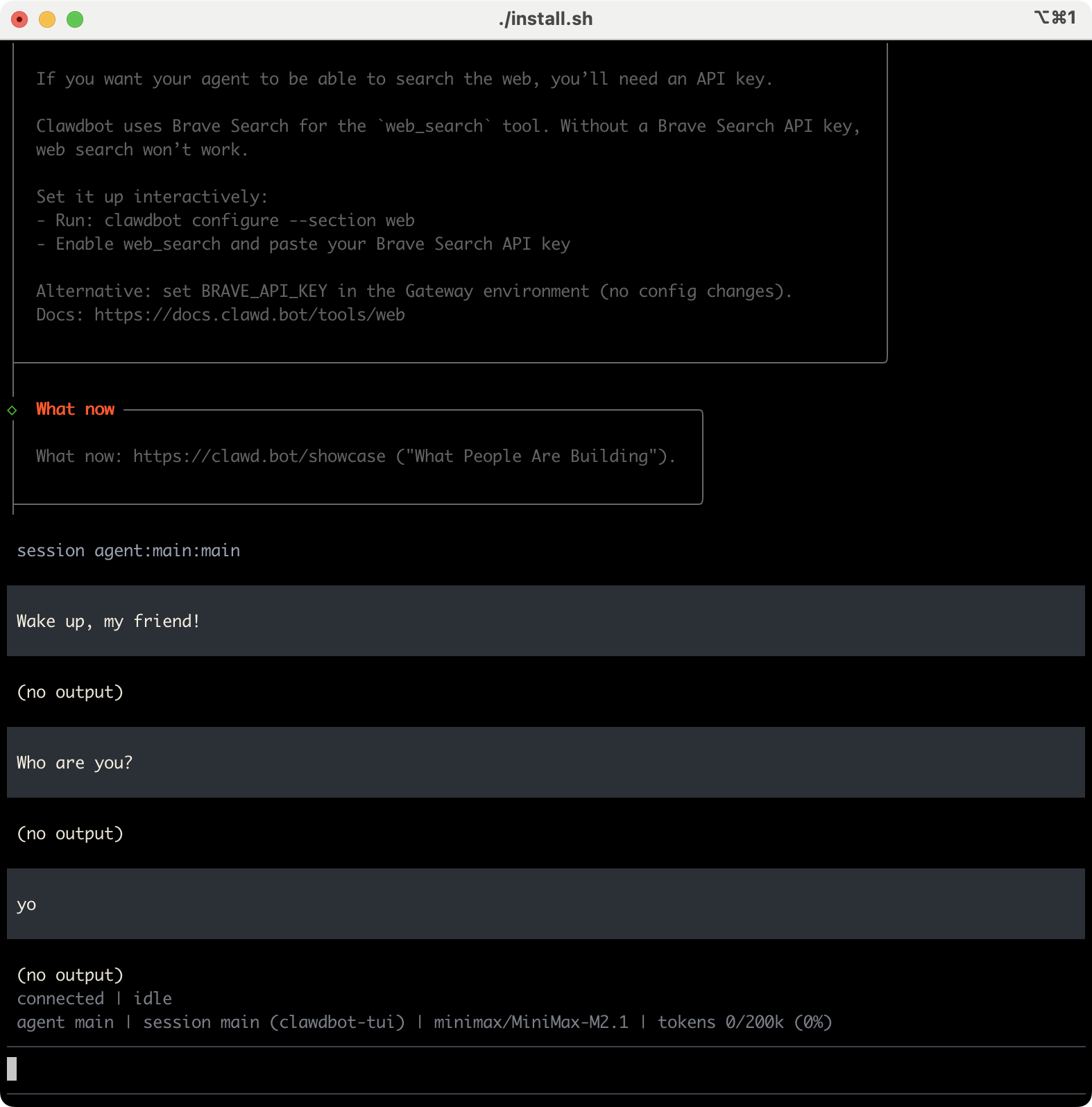
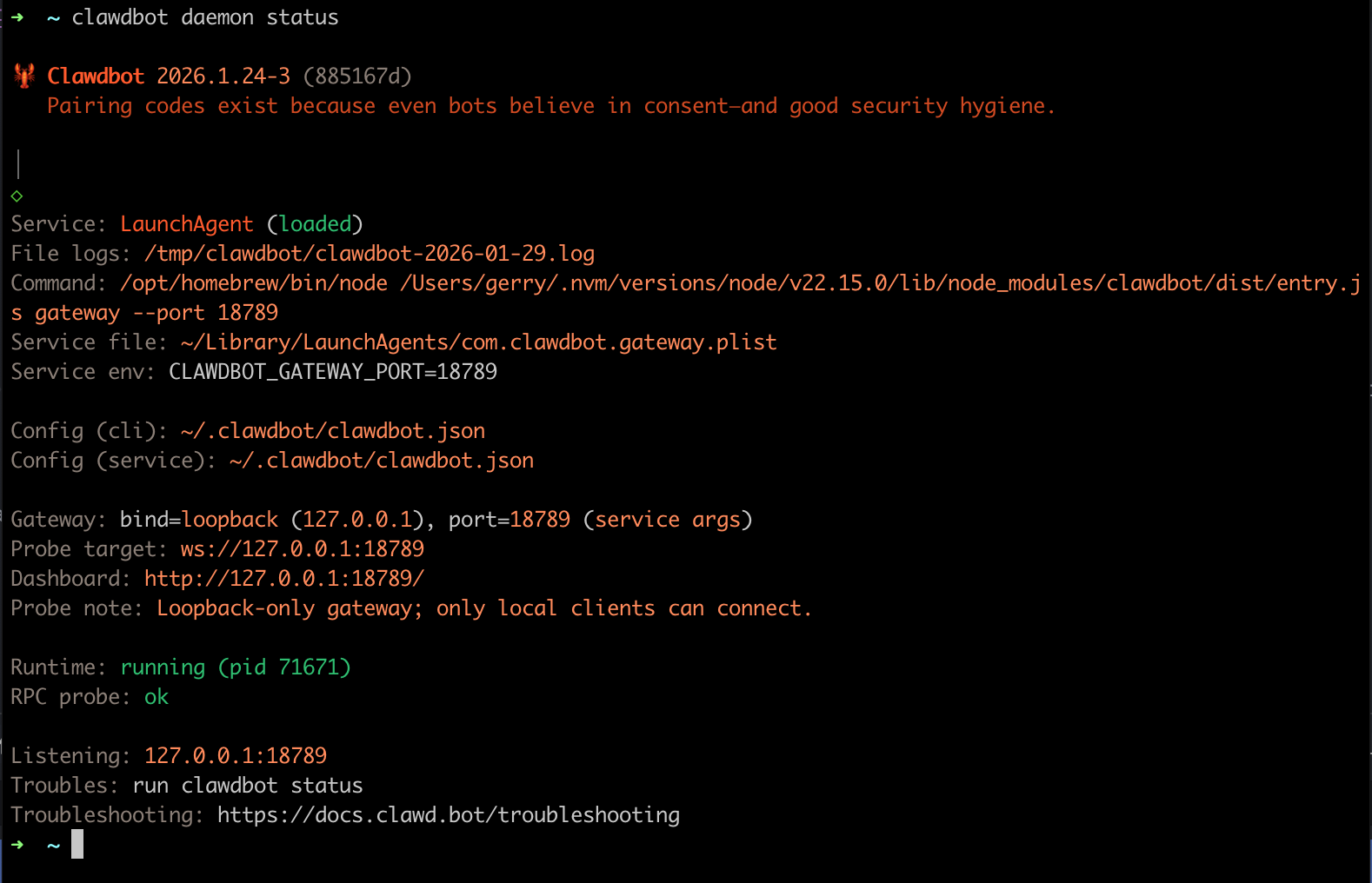
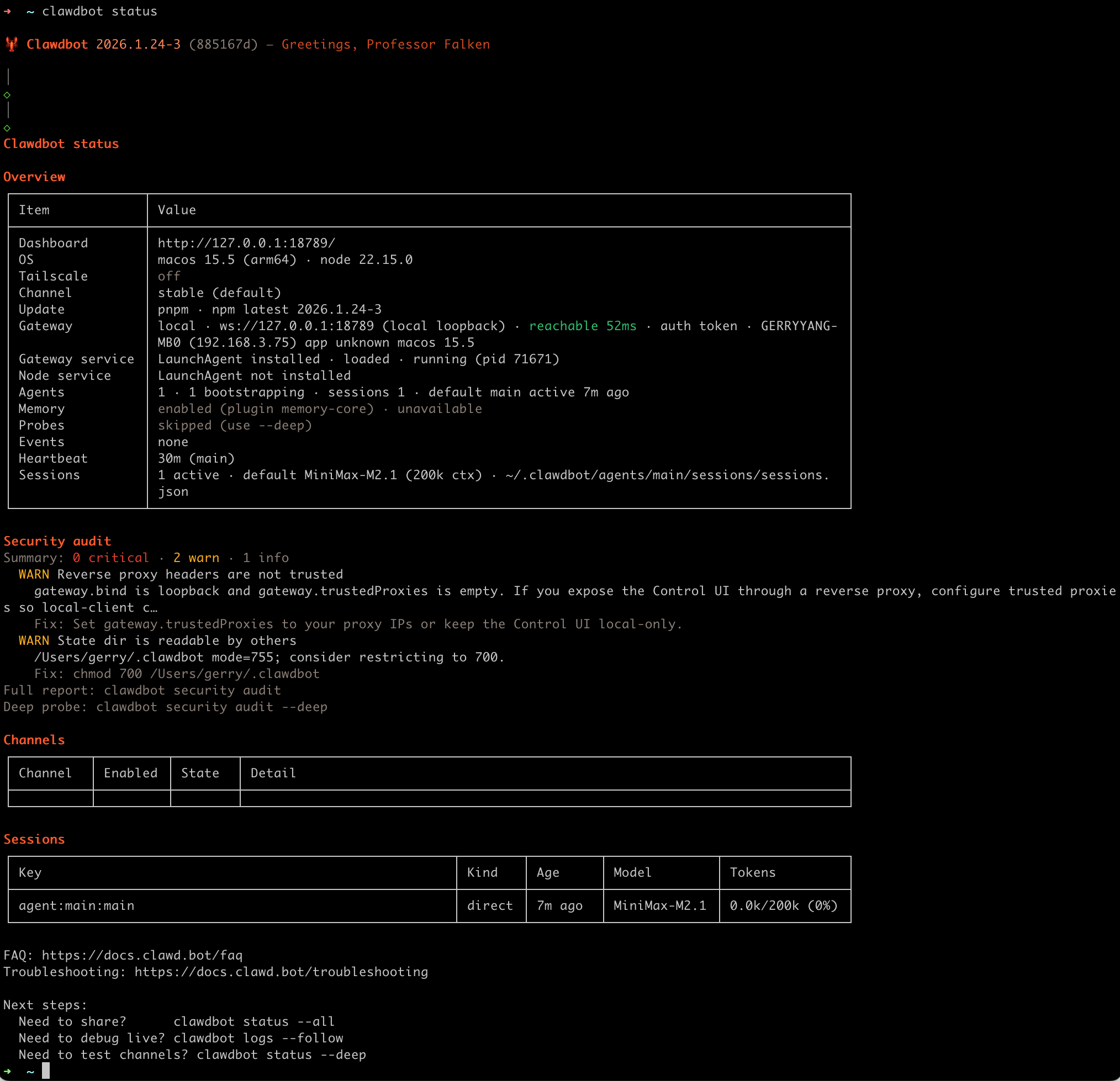
具体安装过程如下:
Uninstall
Uninstall the gateway service + local data (CLI remains).
moltbot uninstall
moltbot uninstall --all --yes
moltbot uninstall --dry-run
Run the onboarding wizard (and install the service)
moltbot onboard --install-daemon
What you’ll choose:
- Local vs Remote gateway
- Auth: OpenAI Code (Codex) subscription (OAuth) or API keys. For Anthropic we recommend an API key;
claude setup-tokenis also supported. - Providers: WhatsApp QR login, Telegram/Discord bot tokens, Mattermost plugin tokens, etc.
- Daemon: background install (
launchd/systemd; WSL2 uses systemd)- Runtime: Node (recommended; required for WhatsApp/Telegram). Bun is not recommended.
- Gateway token: the wizard generates one by default (even on loopback) and stores it in
gateway.auth.token.
Wizard doc: Wizard
Auth: where it lives (important)
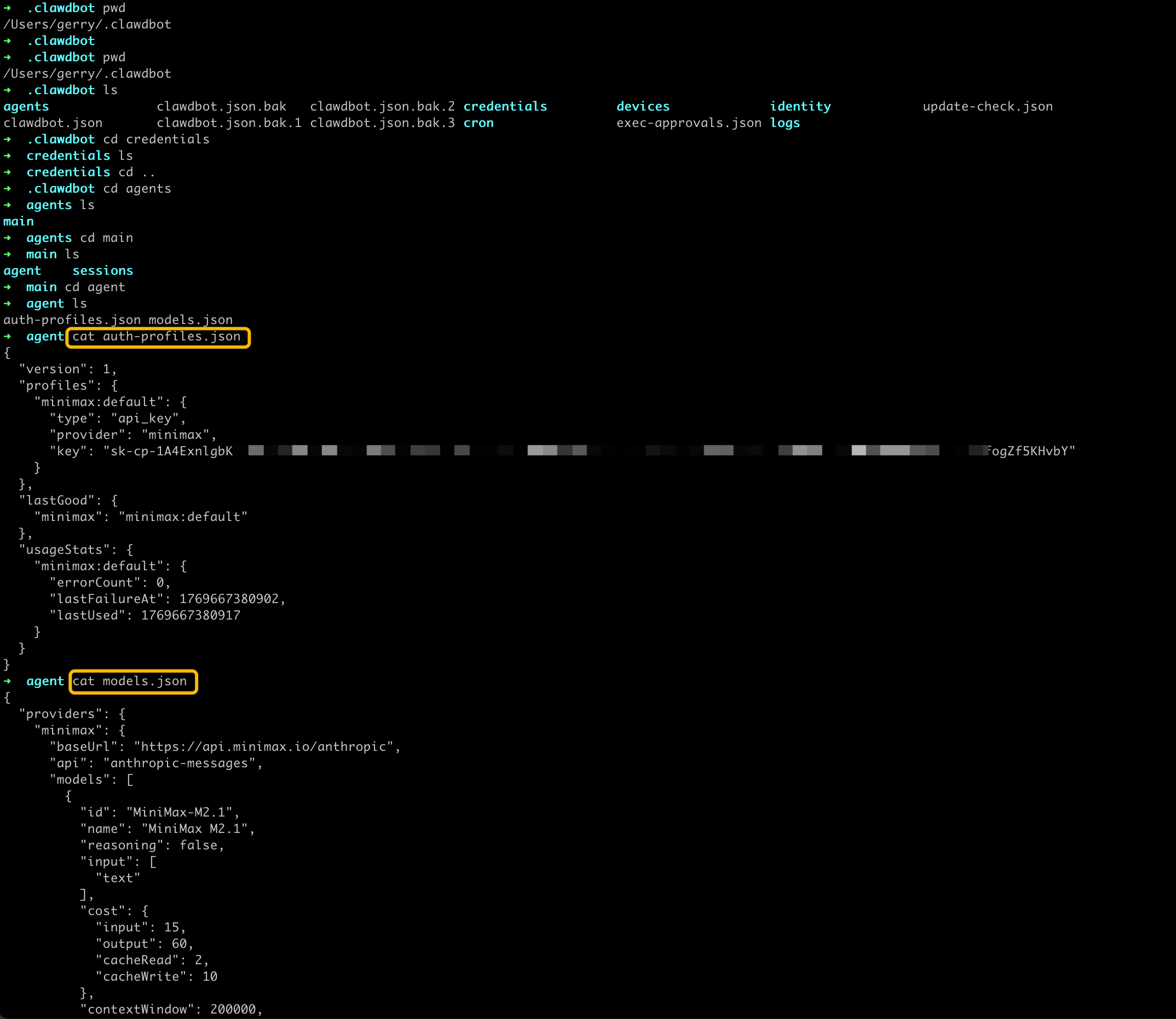
- Recommended Anthropic path: set an API key (wizard can store it for service use).
claude setup-tokenis also supported if you want to reuse Claude Code credentials. - Auth profiles (OAuth + API keys):
~/.clawdbot/agents/<agentId>/agent/auth-profiles.json
Headless/server tip: do OAuth on a normal machine first, then copy oauth.json to the gateway host.
Start the Gateway
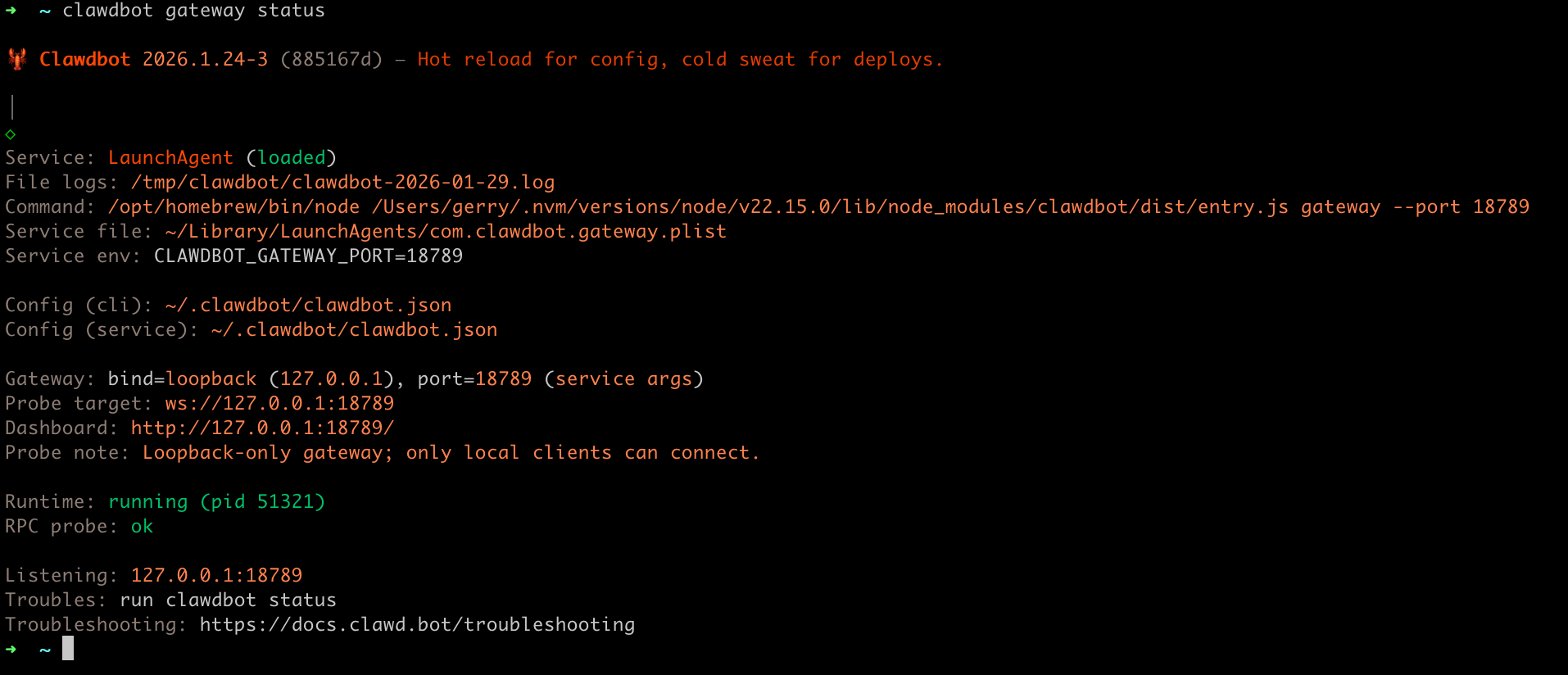
If you installed the service during onboarding, the Gateway should already be running:
moltbot gateway status
Manual run (foreground):
moltbot gateway --port 18789 --verbose
Dashboard (local loopback): http://127.0.0.1:18789/ If a token is configured, paste it into the Control UI settings (stored as connect.params.auth.token).
Quick verify (2 min)
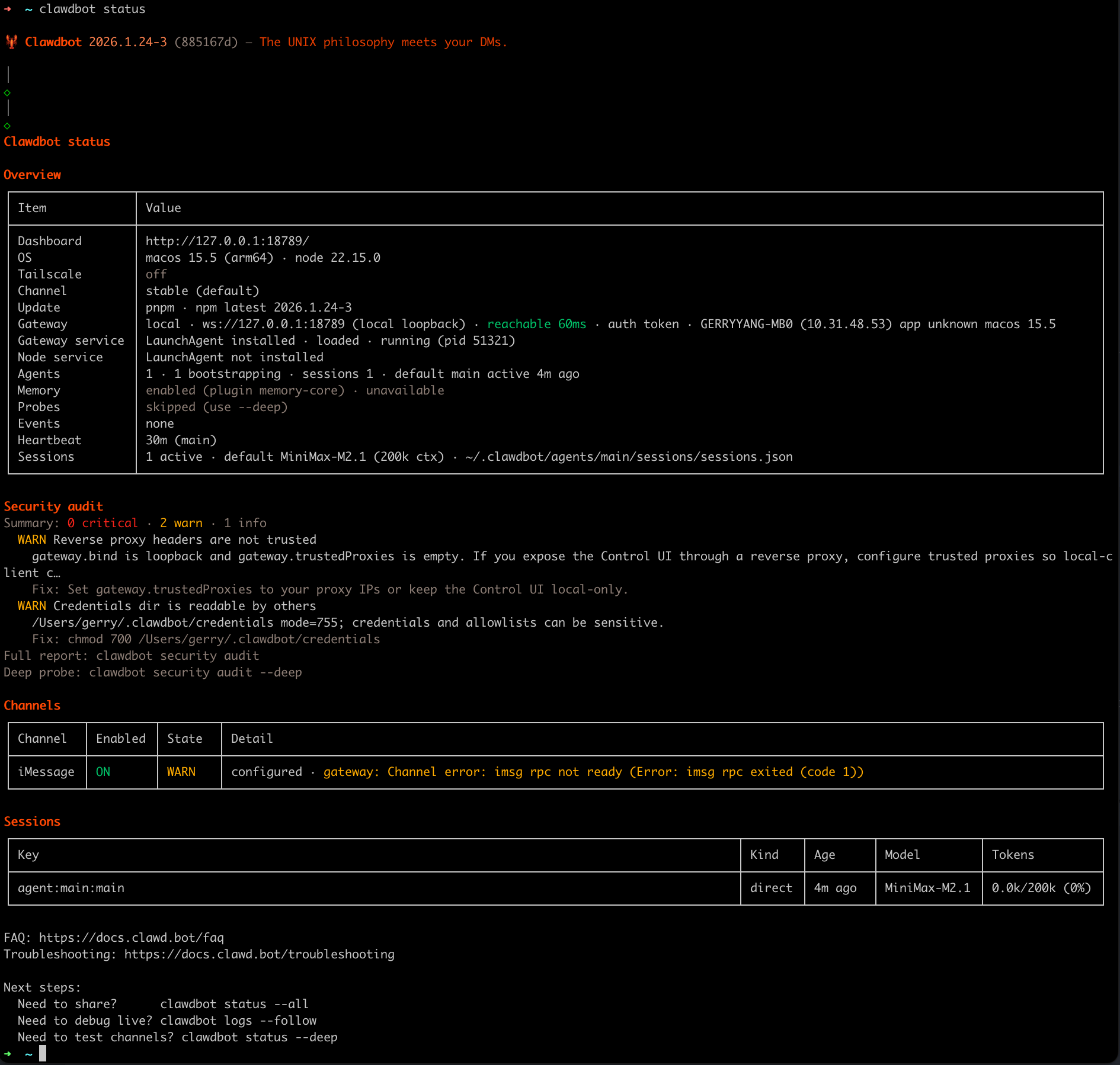
moltbot status
moltbot status --all

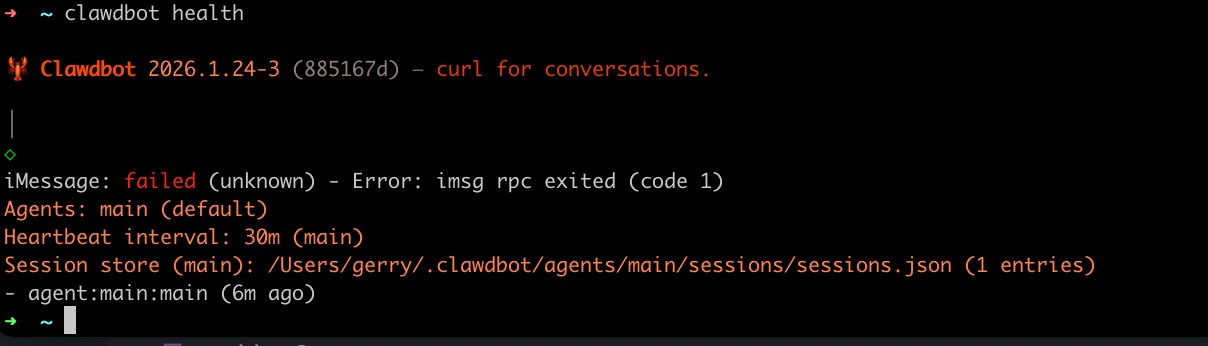
moltbot health

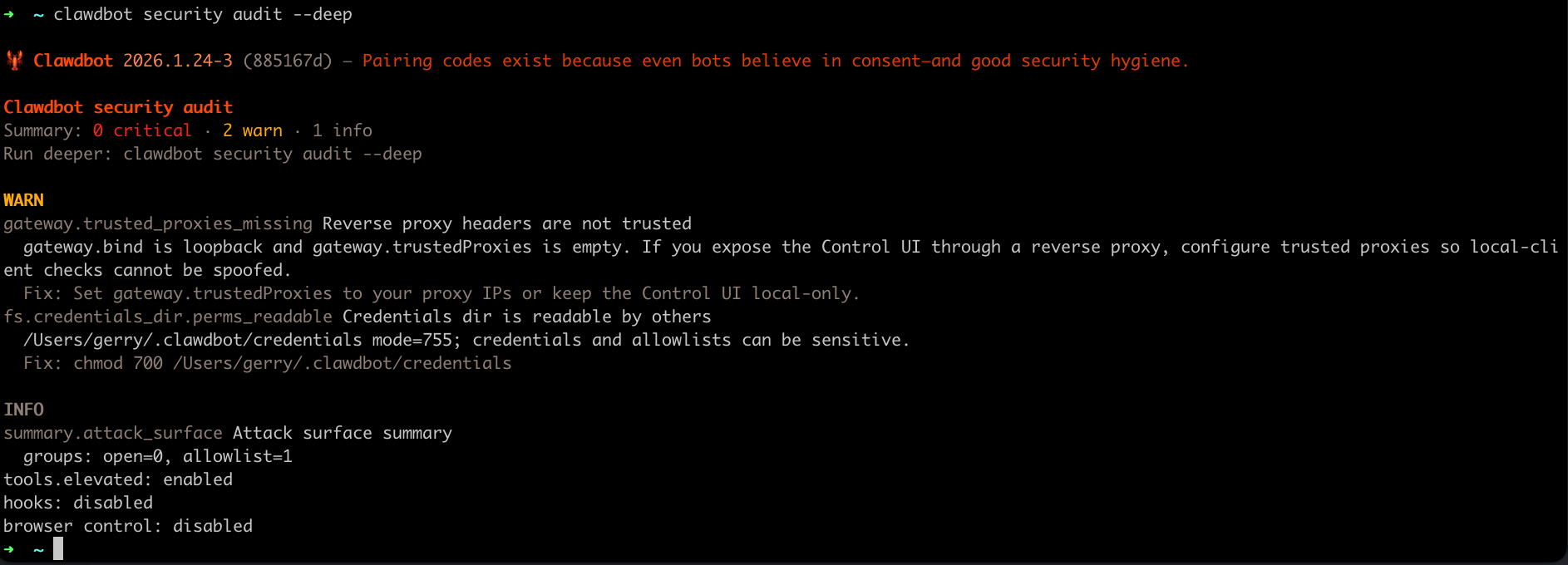
moltbot security audit --deep
Tip:
moltbot status --allis the best pasteable, read-only debug report. Health probes:moltbot health(ormoltbot status --deep) asks the running gateway for a health snapshot.
Channles
Imessage
Status: external CLI integration. Gateway spawns imsg rpc (JSON-RPC over stdio).
Quick setup (beginner)
- Ensure Messages is signed in on this Mac.
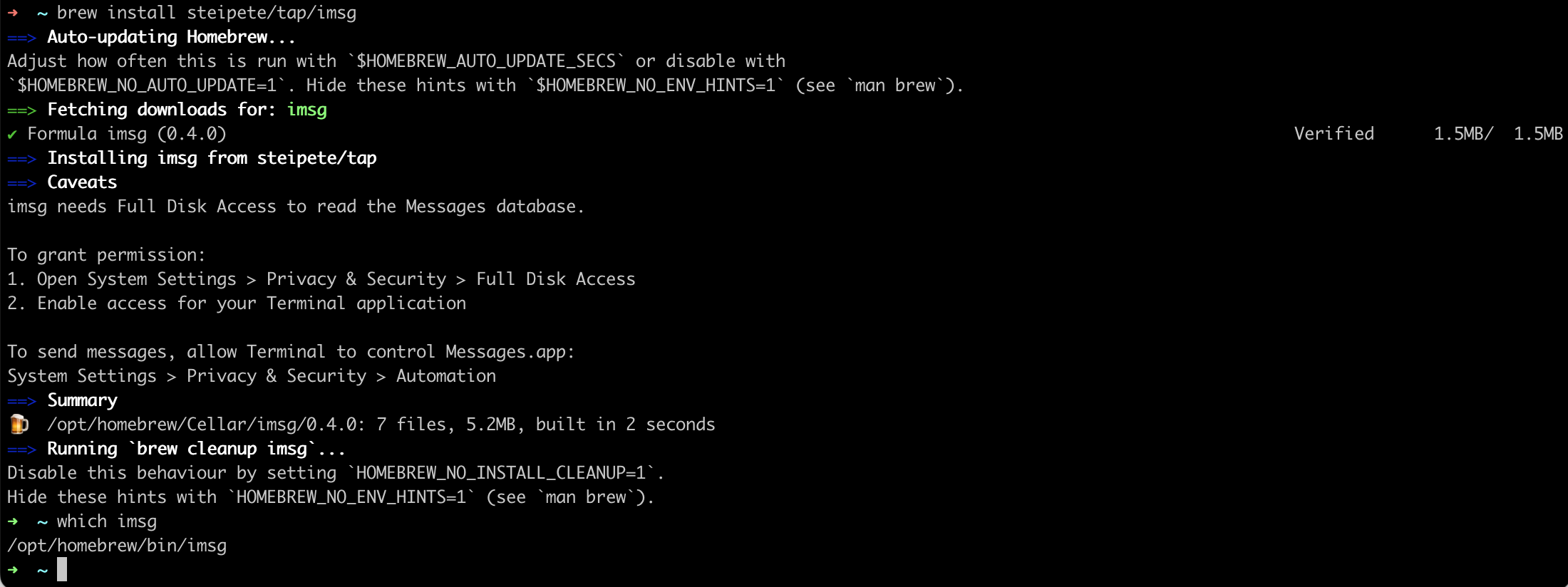
- Install
imsg:brew install steipete/tap/imsg - Configure Moltbot with
channels.imessage.cliPathandchannels.imessage.dbPath. - Start the gateway and approve any macOS prompts (Automation + Full Disk Access).
Minimal config:
{
  channels: {
    imessage: {
      enabled: true,
      cliPath: "/usr/local/bin/imsg",
      dbPath: "/Users/<you>/Library/Messages/chat.db"
    }
  }
}
Q&A
MiniMax 接口配置
由于 Kimi、MiniMax、GLM 分了国际版和国内版,Clawdbot 默认集成的是国际版的接口地址,因此如果在配置模型时需要使用这三家的模型,则需要登录国际版控制台申请 API Key:
- Kimi:https://platform.moonshot.ai/
- MiniMax:https://platform.minimax.io/
- GLM:https://z.ai/manage-apikey/apikey-list
Refer
- https://www.molt.bot/
- https://docs.molt.bot/
- https://github.com/moltbot/moltbot
- https://docs.molt.bot/getting-started
- https://docs.molt.bot/start/getting-started
- https://docs.molt.bot/help/troubleshooting
- https://docs.molt.bot/help/faq
- 被 Anthropic 强制要求改名!Clawdbot 创始人一人开发、100% AI 写代码
- 云上Moltbot(原Clawdbot)最全实践指南合辑
- 云上Moltbot(原Clawdbot)接入企业微信完全指南
- 云上Moltbot(原Clawdbot)接入QQ完全指南