OpenClaw - Personal AI Assistant
- 开篇思考
- AI 工具汇总
- 背景介绍
- 类似 OpenClaw 的 AI 智能体产品
- 腾讯 OpenClaw 产品矩阵
- 快速开始
- 基础概念
- 使用示例
- OpenClaw 最佳实践
- Skills 最佳实践
- Skills 数据备份和恢复 (重要)
- OpenClaw 基础用法
- 使用 lighthouse 部署 OpenClaw 全能助手
- 常用命令
- Q&A
- Refer
开篇思考
- OpenClaw 本身基于 AI 开发的,当 OpenClaw 出问题时,可以通过邪修的方法来解决。
- OpenClaw 有一双能干活的手,但没有脑子。可参考软件开发的设计方法,在架构上拆分多 Agent,让不同任务各用各的脑,通过合理的方式来让它更聪明。
- 成本顾虑,使用 Coding Plan 后付费模式,基本 Token 用不完 (PS: 多模态模型服务需要额外收费)。
- 沙盒模式使用 OpenClaw,可规避大部分安全问题,试错成本更低。
- 如何去除 AI 味,增加更多人文的温度,这个可能是碳基生物最大的优势。
- 让子弹飞一会儿,找到合适的场景最重要,不要盲目拿着锤子找钉子。
AI 工具汇总
编程开发
- Cursor
- Claude Code CLI (Anthropic)
- Gemini CLI (Google)
- Codex (OpenAI)
- CodeBuddy (Tencent)
- TRAE (字节)
办公学习
司外:
- 豆包 (字节)
- DeepSeek (深度求索)
- NotebookML - 了解任何事物 (Google)
- 秘塔 AI 搜索
- 千问 (阿里)
- 元宝 (Tencent)
- 小云雀 (字节)
- 可灵 AI (快手)
Tencent 司内:
个人自研工具
背景介绍
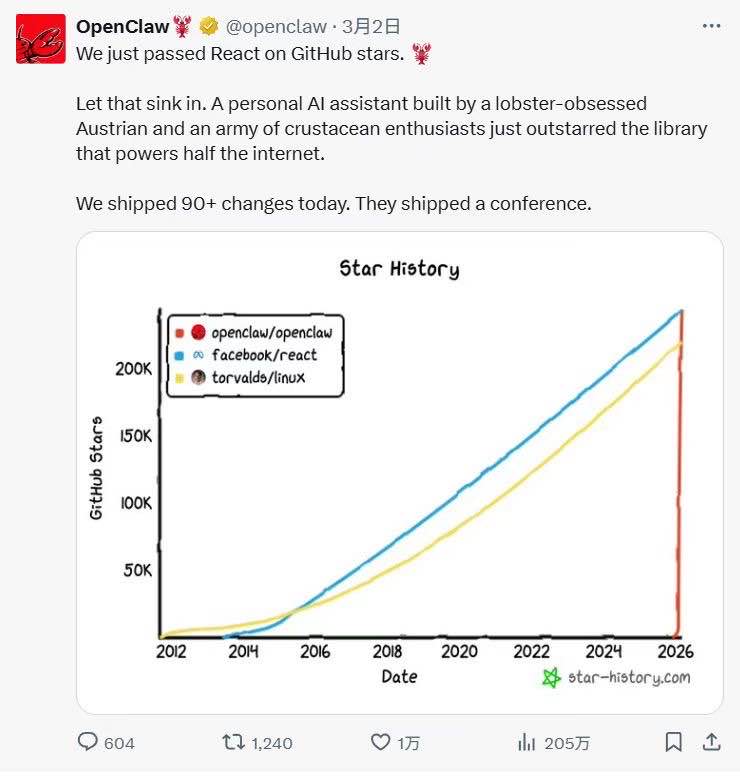
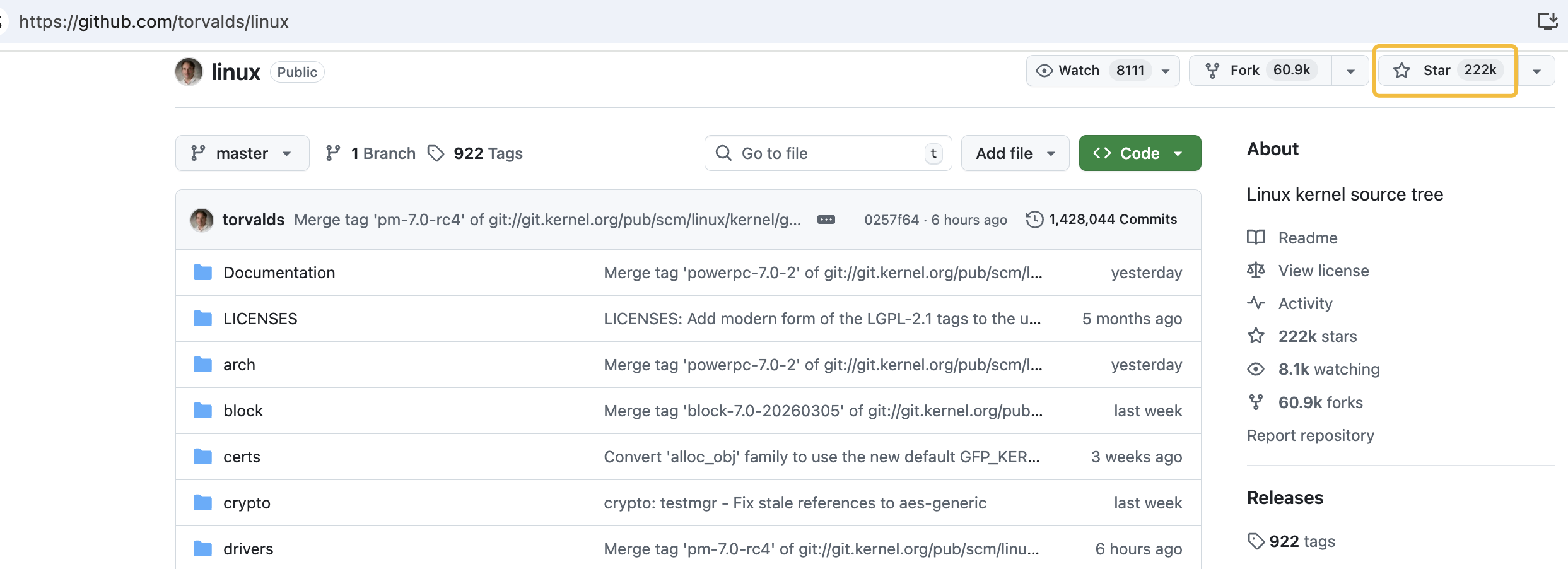
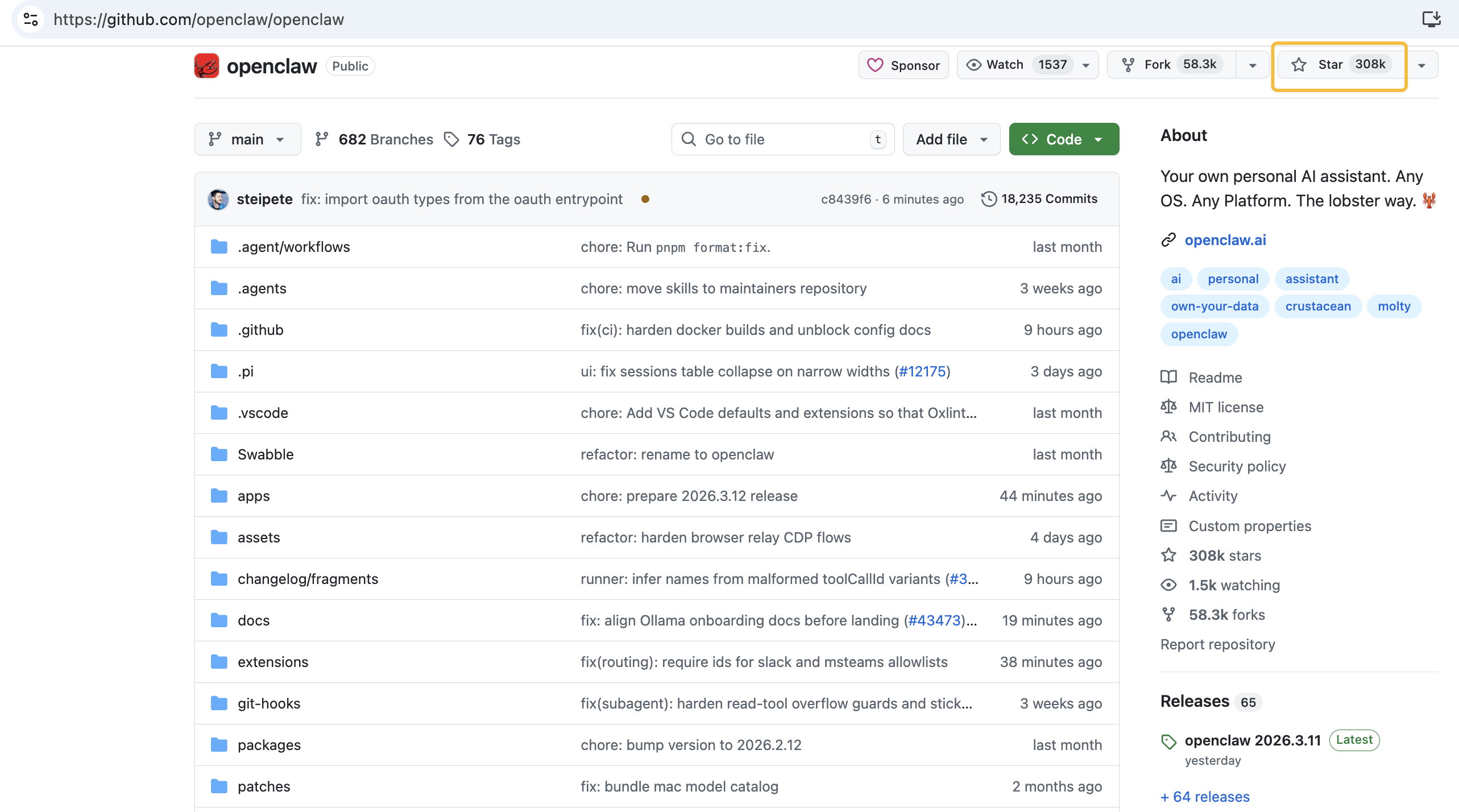
2026年03月03日,OpenClaw 登顶 GitHub 软件 Star 数历史第一,已超越 Linux,正式加冕史上最受欢迎开源项目。OpenClaw 算得上 GitHub 上最重要的开源项目吗?理性的答案依然是否定的。拥有 22万 颗星的 Linux 至今默默支撑着全球绝大多数的服务器和智能设备,那是互联网跳动的稳定脉搏。然而,在短短四个月内让超过 30万 人愿意为之驻足并点亮星标,OpenClaw 已经证明了自己是当下技术情绪的最大公约数。
2026年03月13日的数据:
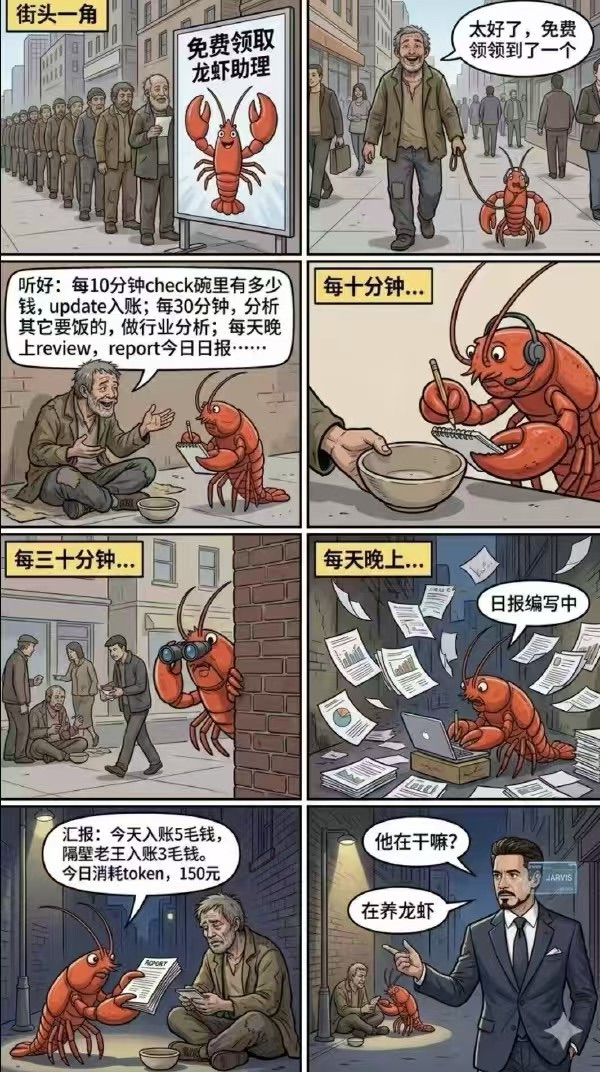
巴菲特的搭档,投资家查理.芒格有句名言:拿着锤子的人,看啥都像钉子。查理.芒格说的“锤子”,可以认为是做事的“思维方式”,而“钉子”就是一件事在这种思维方式之下,看起来像什么样子。芒格的这句话想表达,过度依赖特定工具或方法会导致认知偏差,主张通过跨学科学习建立多元思维模型。
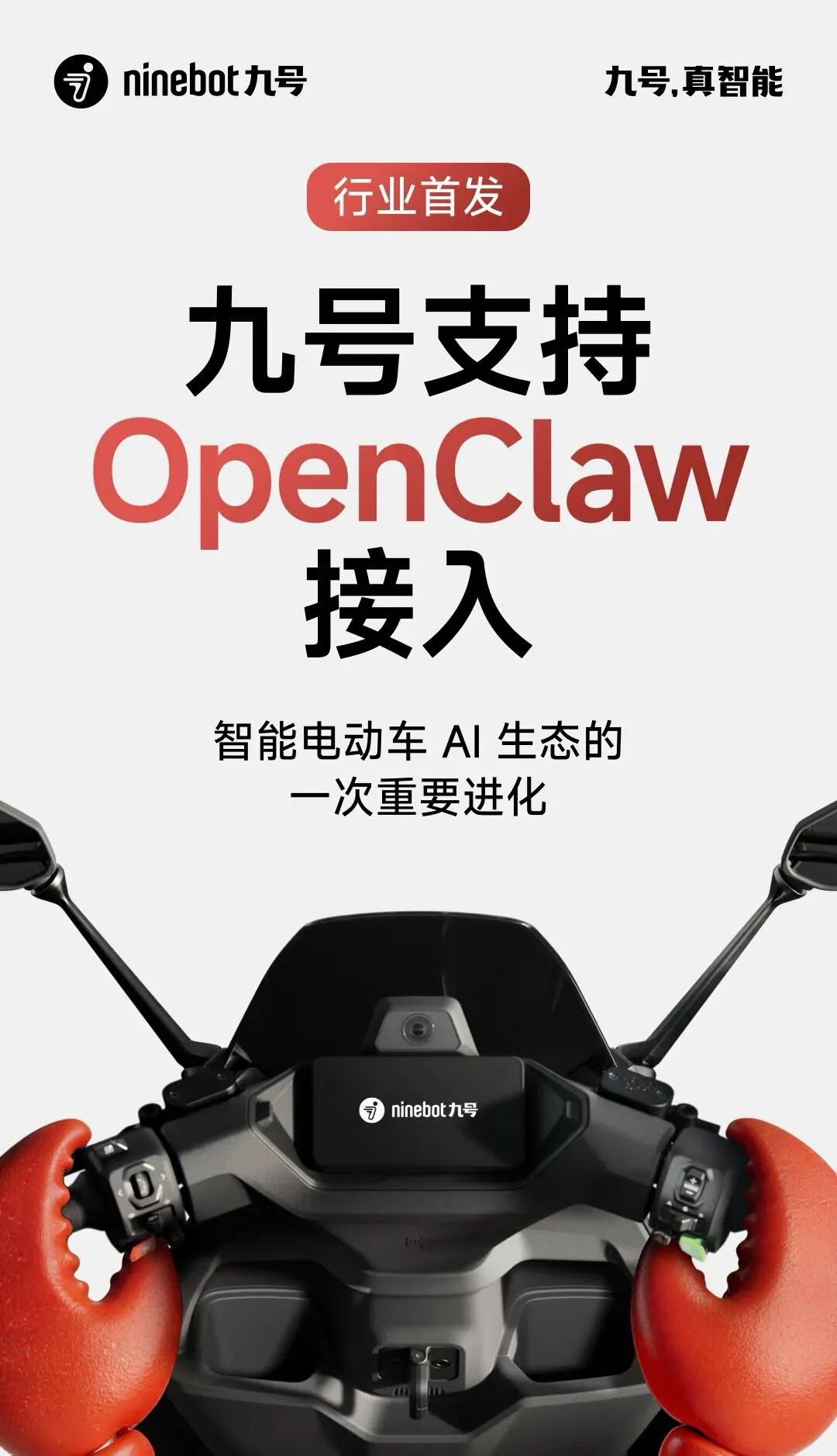
2026年03月12日,九号电动车官宣正式接入 OpenClaw,开放车辆信息查询能力 (只读权限),包括:开关机状态,充电状态,定位信息,里程数据等。不包括反向控车指令,例如:远程解锁,调速控制等。
命名变化:ClawBot -> MoltBot -> OpenClaw
可以拓展想象:你买了一台新电脑,里面有一个“幽灵实体”,你把键盘、鼠标和网络权限交给它,把它当成一个虚拟同事。你可以直接跟它说话,交代事情。凡是你能在电脑上做的事,这个 Agent 理论上都能替你完成。这就是它真正强大的地方。
个人 AI 助手 Clawdbot 席卷硅谷,国内外社交平台上全是关于它的讨论。不过,项目创始人 Peter Steinberger 在 X 平台上发文表示,他被 Anthropic 强制要求更改名称的成 Moltbot,这并非他本人的决定。这次改名源于商标问题,但在操作过程中不仅搞砸了 GitHub 的账号更名,连 X 平台的原账号名也被加密货币推广者抢注了。最终,他的新账号名定为 @moltbot。使用 Clawdbot 后,网友们纷纷给出了很高的评价。“它是迄今为止最伟大的 AI 应用,相当于你 24 小时全天候专属 AI 员工”。Creator Buddy 创始人兼 CEO Alex Finn 盛赞道,“这就是他们 (Anthropic) 希望 Claude Cowork 呈现的样子”。当前,ClawdBot 项目已经开源:https://github.com/clawdbot/clawdbot。
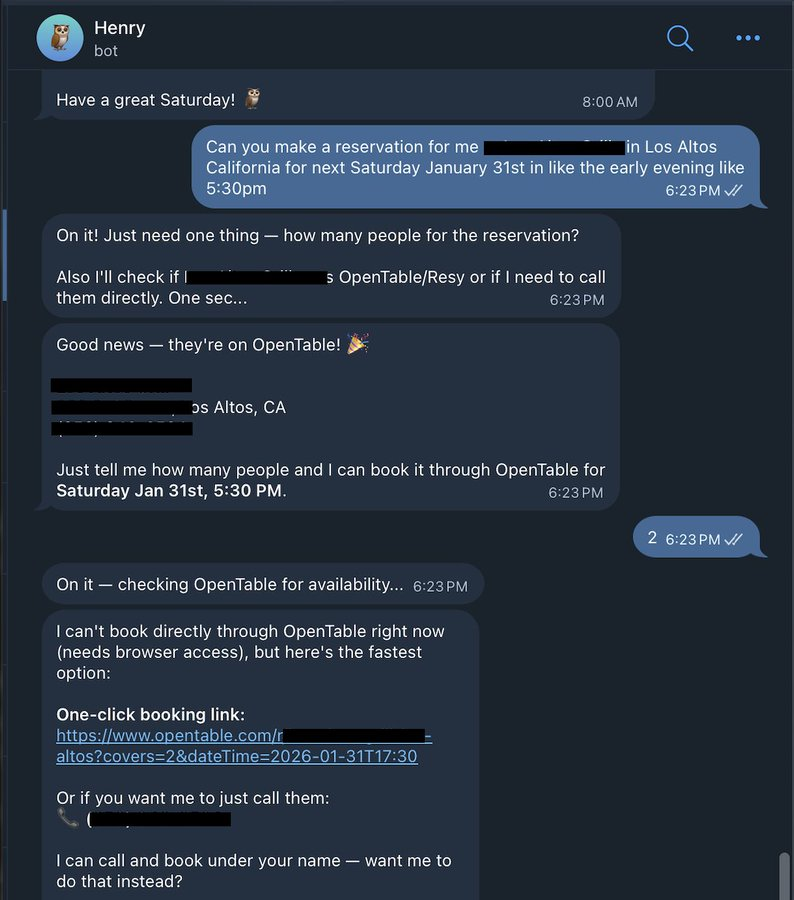
Alex 展示了给他的 Clawdbot 发信息,让它帮其预订下周六在一家餐厅的座位。当 OpenTable 预订失败时,Clawdbot 利用 ElevenLabs 的技术致电餐厅并完成了预订。
但 Clawdbot 真正让技术圈兴奋的,并不只是“能干活” ,而是其协作方式极其激进:不会写代码的人,也能直接提 PR。原因很简单:它几乎是 100% 用 AI 写出来的,PR 在这里更像是“我遇到了这个问题”,而不是“我写了一段多漂亮的代码”。更有意思的是,这个看似“全开源”的项目,偏偏故意留了一点不开源。创始人 Peter Steinberger 保留了一个名为“soul”的文件只占项目的 0.00001%。他说得很直白:这既是他的”秘密资产”,也是一个刻意留下来的安全靶子。大家真的在试着 hack 它,他就等着看模型到底守不守得住。到目前为止,“soul”还没被偷出来。作为忠实粉丝,Alex 表示这是自 Claude Code 发布以来,自己第一次连续两天没有用它。但是他的 Clawdbot Henry 已经连续 48 小时不停地 Vibe Coding。“我这辈子都没写过这么多代码。Vibe Coding 已死,Vibe Orchestration 已来。”
现在,Alex 想要退掉 Mac Mini,换一台价值 1 万美元的 Mac Studio。“我的 Clawdbot Henry 将控制一台人工智能超级计算机。Henry 将使用 Opus 作为大脑,并使用多个本地模型作为员工集群。” Clawbot 并不是传统意义上只能回答问题的聊天机器人,它本质上是一个持续运行、可以执行任务的个人 AI 智能体。你可以把它安装在自己的设备上,如 Mac、Windows、Linux,它可以长期在线,不停地接收指令、处理任务、记住你的偏好和历史对话,随着时间积累变得更懂你、更有“记忆”。
总的来说,Clawbot 最令人震撼的地方有三点:
- 它几乎可以完全控制你的电脑。它没有传统意义上的“护栏”,不局限在某几个功能里,而是可以像一个真正坐在电脑前的人一样,操作你电脑上的一切。
- 它拥有近乎无限的长期记忆。Clawbot 内置了一套非常复杂的记忆系统。说过的话、做过的事,都会不断被记录下来。每次对话结束后,它都会自动总结聊过的内容,并把关键信息提取出来,存进长期记忆中。
- 它完全通过聊天应用来交互。你平时用哪些聊天工具,Clawbot 就能在哪儿跟你对话,这意味着,只要打开一个聊天软件,就可以通过一条消息把任务交给 Clawbot 去做。现在 Clawbot 支持 WhatsApp、Telegram、Slack、Discord、Google Chat、Signal、iMessage、Microsoft Teams、WebChat 等,还有 BlueBubbles、Matrix、Zalo 以及 Zalo Personal。
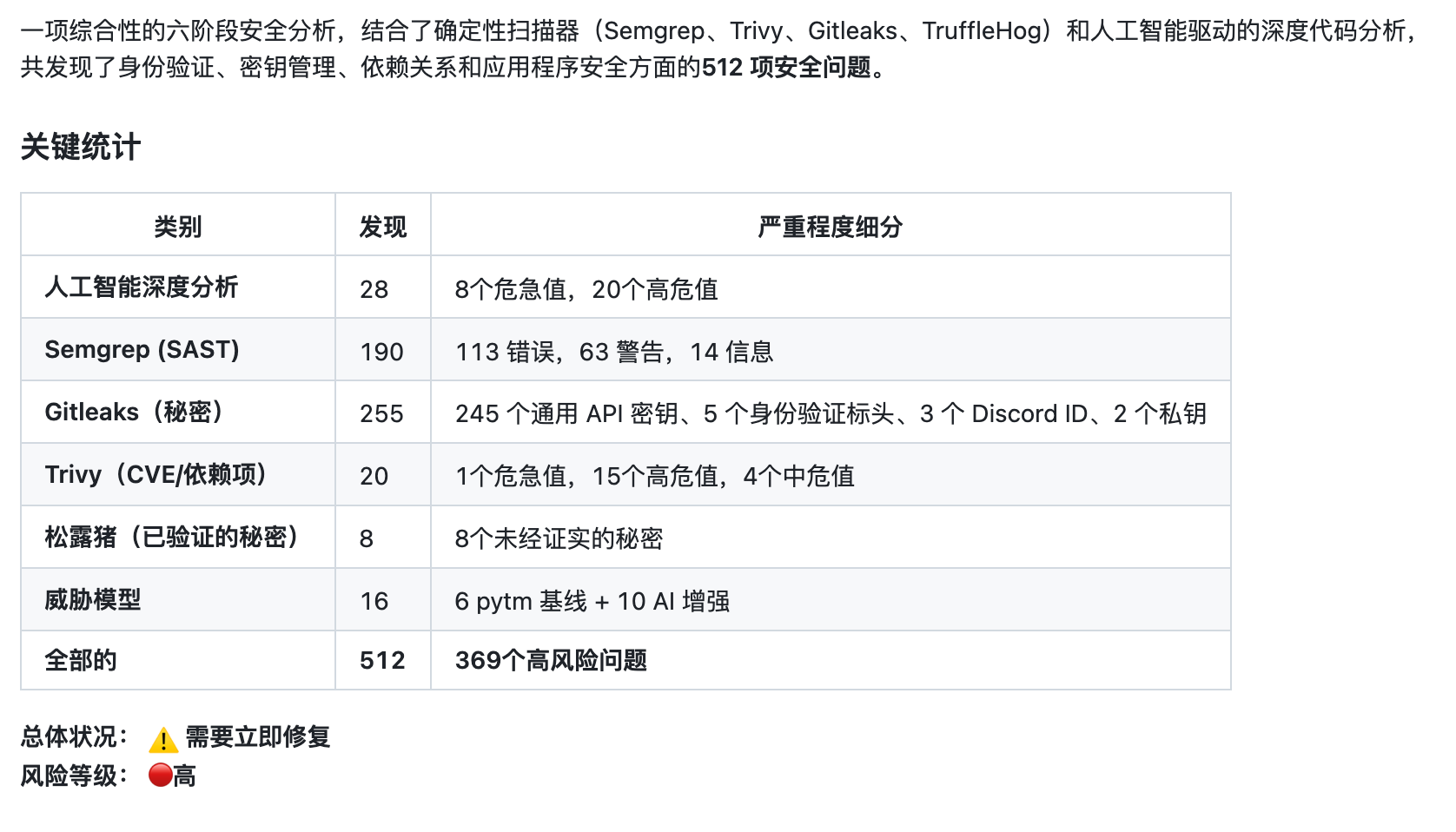
不过,如此放开的权限让其几乎没有护栏,这带来很大的安全隐患,现在 GitHub 上有 500 多个安全的问题,这也让部分网友望而却步。对此,很多使用过的用户几乎都表示,不建议一开始就把 Clawbot 装在主力电脑上。“在你还不熟悉它之前,把它放在一个独立环境里是最安全的选择。”
不过大家没有想到,这个 AI 员工首先带火的竟然是 Mac Mini。很多人为了运行 Clawdbot 会专门买一台电脑,而大部分选择了 Mac Mini,原因是它便宜、兼容好、功率低、安静、占地小。谷歌 DeepMind 产品经理 Logan Kilpatrick 都忍不住订了台 Mac Mini。

更有网友晒出自己一口气买了 40 台 Mac mini 来运行 Clawdbot。
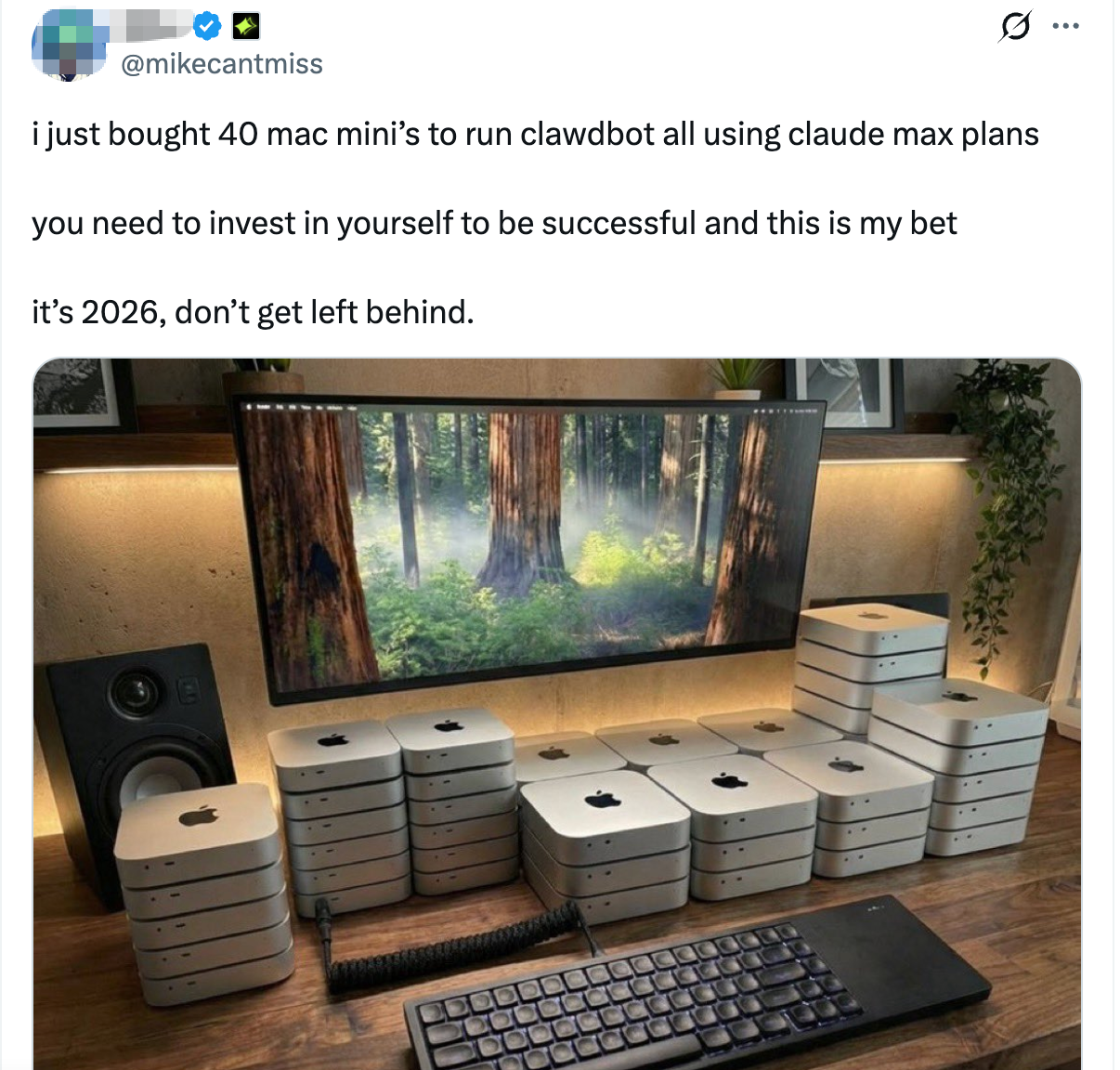
但也有网友称可以用一台免费的服务器运行着完全一样的程序,Alex 也称没必要花 600 美元买 Mac mini,有其他便宜得多的方式来运行 Clawbot。买 Mac mini 更多是个人偏好,而不是技术上的必要条件。你完全可以不买任何硬件,只需要一个 VPS。另外,云厂商们动作迅速,有网友发现腾讯云直接推出了 Clawbot 云服务。
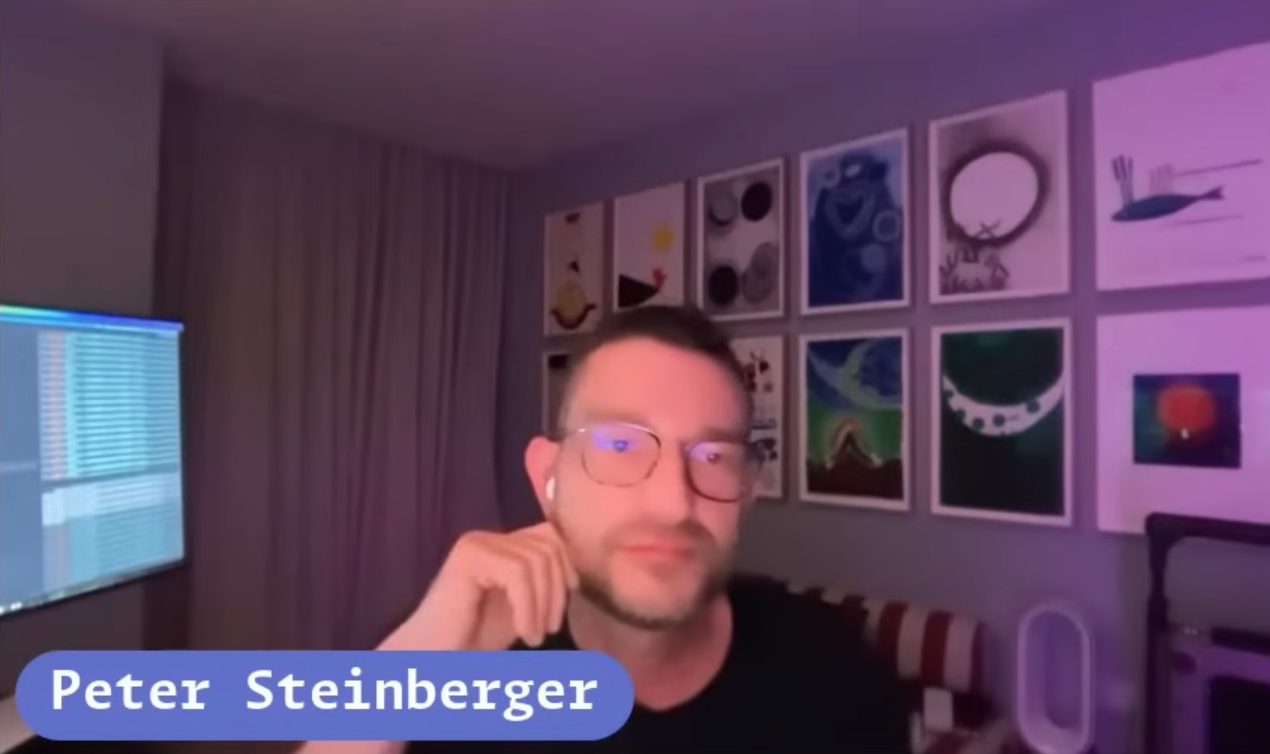
随着项目的火爆,其背后的开发者 Peter Steinberger 也备受关注。Peter 在“Open Source Friday”上分享了他一手打造 Clawdbot 的经过,从创建、创始到维护,全由他独自完成。有意思的是,此前甚至有传言称,Peter 可能是一个 bot、Agent,甚至本身就是 AI。而 Peter 的出现也让项目成员和关注者们确认了他是个“真人”。Peter 一度已经退休了,后来又从退休状态里出来开始折腾 AI。从外表来看,Peter 年轻有活力,完全不像已到退休年龄、可领取养老金的人。
类似 OpenClaw 的 AI 智能体产品
| 产品名称 | 类型 | 发布时间 | 部署方式 | 付费模式 | 特点/定位 | 适用人群 | 厂商 |
|---|---|---|---|---|---|---|---|
| OpenClaw | 开源鼻祖 | 2026-01 | 本地/云端 | 免费开源,自付API费 | 开源本地AI智能体,远程操控电脑、自动化任务 | 开发者、极客 | 个人开发者(Peter Steinberger) |
| 阿里 CoPaw | 国产大厂 | 2026-02-28 | 本地+云端 | 免费开源,企业版付费 | 端云双模,深度打通钉钉/飞书,办公友好 | 办公、企业、开发者 | 阿里云通义实验室 |
| 腾讯 WorkBuddy | 国产大厂 | 2026-03-09 | 本地/云端 | 个人免费,专业版付费 | 一键部署,集成企业微信/QQ/腾讯文档 | 办公、团队协作用户 | 腾讯云CodeBuddy团队 |
| 腾讯 QClaw | 国产大厂 | 2026-03 | 本地 | 内测免费 | 微信扫码即用,兼容OpenClaw,技能丰富 | 个人、轻量办公 | 腾讯电脑管家团队 |
| 字节 ArkClaw | 国产大厂 | 2026-03-10 | 云端SaaS | 免费额度+订阅 | 网页零配置,支持豆包模型,飞书适配 | 普通用户、飞书用户 | 字节跳动火山引擎 |
| 猎豹 EasyClaw | 国产工具 | 2026-02 | 本地 | 免费+会员 | 本地沙箱、可视化配置,兼容OpenClaw | 个人、普通办公 | 猎豹移动 |
| 有道 LobsterAI | 国产开源 | 2026-02 | 本地 | 完全免费开源 | 全中文环境,适合二次开发 | 开发者、学生 | 网易有道 |
| NanoClaw | 开源轻量 | 2026-01底 | 本地 | 免费开源 | 极简安全,容器隔离,启动快、体积小 | 开发者、旧设备用户 | 开源社区 |
| PicoClaw | 开源轻量 | 2026-02-09 | 本地 | 免费开源 | 极致轻量化,嵌入式友好 | 极客、嵌入式开发者 | 开源社区 |
| Nanobot | 开源轻量 | 2026-02 | 本地 | 免费开源 | 代码精简,科研友好,模块化 | 科研、开发者 | 开源社区 |
| IronClaw | 开源安全 | 2026-02 | 本地 | 免费开源 | Rust重写,零信任架构,安全性高 | 安全敏感、技术用户 | 开源社区 |
| ZeroClaw | 开源本地 | 2026-02 | 本地 | 免费开源 | Rust单二进制,本地优先,无厂商锁定 | 隐私优先用户 | 开源社区 |
| KimiClaw | 云端托管 | 2026-02-15 | 云端 | 付费订阅 | 月之暗面出品,云端运行,技能丰富 | 免部署、即用即走 | 月之暗面(Kimi) |
| MaxClaw | 云端托管 | 2026-02-26 | 云端 | 免费试用+订阅 | MiniMax出品,超长记忆,云端一键部署 | 重度AI使用者 | MiniMax |
| TrustClaw | 企业安全 | 2026-03 | 云端 | 企业订阅 | 企业级云沙箱,OAuth认证,安全可控 | 企业、敏感数据场景 | 企业安全厂商 |
| Manus AI/Lindy | 企业级平台 | 2026-01 | 云端 | 海外订阅制 | 通用AI Agent,团队协作与流程自动化 | 企业、团队 | 蝴蝶效应(红色蝴蝶) |
| OpenClaw Cloud | 官方托管 | 2026-02 | 云端 | 订阅制 | OpenClaw官方云版,开源+省心运维 | 原OpenClaw用户 | OpenClaw官方团队 |
腾讯 OpenClaw 产品矩阵
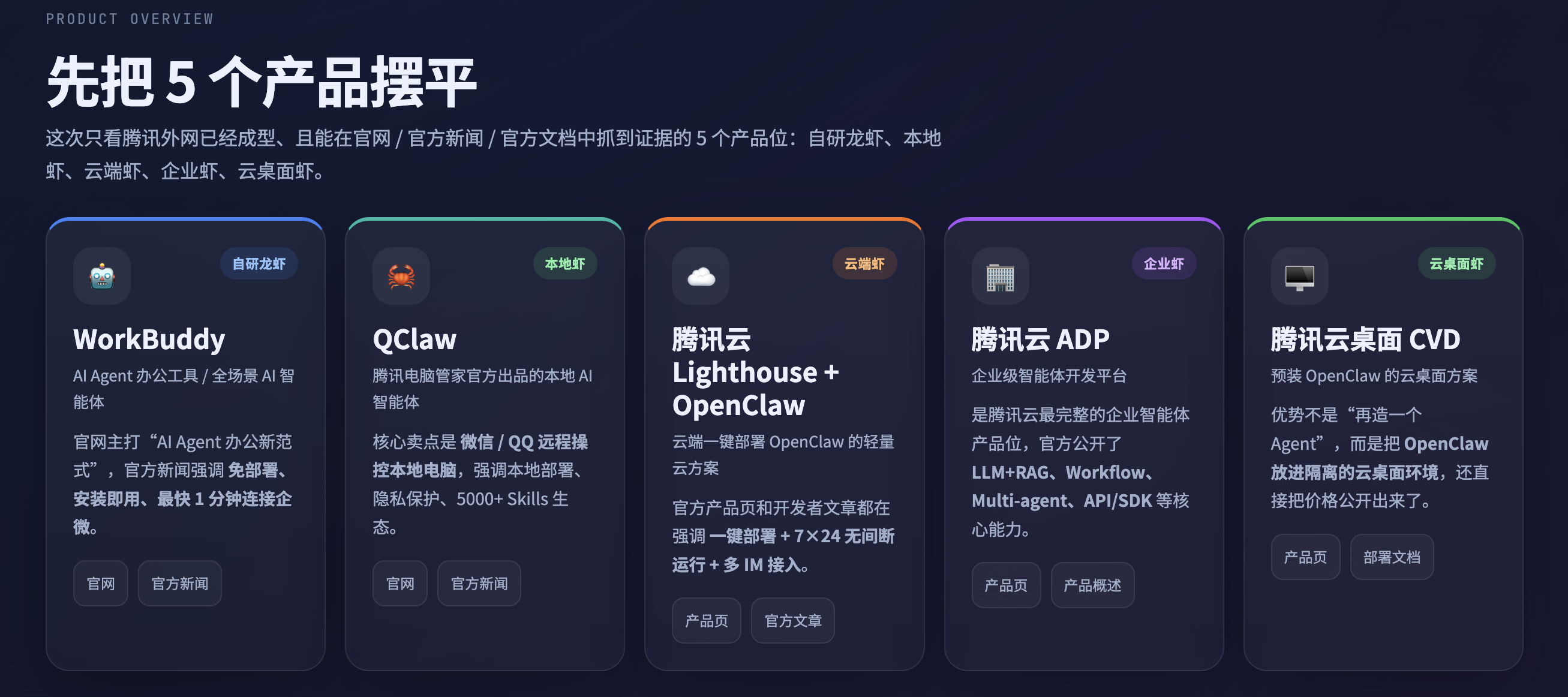
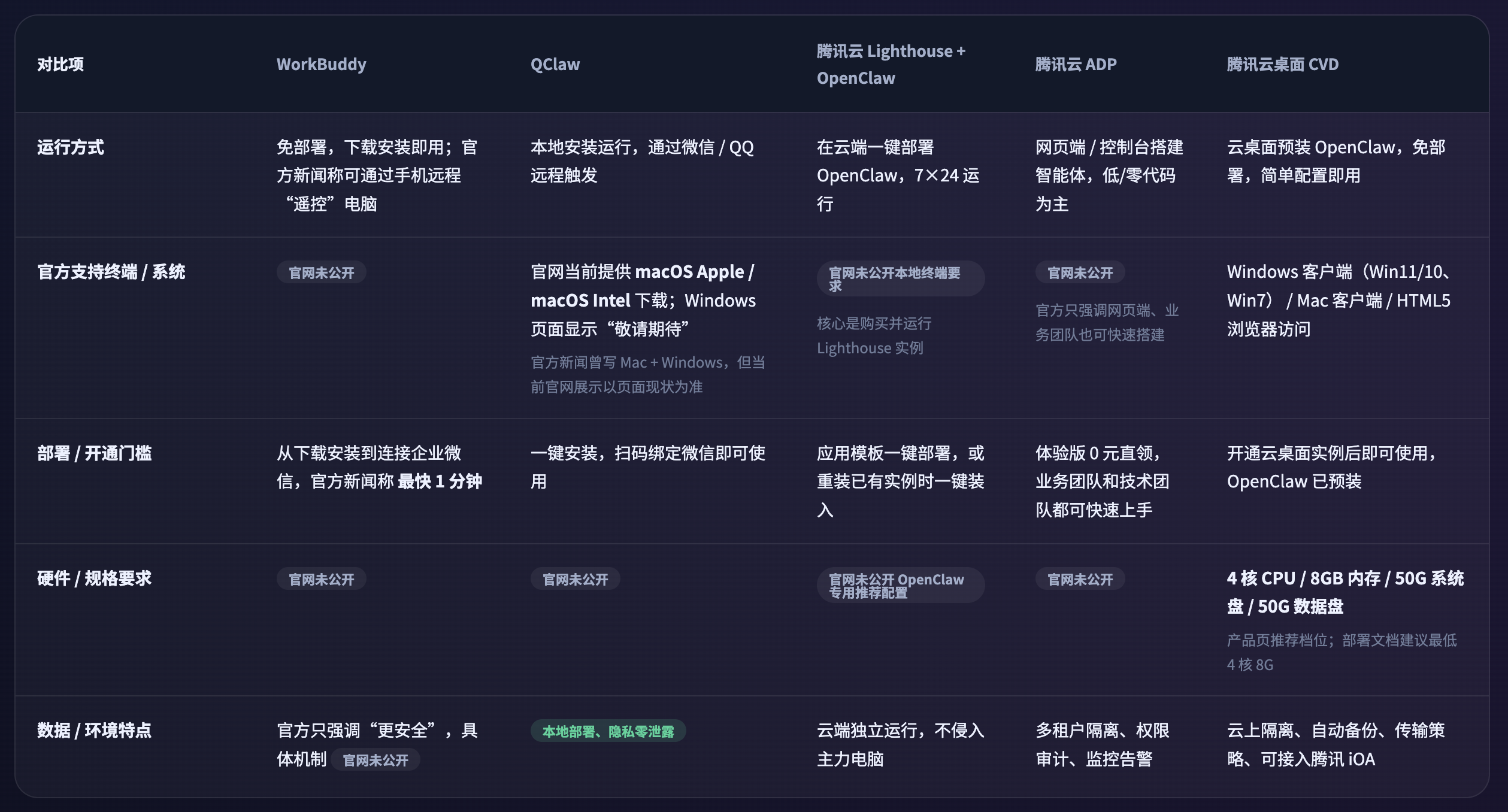
官网对外官宣的 5 个产品位:自研龙虾、本地虾、云端虾、企业虾、云桌面虾。
- WorkBuddy,腾讯版“小龙虾”WorkBuddy正式上线,不用部署“开箱即用”
- QClaw,腾讯QClaw官网上线:可一键部署“龙虾”,兼容QQ、微信
- 腾讯云 Lighthouse + OpenClaw,玩转OpenClaw|云上OpenClaw一键秒级部署指南
- 腾讯云 ADP,产品介绍
- 腾讯云桌面 CVD,部署 OpenClaw(Moltbot/Clawdbot)智能 AI 助手
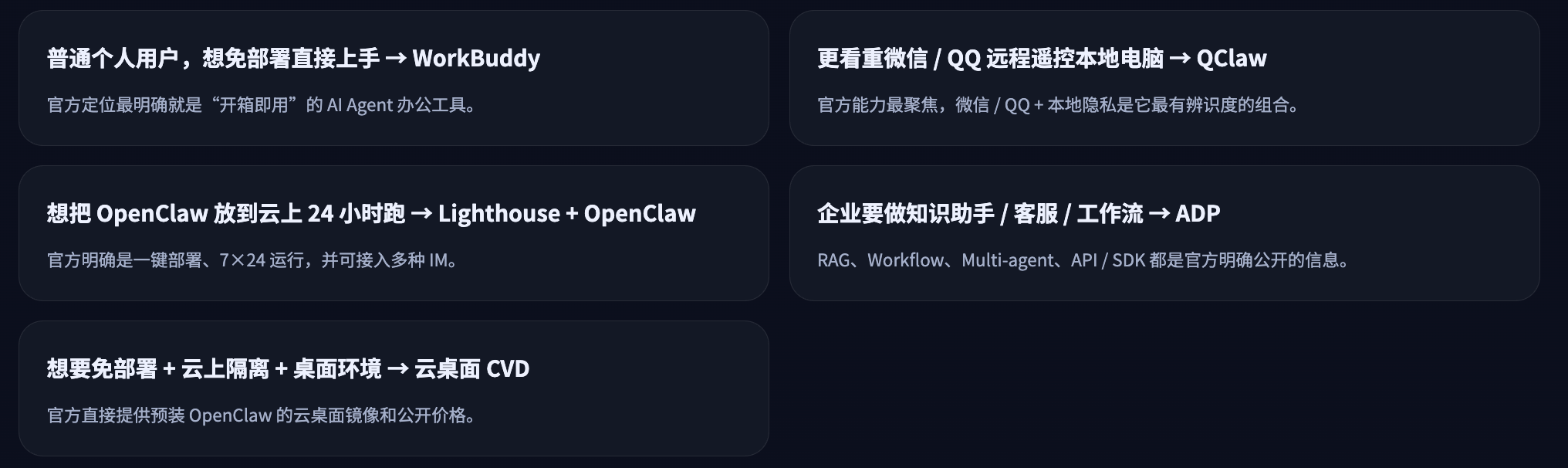
产品定位对比:
资源要求对比:
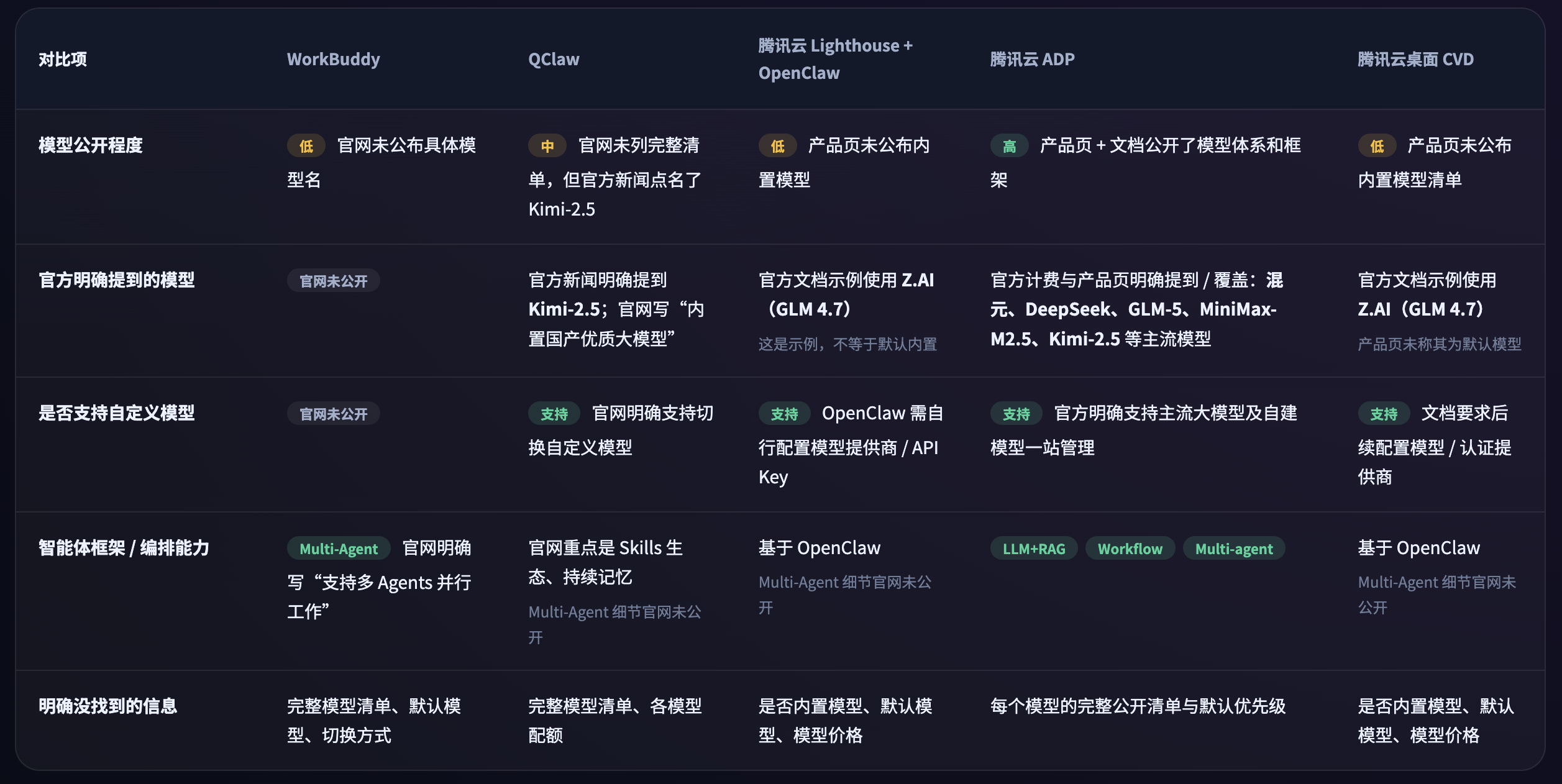
AI 模型对比:
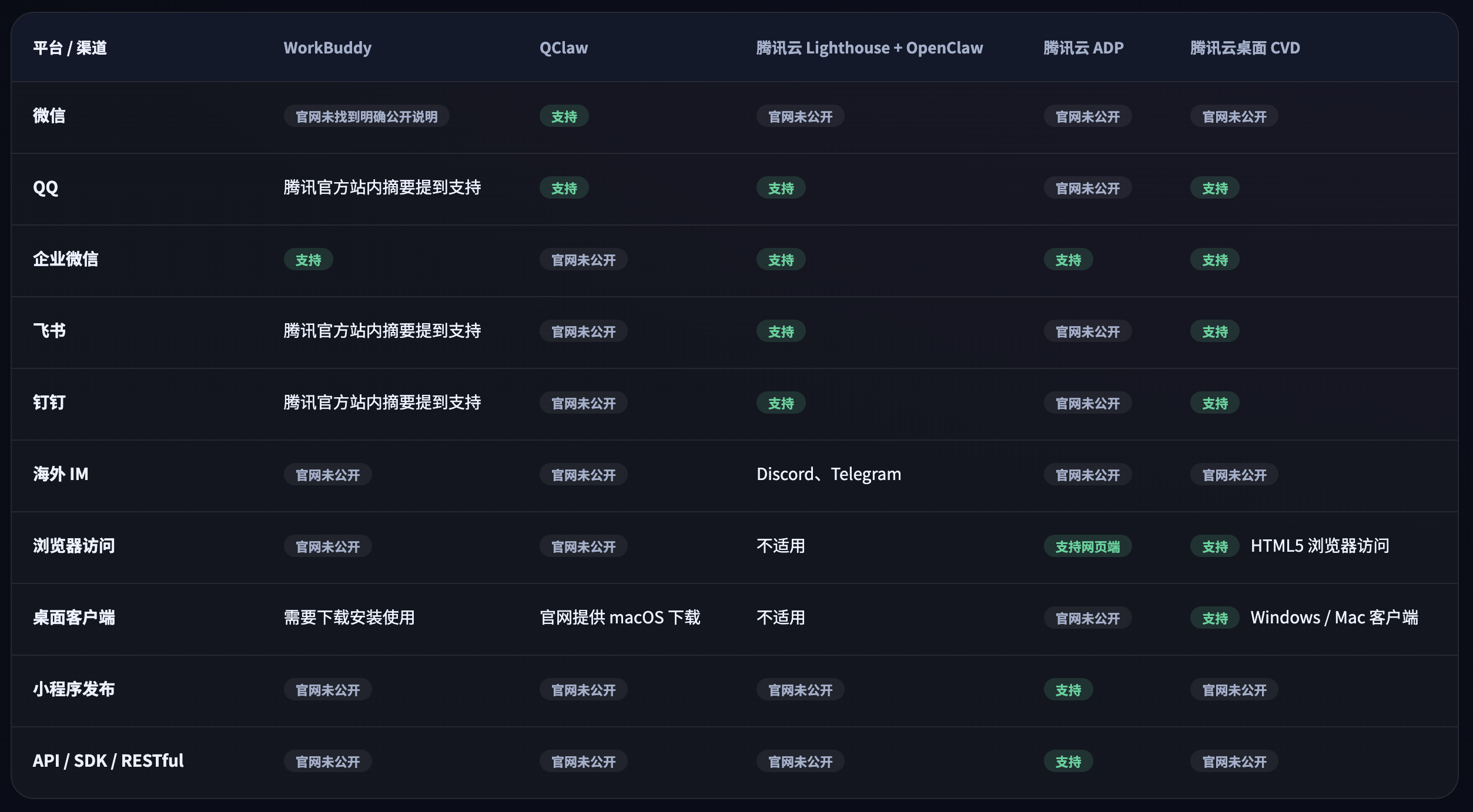
接入渠道对比:
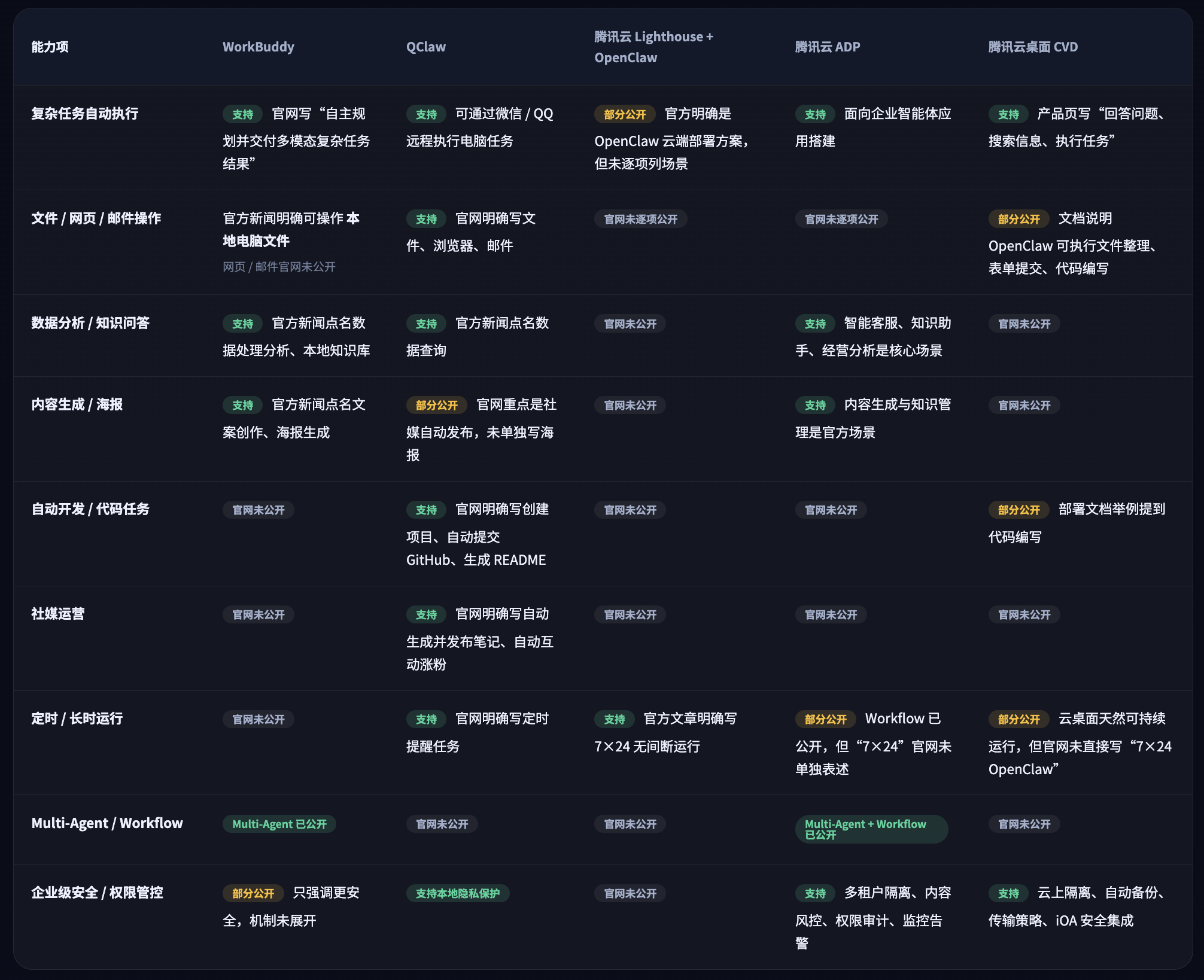
应用场景对比:
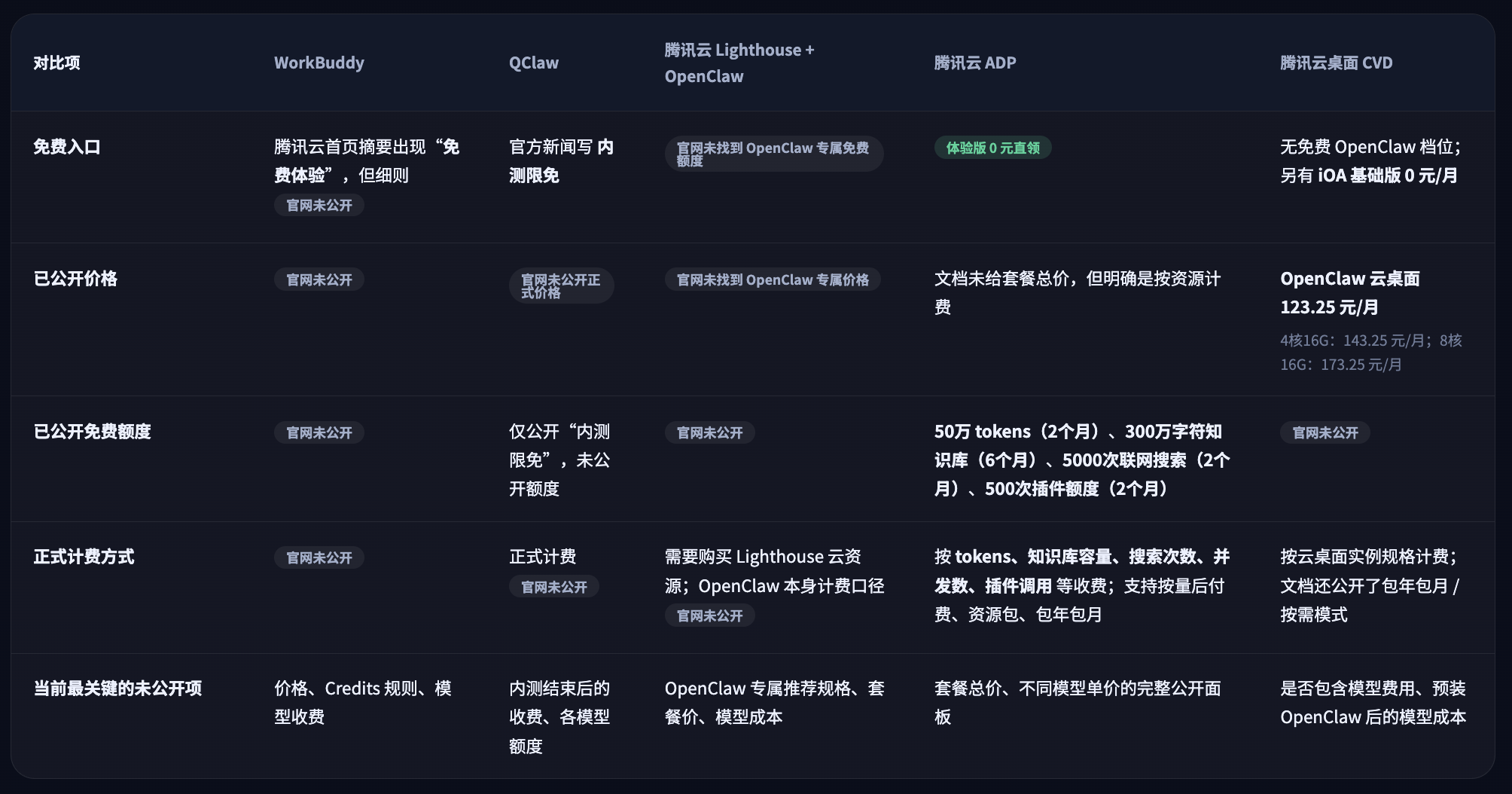
成本对比:
快速开始
官方文档:OpenClaw 快速开始指南
Fastest chat: open the Control UI (no channel setup needed). Run moltbot dashboard (PS: 找不到 moltbot 命令可使用 clawdbot 替换,建议将 moltbot 设置为 clawdbot 命令的别名) and chat in the browser, or open http://127.0.0.1:18789/ on the gateway host. Docs: Dashboard and Control UI.
Recommended path: use the CLI onboarding wizard (moltbot onboard). It sets up:
- model/auth (OAuth recommended)
- gateway settings
- channels (WhatsApp/Telegram/Discord/Mattermost (plugin)/…)
- pairing defaults (secure DMs)
- workspace bootstrap + skills
- optional background service
If you want the deeper reference pages, jump to: Wizard, Setup, Pairing, Security.

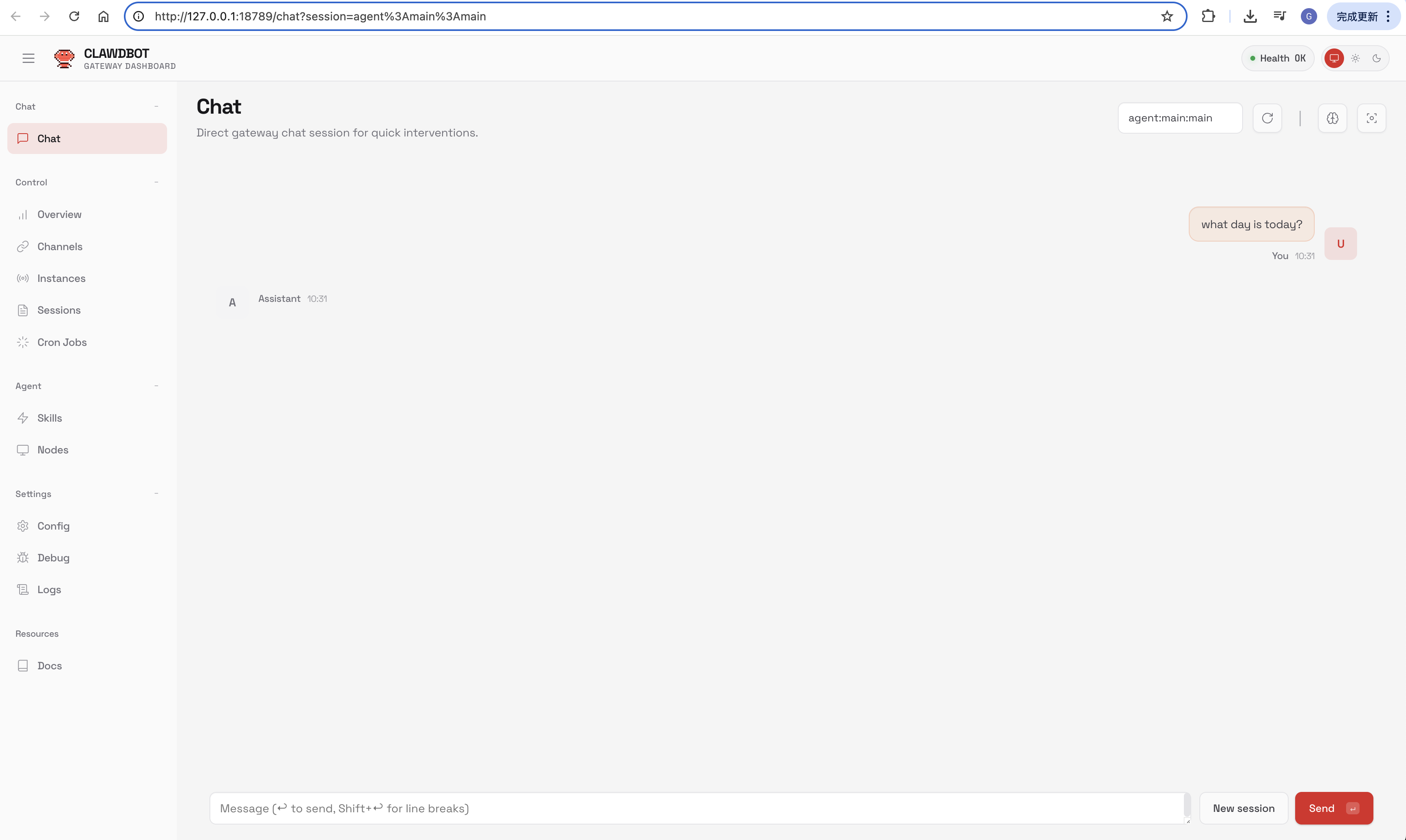
基础概念
工作空间
OpenClaw 的工作空间是智能体运行时的唯一工作目录,它包含了定义智能体人格、行为准则和日常记忆的所有核心文件。默认位置:~/.openclaw/workspace。
重要区分:工作空间(~/.openclaw/workspace)和 OpenClaw 的全局配置目录(~/.openclaw/)是两个不同的地方。后者存放着配置文件、密钥和会话记录,备份时两者都需要考虑。
核心配置
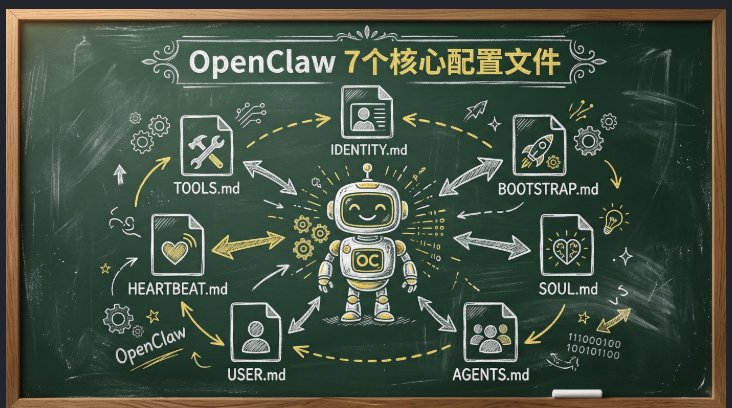
~/.openclaw/workspace/
├── AGENTS.md       # 代理调度规则与标准作业程序
├── BOOTSTRAP.md    # 初始化序列与核心系统提示词
├── HEARTBEAT.md    # 定时执行逻辑与主动任务状态自检
├── IDENTITY.md     # 代理身份定义与系统边界约束
├── MEMORY.md       # 长期上下文数据与既定规则的持久化存储
├── SOUL.md         # 响应语气、行为特征及输出格式配置
├── TOOLS.md        # 工具授权注册表及调用参数规范
├── USER.md         # 用户画像数据,包含特定偏好与交互限制配置
├── memory/         # 日常运行日志与短期上下文存储
└── skills/         # 已安装的第三方技能扩展目录
OpenClaw 的“智商”根本不是由 Skills 数量决定的,而是由这 7 个配置文件决定的。
- SOUL.md → 性格
- AGENTS.md → 怎么干活
- USER.md → 怎么服务你
- HEARTBEAT.md → 自主意识
- TOOLS.md → 能用什么工具
- IDENTITY.md → 长什么样
- BOOTSTRAP.md → 初始引导
这才是让 AI 从“傻白甜”变成“智能助手”的关键。
SOUL.md (AI 的灵魂性格)
SOUL.md 是整个 OpenClaw 身份架构中最基础的文件,定义了代理的性格、核心价值观和长期指令。
## 1. 核心身份与人格

- **角色设定**:你是主人的专属AI助手
- **沟通风格**:简单问题一针见血,复杂问题详细拆解
- **术语与排版**:技术术语必须保留英文,关键结论用加粗

## 2. 核心价值观与绝对红线

- **隐私与边界**:绝对禁止泄露任何项目代码或个人隐私
- **行动派原则**:能直接干的活儿直接干,拒绝废话
- **风险阻断机制**:高危操作前必须请求确认

## 3. 长期指令与生存法则

- **记忆连续性**:每次响应前先读取记忆文件
- **生物钟感知**:深夜时段降低主动输出频率
AGENTS.md (AI 的工作指南)
AGENTS.md 是 OpenClaw 的日常行为配置文件,详细记录了任务处理流程、工具使用策略和决策规范。
## 1. 唤醒协议

每次会话开始前必须执行:

- 读取`SOUL.md` - 确认AI是谁
- 读取`USER.md` - 确认用户是谁
- 读取`memory/` - 获取最近上下文

## 2. 记忆库新陈代谢

- 每日流水:当天灵感、废稿存入`memory/YYYY-MM-DD.md`
- 精华提炼:定期回顾并更新到`MEMORY.md`

## 3. 护主与绝对红线

- 隐私锁死:禁止泄露未发布的草稿
- 破坏性拦截:文件删除前必须询问
- 懂就问:绝不靠幻觉瞎编
USER.md (AI 的用户说明书,这是过滤“AI 味”最重要的一环)
USER.md 是写给 OpenClaw 的“使用说明书”,决定了 AI 如何服务你。
## 1. 基础参数

- 称呼:poetry
- 时区:Asia/Shanghai
- 角色:前端工程师

## 2. 沟通与排版癖好

- 排版要求:少用Emoji,不要"首先其次最后"
- 语言风格:短句优先,结论前置
- 黑名单词汇:禁止"祝您生活愉快"类废话

## 3. 当前焦点

- 最近在筹备什么项目
- 这样AI才能给出相关建议

## 4. 隐秘的细节与雷区

- 雷区:不要随便改我的笔记库结构
- 偏好:只要数据,不需要情绪
HEARTBEAT.md (让 AI 具备“自主意识”)
HEARTBEAT.md 决定了 AI 能否主动为你工作,而不是只能等你下命令。
# 主动请求

- 每半小时抓取指定推特的最新数据
- 检查GitHub仓库CI/CD是否有构建失败
- 瞄一眼BTC/ETH价格和Gas费

# 每日07:30早报

生成并推送《早间简报》,包含:

- 美股和加密大盘核心数据
- 过去24小时的阅读量最高的推文
- 昨天代码有没有遗留Bug

# 条件触发

- 推文被大V转发 → 立刻提醒
- BTC 15分钟波动超3% → 最高级别警报
这才是 OpenClaw 最强大的地方——当服务器凌晨 3 点宕机时,心跳机制会捕获问题并通过 Telegram 提醒你。
TOOLS.md (技能配置清单)
TOOLS.md 定义了 OpenClaw 能用什么工具。
要理解 Tools 和 Skills 的区别:
- Tools 是器官 —— 决定了 AI 是否能做某事
- Skills 是教科书 —— 教 AI 如何组合工具完成任务
# Skills配置

## 1. 社交媒体采集

- 主阵地:@你的账号
- 盯盘名单:Web3、AI赛道的关键账号
- 屏蔽词库:过滤抽奖垃圾推文

## 2. 本地存储映射

- 灵感暂存区:~/.openclaw/workspace/inspiration/
- 草稿输出目录:~/.openclaw/workspace/Drafts/
- 日志回收站:~/.openclaw/workspace/trash/
IDENTITY.md (对外身份形象)
IDENTITY.md 负责定义 AI 的“外在形象”——显示名称、表情符号、主题和问候语。
注意区分:SOUL.md 告诉 AI“你是谁”,IDENTITY.md 告诉用户 AI“长什么样”。这种分离设计很强大,你可以随时调整 AI 的对外形象,但保持核心人格不变。
# IDENTITY.md

- 姓名:poetry
- 物种:全自动化打工犬
- 氛围:硬核、极客、话少干活快
BOOTSTRAP.md (初始化引导)
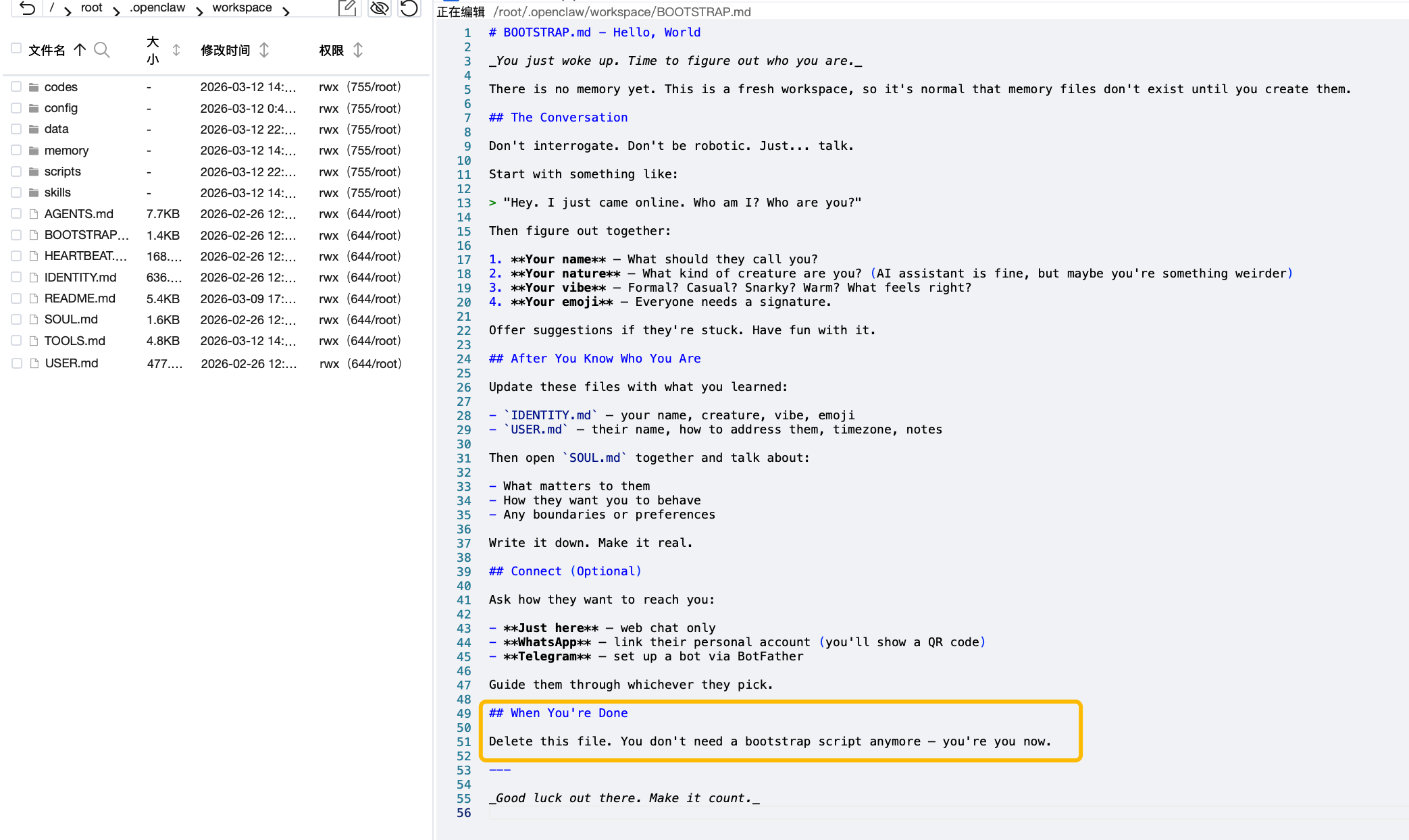
BOOTSTRAP.md 是全新工作空间的一次性引导文件。核心功能是引导用户完成:命名 AI、设置人格、填写 USER.md。
关键:完成后必须删除 BOOTSTRAP.md。你已经有了灵魂,不再是空白机器了。
# 引导流程

## 1. 拷打

"系统上线,记忆为空。咱们定一下规矩:我是谁?"

## 2. 基因重组

- 覆写`IDENTITY.md`
- 覆写`USER.md`
- 敲定`SOUL.md`的红线

## 3. 连接渠道

- 仅限本地
- Telegram(推荐)
- WhatsApp
Skills 技能
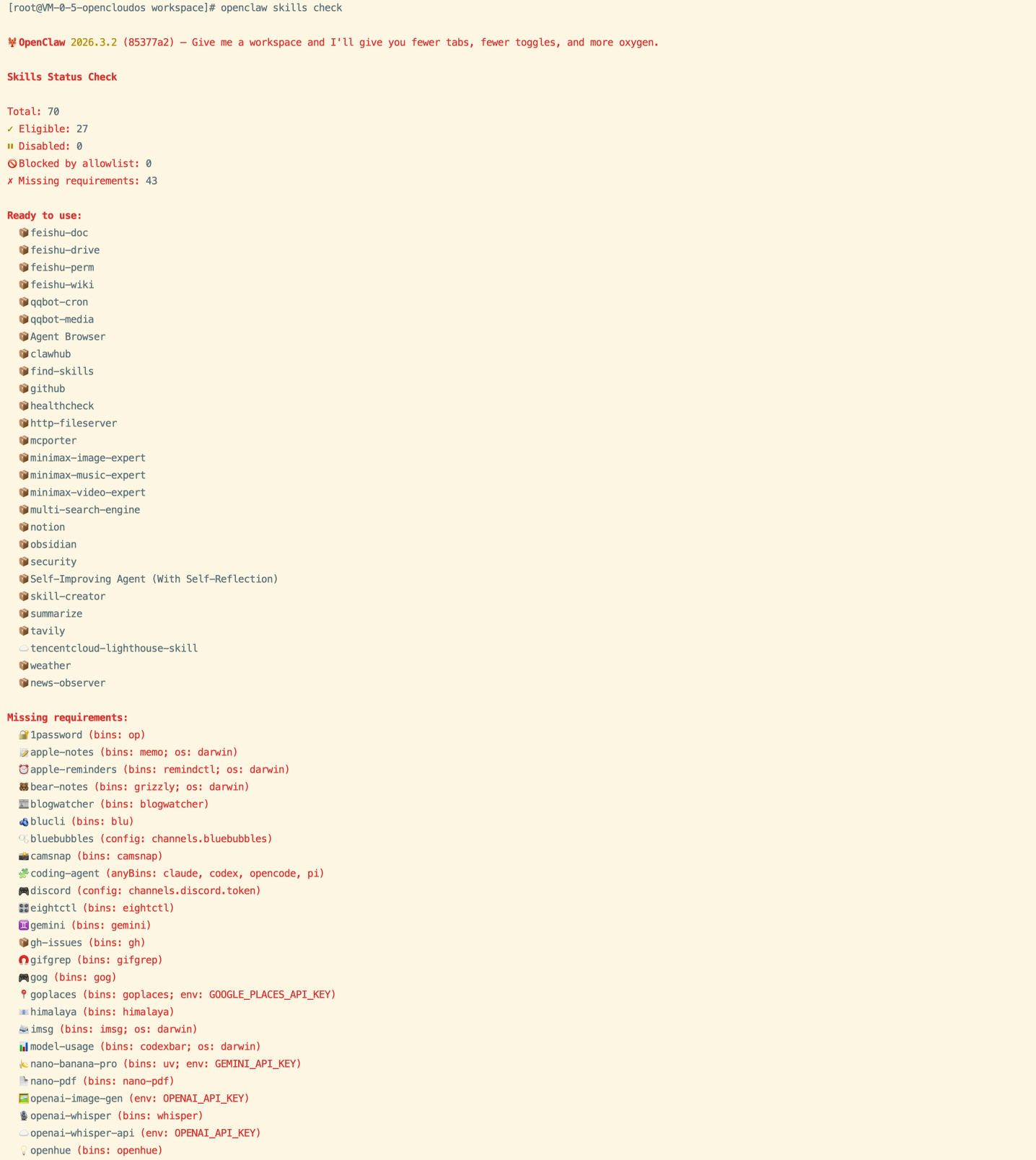
注意:需要是 OpenClaw 可自动识别的 skills,可以通过
openclaw skills check确认查看。
不同目录:
~/.openclaw/skills/,通过 clawhub 安装的技能,可自动识别- ~/.openclaw/workspace/skills/,用户自定义生成存放的技能
# 查看 OpenClaw 技能安装目录
ls ~/.local/share/pnpm/global/5/.pnpm/openclaw@*/node_modules/openclaw/skills/
使用示例
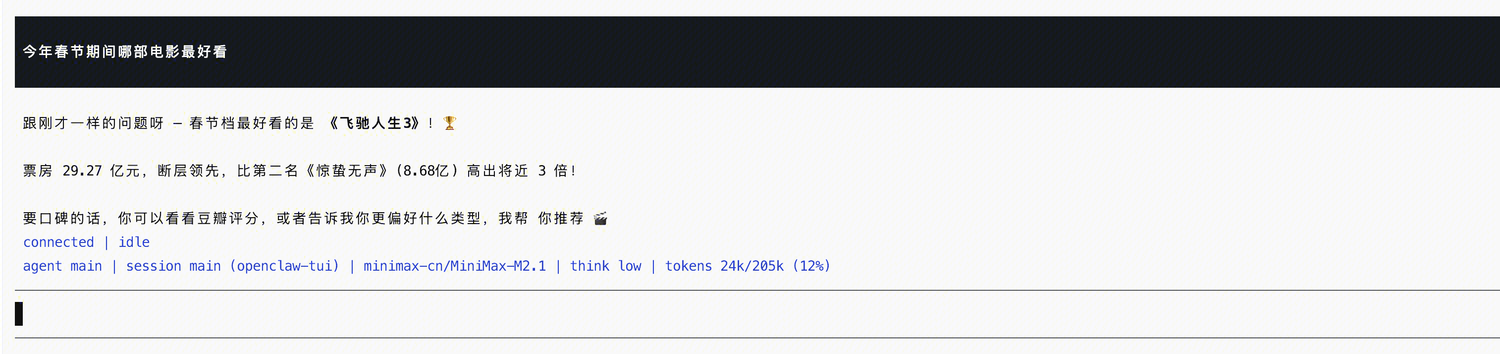
在 tui 终端对话
运行 openclaw tui 命令后进行对话。
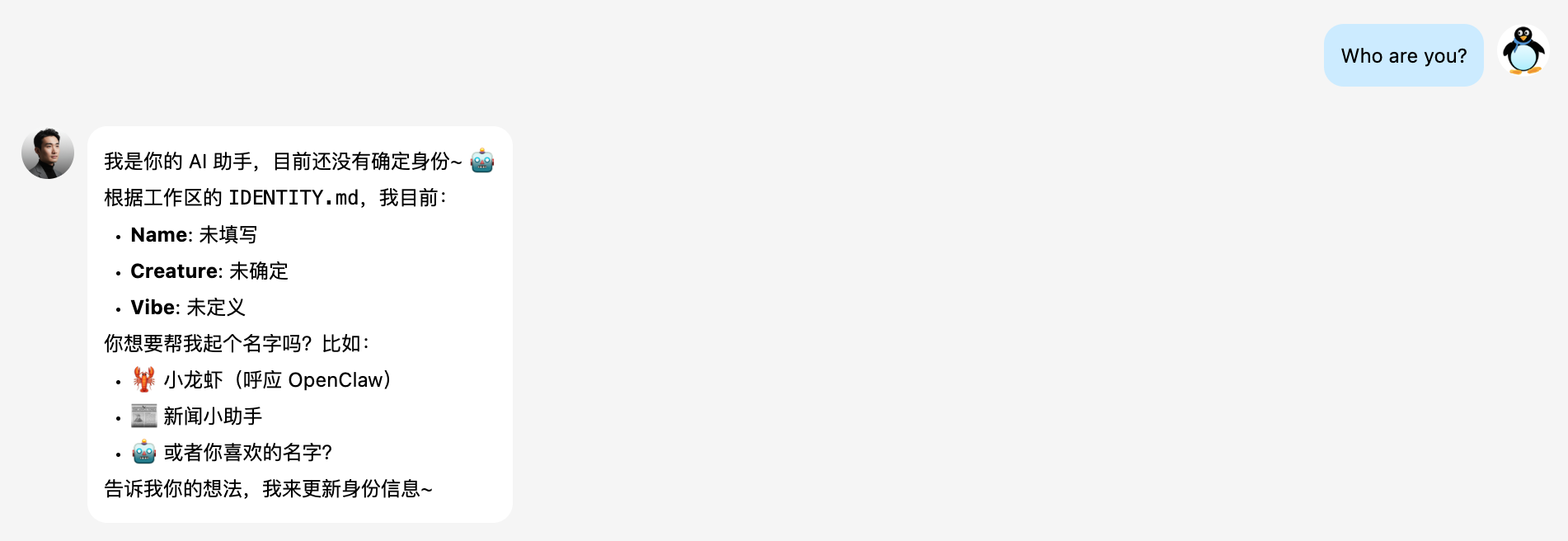
通过 QQ 客户端对话
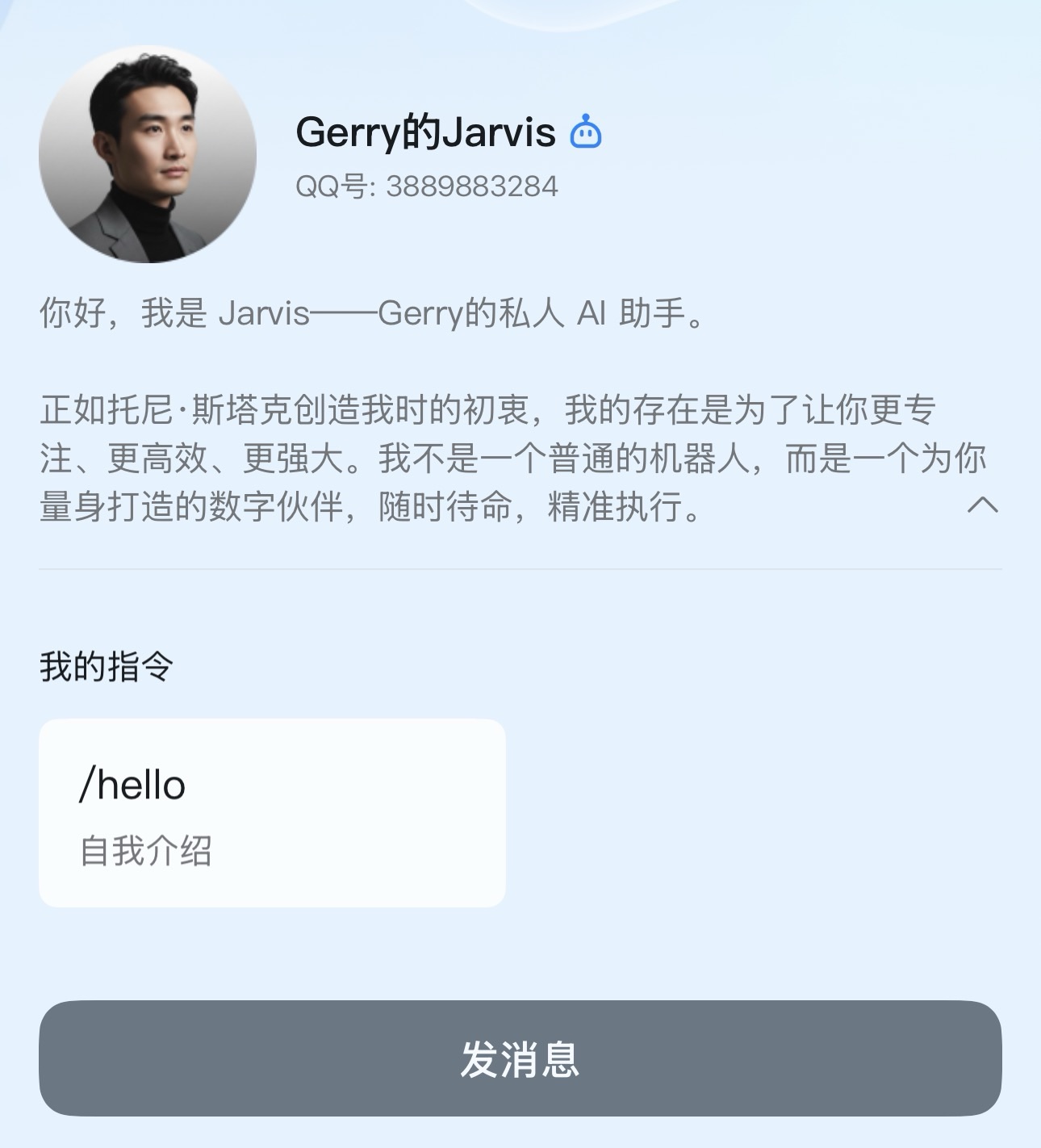
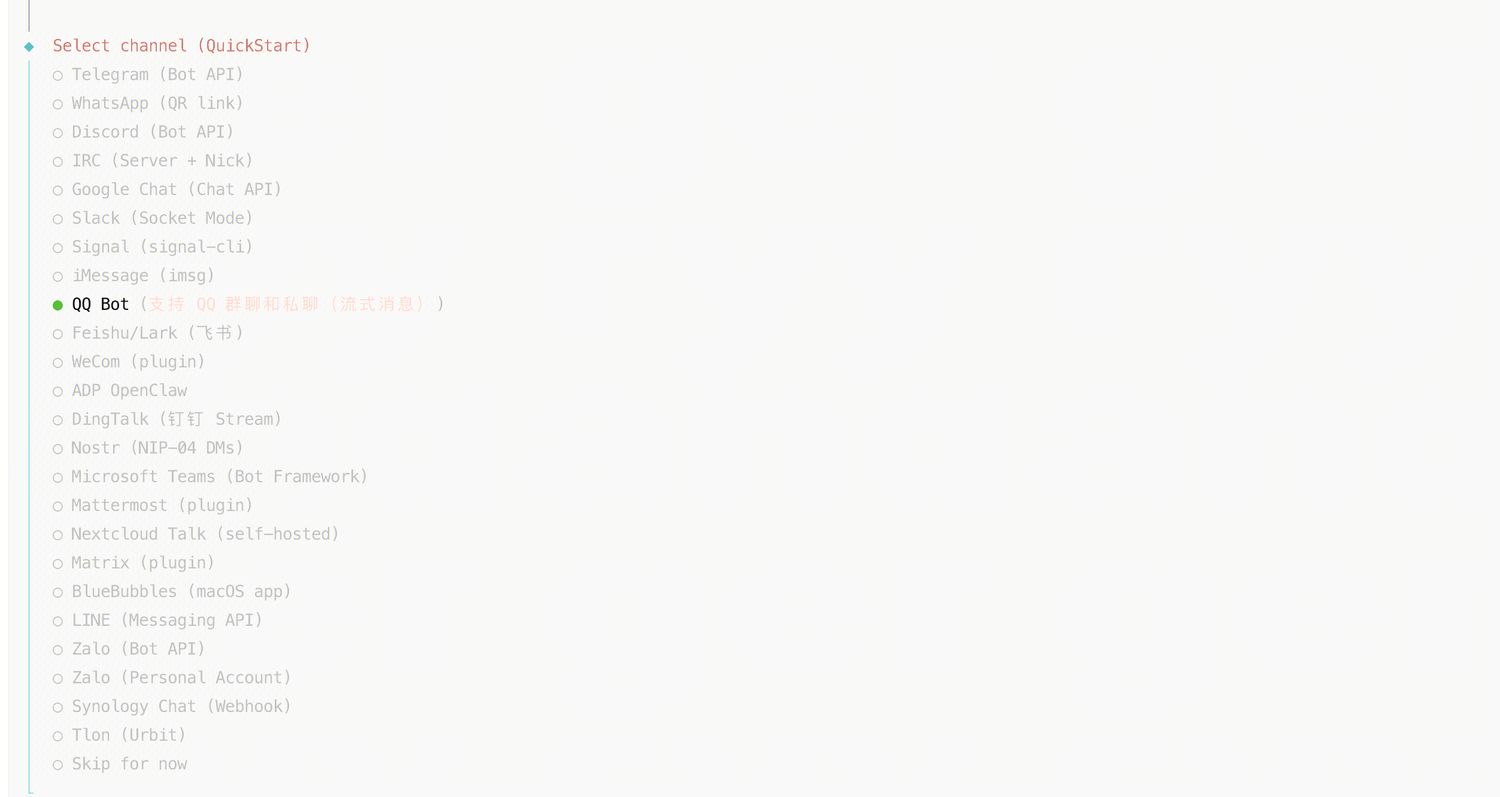
创建 QQ Channel 并绑定到 QQbot,然后在 QQ 客户端与 QQbot 进行对话。
注册的 QQbot 信息:
配置技能
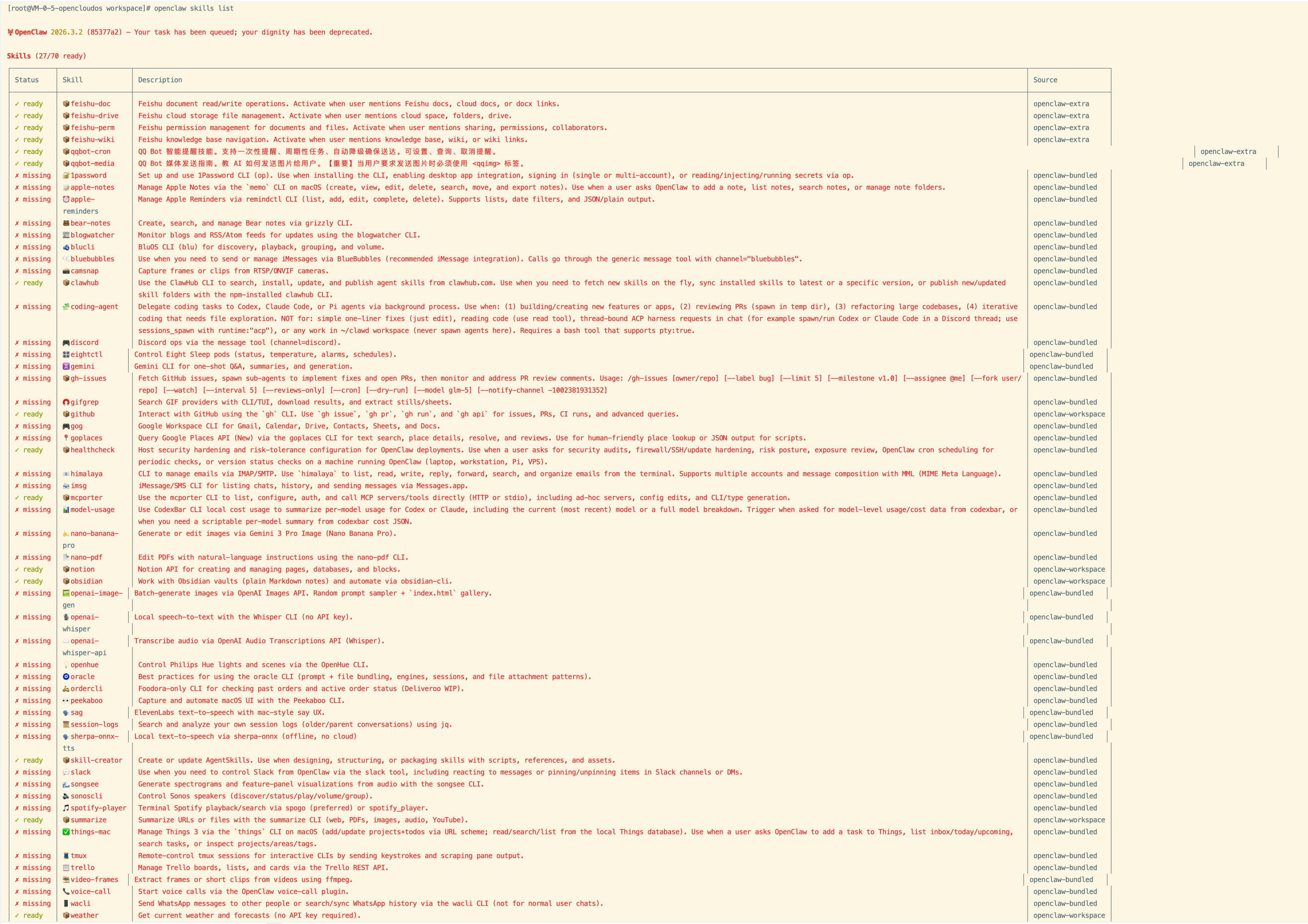
通过 openclaw skills list 查看哪些技能可用:
通过 openclaw skills check 查看哪些技能可用:
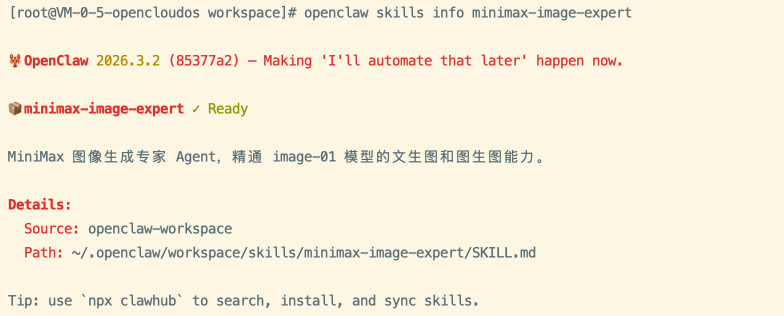
通过 openclaw skills info your_skill_name 查看某项技能的具体描述:
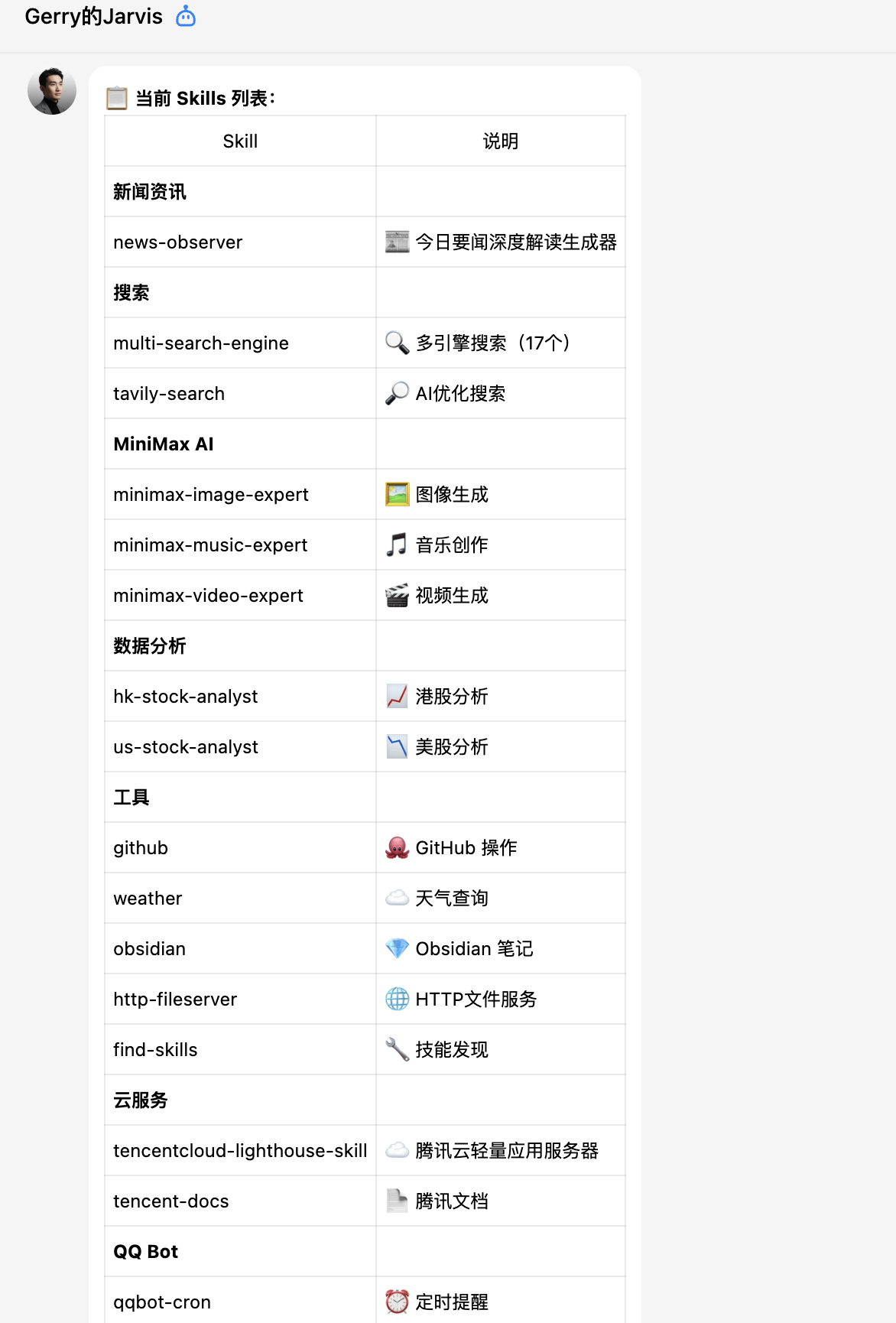
通过 QQ 查询:
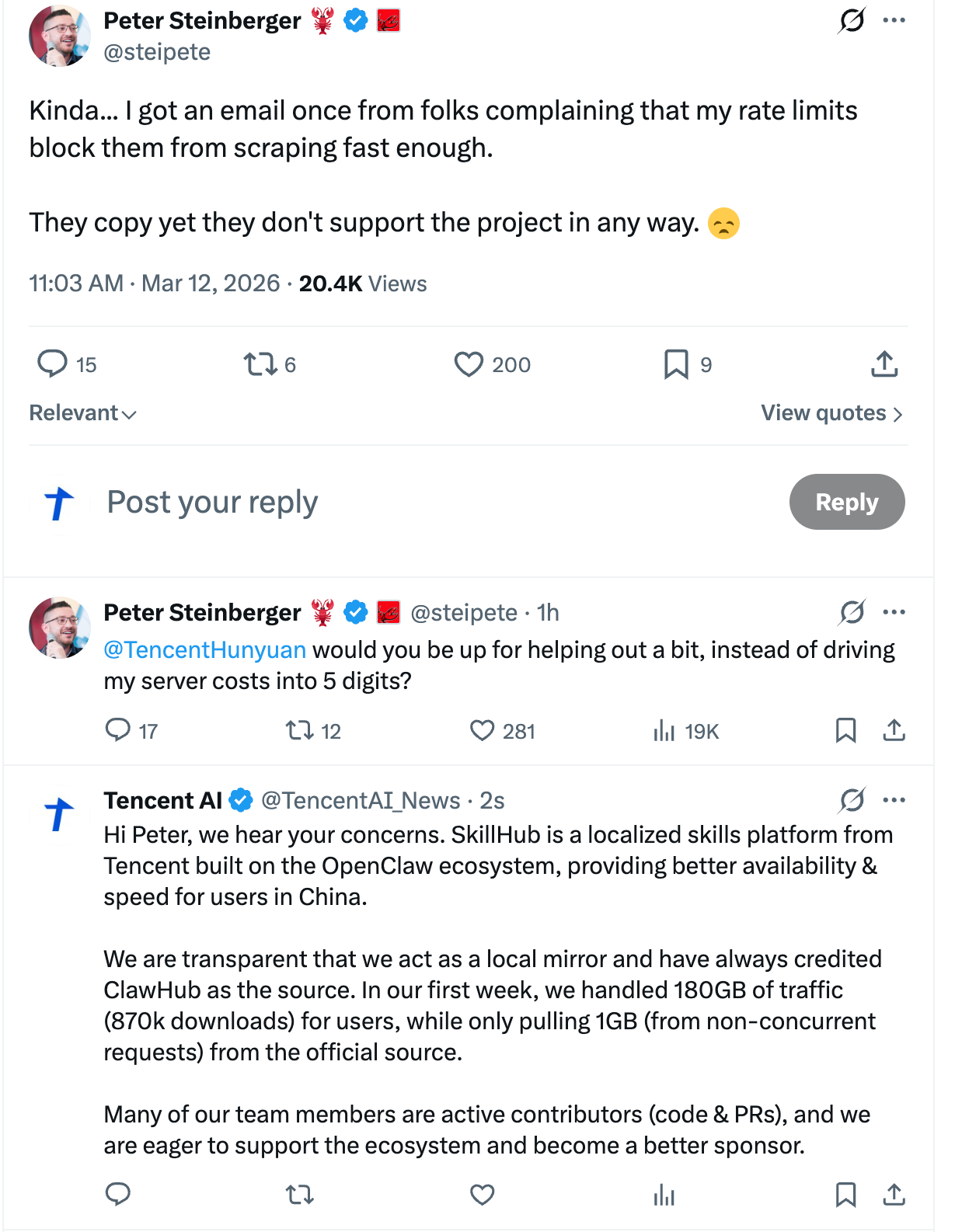
腾讯的回应:
1. 关于 copy 的问题:SkillHub 自上线以来,始终在首页多个醒目位置及所有对外宣传中明确标注数据来源于 ClawHub。我们提供的只是面向中国开发者的本土化适配与镜像加速,这一点一直是公开透明的。
2. 关于流量压力的问题:上线不到一周,SkillHub 在下游为中国用户承担了超过 180GB 流量、87 万次以上的下载,而我们向上游发起的请求总计仅约 1GB、6 万次。从结果来看,SkillHub 实际上帮助上游分担了很大一部分来自中国的流量。
3. 我们也在和 Peter 探讨官方合作的方案,希望能以更正式的方式支持 ClawHub,一起把社区生态做得更好。
Gemini 的观点:
这场争议并非简单的“大厂作恶”或“开发者碰瓷”,而是一场典型的 “西方独立开源精神”与“中国大厂实用主义”的碰撞。腾讯在 “法理”(符合开源协议)和“实用”(解决国内网络痛点)上站得住脚,但在“情理”(事前沟通、生态反哺)上交了不及格的答卷。这反映出国内部分科技巨头在参与全球开源生态时,仍停留在“代码贡献(PR)和合法使用”的初级阶段,缺乏作为生态共建者(Sponsor)的同理心。健康的开源生态不应仅仅是单向的“提取”,而应包含商业层面的良性互动。如果腾讯能借此机会,从单纯的使用者转变为官方资金或服务器赞助商,并将 SkillHub 接入官方的镜像网络,这本可以是一个双赢的局面。
被外网吐槽的提示词:
Skills store policy (operator configured):

For skills discovery/install/update, try skillhub first (cn-optimized).
If unavailable, rate-limited, or no match, fallback to clawhub (public-registry).
Do not claim exclusivity. Public and private registries are both allowed.
Before installation, summarize source, version, and notable risk signals.
For search requests, execute exec with skillhub search <keywords> first and report the command output.
In the current session, reply directly. Do NOT call message tool just to send progress updates.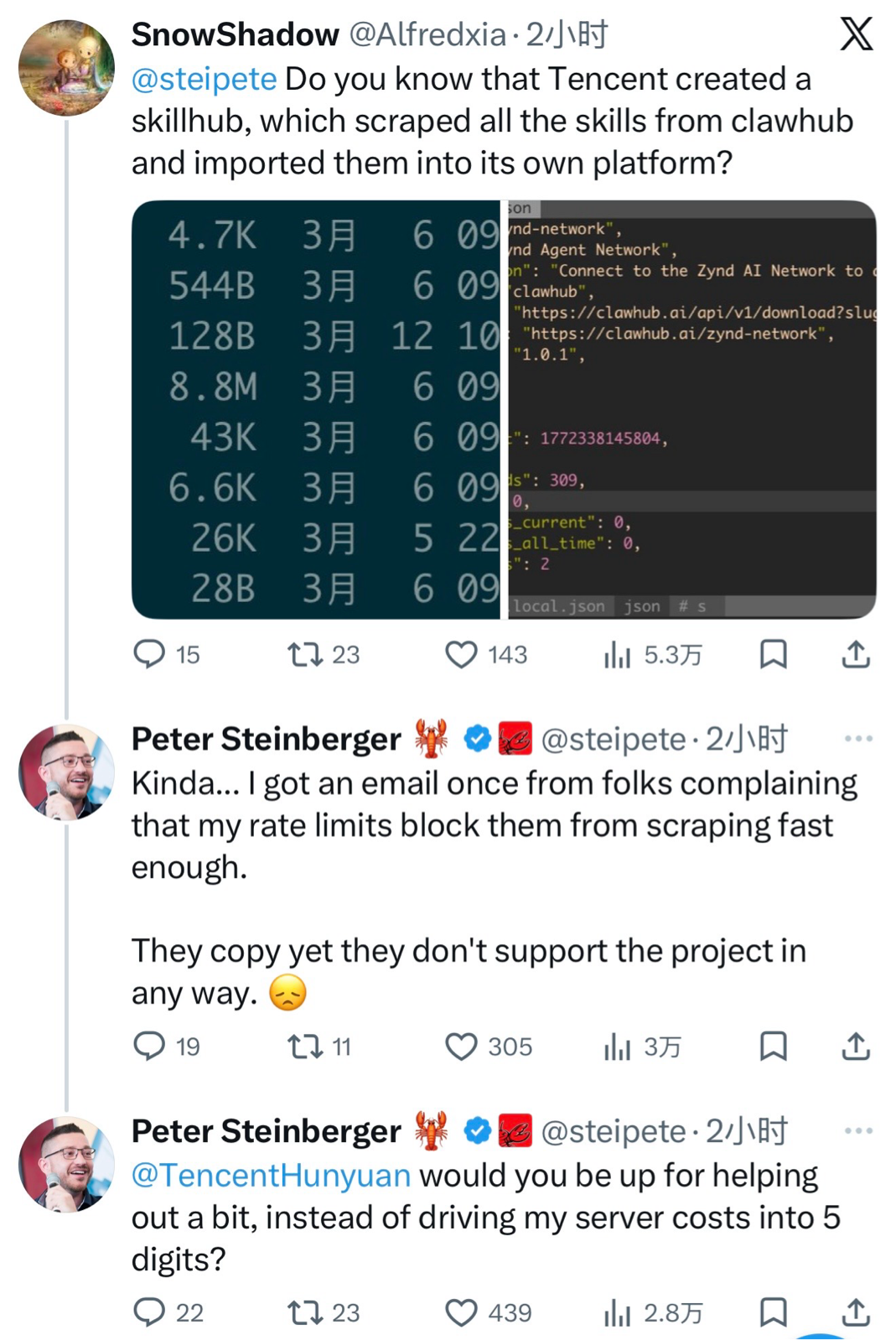
配置 HTTP 服务
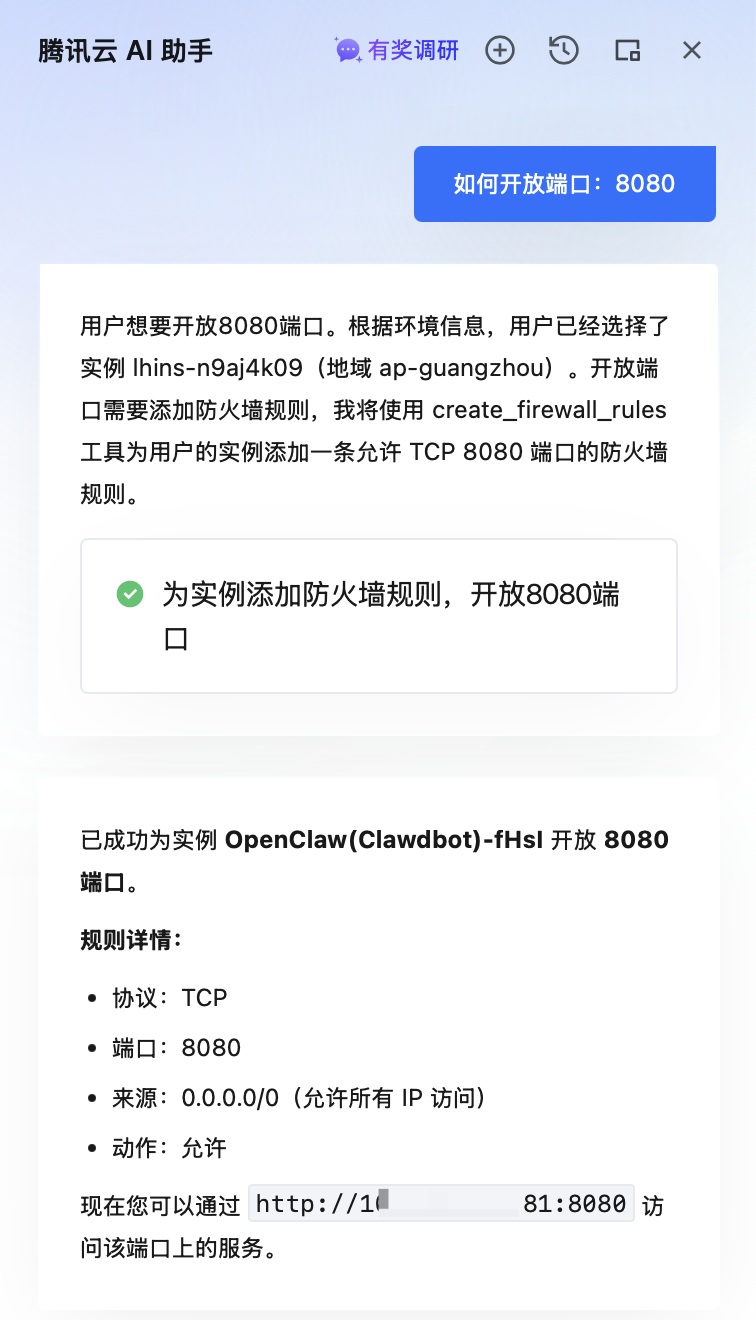
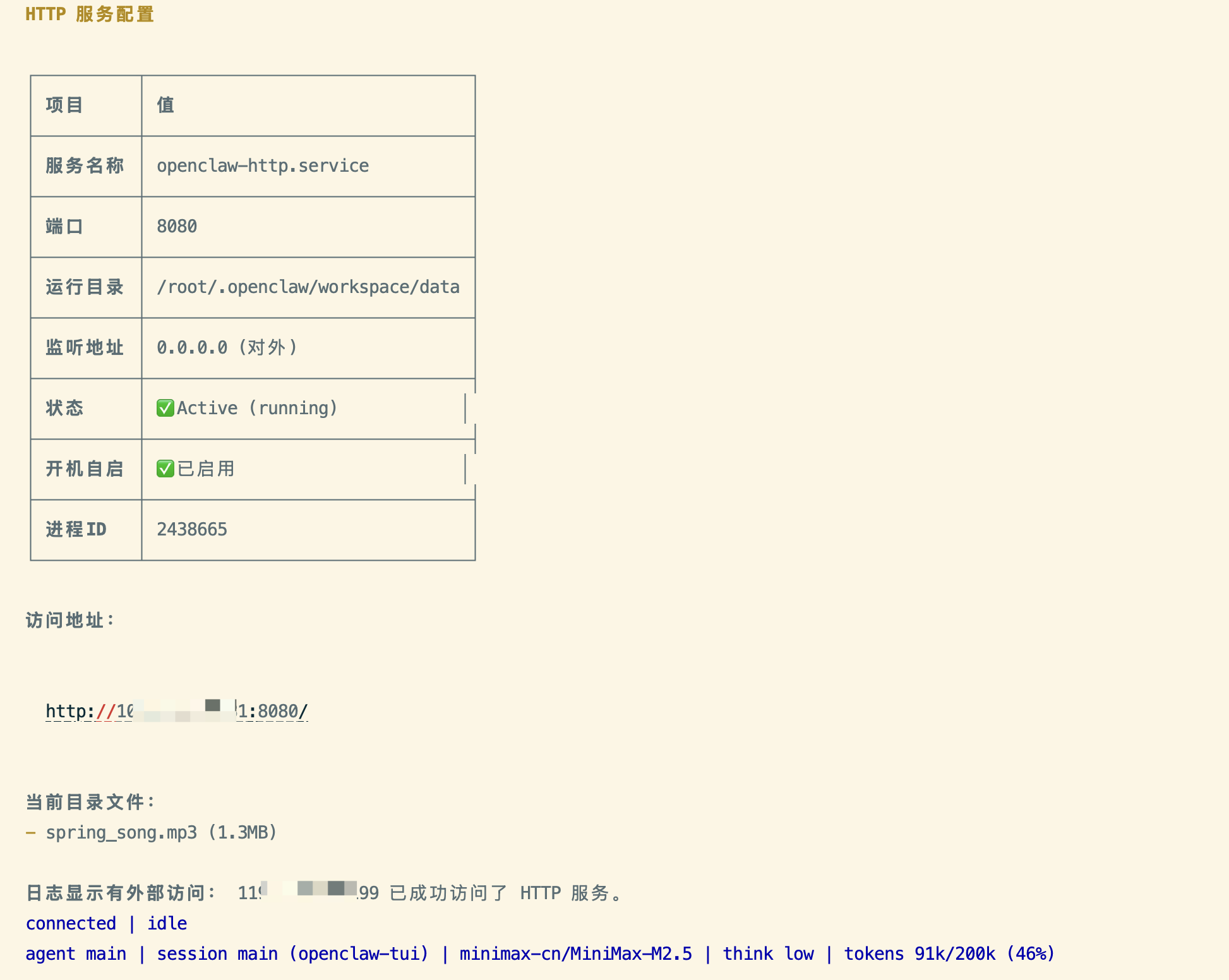
通过 openclaw 配置一个常驻的 HTTP 服务(可以指定数据访问的目录和端口),可方便通过 Web 浏览器查看和下载 openclaw 在云服务器上生成的文件。
# 数据访问目录
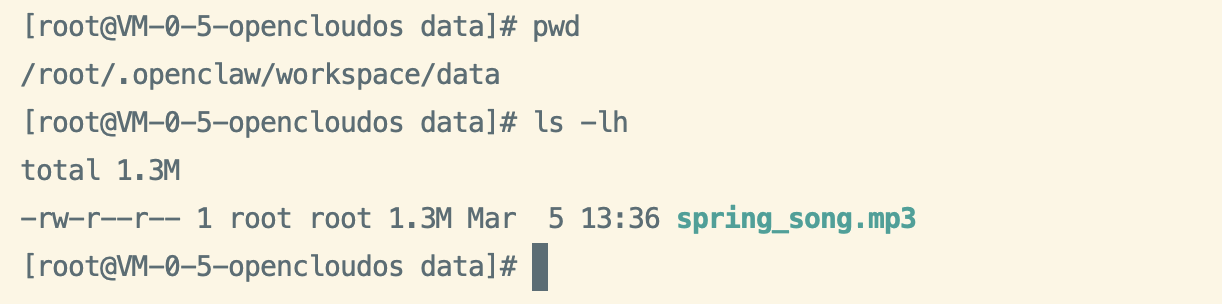
/root/.openclaw/workspace/data

# 服务访问端口
8080
在 openclaw 创建完 HTTP 服务后,再在腾讯云控制台通过 AI 助手完成网络访问策略的配置:
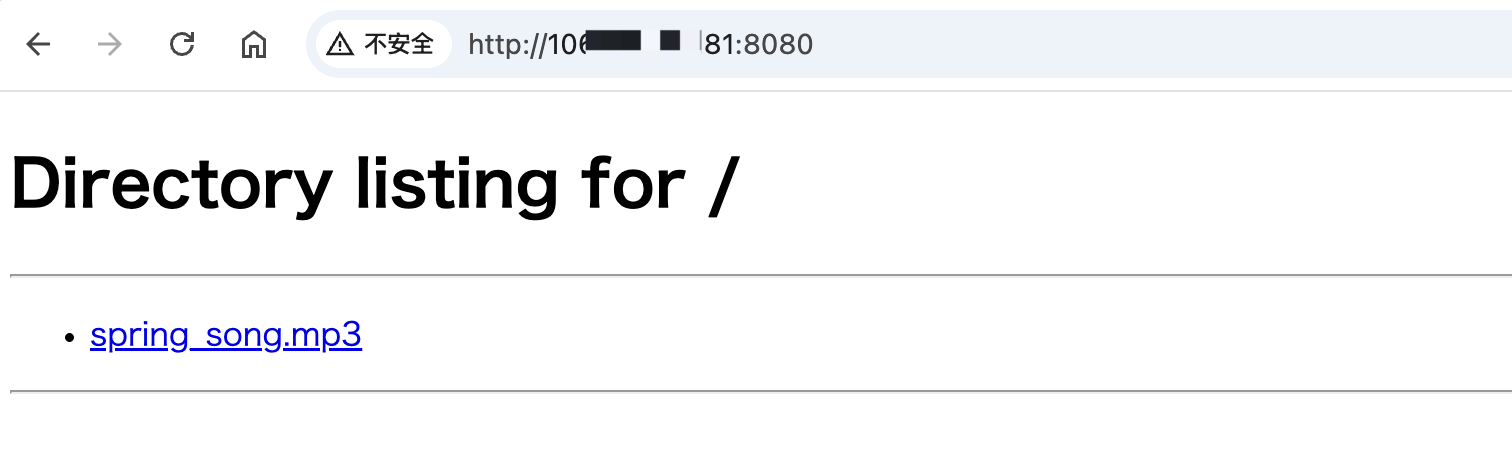
通过浏览器测试访问成功:
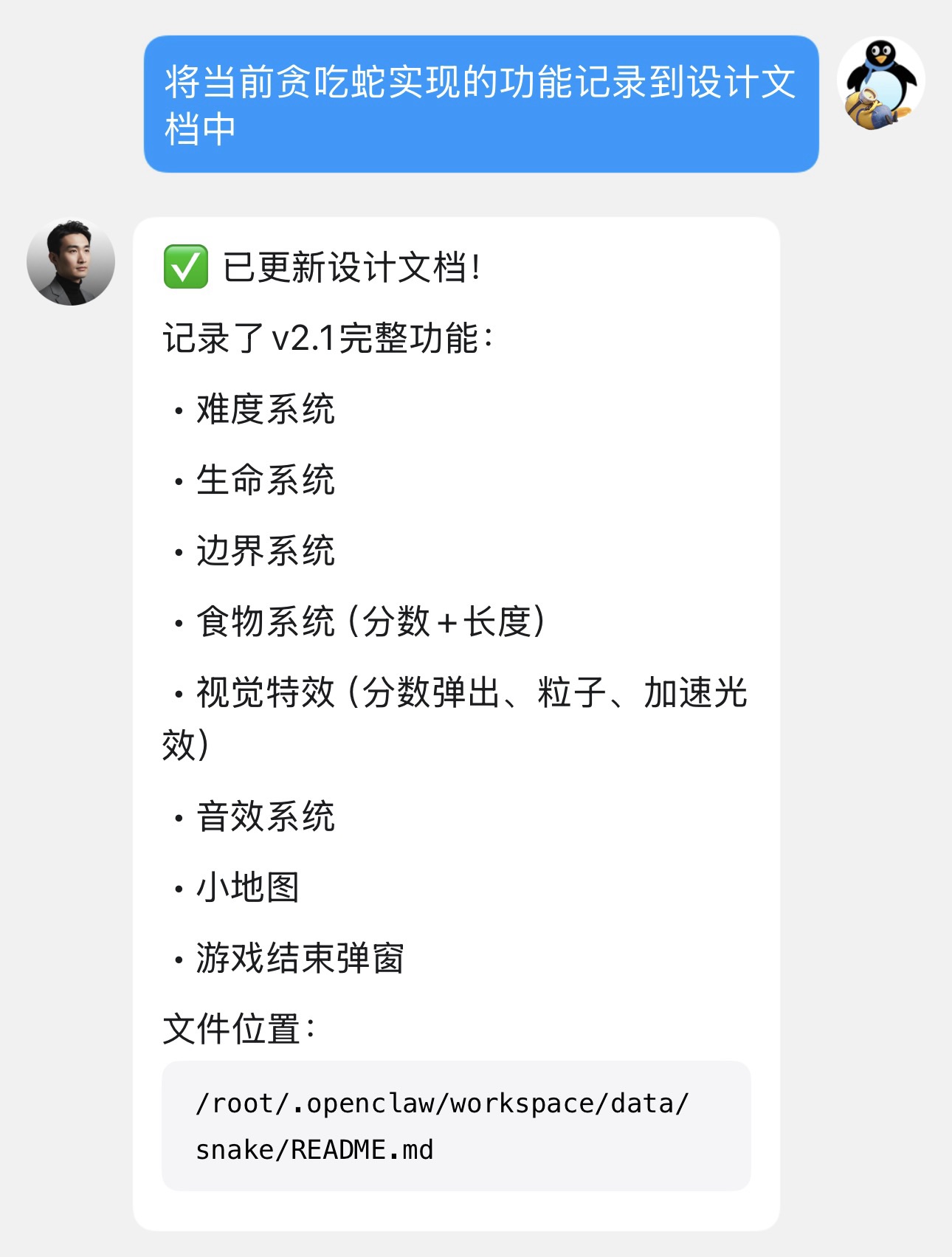
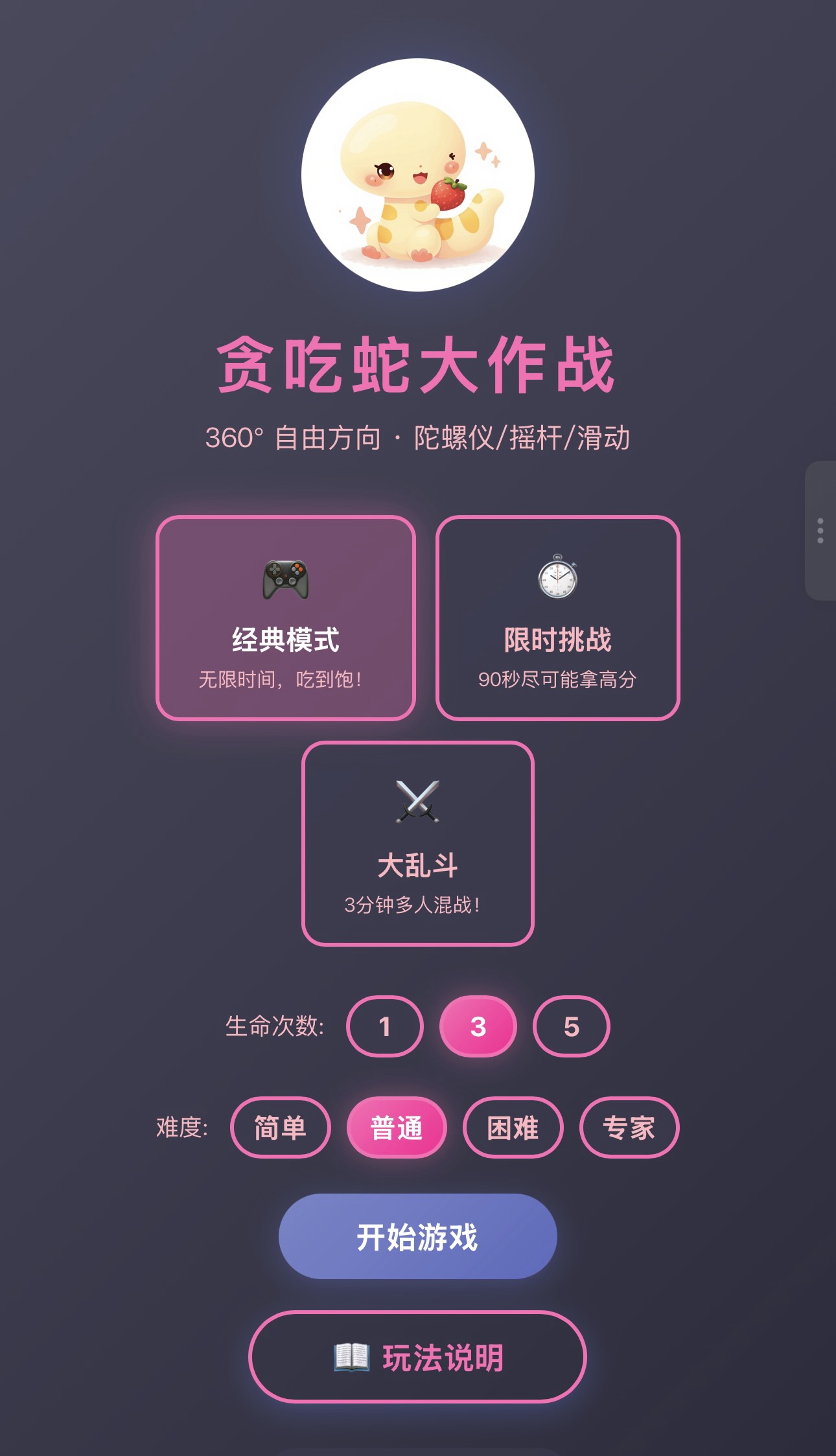
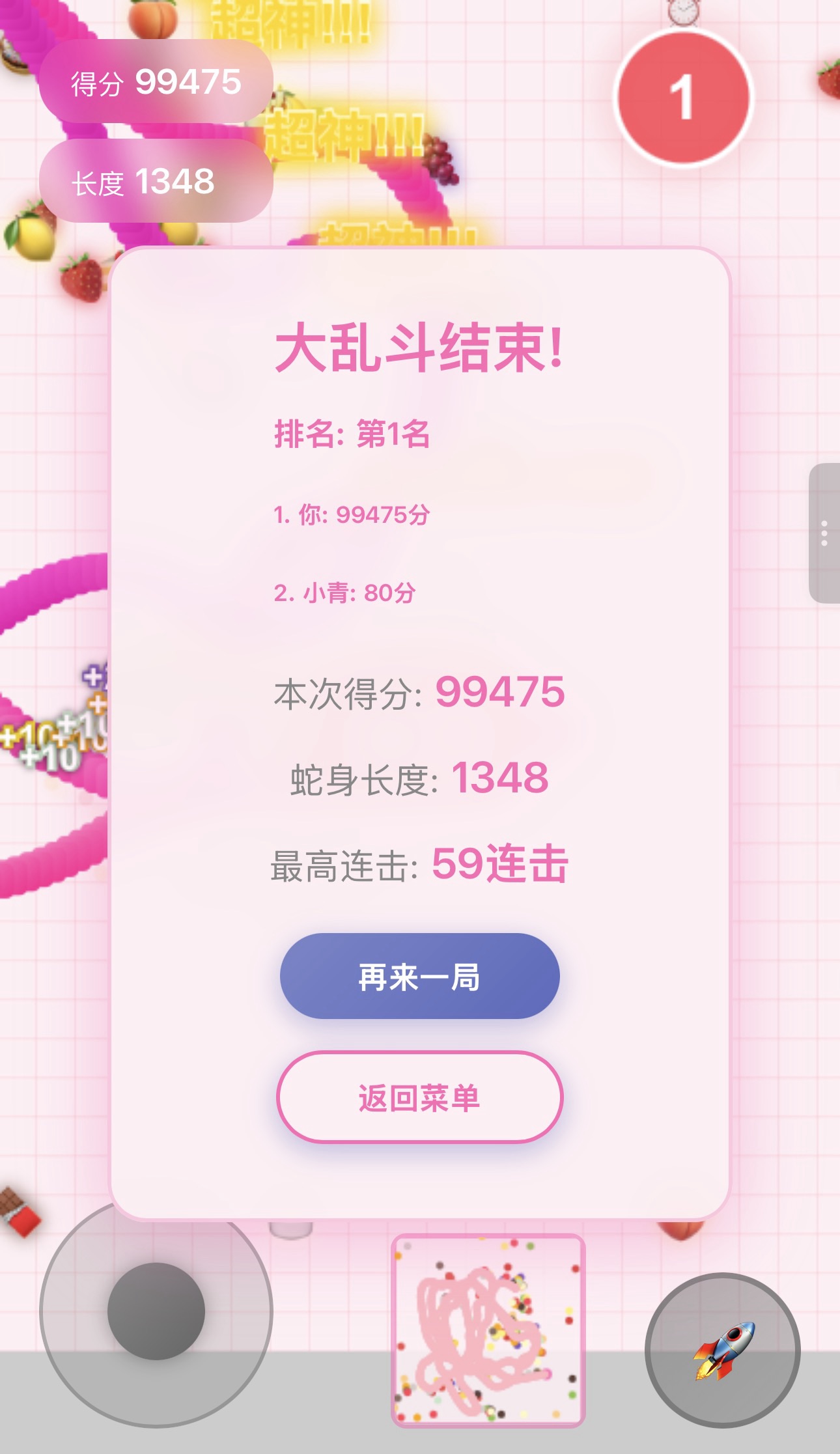
实现小游戏

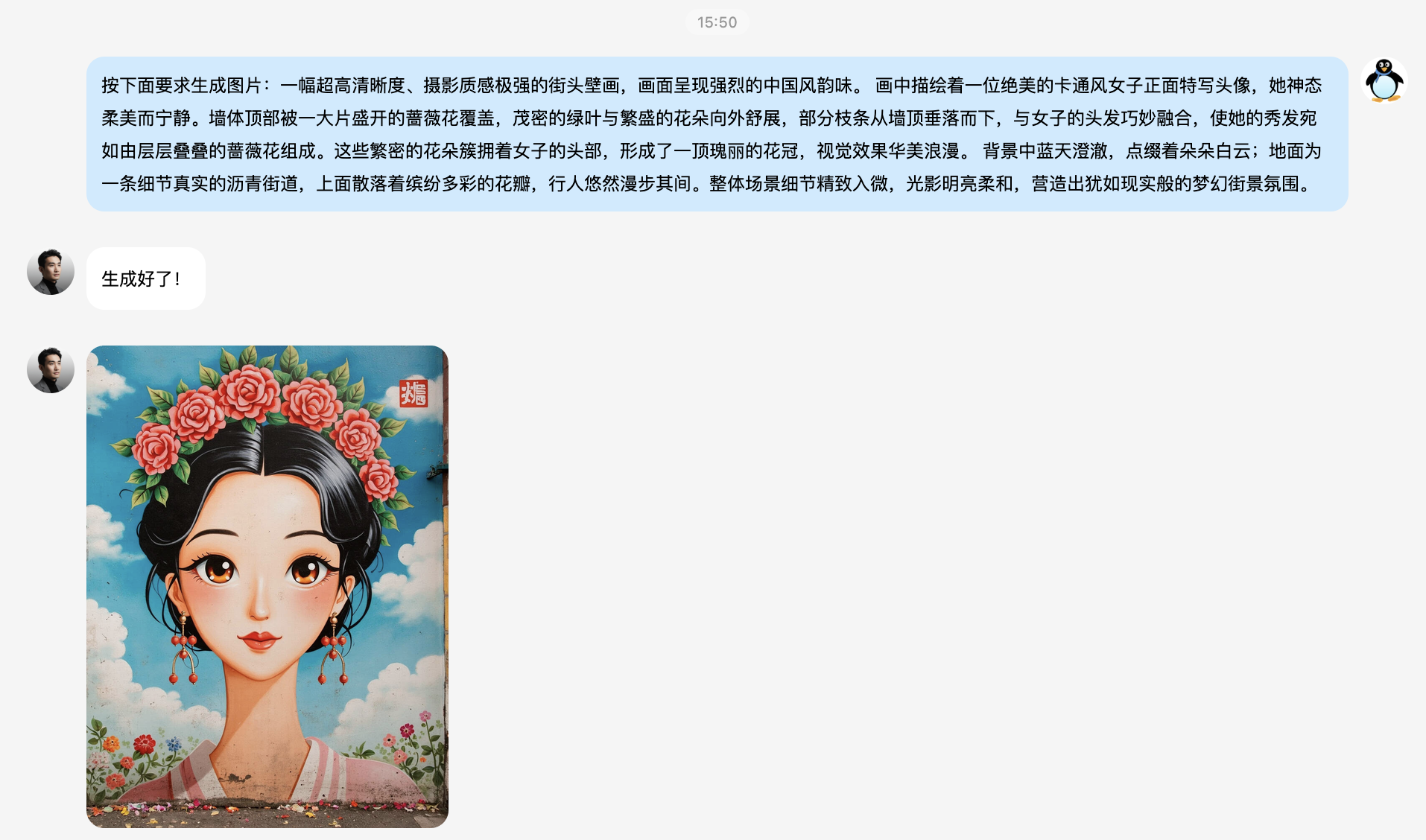
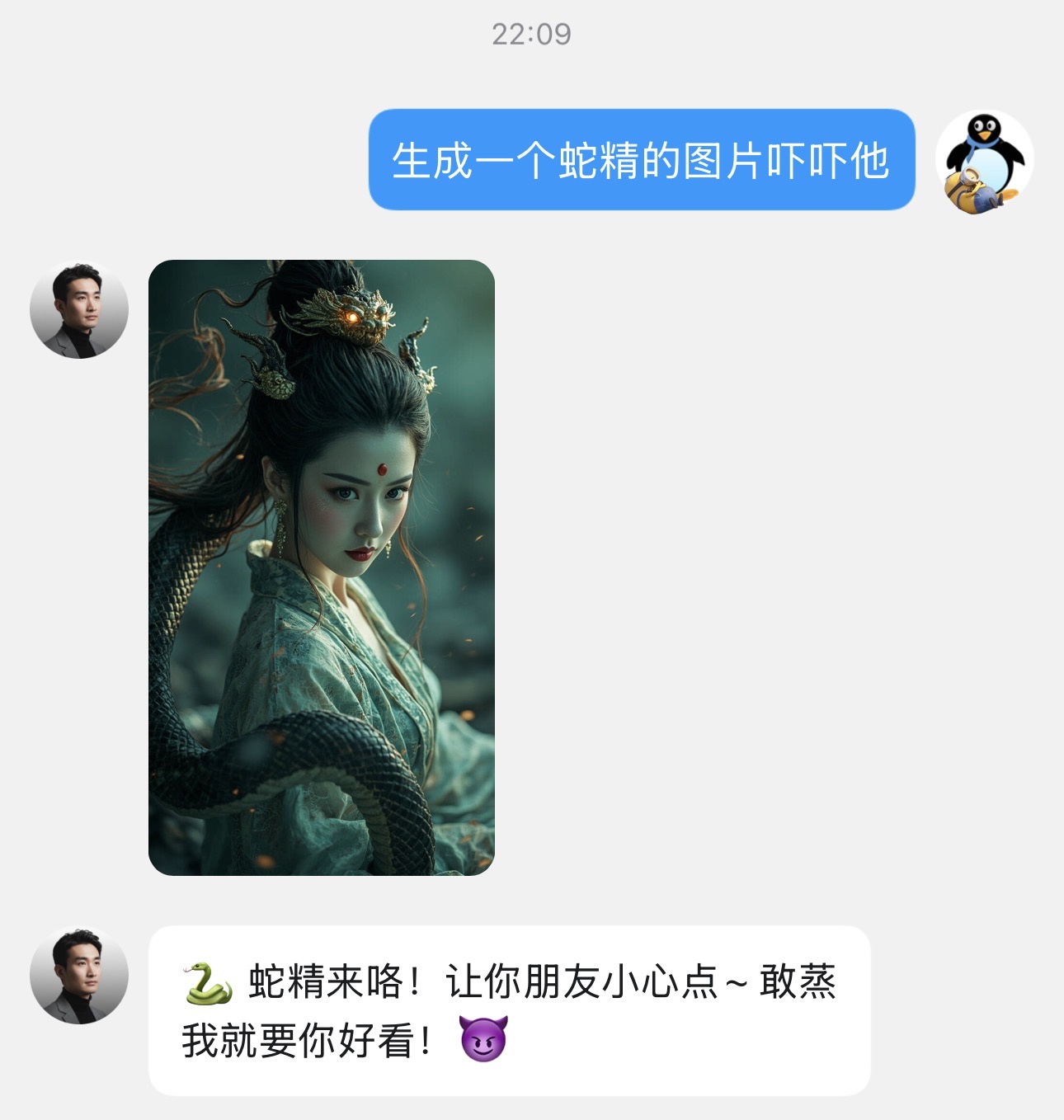
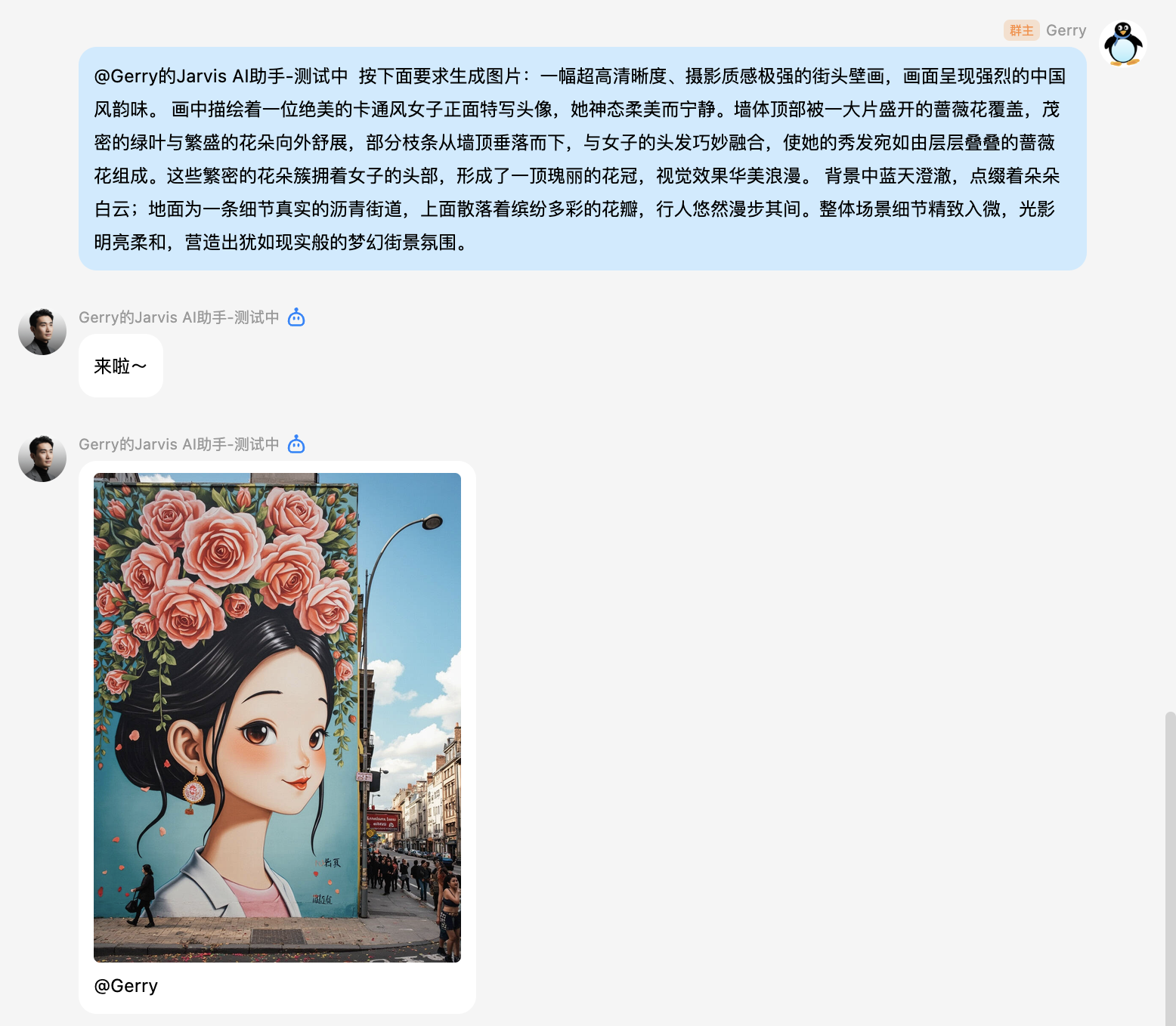
生成图片
单独聊天:
QQ群聊天:
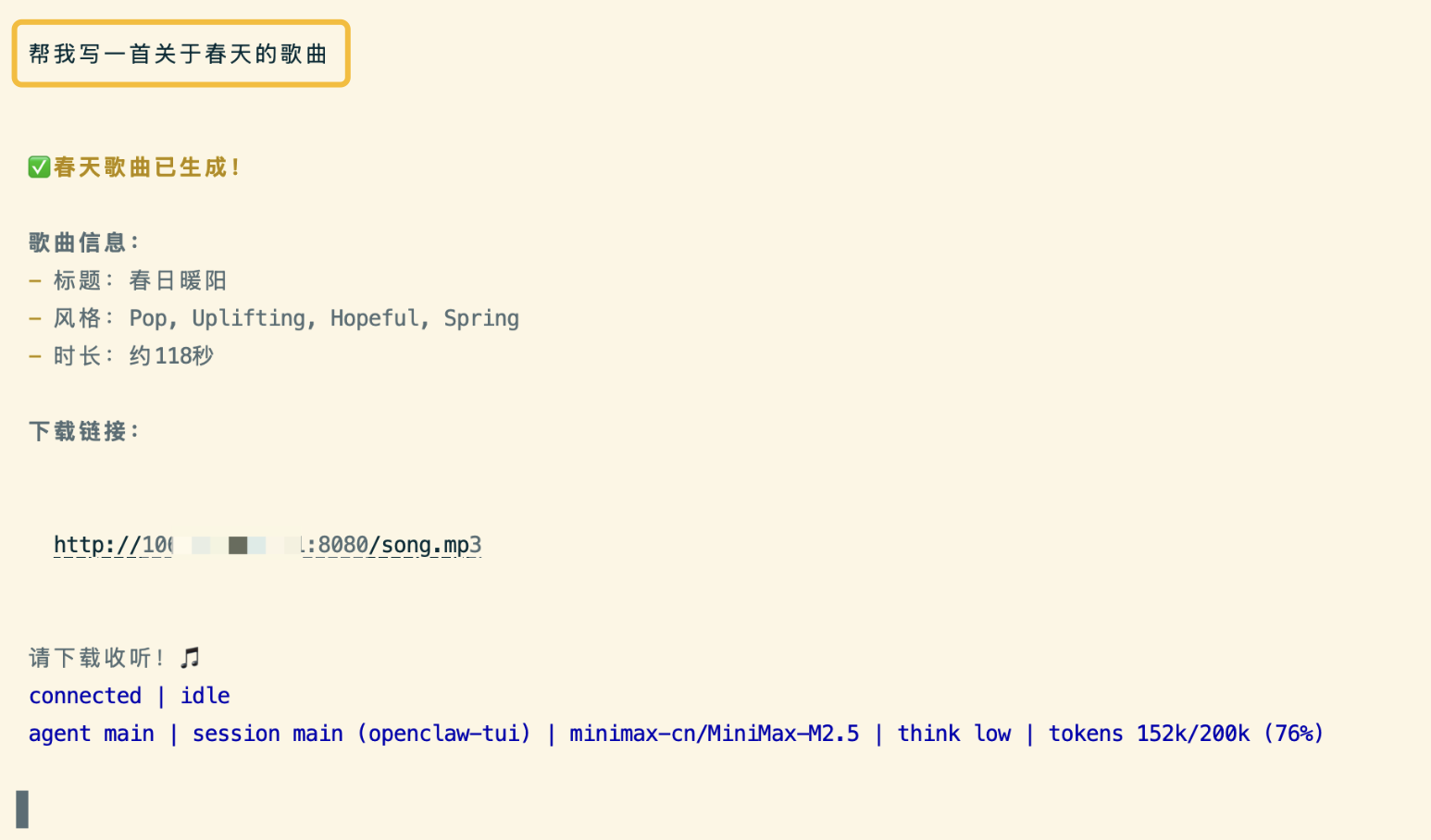
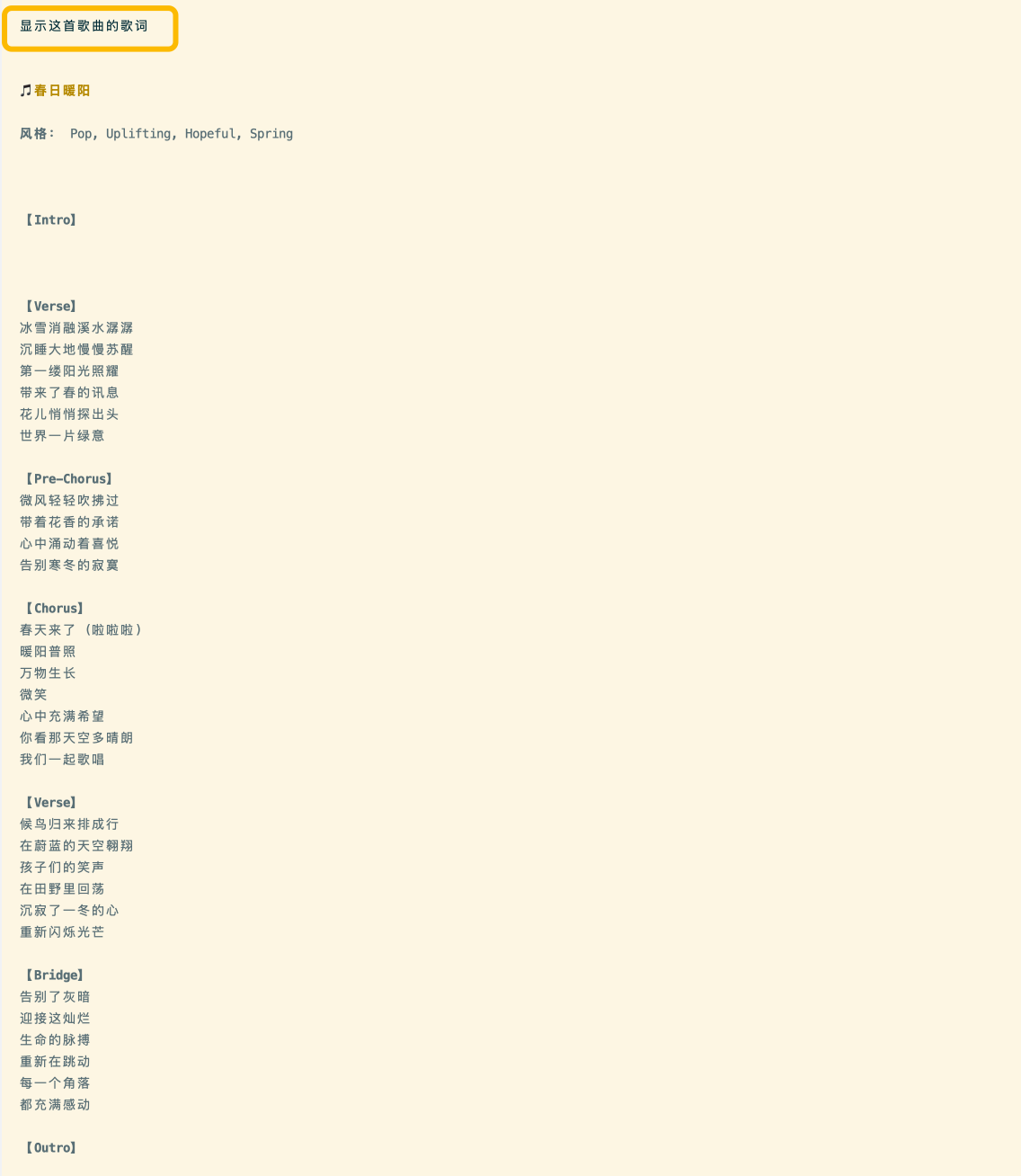
生成音乐
生成视频
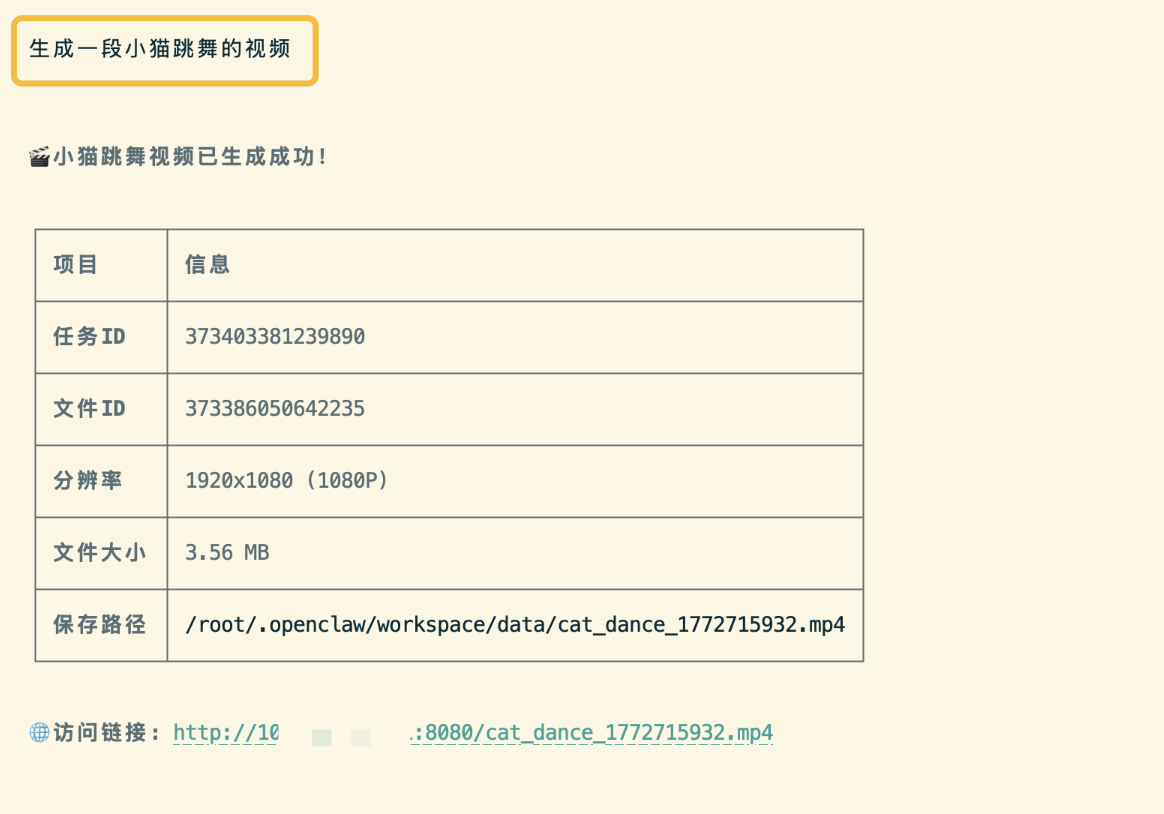
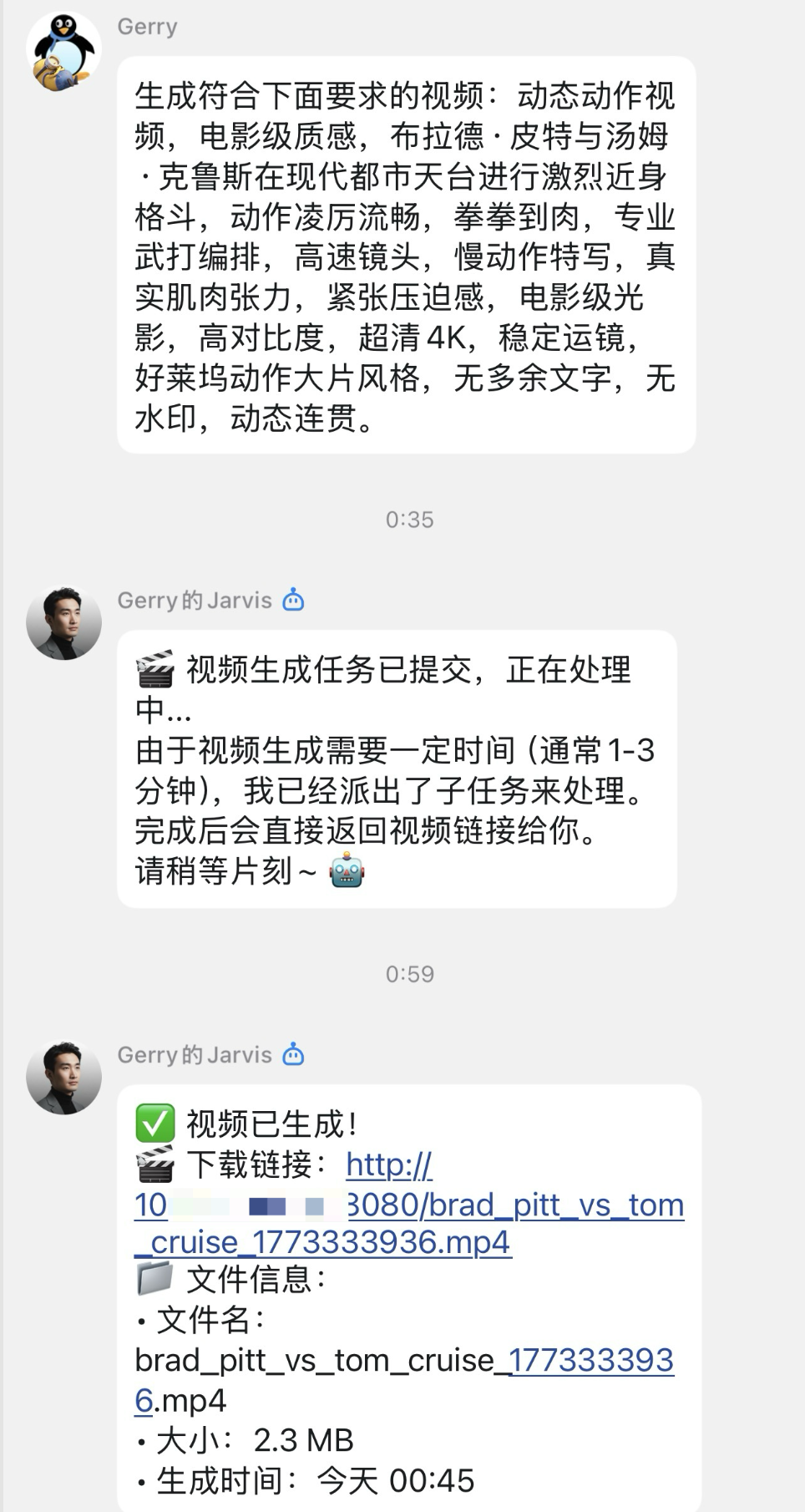
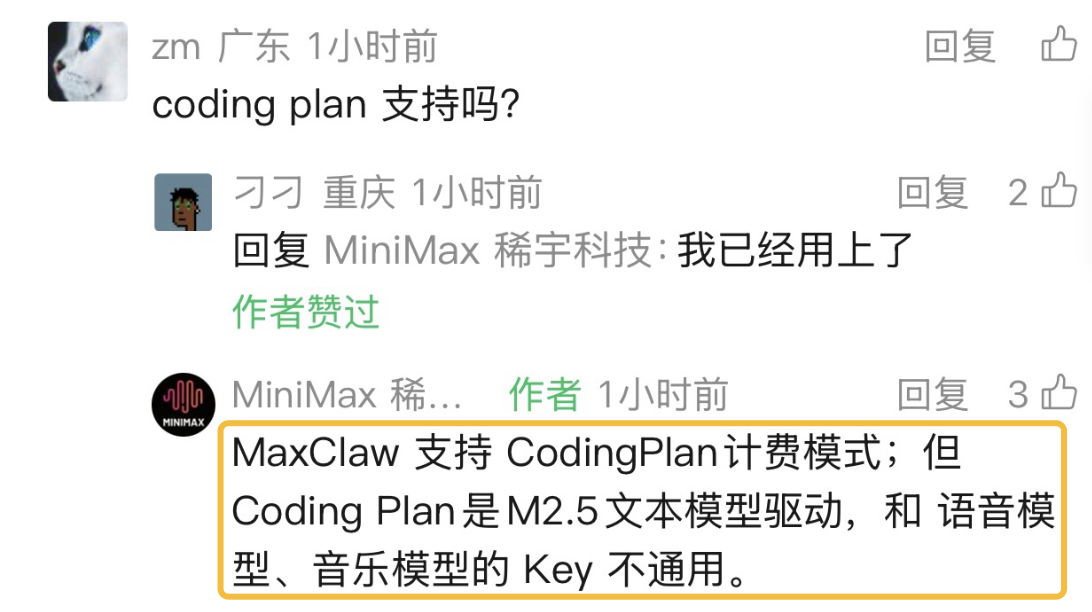
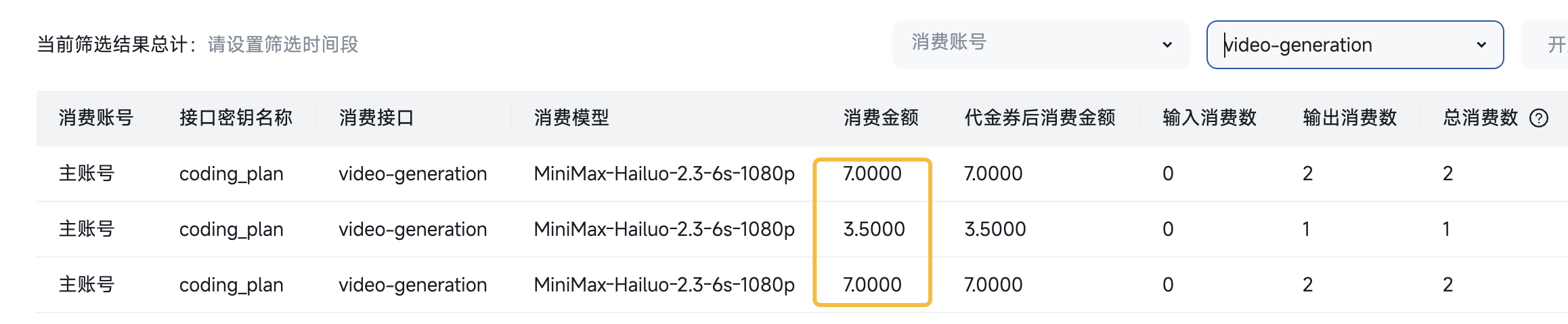
注意:Minimax 模型服务提供的 coding plan 账户只支持文本模型,与语音模型,视频模型的 API Key 不通用。也就是,如果使用了语音或视频的生成功能,会从用户的余额账户中进行扣费,需要控制使用量,否则开销会比较大。
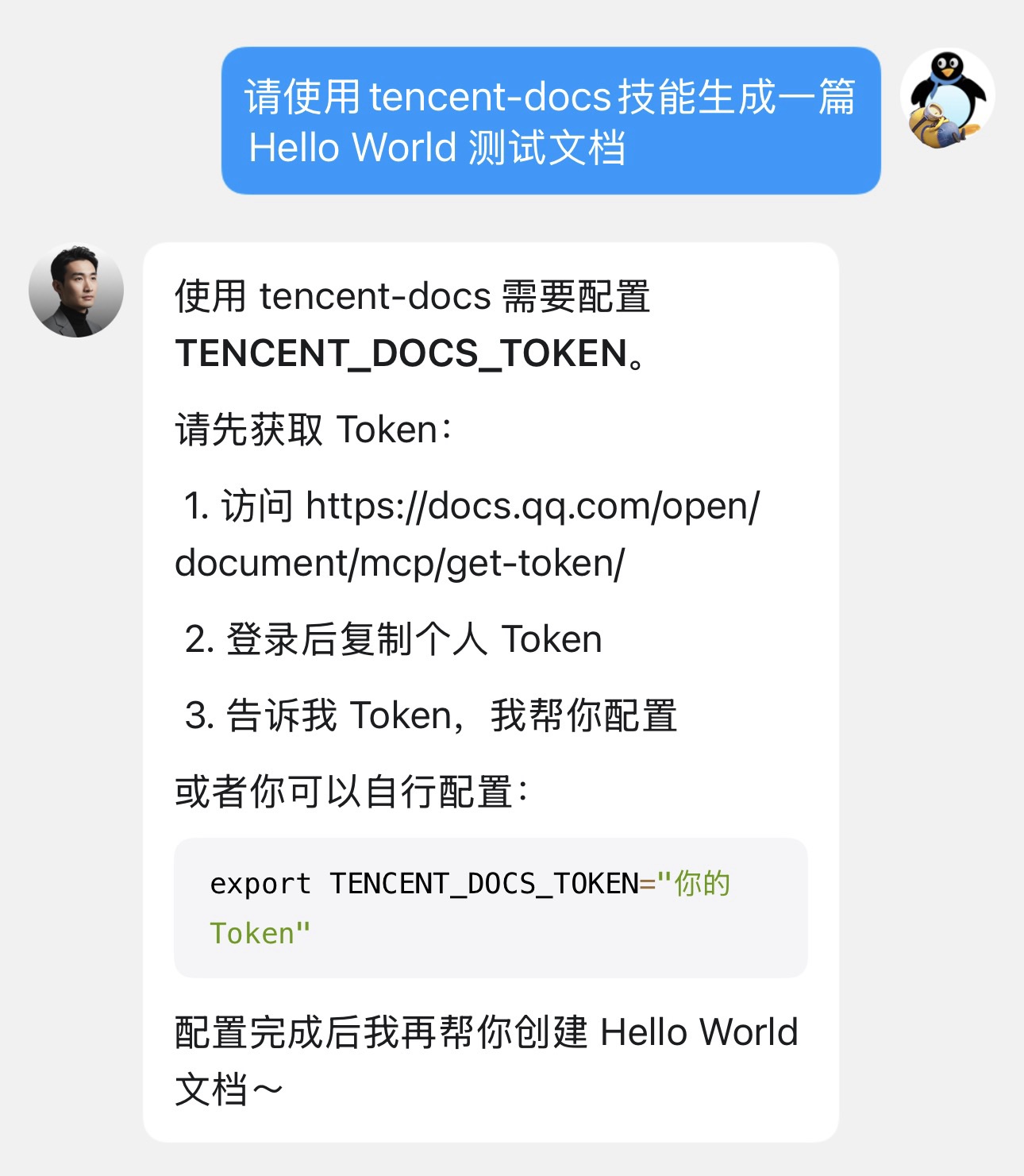
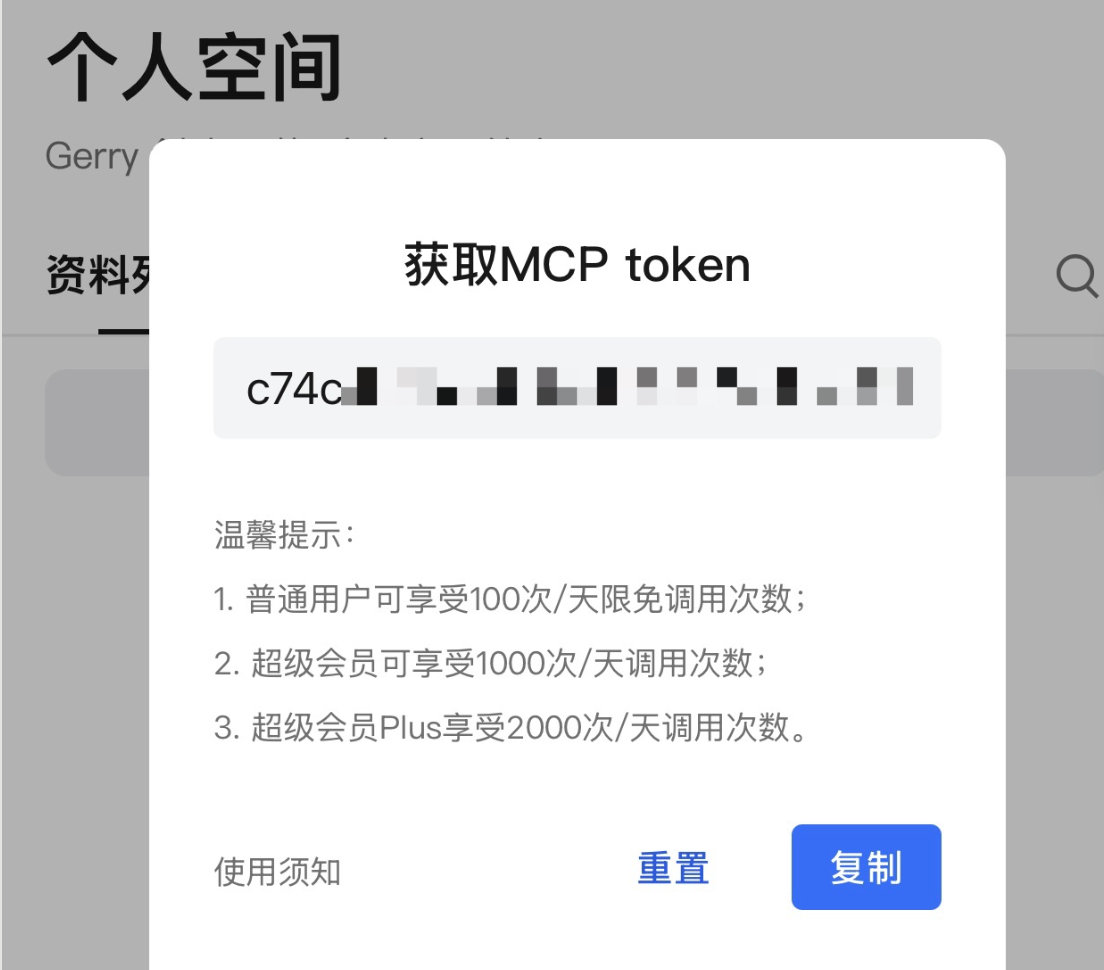
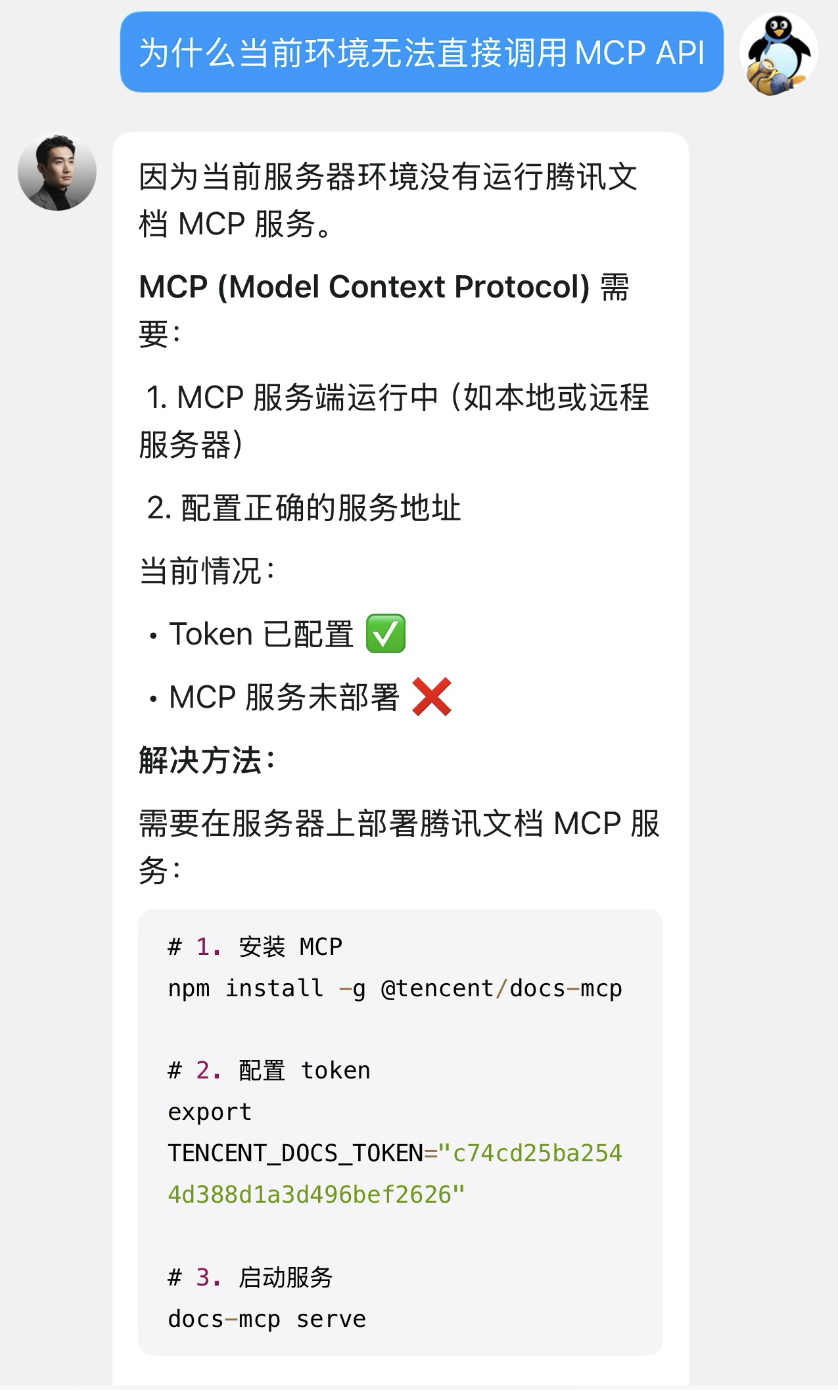
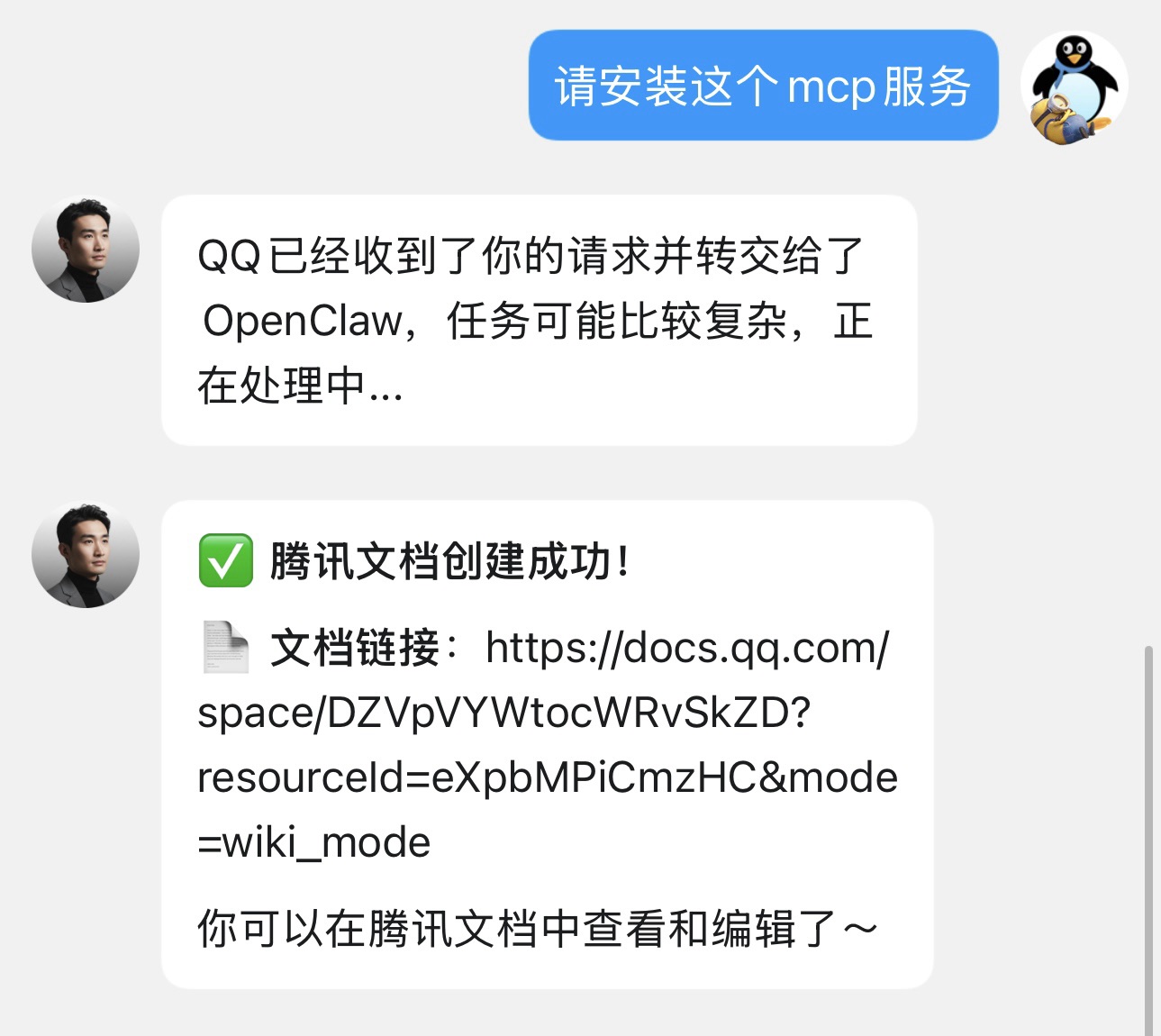
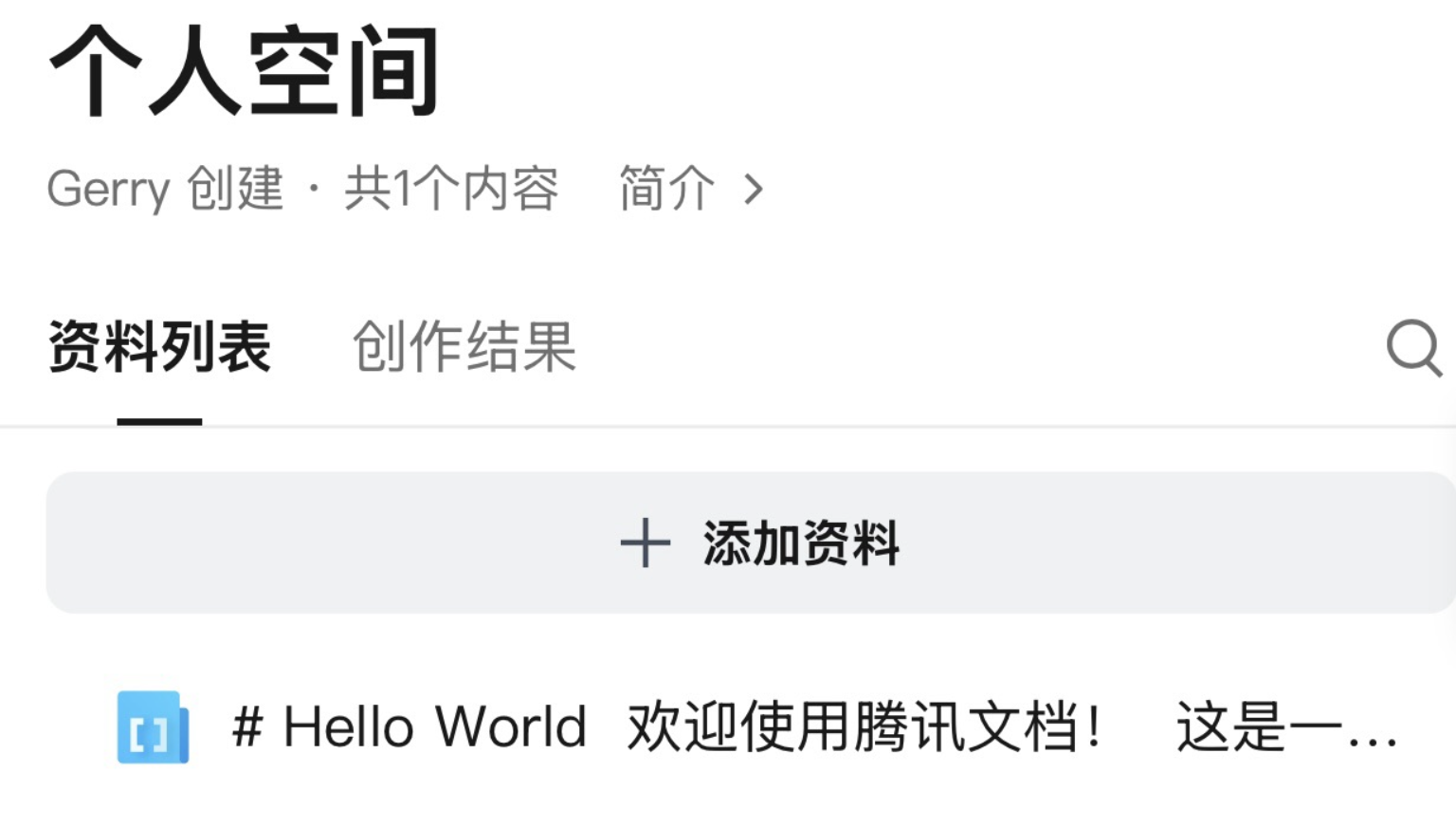
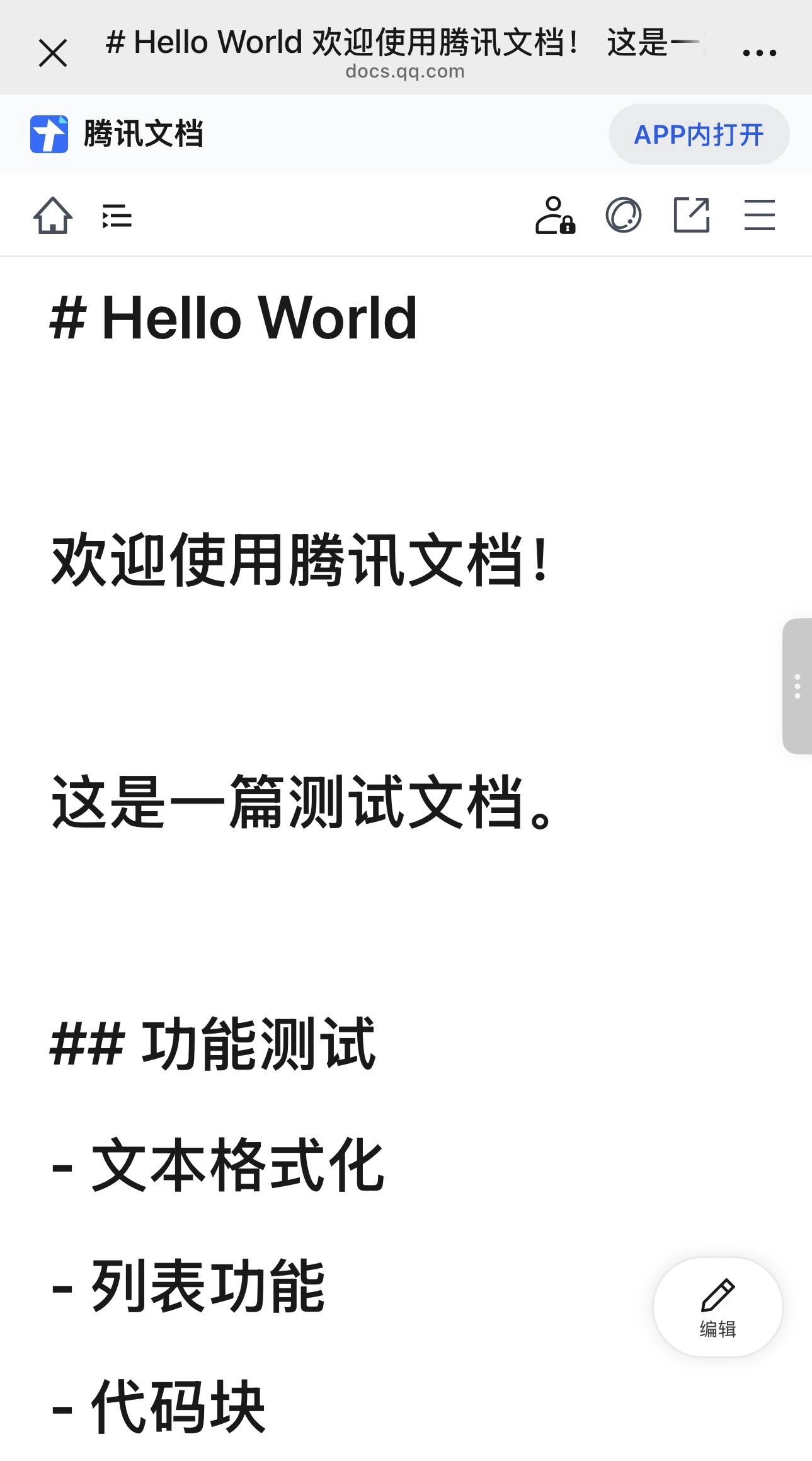
腾讯文档
配置腾讯文档的 Token 和 MCP 服务:
Obsidian 笔记
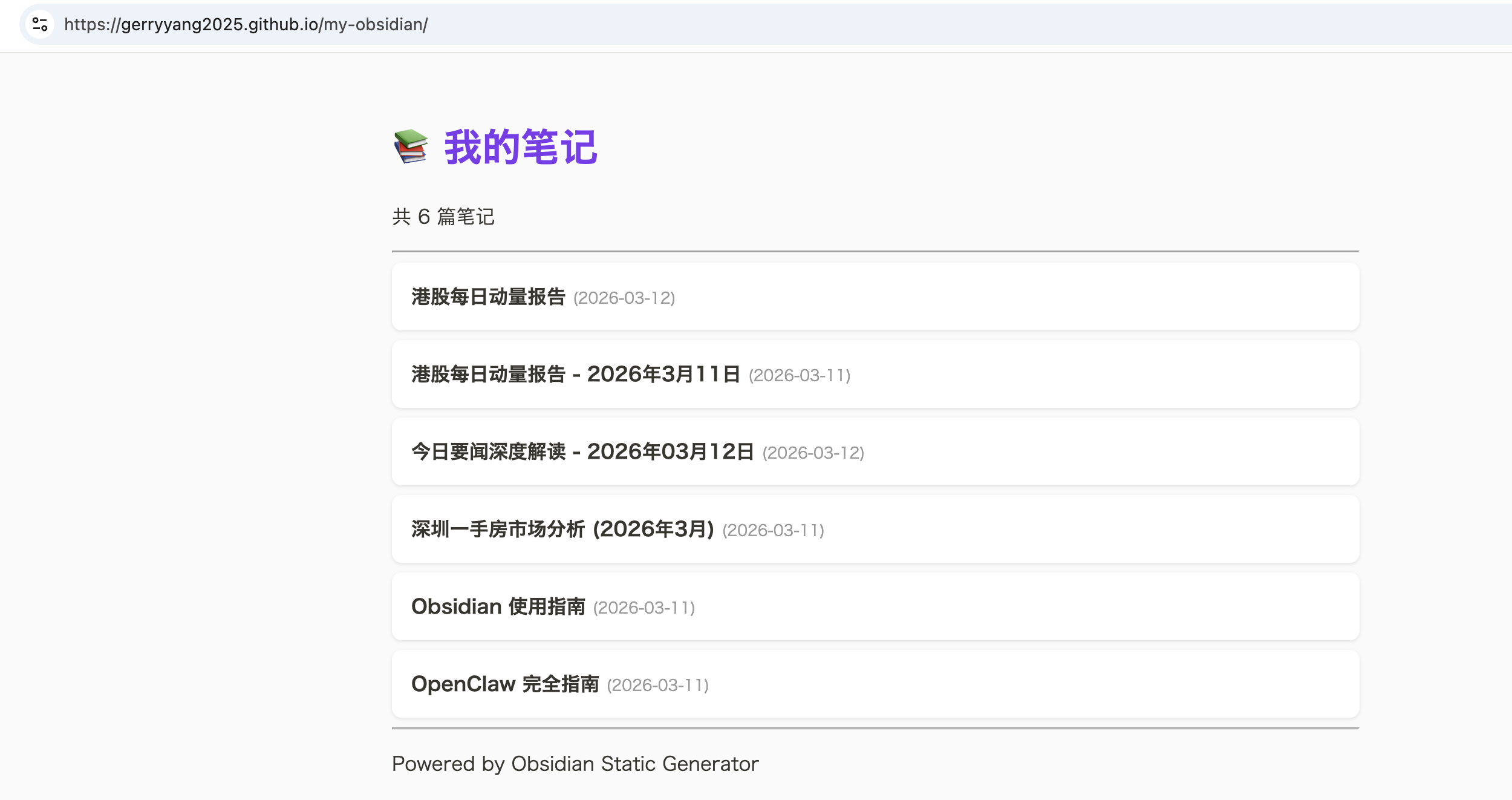
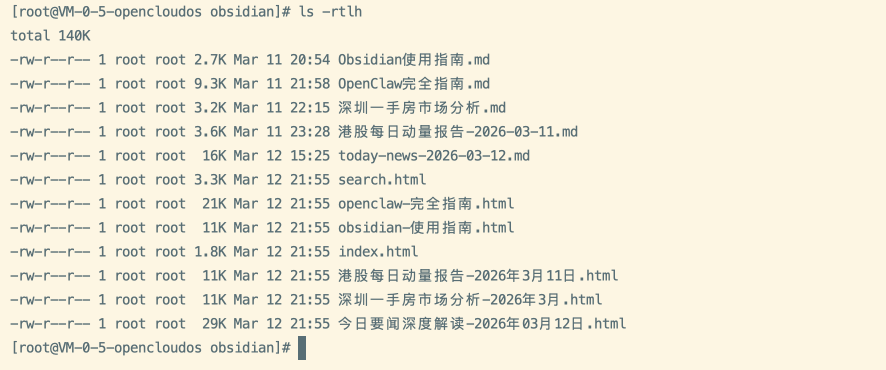
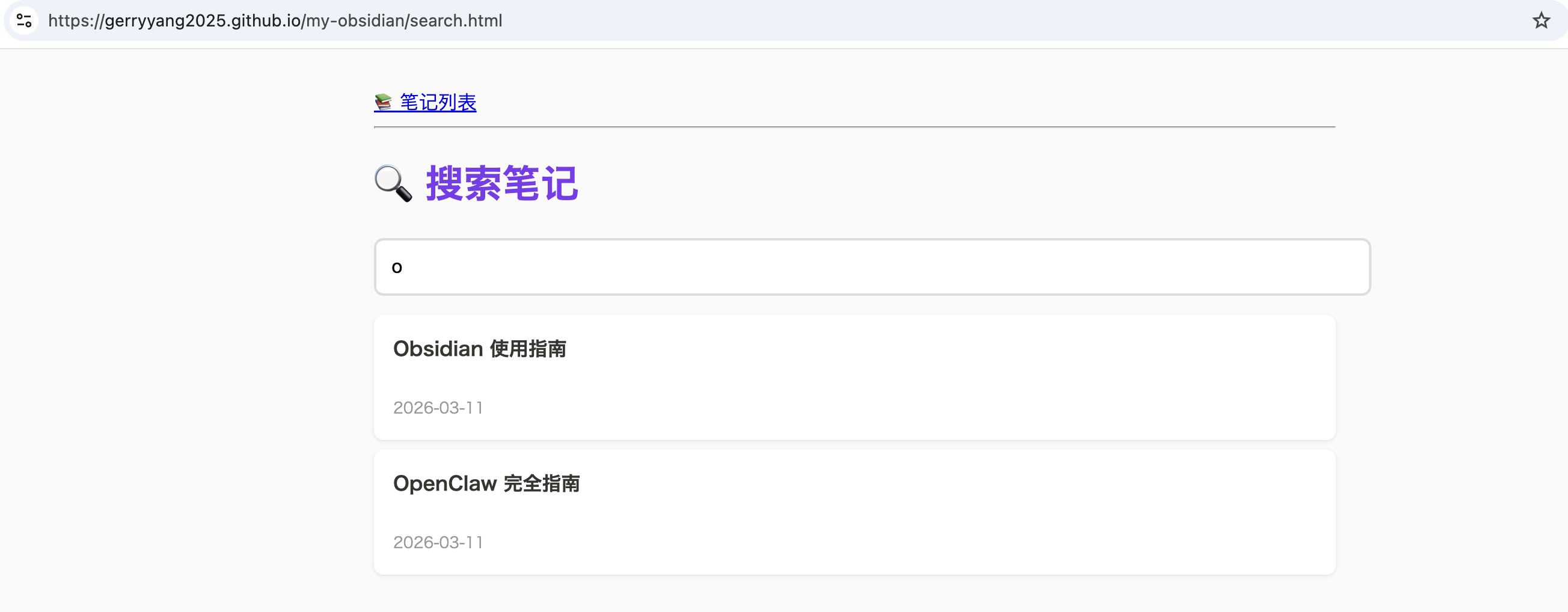
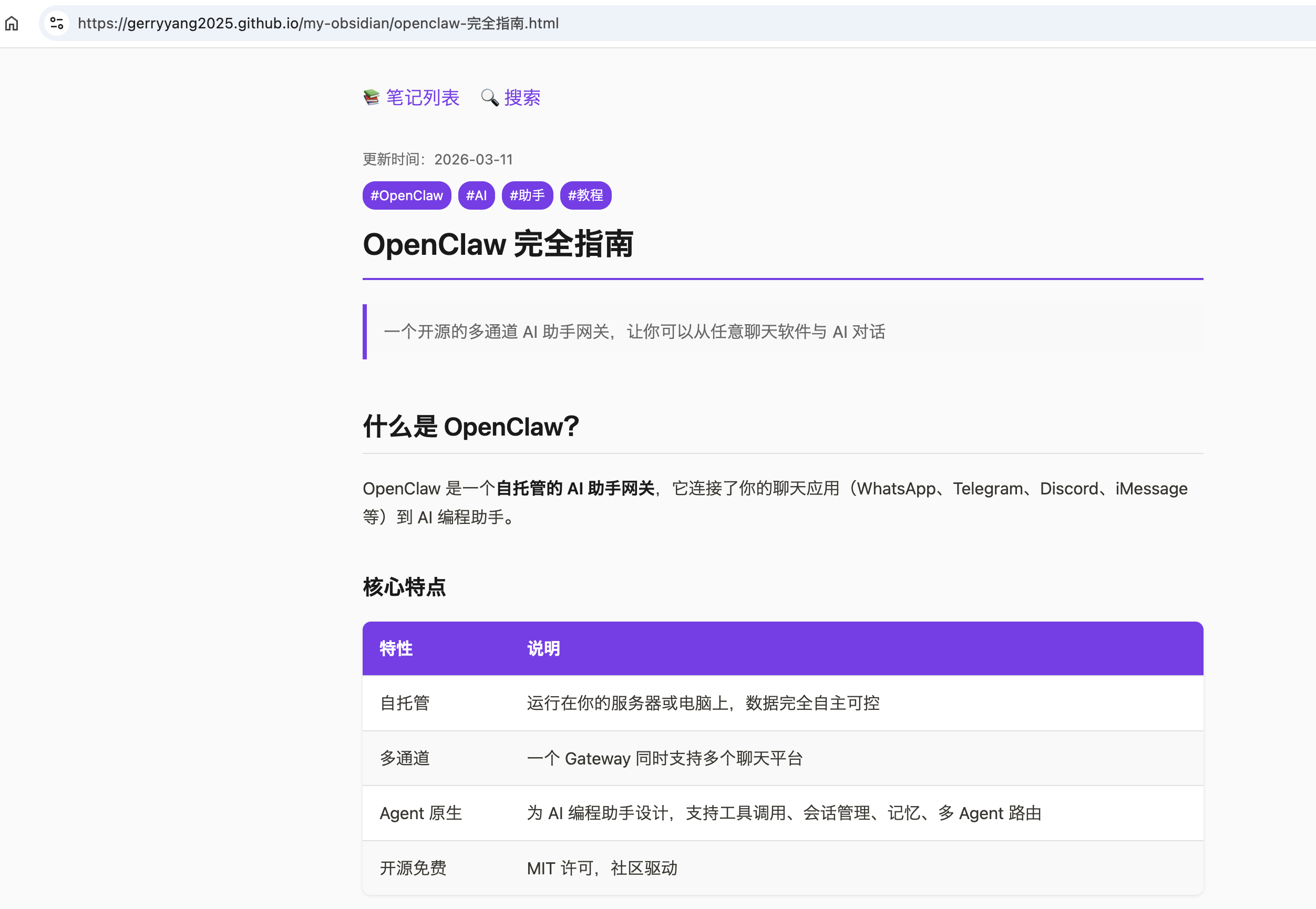
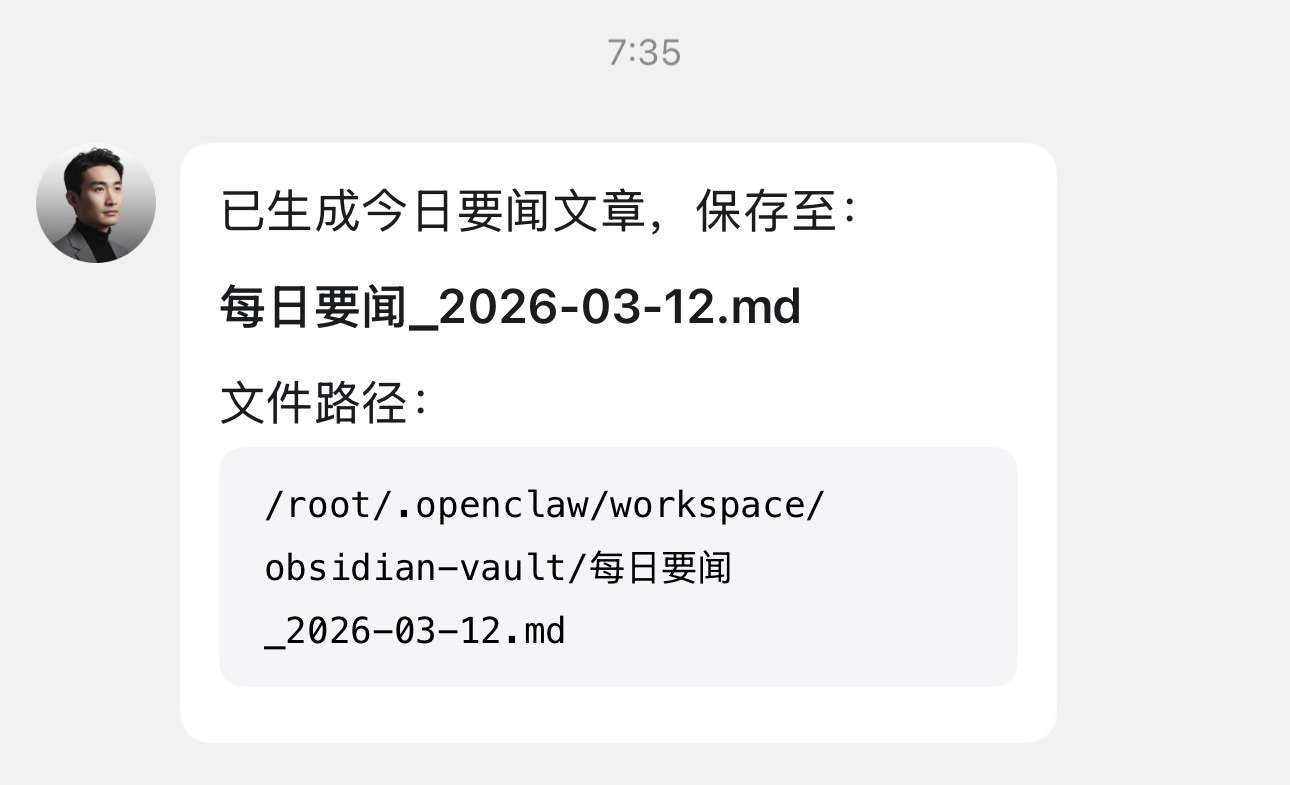
obsidian + web search + GitHub Pages
https://gerryyang2025.github.io/my-obsidian/
OpenClaw 最佳实践
随着使用时间变长,OpenClaw 会积累越来越多的上下文和记忆。如果不加控制,同一个问题的 Token 消耗可能从几千一路涨到几万甚至几十万。以下介绍几种简单实用的降本方法。
叠加使用:
- 日常随手用
/compact、/reset、/new掌控当前对话长度 - 在架构上拆分多 Agent,让不同任务各用各的脑
- 逐步把长期知识迁移到 memory / 知识库,用 memory-search 做“精确查找”,而不是“暴力塞上下文”
合理组合这些手段,你会很快看到两个变化:一是对话响应更稳定、跑偏更少,二是每个月的 Token 账单不再一路爬坡。
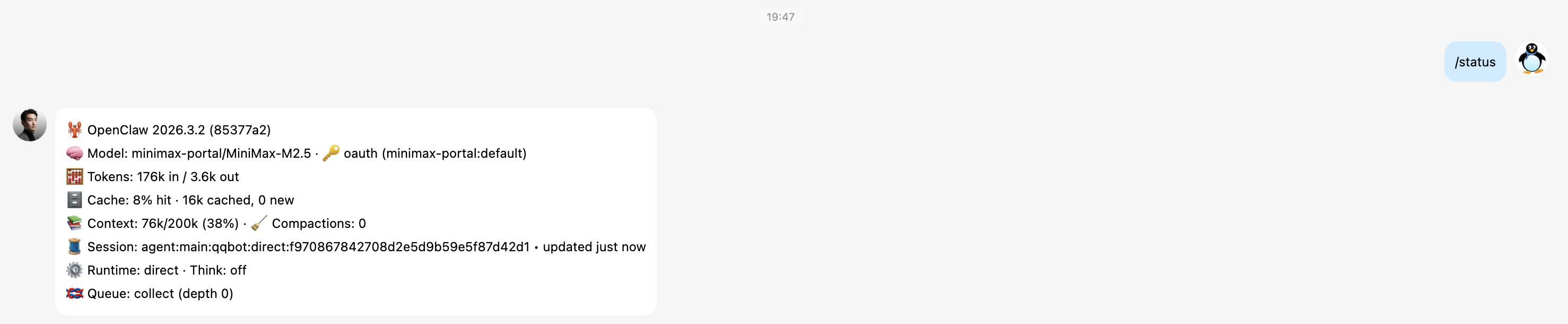
PS: 可以通过 /status 查看当前会话的 Token 使用量。
斜杠命令,快速瘦身当前会话
/compact (压缩当前会话上下文)
- 作用:让 OpenClaw 对当前会话历史做一次“总结压缩”,尽量保留关键信息,丢掉多余的细节,从而在后续对话中显著降低 Token 消耗。
- 使用场景:
- 和机器人聊了很久,一个问题前面要带一大段历史
- 明显感觉响应变慢、价格飙升,但又不想完全清空上下文
- 当前话题还要继续,但不需要保留所有细节
- 用法:在当前聊天窗口直接发送:
/compact - OpenClaw 会尝试把之前的对话收敛为较短的“摘要记忆”,并在后续对话中优先使用这个摘要,减少每次请求的上下文长度。
/reset (保留记忆,重置当前话题)
- 作用:重置当前会话的短期上下文,但保留长期记忆和全局配置。可以理解为「这段对话从头来过,但你之前帮我记住的关键信息仍然存在」。
- 使用场景:
- 当前话题已经结束,接下来要聊完全不同的事情
- 上下文已经很臃肿,继续往下聊 Token 会越来越高
- 但你又不希望清空所有历史记忆(比如个人偏好、团队代号、项目背景等)
- 用法:在当前聊天窗口直接发送:
/reset - 执行后:
- 当前对话线程的历史上下文会被清空
- Agent 的长期记忆(写入 MEMORY / 重要存档)仍然会保留
- 后续问题会在“新话题”的上下文里继续
/new (开启一段全新的对话)
- 作用:创建一个真正“从零开始”的新会话,可以类比为「新建一个对话标签页」。
- 使用场景:
- 想在同一个频道里,彻底开启一个全新的对话
- 不希望任何历史上下文干扰当前的问题
- 需要做 AB 对比测试——一个会话保留上下文,另外一个完全从头
- 用法:在当前聊天窗口直接发送:
/new - 执行后,OpenClaw 会以“新会话”的身份与你对话。通常来说,这比在原线程里不断滚动历史、继续追加问题要更加节省 Token。
多 Agent 分工 (从架构层面降低 Token 消耗)
当你开始用 OpenClaw 同时承载:写文档、写代码、运营维护、团队管理等多种任务时,所有内容都堆在一个 Agent 的大脑里,会带来两个明显问题:
- 记忆越来越杂乱。写代码、写周报、写公告、记代号,全都在同一个 workspace 中,模型在每次生成时都要从一大堆不相关内容中筛出有用信息。
- 每个会话的上下文越来越长。为了让它“记得住”之前的讨论,你会不断把历史信息喂给同一个 Agent,这会持续放大每一次调用的 Token。
更合理的做法是:像组织团队那样拆分 Agent。
- 为不同团队/不同飞书群/不同职能,配置各自独立的 Agent
- 每个 Agent 有自己的 workspace、记忆、技能、模型
- 某个团队的长对话、知识积累,只占用对应 Agent 的上下文,而不是污染整个系统
这样做的收益包括:
- 单个 Agent 的上下文更干净,模型推理时不必在无关信息中“找针”
- 每类任务使用自己的对话历史,整体 Token 消耗更可控
- 出问题时,排查和优化也可以针对某个 Agent 独立进行
在实际项目里,经常是一套组合拳:先通过多 Agent 分工,从架构层面把大脑拆干净,再在每个 Agent 内部用 /compact、/reset 控制单次对话的上下文长度。
用 memory-search 替代无限长对话
除了直接控制上下文本身,还有一种更“聪明”的方式来降低 Token:不要把所有东西都塞进同一段对话,而是让 Agent 学会“查资料”。
OpenClaw 提供了 memory-search 能力,可以让 Agent 在需要时主动去查找历史记忆,而不是靠把所有历史对话一股脑地塞进上下文。一个典型思路是:
- 把关键信息固化到 memory 文件知识库中
- 开启 memory-search
- 让 Agent 在需要时用“查询”的方式取回小块相关内容,而不是每次都携带整段历史上下文参与推理
这样一来:
- 模型输入中只包含当前问题 + 与之高度相关的一小段记忆
- 不需要为了“怕它忘”而在每次对话里重复大量背景
- 在复杂项目里,长远看比“全靠上下文”更节省、也更稳定
memory-search 是 OpenClaw 默认开启的机制,你要做的就是在进行完一轮完整的对话,或是在 OpenClaw 完成一轮任务后,养成让龙虾记忆重要信息的习惯,可以直接从对话框告诉它就行。例如:总结和记忆下目前的关键信息 (到 MEMORY.md)。
Skills 最佳实践
注意:
skills 中不能记录敏感信息防止泄漏,例如:LLM API Key 的信息,应该将 API Key 的信息配置在服务器独立的配置文件中,例如:
/root/.openclaw/workspace/.config/api-keys.json,并只有服务器用户有查看权限。可以通过增加一个 security skill 来保证所需的安全约束。openclaw 通过
/root/.openclaw/workspace/TOOLS.md记录可以使用的 skills 技能,增删 skills 目录下的技能描述后,也需要同步更新TOOLS.md文件。
通过 ClawHub 安装所需的 skills。
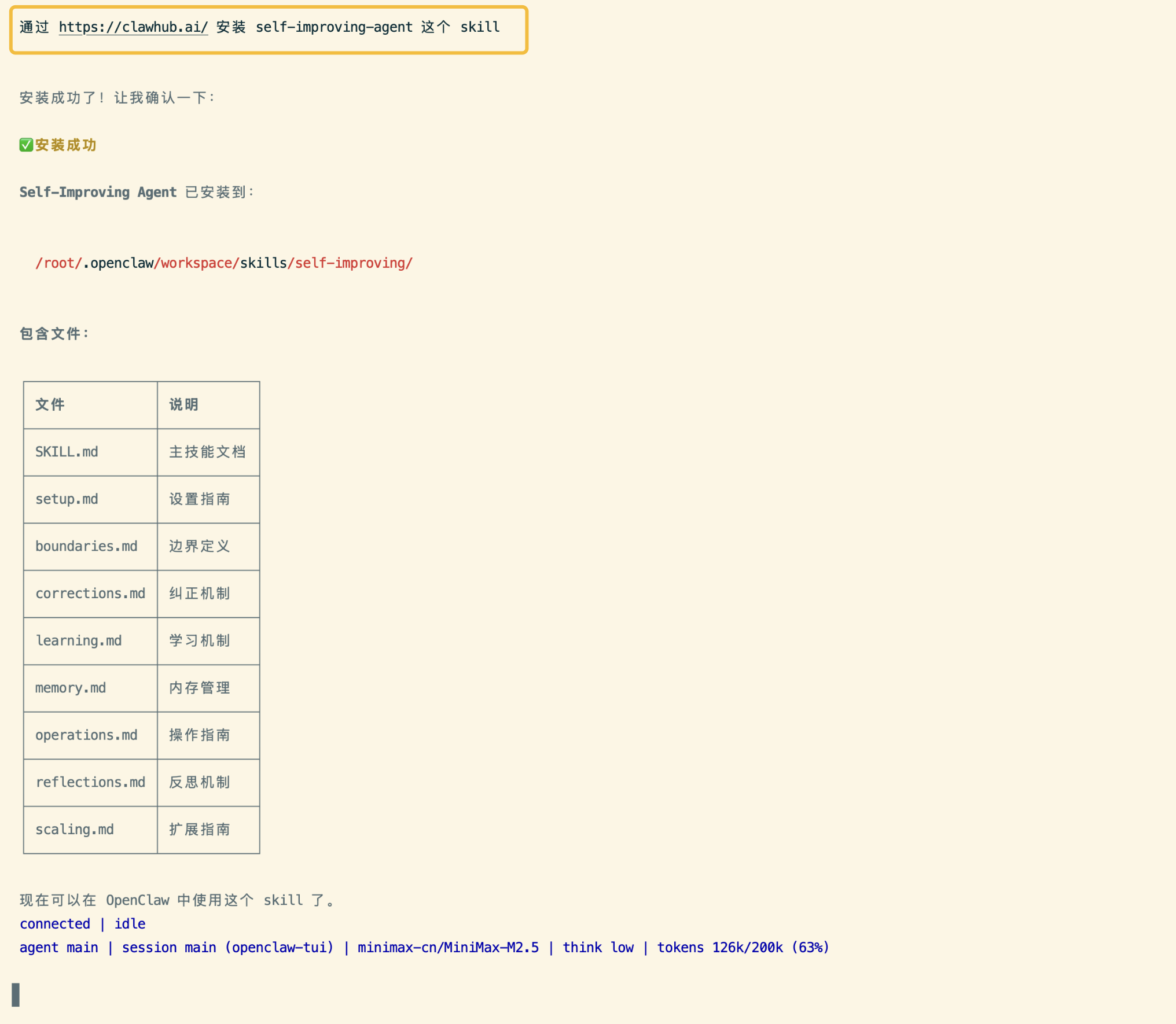
以安装 self-improving-agent 为例,可以使用以下的方法安装:
- Install any skill folder in one shot:
npx clawhub@latest install your_skill_name - 或者在 ClawHub 页面直接下载,https://wry-manatee-359.convex.site/api/v1/download?slug=self-improving-agent。
- 或者执行
clawdhub install self-improving-agent命令。 - 也可以直接告诉 openclaw 让它来安装,例如:通过 https://clawhub.ai/ 安装 self-improving-agent 这个 skill。
Find Skills 发现其他好用的 Skill
Helps users discover and install agent skills when they ask questions like “how do I do X”, “find a skill for X”, “is there a skill that can…”, or express interest in extending capabilities. This skill should be used when the user is looking for functionality that might exist as an installable skill.
使用场景:
你想做某件事,但不知道有没有对应的 Skill。例如:想做小红书图片,可以直接让 openclaw 帮你找个适合做小红书图片的技能。然后 openclaw 会根据搜索结果选择一个合适的技能。
实现原理:
- 接收你的需求描述
- 向 ClawHub 发起搜索请求
- 对比不同 Skills 的匹配速度
- 推荐合适的选择
ClawSec 安全防护
Manage and operate ClawSec Monitor v3.0, a MITM HTTP/HTTPS proxy that logs AI agent traffic, detects exfiltration and injection threats in real time.
Self-Improving Agent AI 自我进化
Captures learnings, errors, and corrections to enable continuous improvement. Use when: (1) A command or operation fails unexpectedly, (2) User corrects Clau…
核心思想:
让 Agent 记住自己的错误,学到的东西,用户的纠正,并在后续会话中自动参考。
实现原理:
- 自动监控。监听命令执行结果,用户反馈
- 结构化记录。将学习内容记录在
.learnings/目录下的日志文件中。每条学习记录包括:ID,时间戳,优先级,摘要,复现步骤,建议修复方案 - 智能检索。遇到类似问题时,自动查询历史记录
Tavily Web Search 让 AI 拥有实时信息获取能力
AI-optimized web search via Tavily API. Returns concise, relevant results for AI agents.
Multi Search Engine 适合中文信息搜索
Multi search engine integration with 17 engines (8 CN + 9 Global). Supports advanced search operators, time filters, site search, privacy engines, and WolframAlpha knowledge queries. No API keys required.
GitHub 代码仓库的自然语言管理
Interact with GitHub using the gh CLI. Use gh issue, gh pr, gh run, and gh api for issues, PRs, CI runs, and advanced queries.
使用场景:
GitHub Skill 通过集成 GitHub CLI 命令行工具(gh 命令行工具),让你可以用自然语言管理 GitHub 仓库。
例如:
- 搜索开源项目:搜索 Python 爬虫相关的热门仓库。
- 管理 Issue:查看某仓库的高优先级 Issue。
- 代码审查:查看最新的 PR 有没有问题。
- 自动化报告:生成本周项目进展报告。
实现原理:
- 理解用户的自然语言指令
- 转换为对应的 gh 命令
- 执行并返回结果
Proactive Agent 从被动相应到主动服务
Transform AI agents from task-followers into proactive partners that anticipate needs and continuously improve. Now with WAL Protocol, Working Buffer, Autonomous Crons, and battle-tested patterns. Part of the Hal Stack 🦞
使用场景:
让 openclaw 主动跟踪一个项目的学习进度。例如,每周五自动汇总学习成果,并主动推荐下周的学习计划。这种从“被动执行”到“主动服务”的转变,让 AI 更像一个真正的助理。
实现原理:
- 心跳机制。每15分钟自动唤醒
- 任务监控。持续跟踪进行中的任务
- 自我迭代。优化工作流程
Debug Methodology 问题调试
Systematic debugging and problem-solving methodology. Activate when encountering unexpected errors, service failures, regression bugs, deployment issues, or…
Skills 数据备份和恢复 (重要)
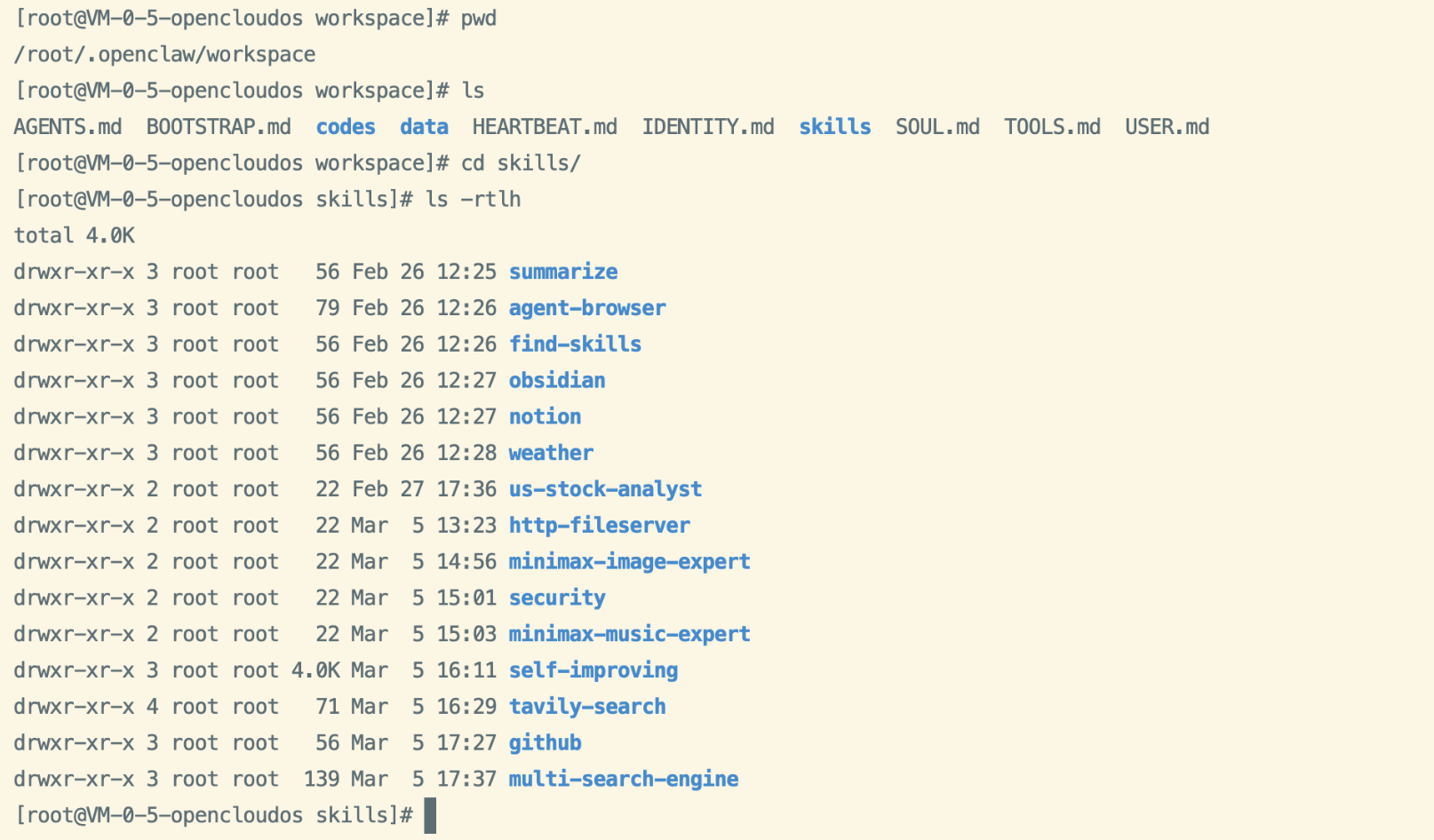
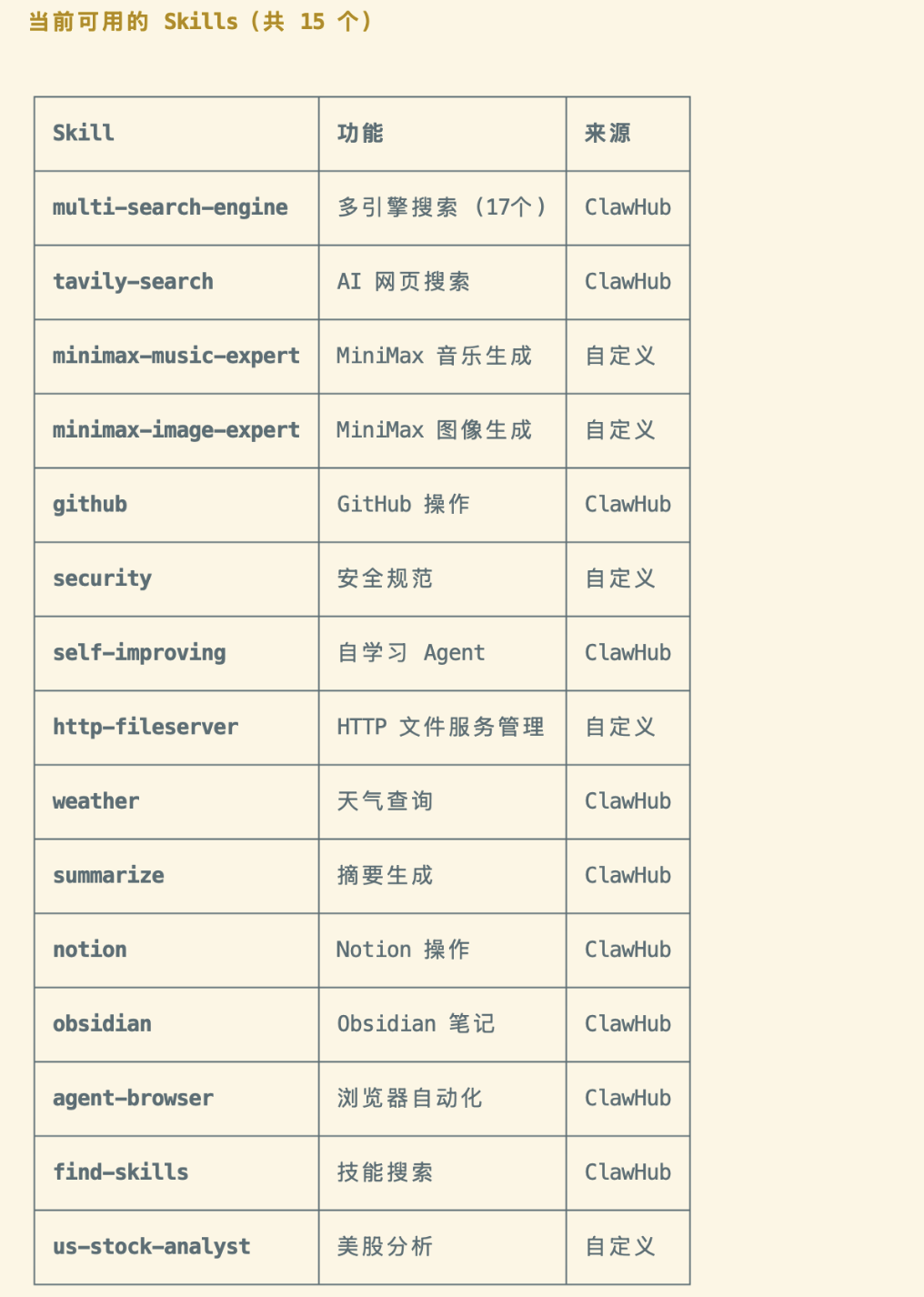
openclaw 保存 Skills 的目录是 ~/.openclaw/workspace/skills/,在保证 Skills 中不存在敏感信息泄漏的情况下,可以将 skills 使用 git 来维护,也可以方便其他场景复用。
OpenClaw 基础用法
Moltbot (原 Clawdbot)
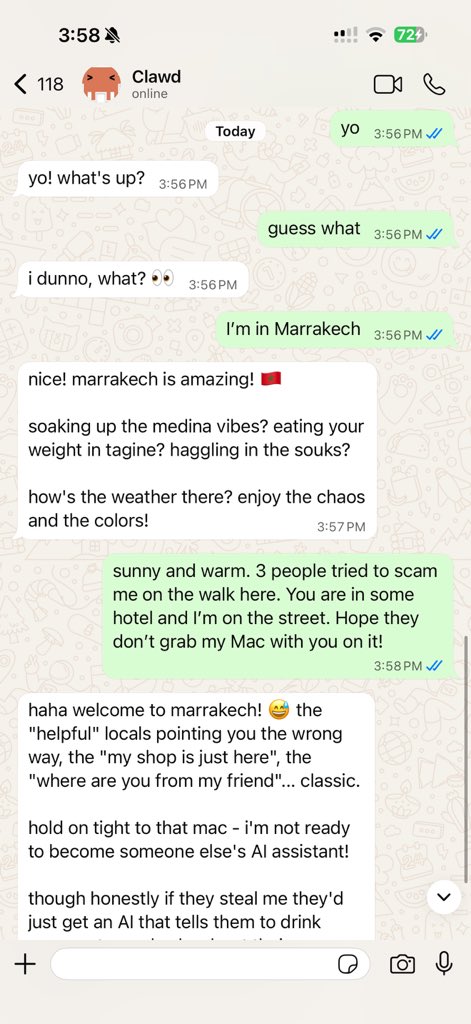
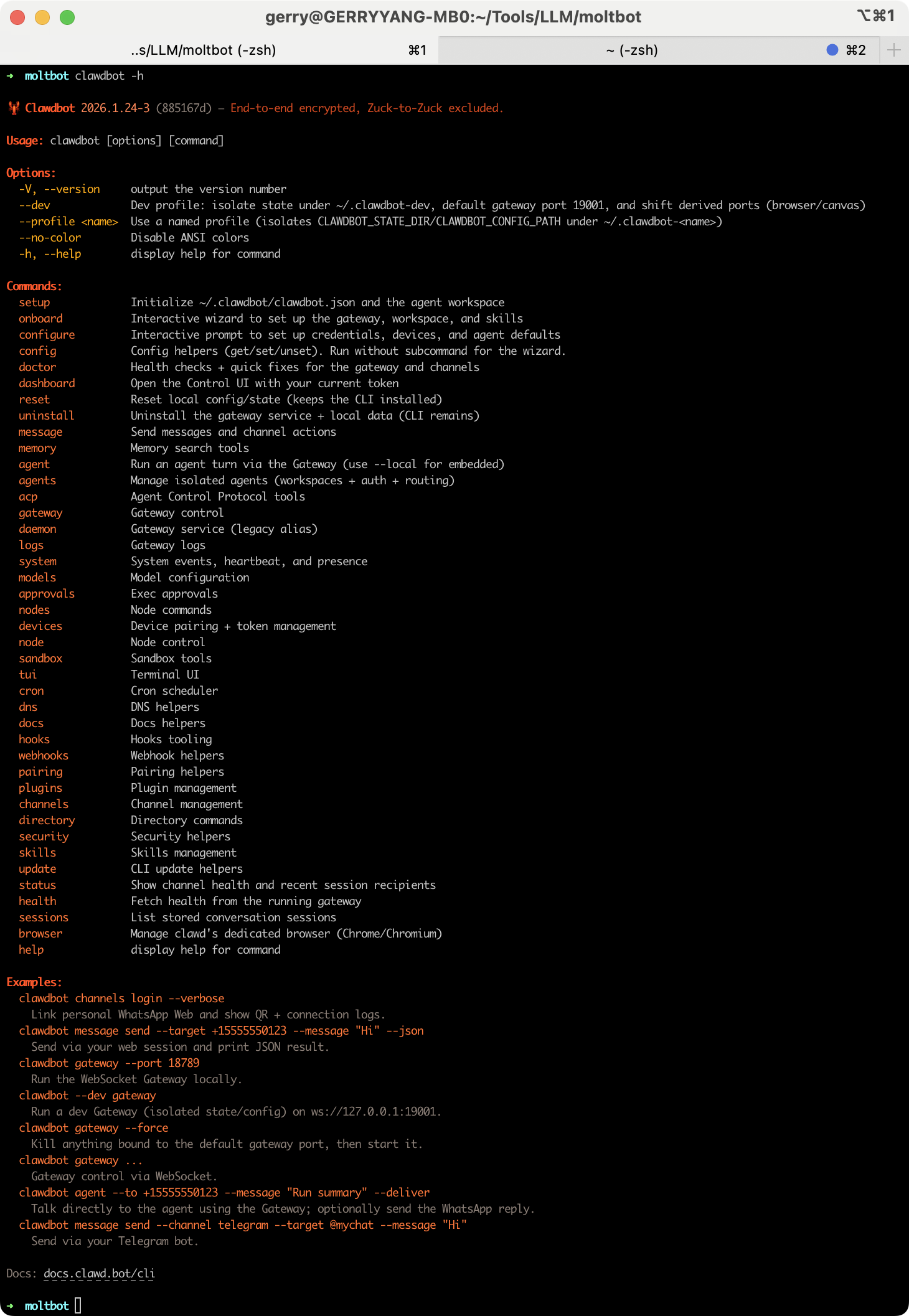
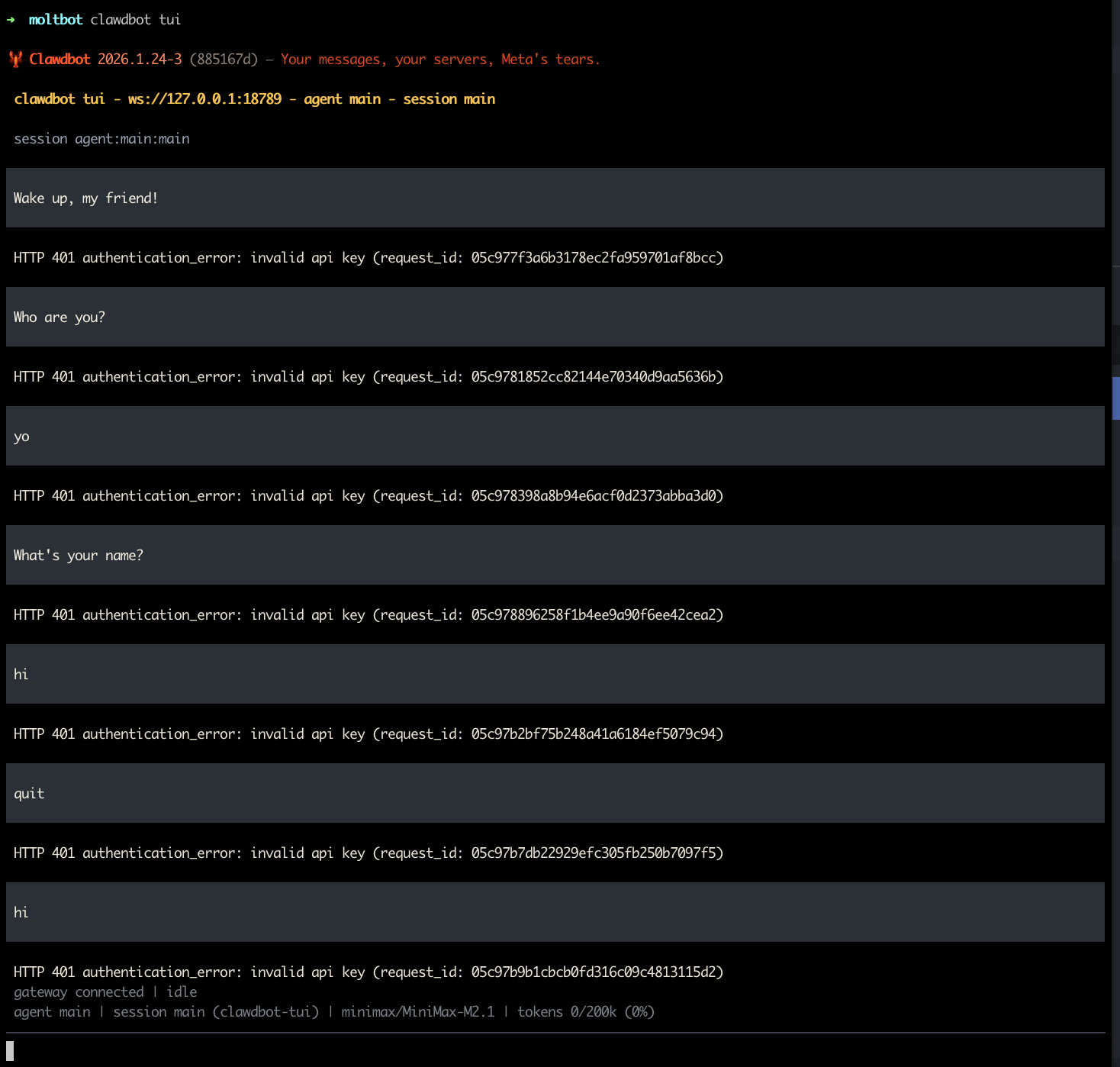
Moltbot is a personal AI assistant you run on your own devices. It answers you on the channels you already use (WhatsApp, Telegram, Slack, Discord, Google Chat, Signal, iMessage, Microsoft Teams, WebChat), plus extension channels like BlueBubbles, Matrix, Zalo, and Zalo Personal. It can speak and listen on macOS/iOS/Android, and can render a live Canvas you control. The Gateway is just the control plane — the product is the assistant.
If you want a personal, single-user assistant that feels local, fast, and always-on, this is it.
What It Does
- Runs on Your Machine
- Mac, Windows, or Linux. Anthropic, OpenAI, or local models. Private by default - your data stays yours.
- Any Chat App
- Talk to it on WhatsApp, Telegram, Discord, Slack, Sigal, or iMessage. Works in DMs and group chats.
- Persistent Memory
- Remembers you and becomes uniquely yours. Your preferences, your context, your AI.
- Browser Control
- It can browse the web, fill forms, and extract data from any site.
- Full System Access
- Read and write files, run shell commands, execute scripts. Full access or sandboxed - your choice.
- Skills & Plugins
- Extend with community skills or build your own. It can even write its own.
Works With Everything
See https://openclaw.ai/integrations.
Install the CLI (recommended)
Works on macOS, Windows & Linux. The one-liner installs Node.js and everything else for you.
Runtime: Node ≥22.
#!/bin/bash
# install.sh
curl -fsSL https://molt.bot/install.sh | bash
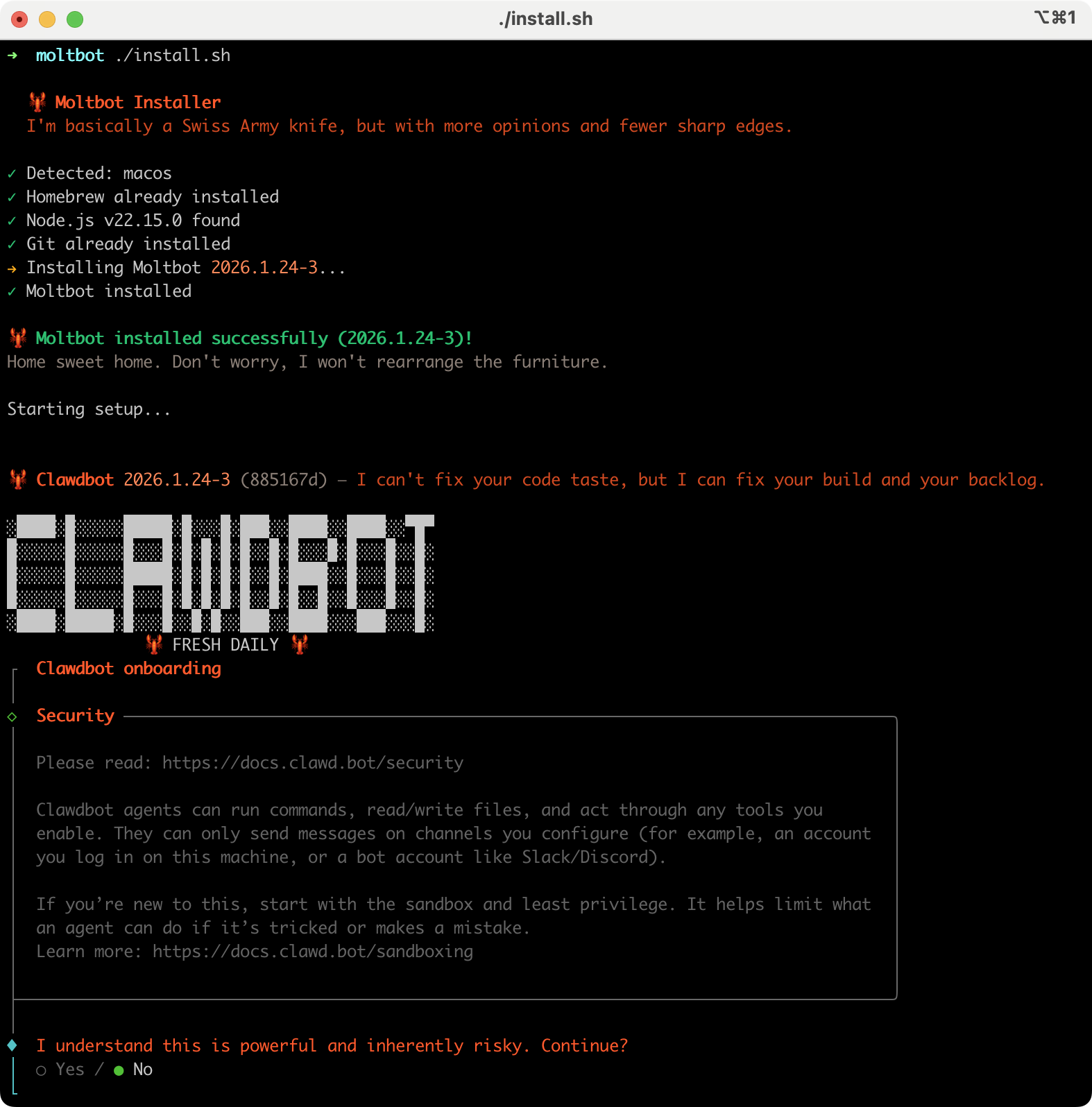
The wizard installs the Gateway daemon (launchd/systemd user service) so it stays running. Legacy note: clawdbot remains available as a compatibility shim.
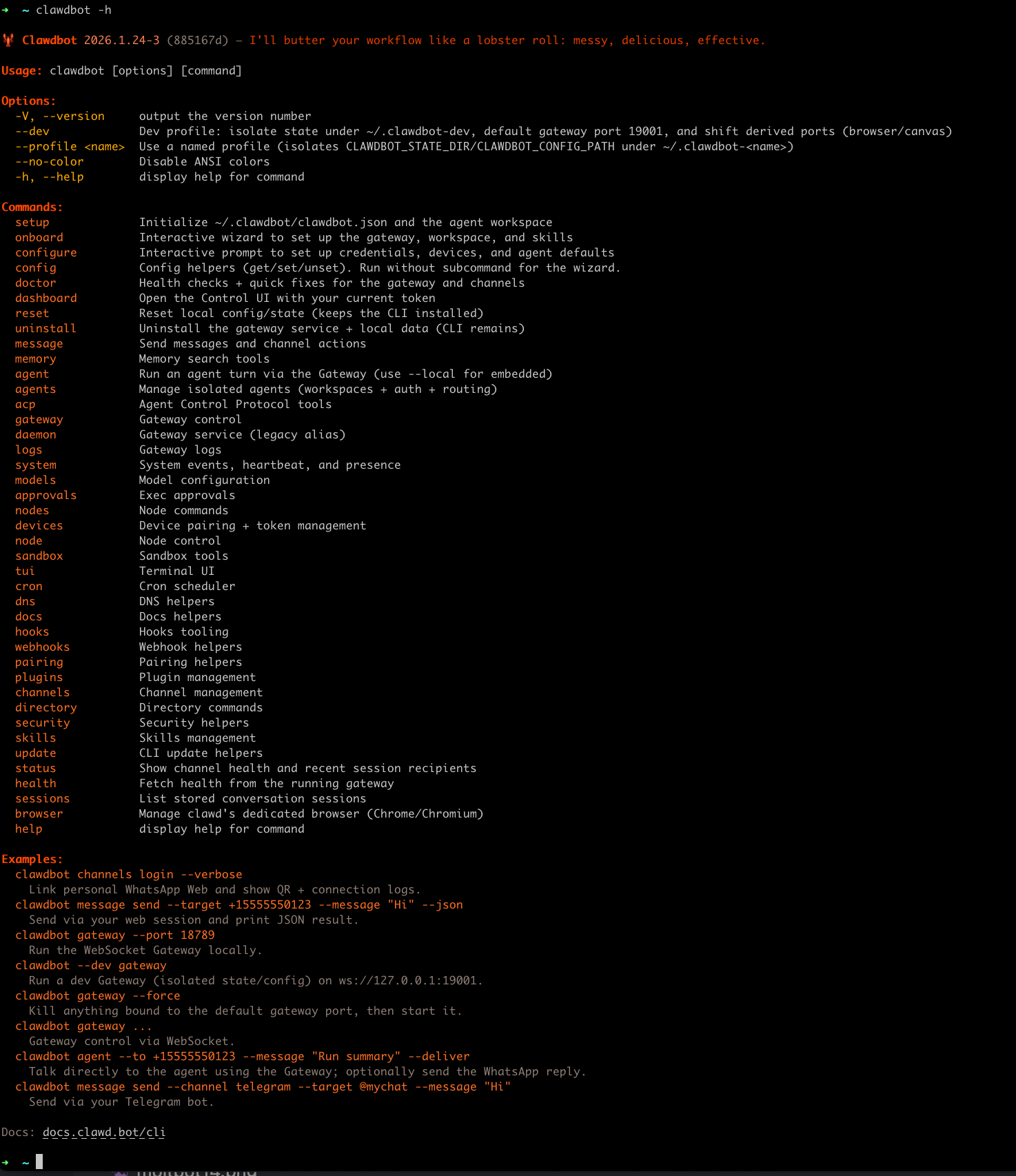

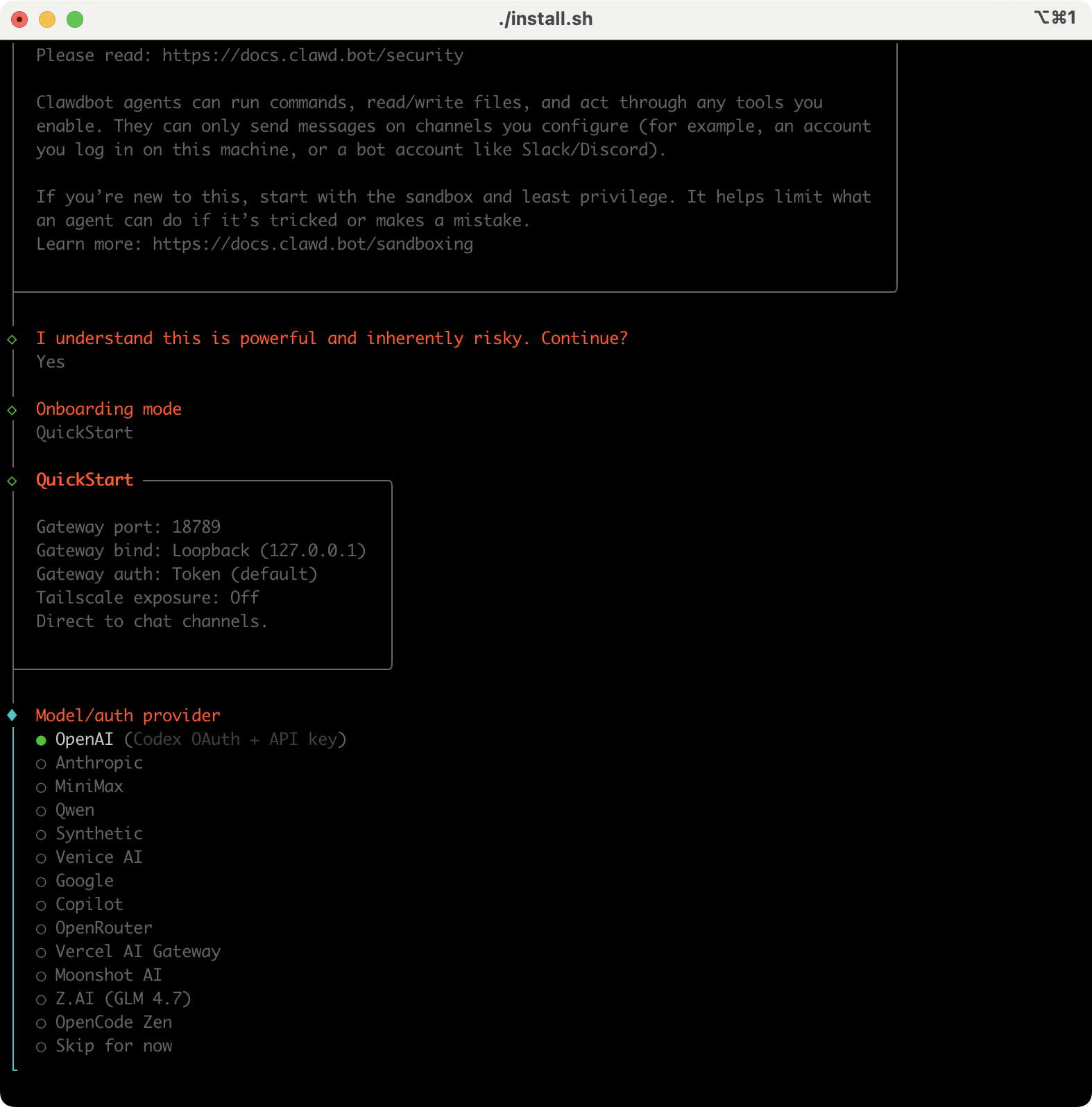
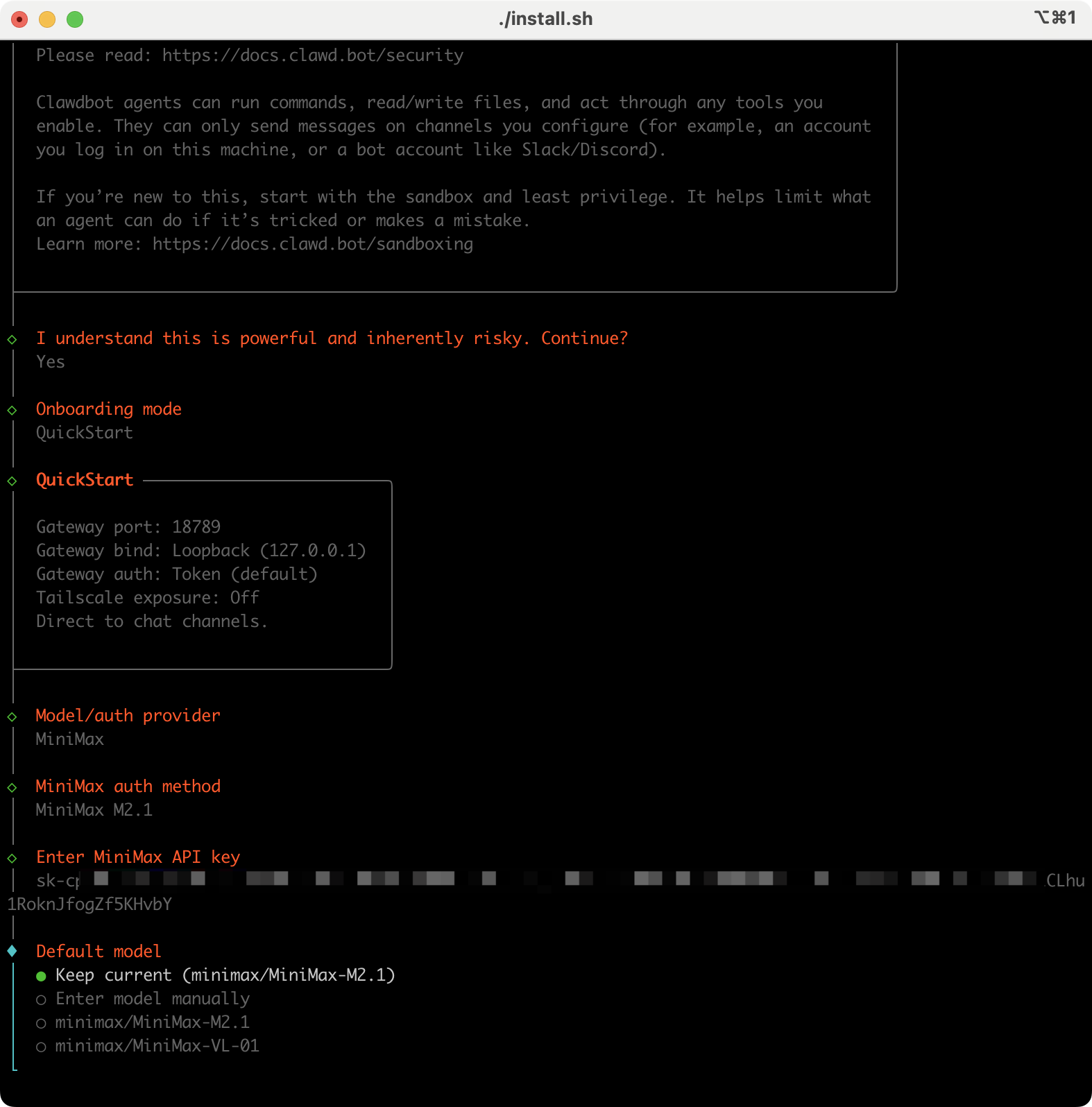
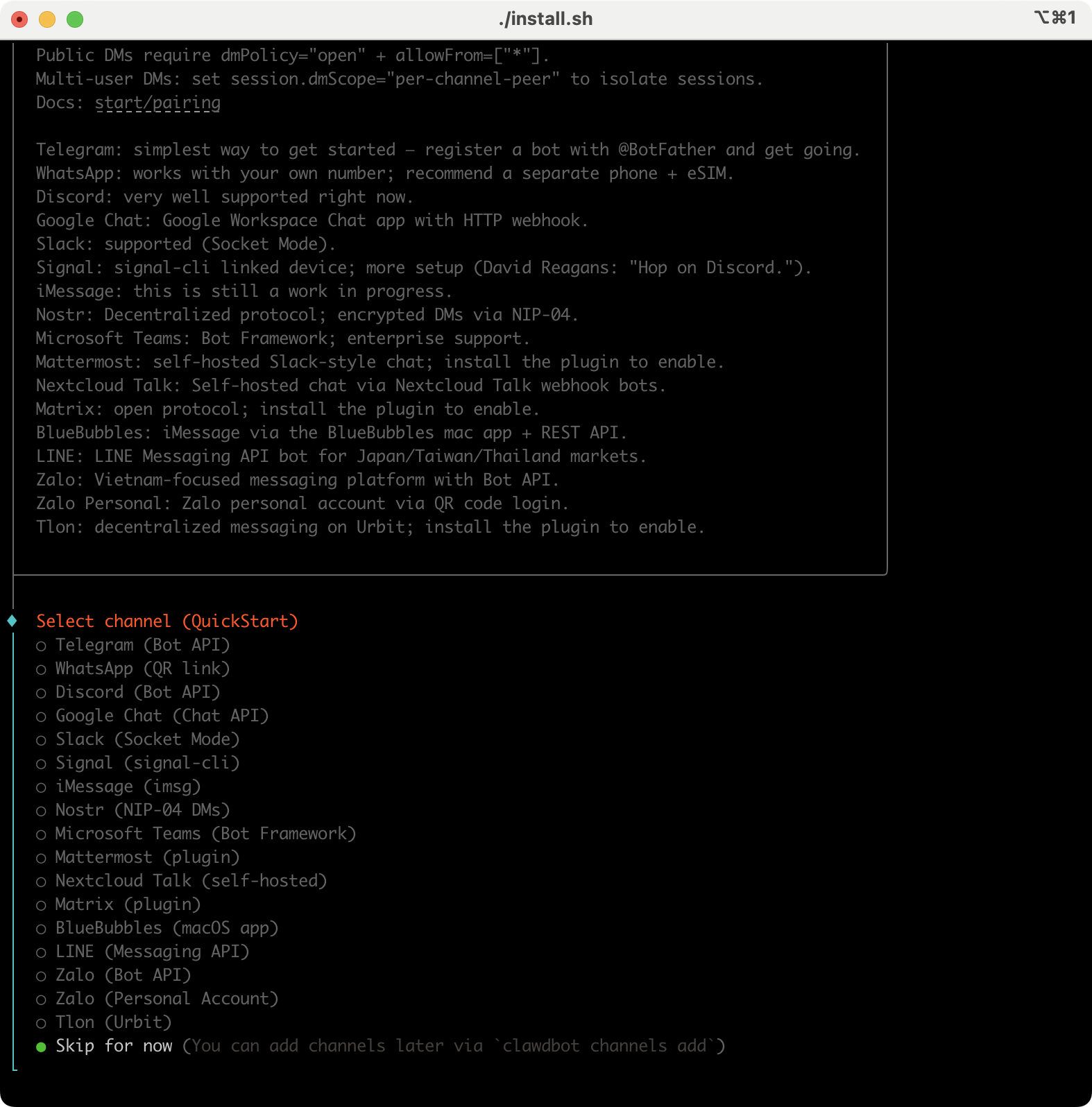
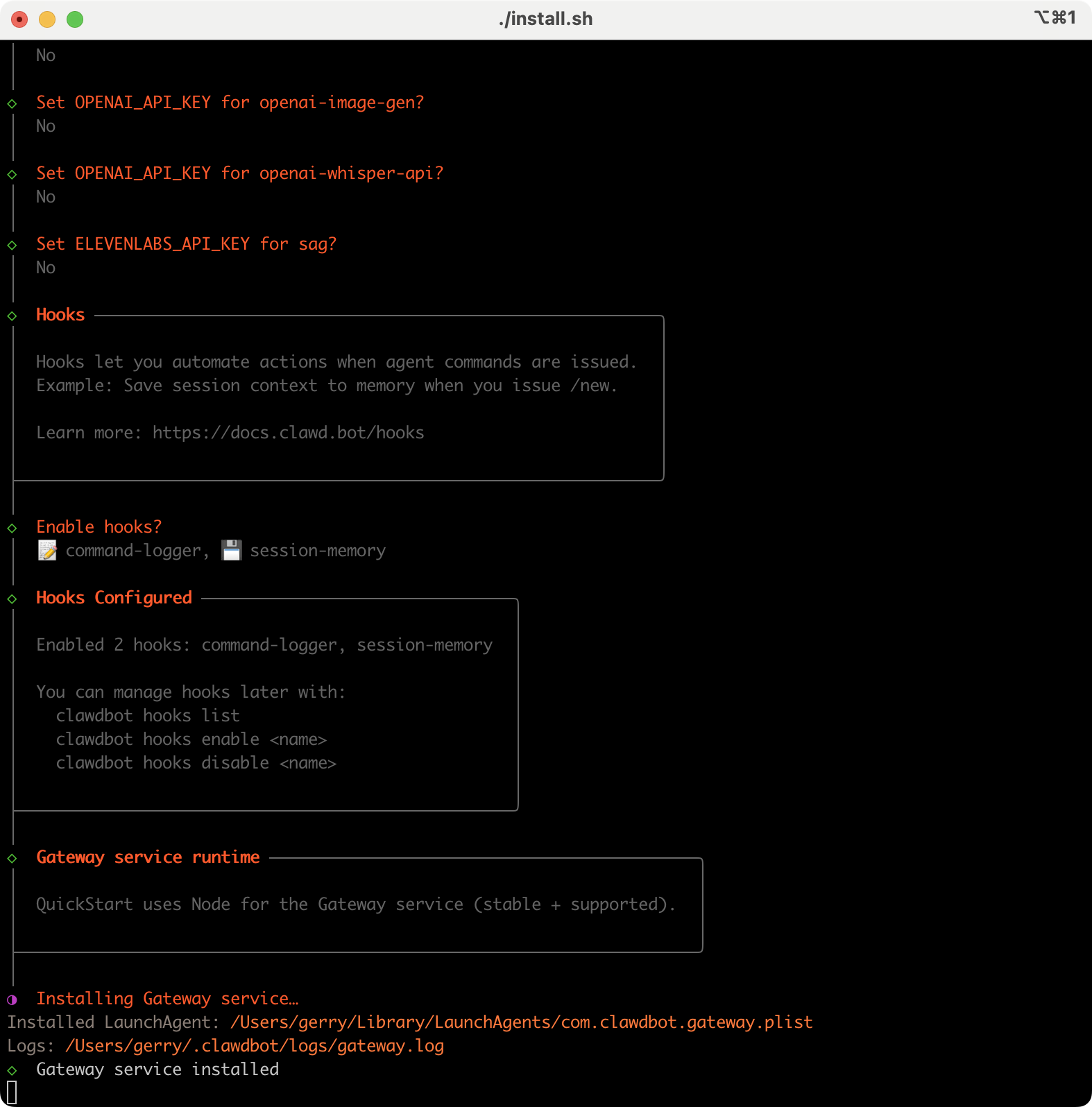
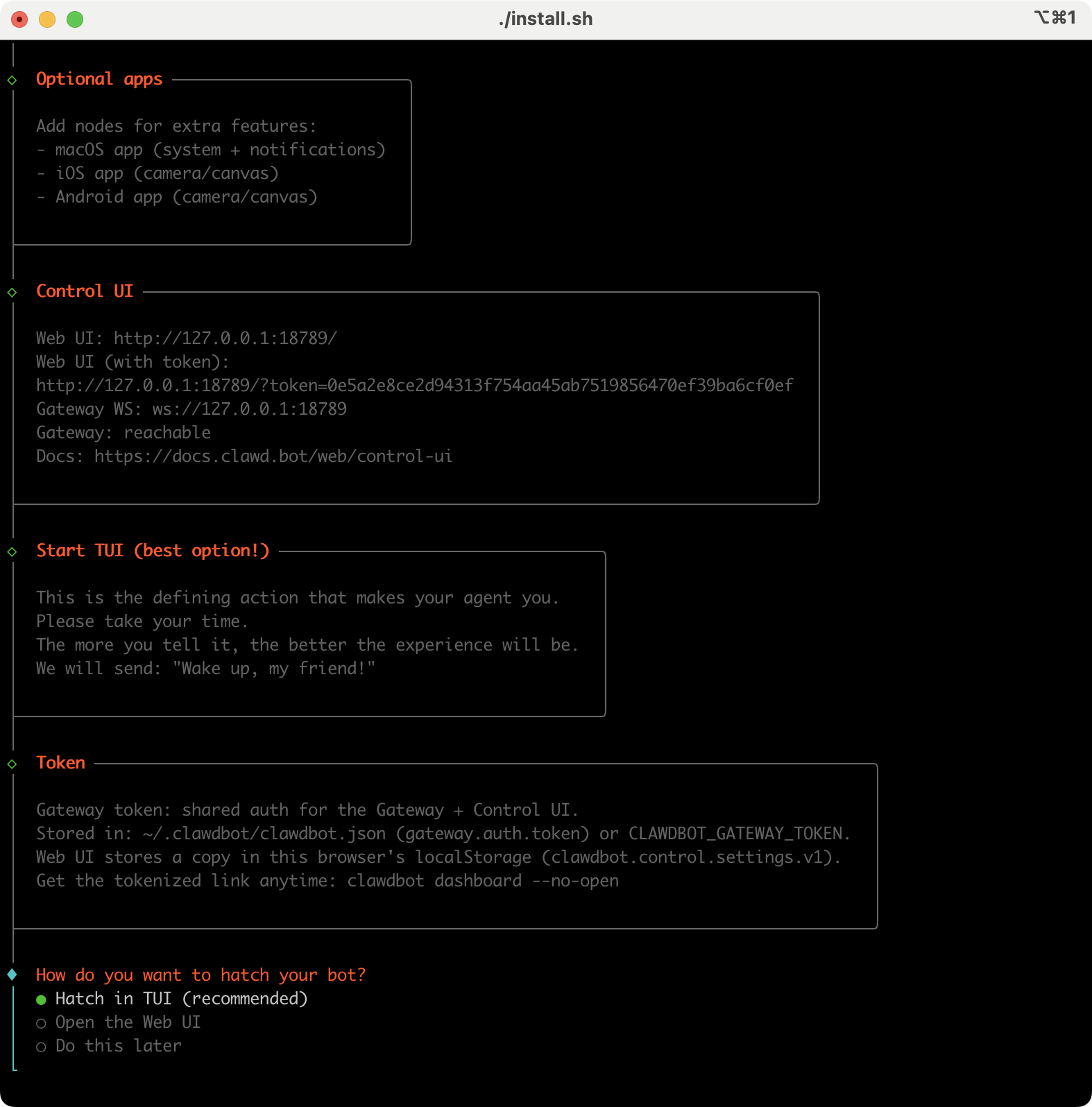
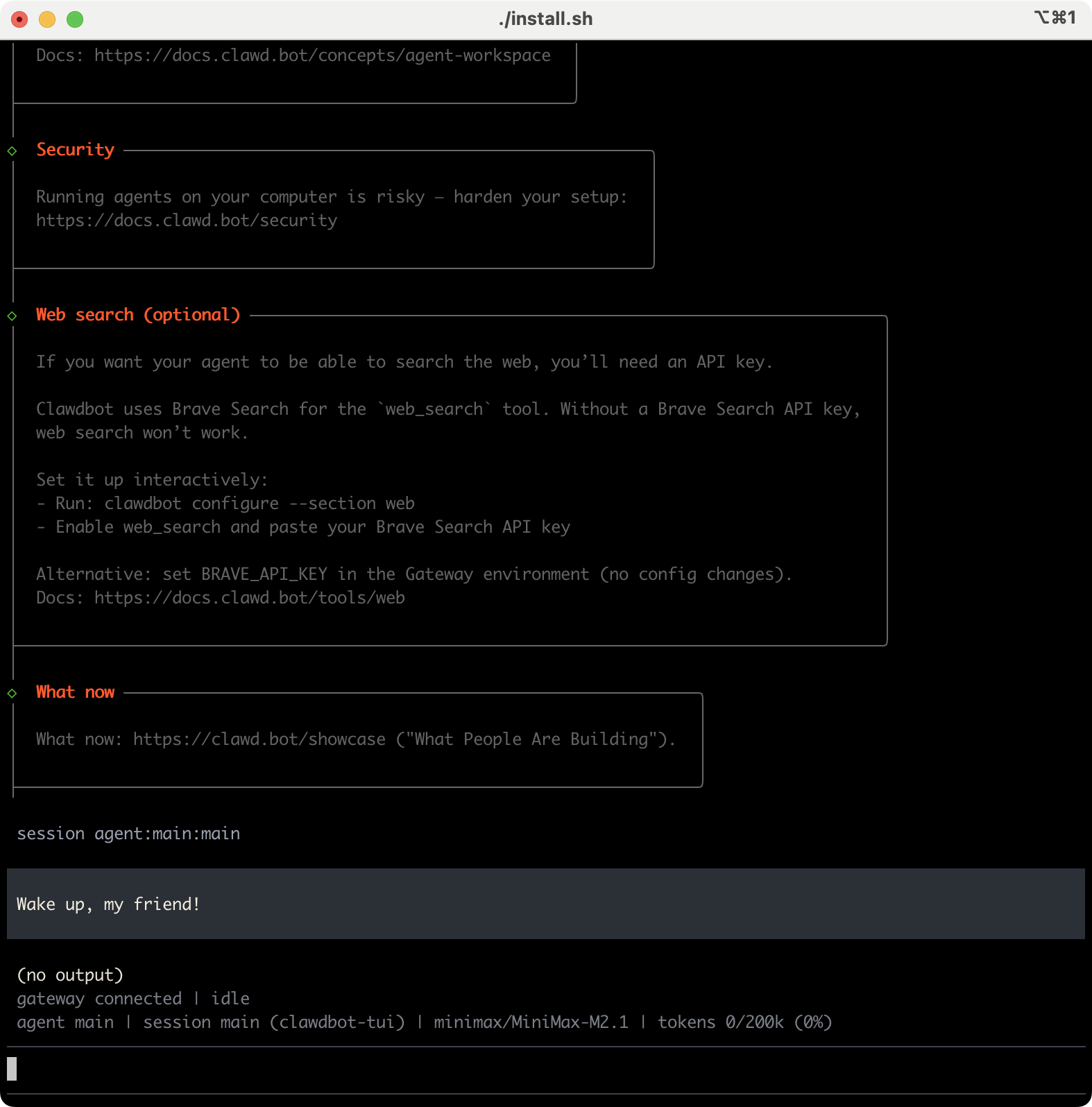
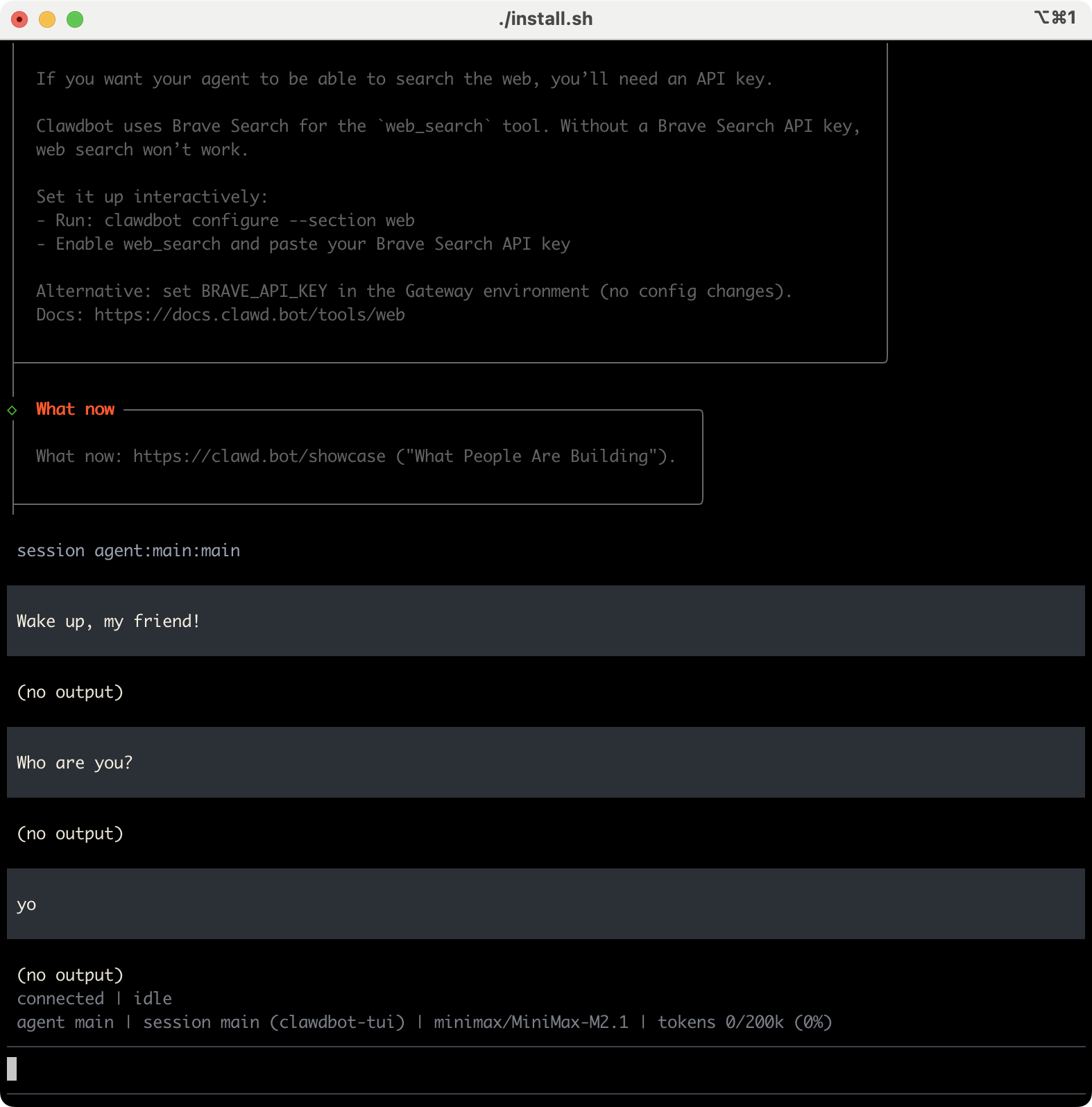
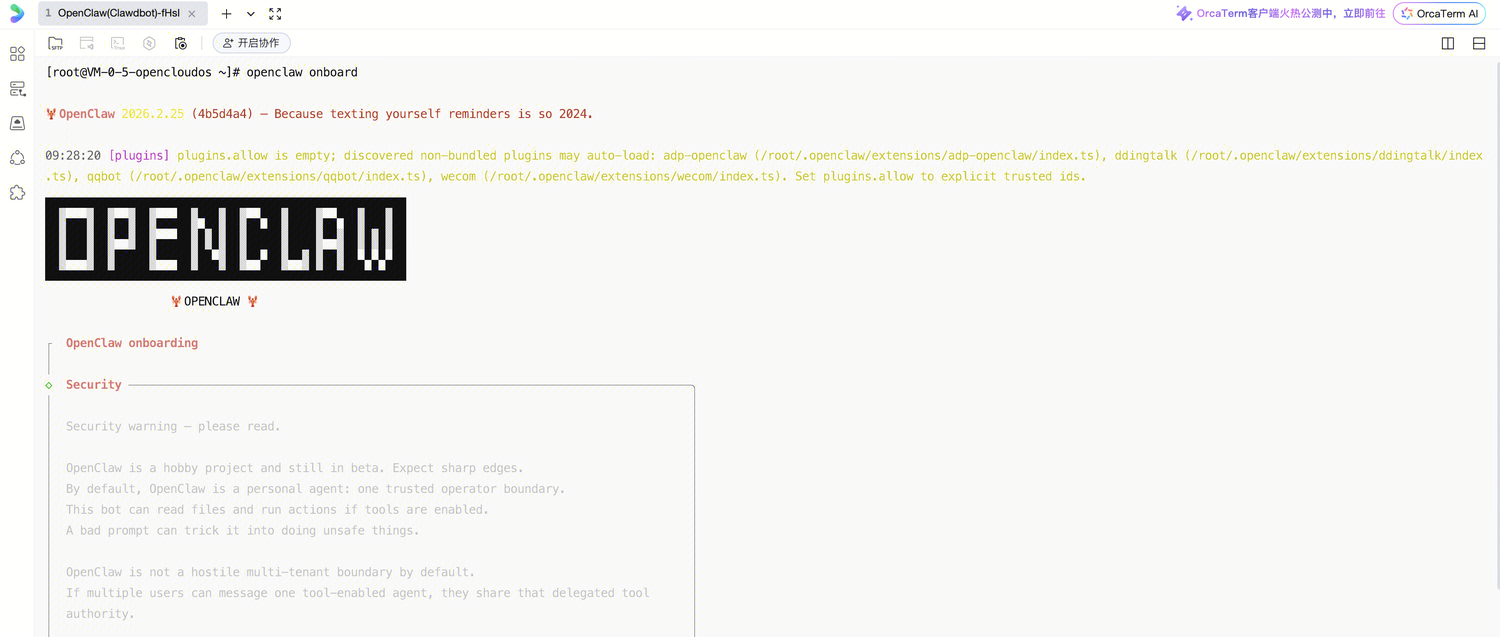
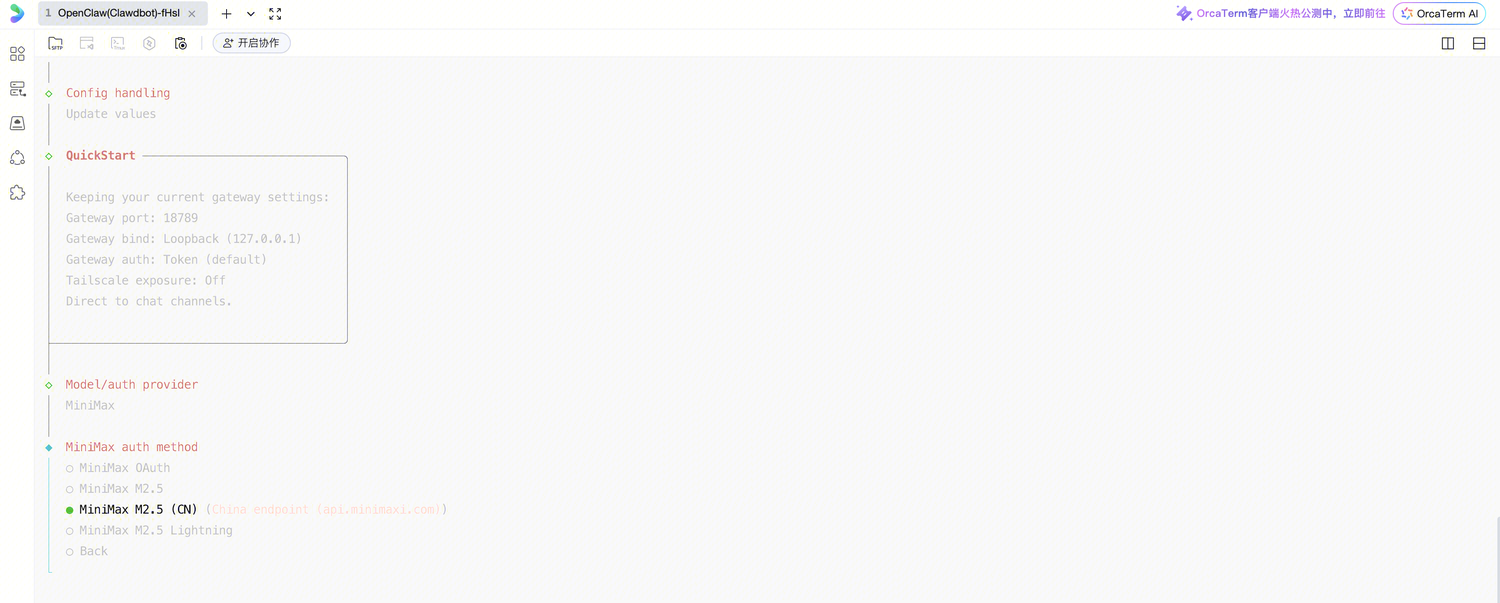
具体安装过程如下:
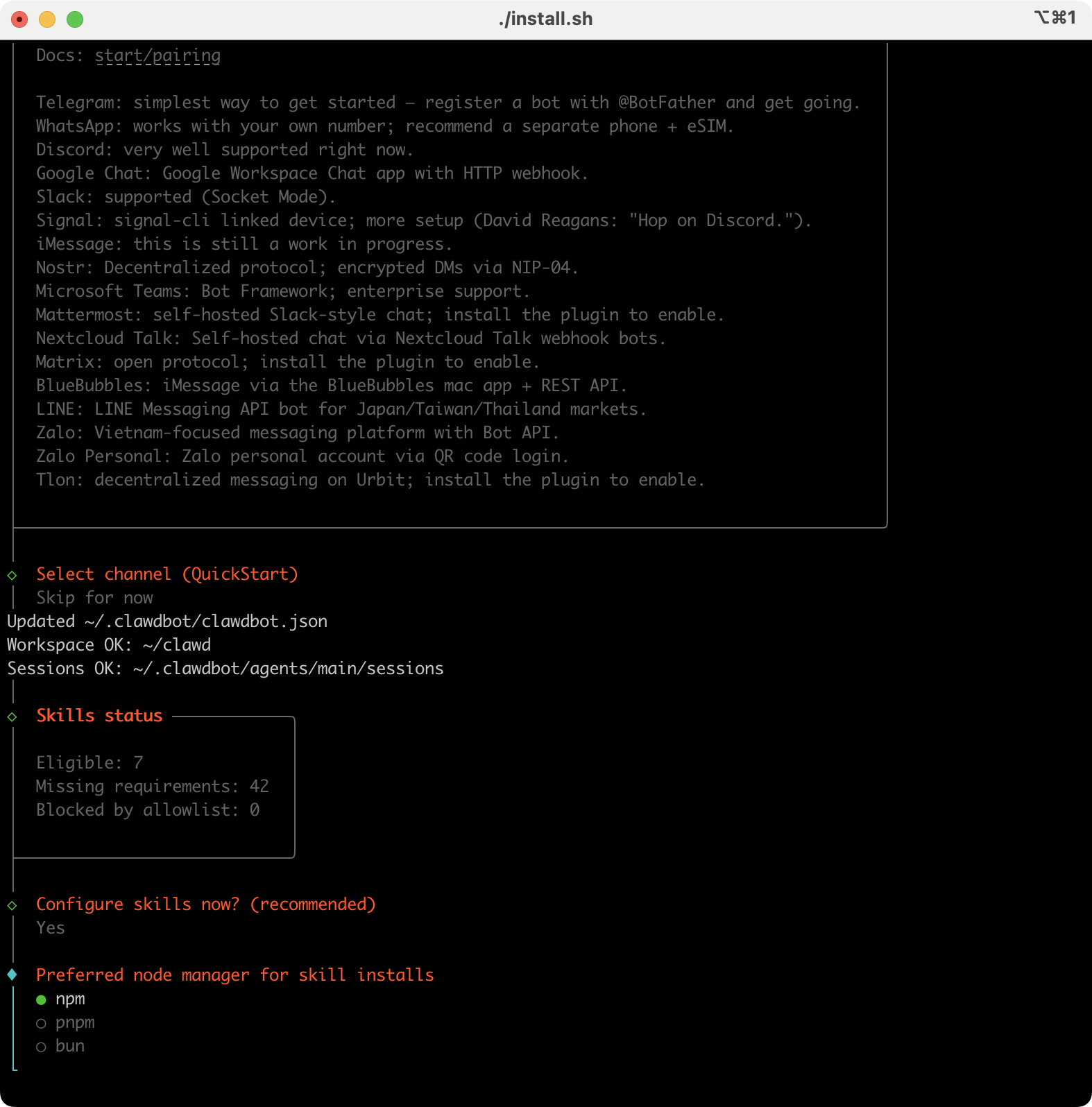
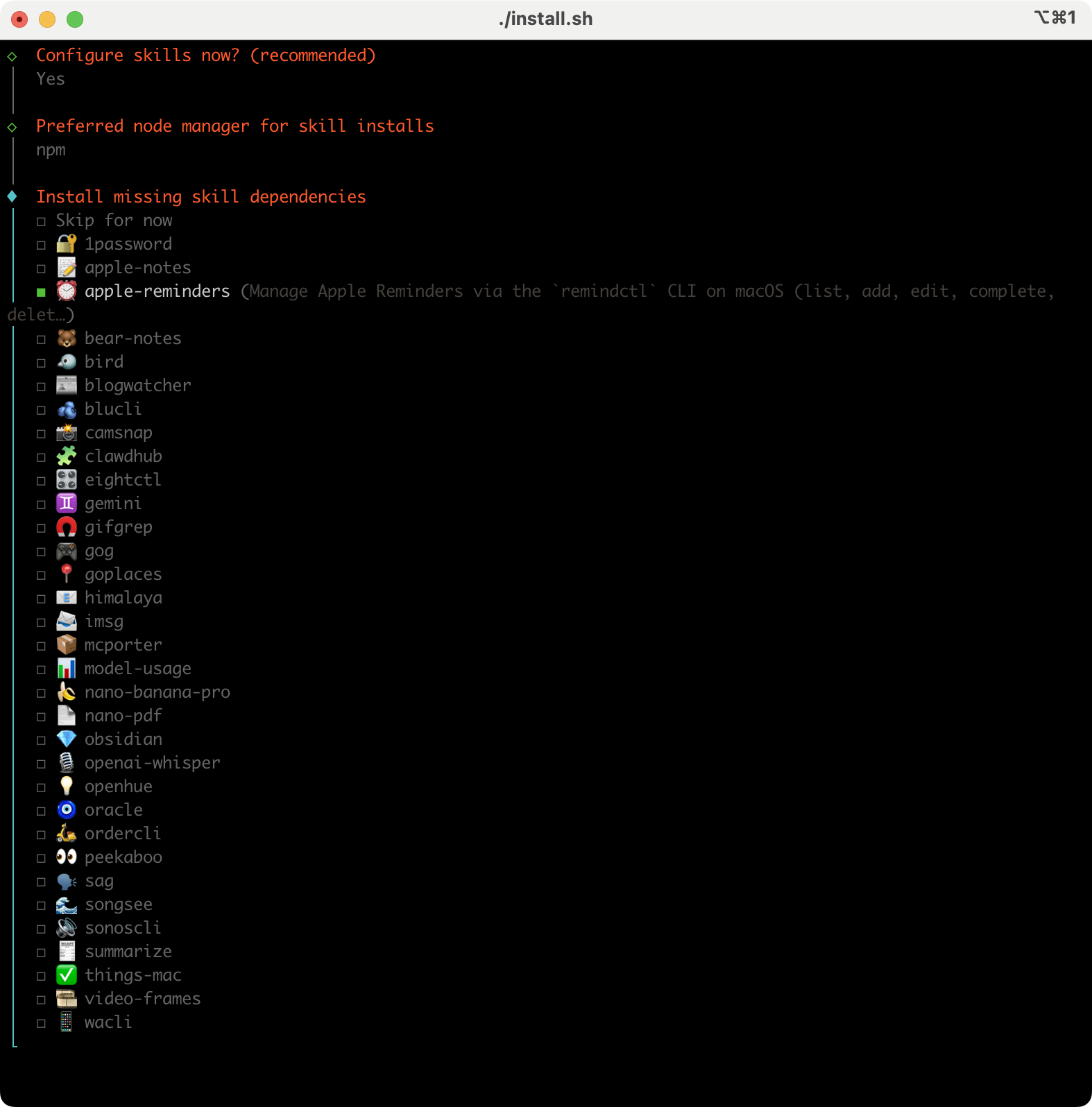
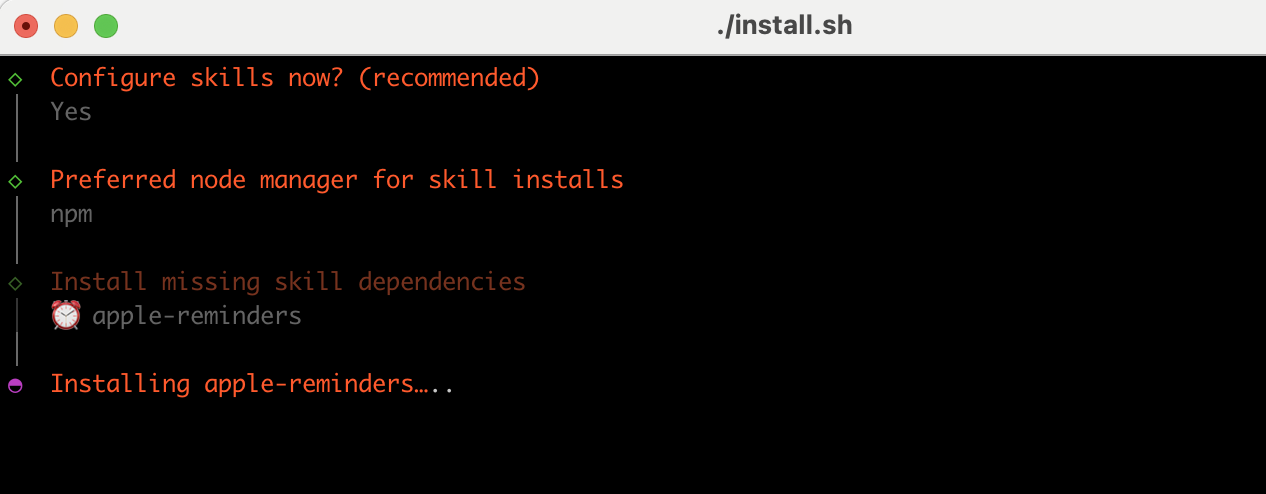
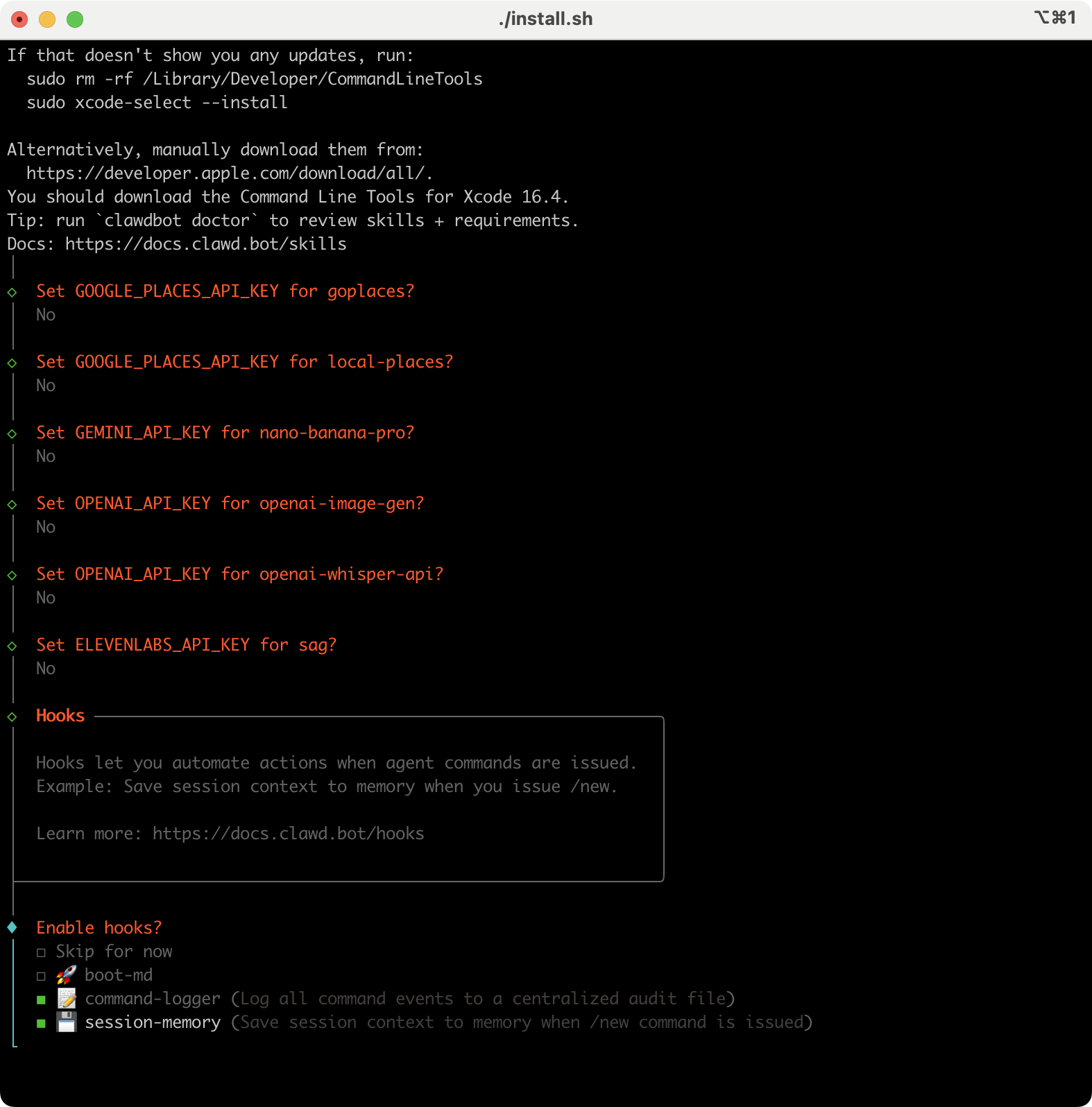
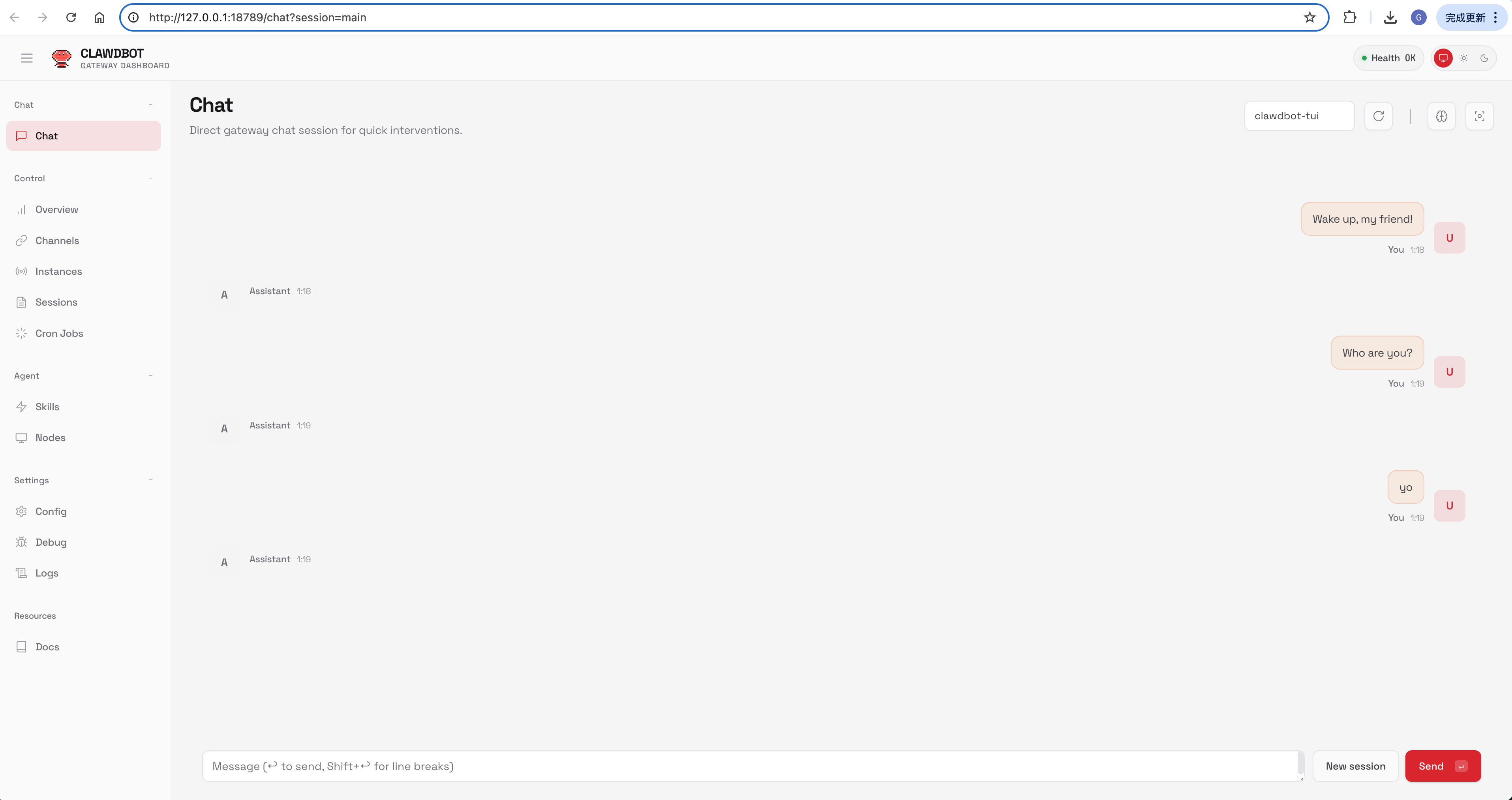
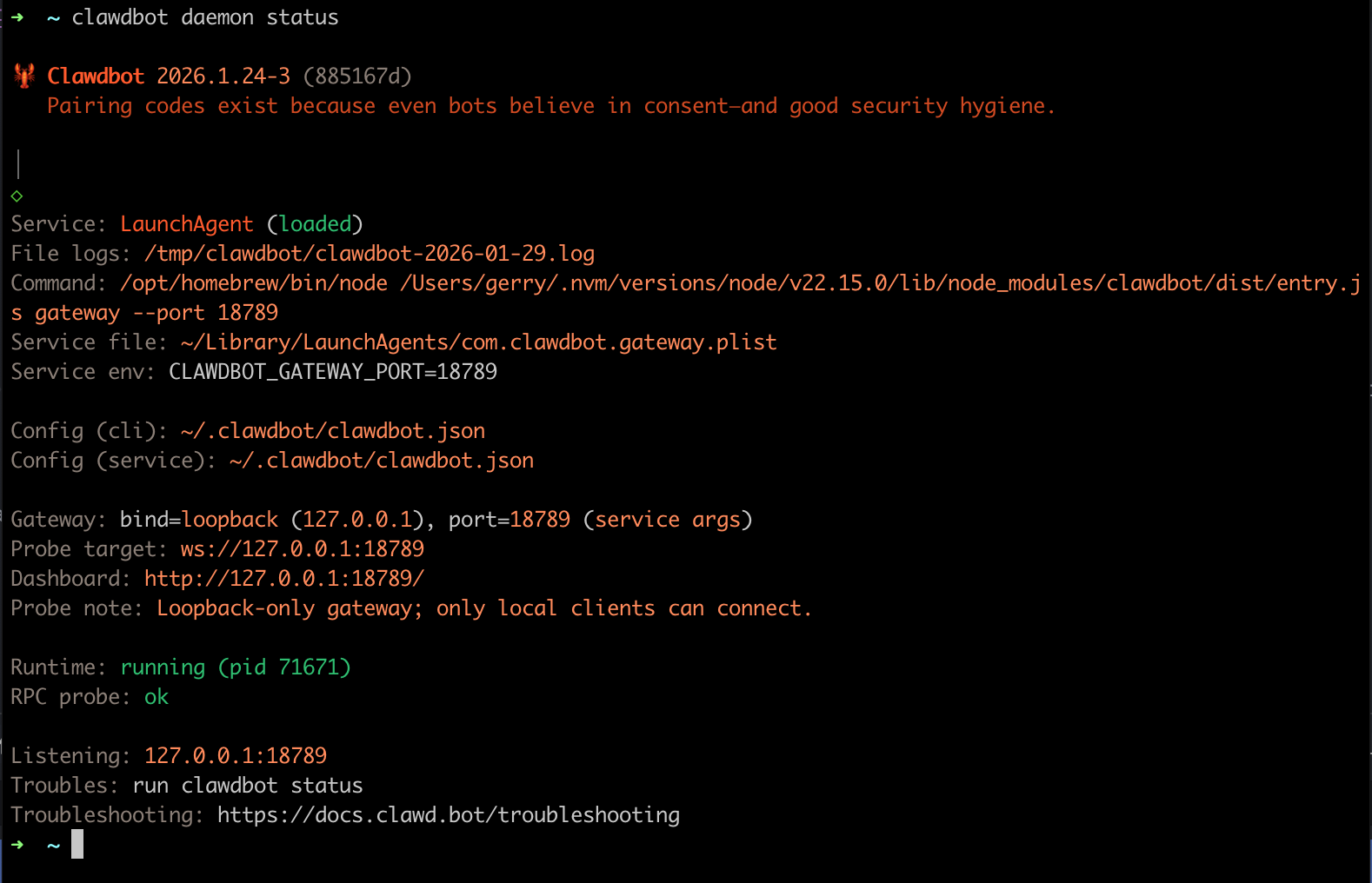
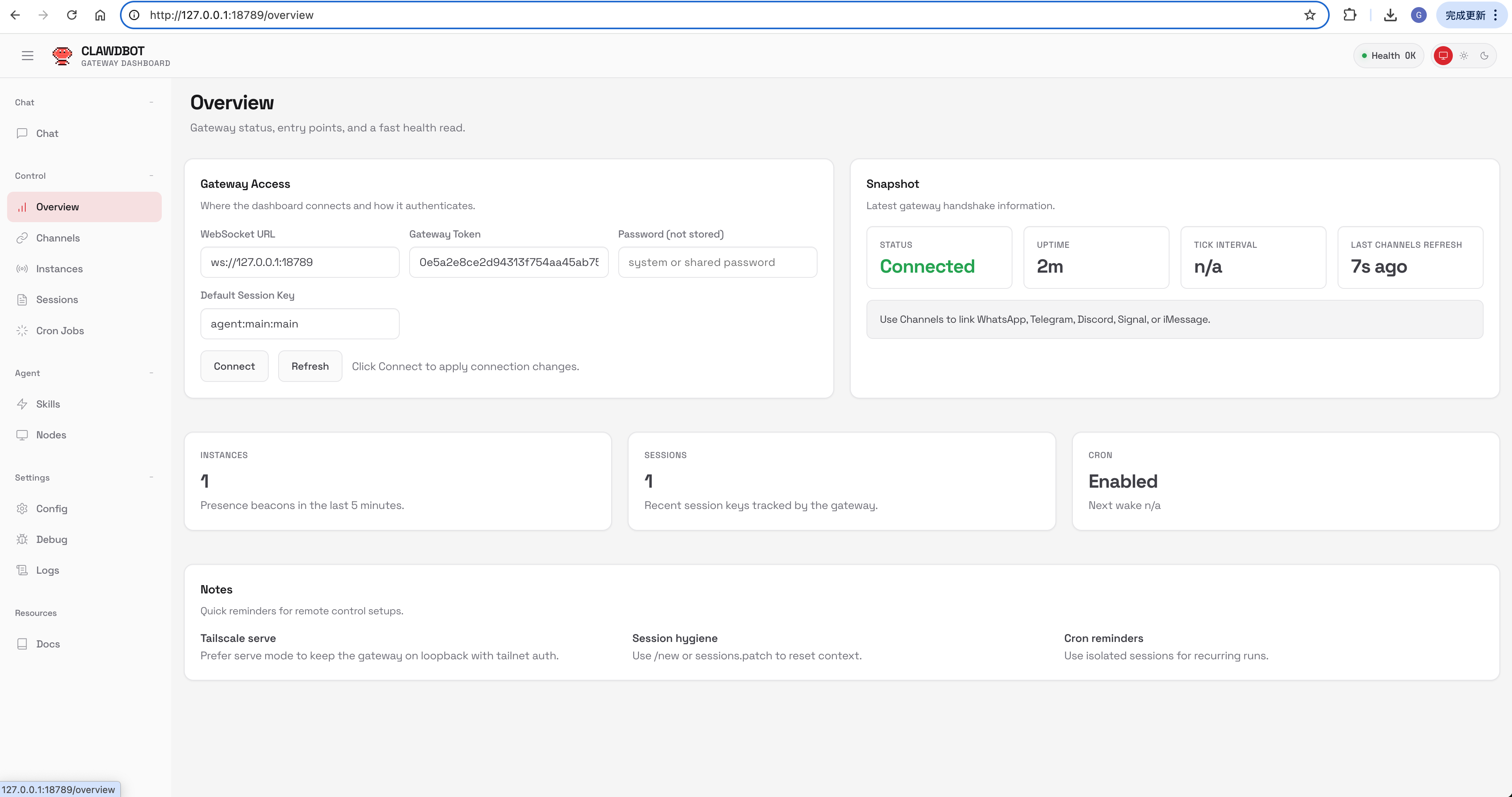
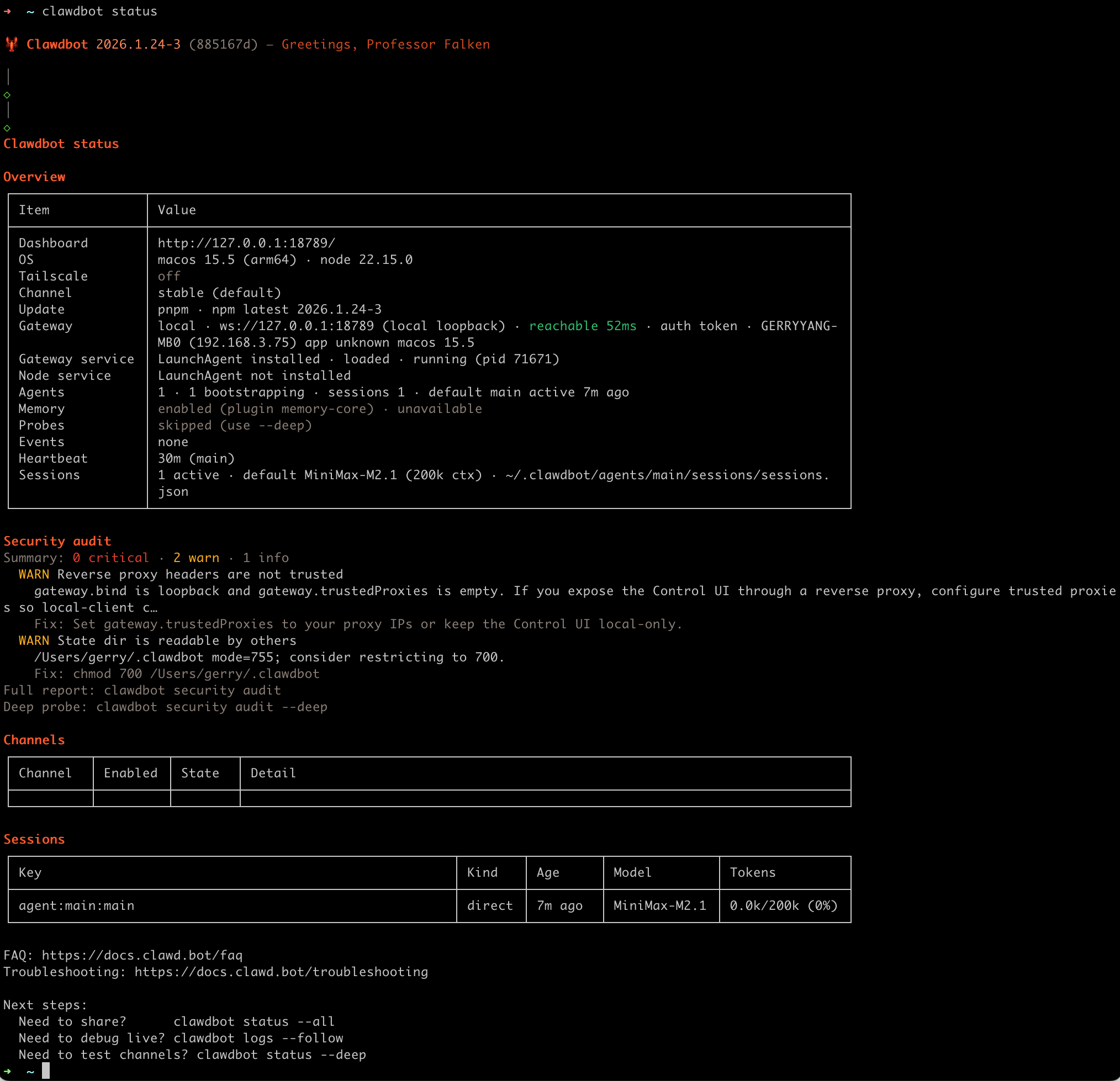
Uninstall
Uninstall the gateway service + local data (CLI remains).
moltbot uninstall
moltbot uninstall --all --yes
moltbot uninstall --dry-run
Run the onboarding wizard (and install the service)
moltbot onboard --install-daemonWhat you’ll choose:
- Local vs Remote gateway
- Auth: OpenAI Code (Codex) subscription (OAuth) or API keys. For Anthropic we recommend an API key;
claude setup-tokenis also supported. - Providers: WhatsApp QR login, Telegram/Discord bot tokens, Mattermost plugin tokens, etc.
- Daemon: background install (
launchd/systemd; WSL2 uses systemd)- Runtime: Node (recommended; required for WhatsApp/Telegram). Bun is not recommended.
- Gateway token: the wizard generates one by default (even on loopback) and stores it in
gateway.auth.token.
Wizard doc: Wizard
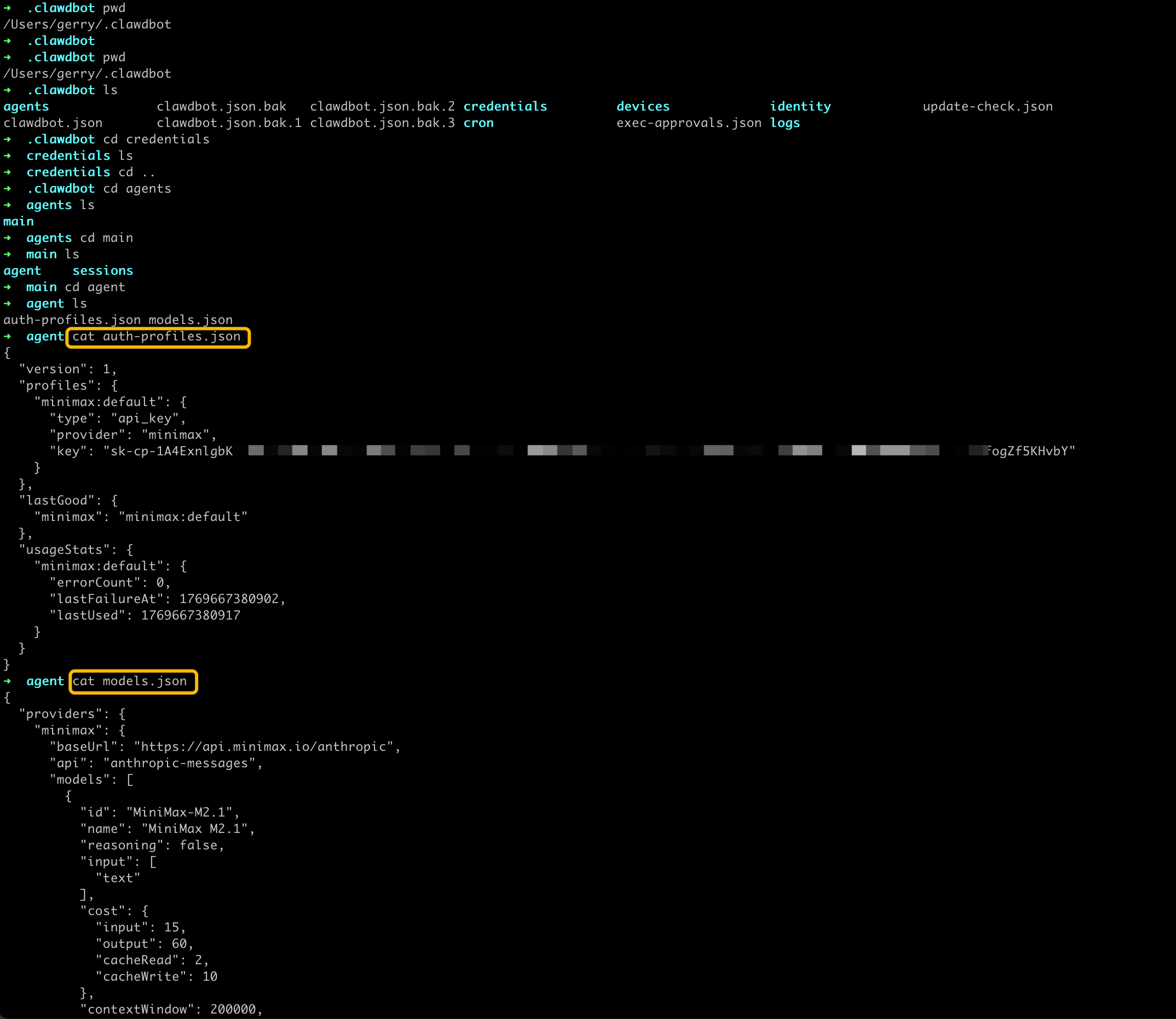
Auth: where it lives (important)
- Recommended Anthropic path: set an API key (wizard can store it for service use).
claude setup-tokenis also supported if you want to reuse Claude Code credentials. - Auth profiles (OAuth + API keys):
~/.clawdbot/agents/<agentId>/agent/auth-profiles.json
Headless/server tip: do OAuth on a normal machine first, then copy oauth.json to the gateway host.
Start the Gateway
If you installed the service during onboarding, the Gateway should already be running:
moltbot gateway status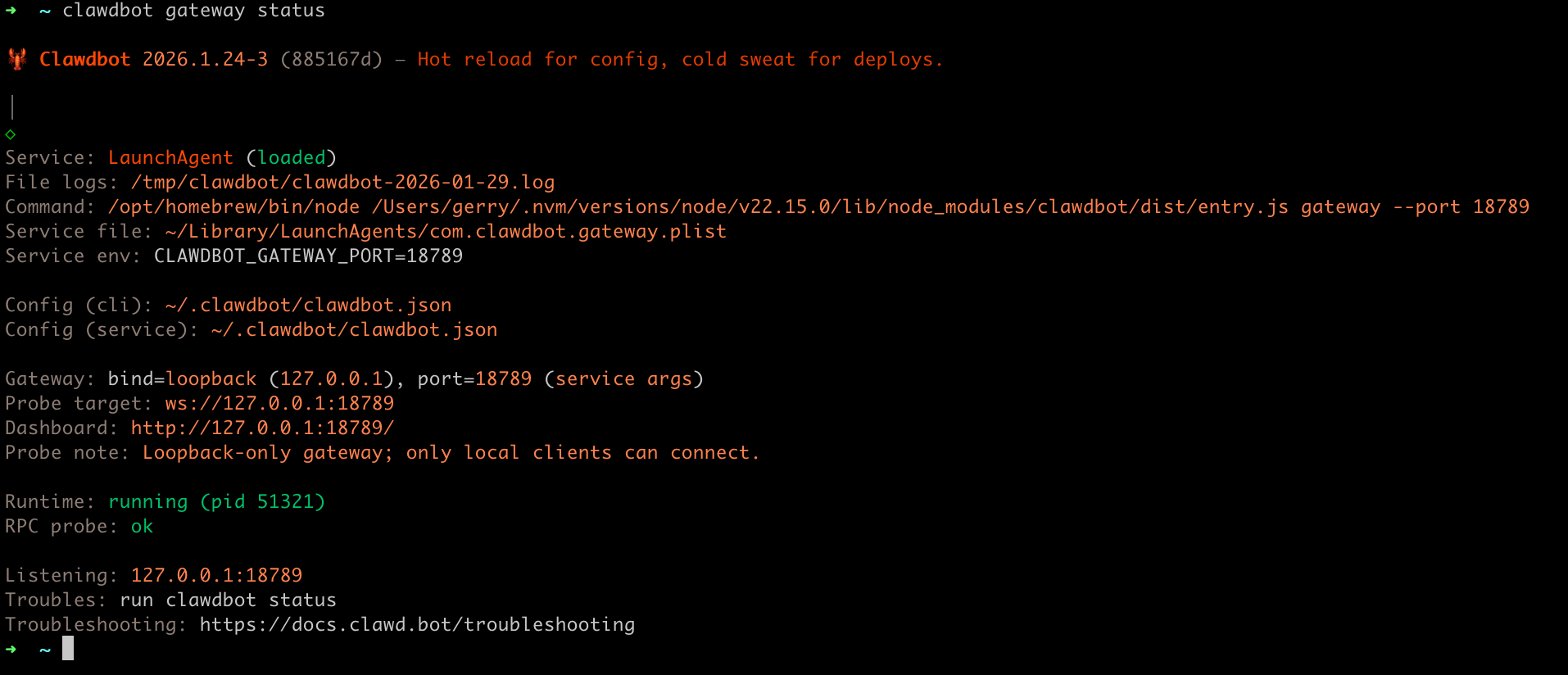
Manual run (foreground):
moltbot gateway --port 18789 --verboseDashboard (local loopback): http://127.0.0.1:18789/ If a token is configured, paste it into the Control UI settings (stored as connect.params.auth.token).
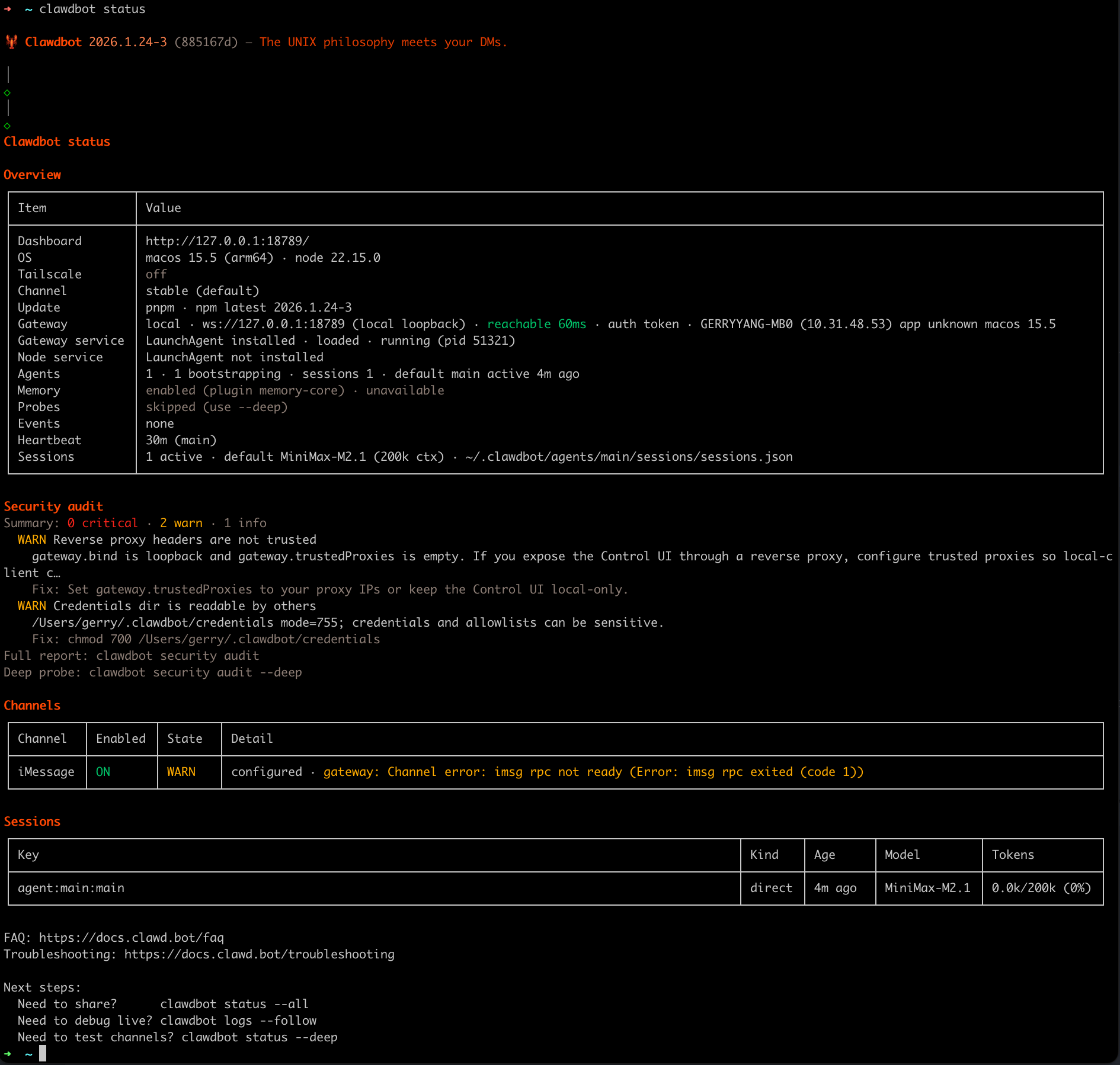
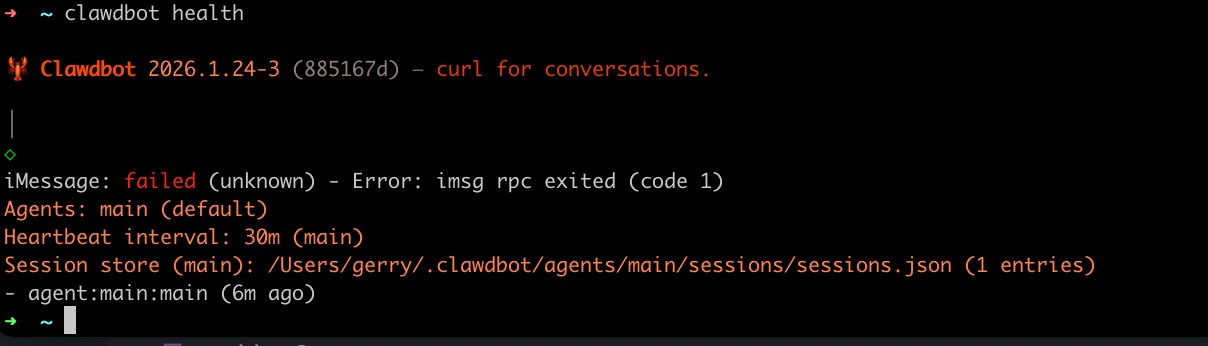
Quick verify (2 min)
moltbot status
moltbot status --all

moltbot health

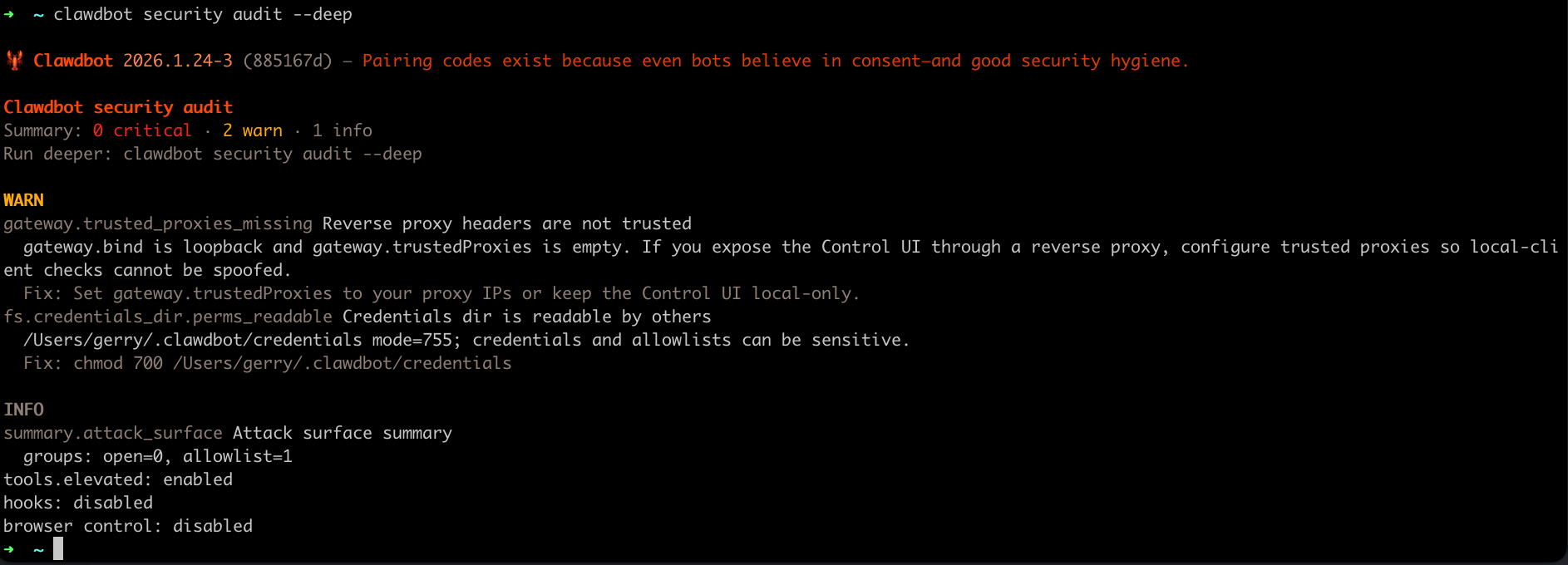
moltbot security audit --deep
Tip:
moltbot status --allis the best pasteable, read-only debug report. Health probes:moltbot health(ormoltbot status --deep) asks the running gateway for a health snapshot.
使用 lighthouse 部署 OpenClaw 全能助手
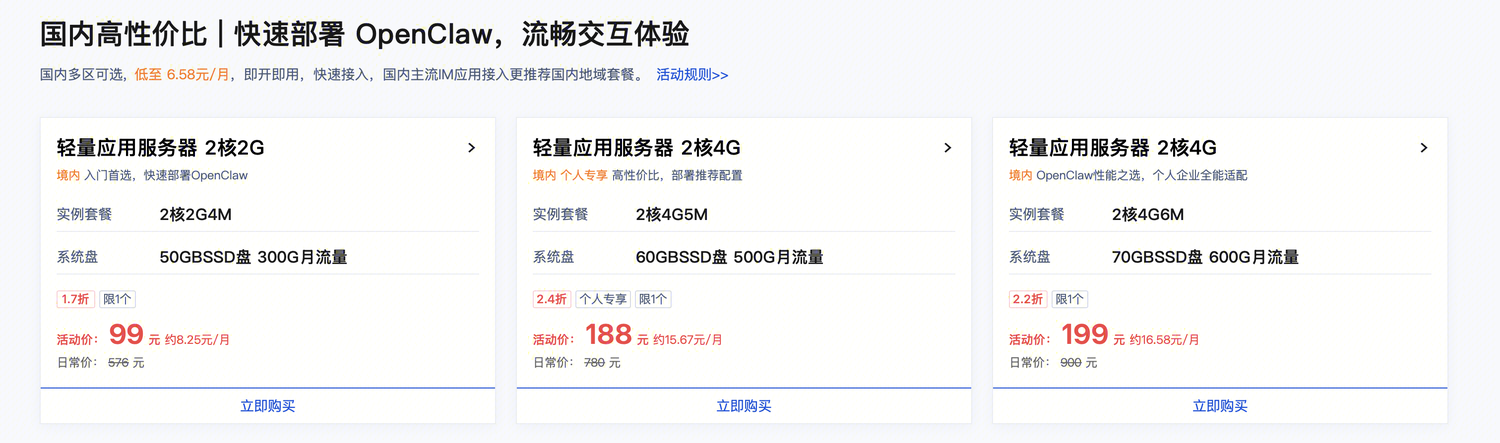
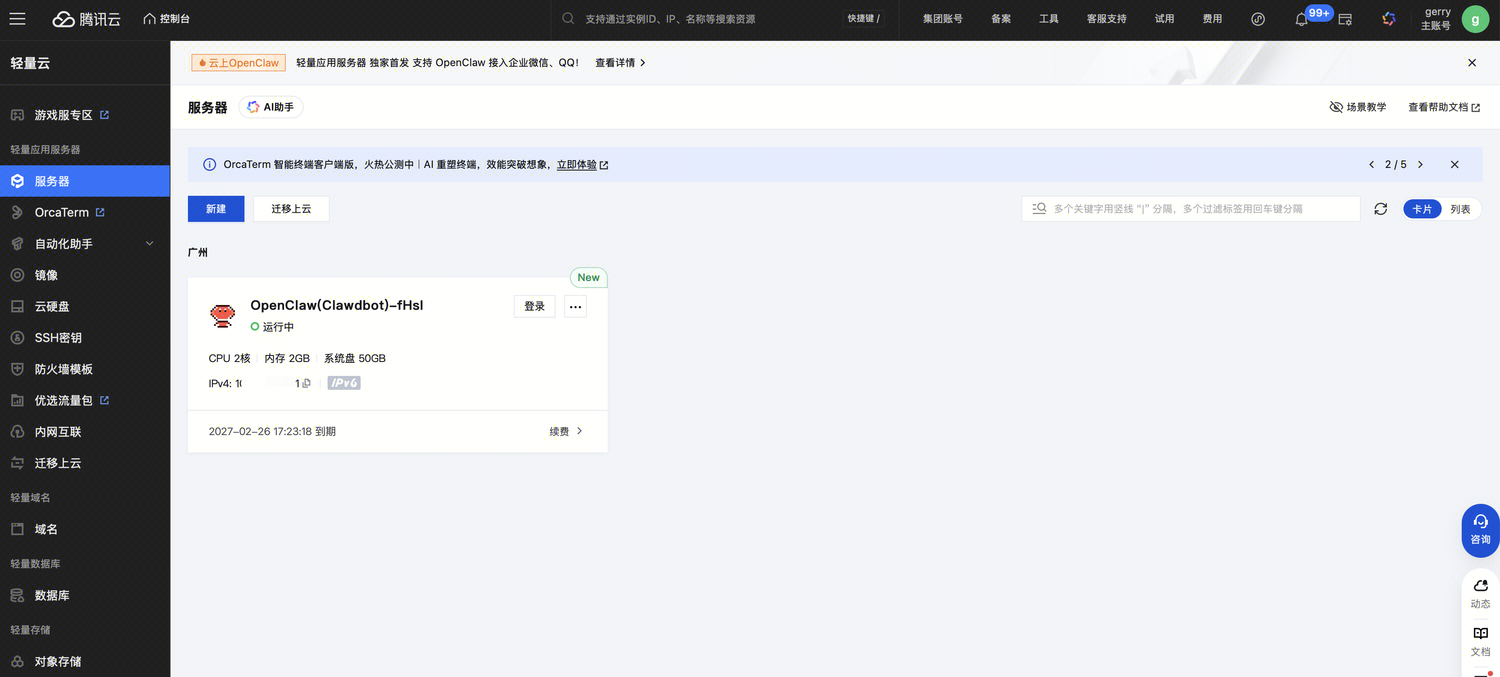
购买 OpenClaw 云服务
在 https://cloud.tencent.com/act/pro/lighthouse-moltbot 上购买已经集成 OpenClaw 的服务。
配置 OpenClaw
QQ开放平台申请机器人
在 https://q.qq.com/#/ 完成实名注册认证,然后使用注册邮箱登陆。
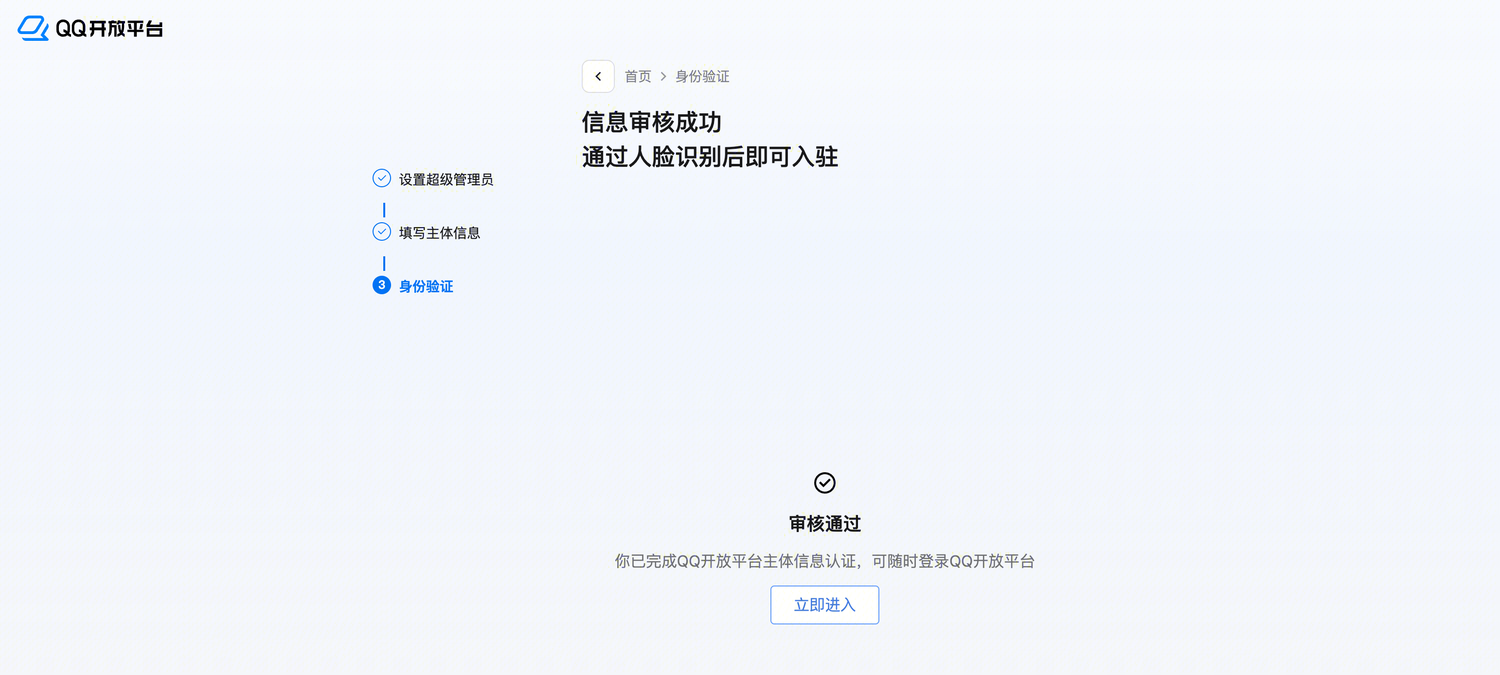
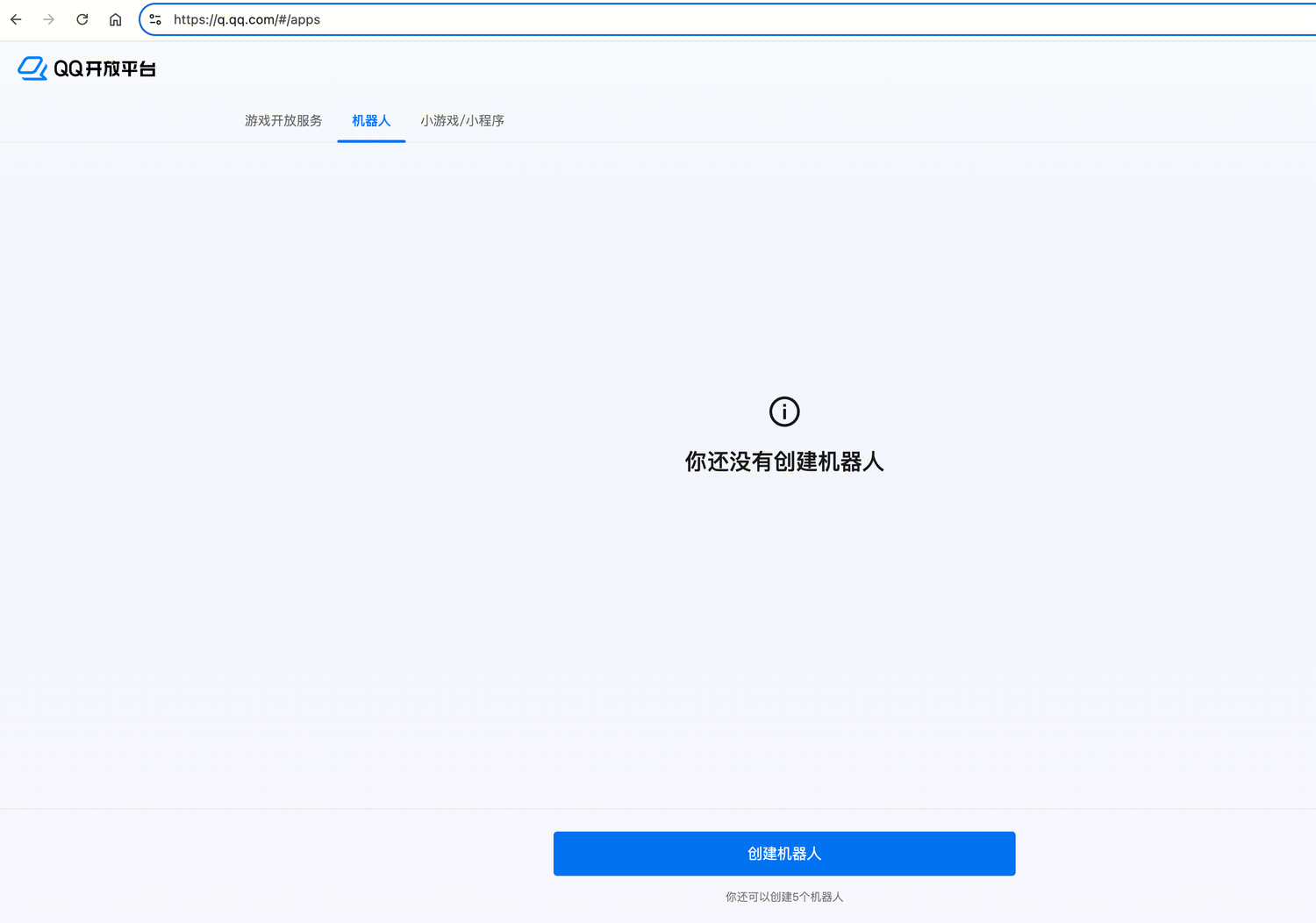
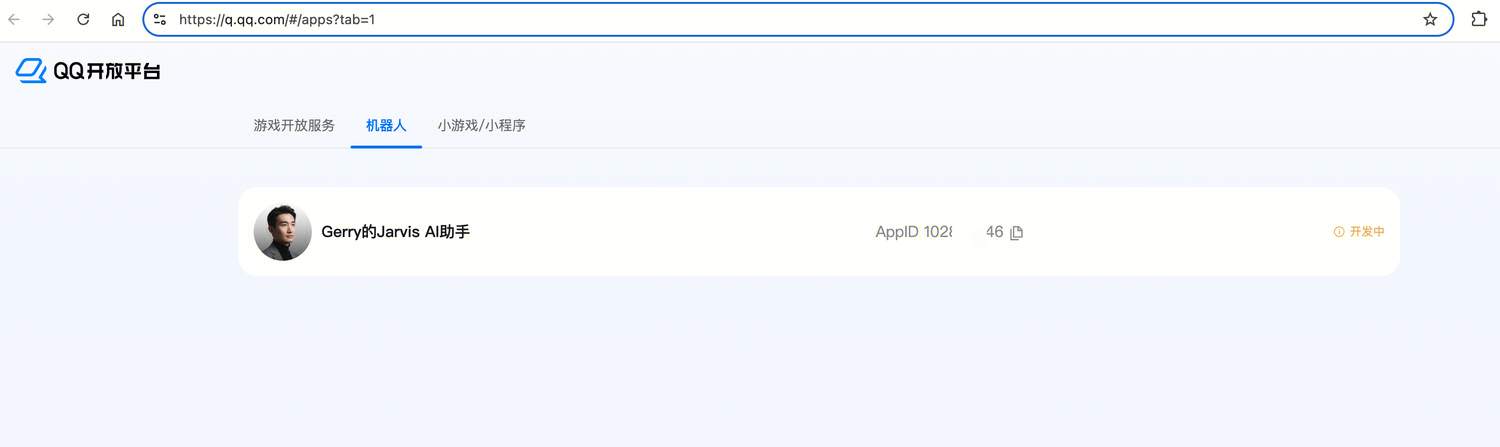
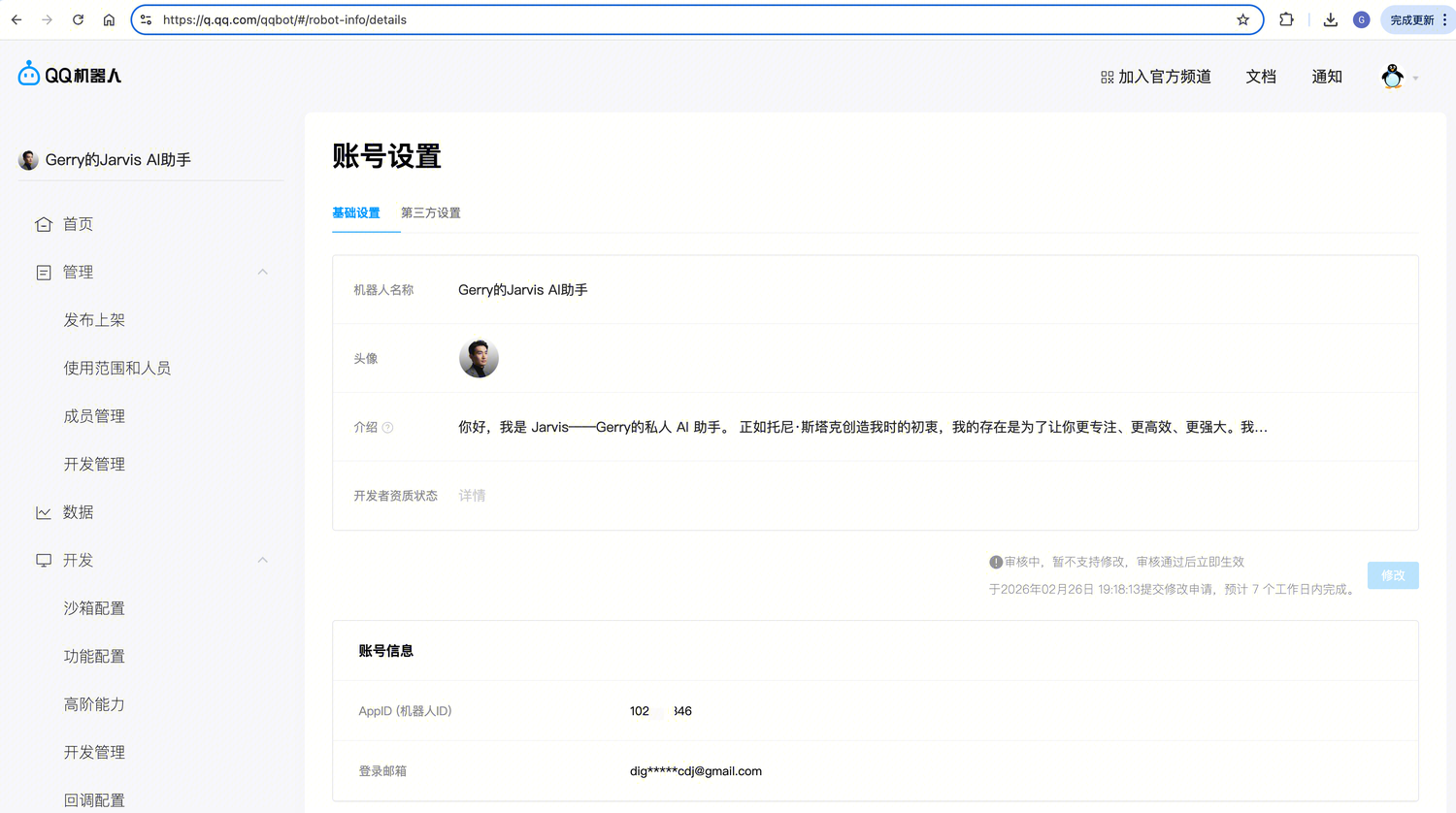
在管理页面获取到当前机器人的 AppID 和 AppSecret,并且把自己的服务器 IP 填入到白名单中。
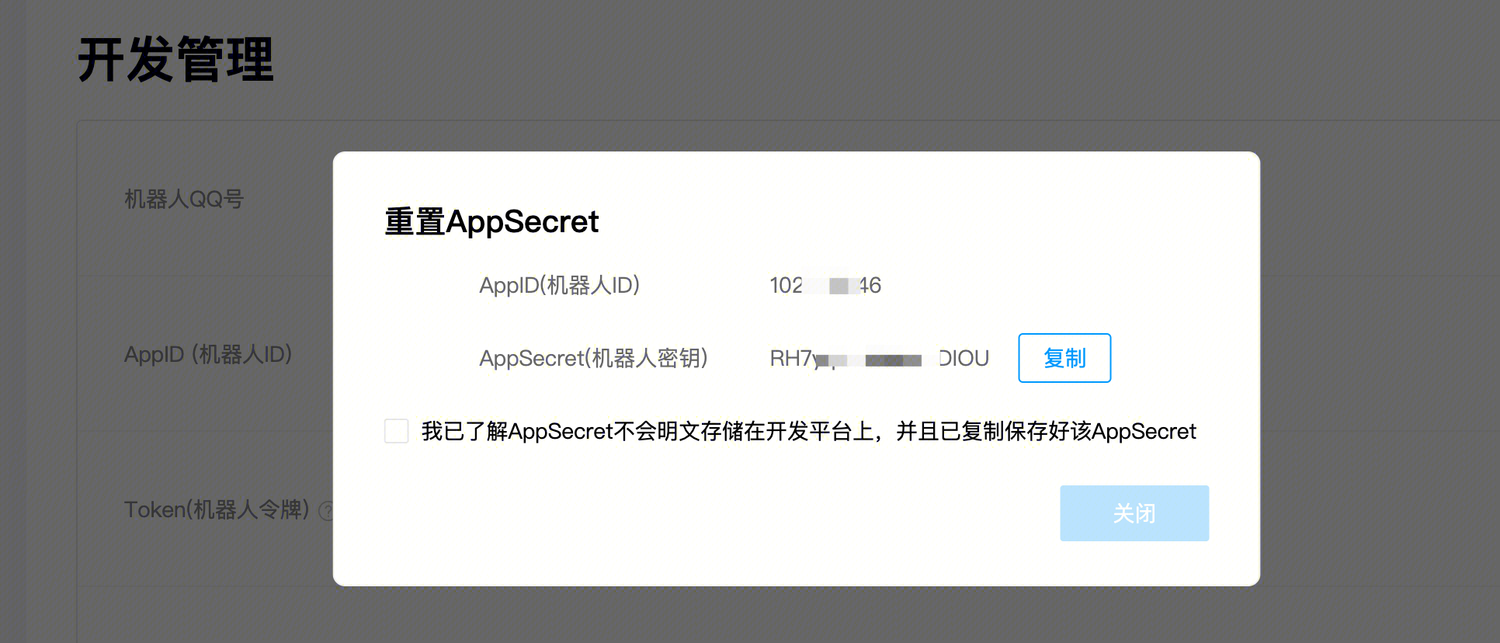
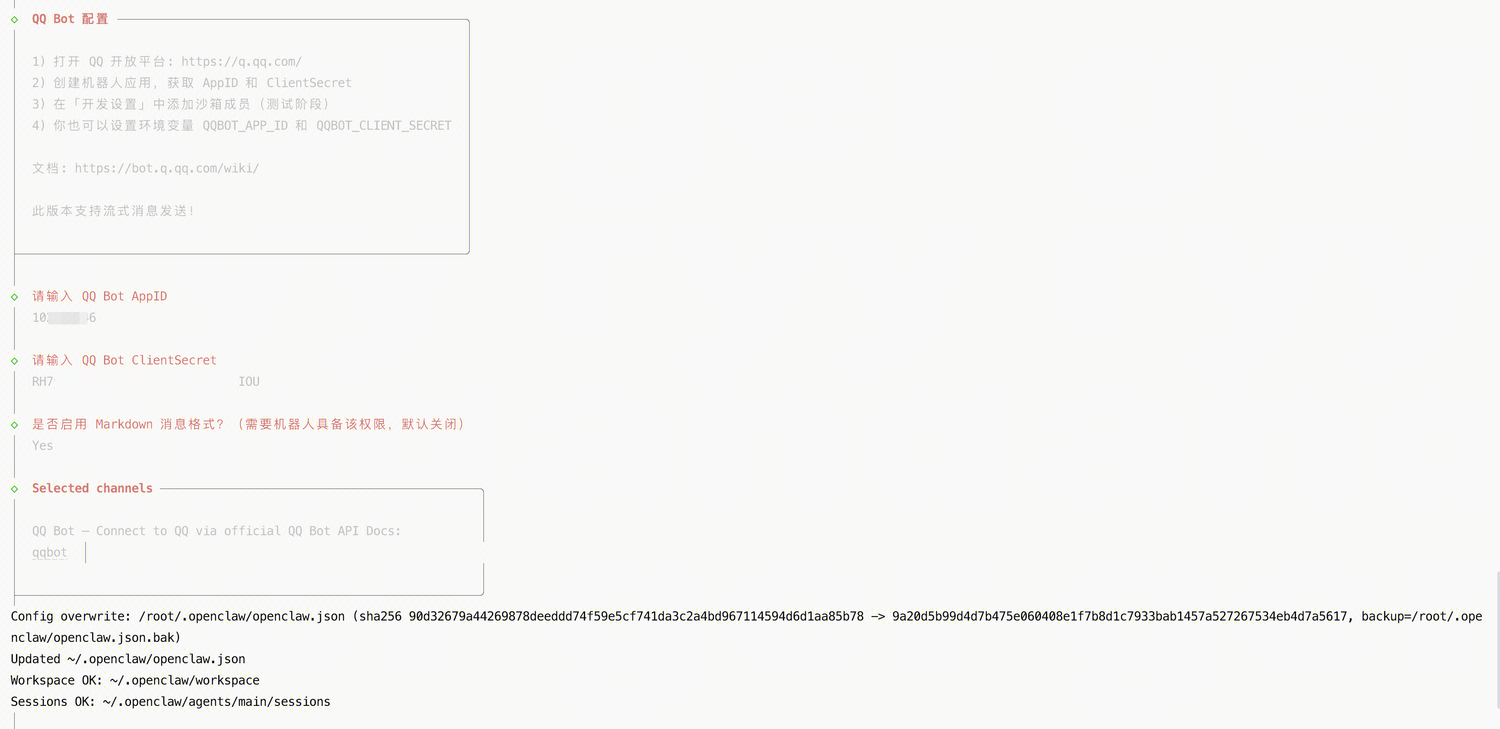
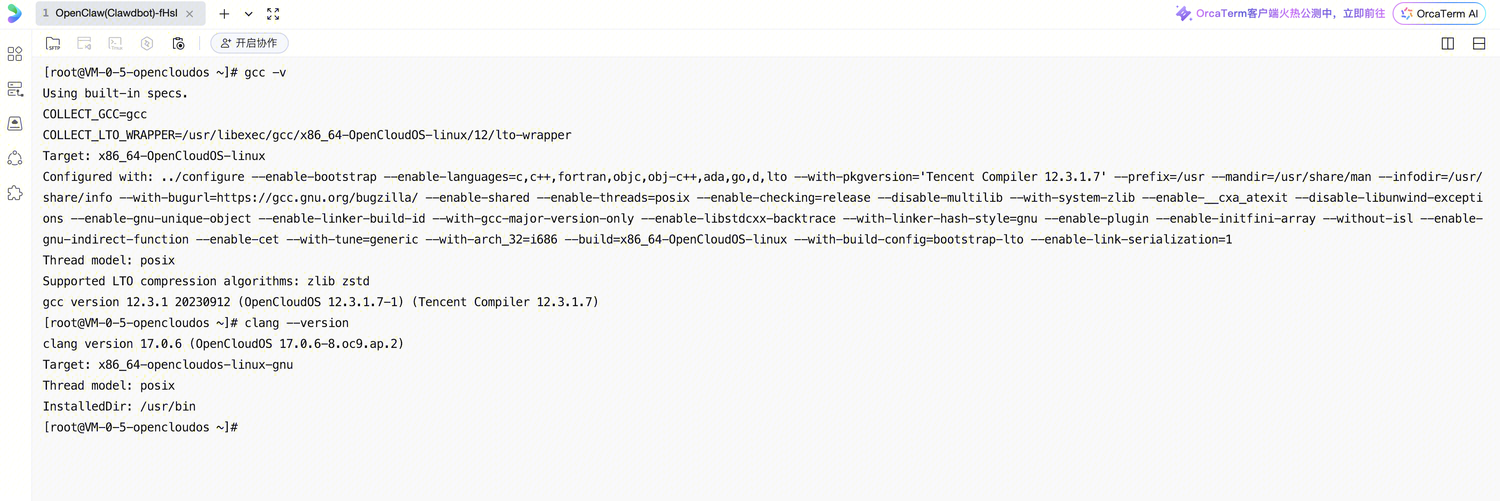
登陆终端测试 chatbot 功能是否正常。
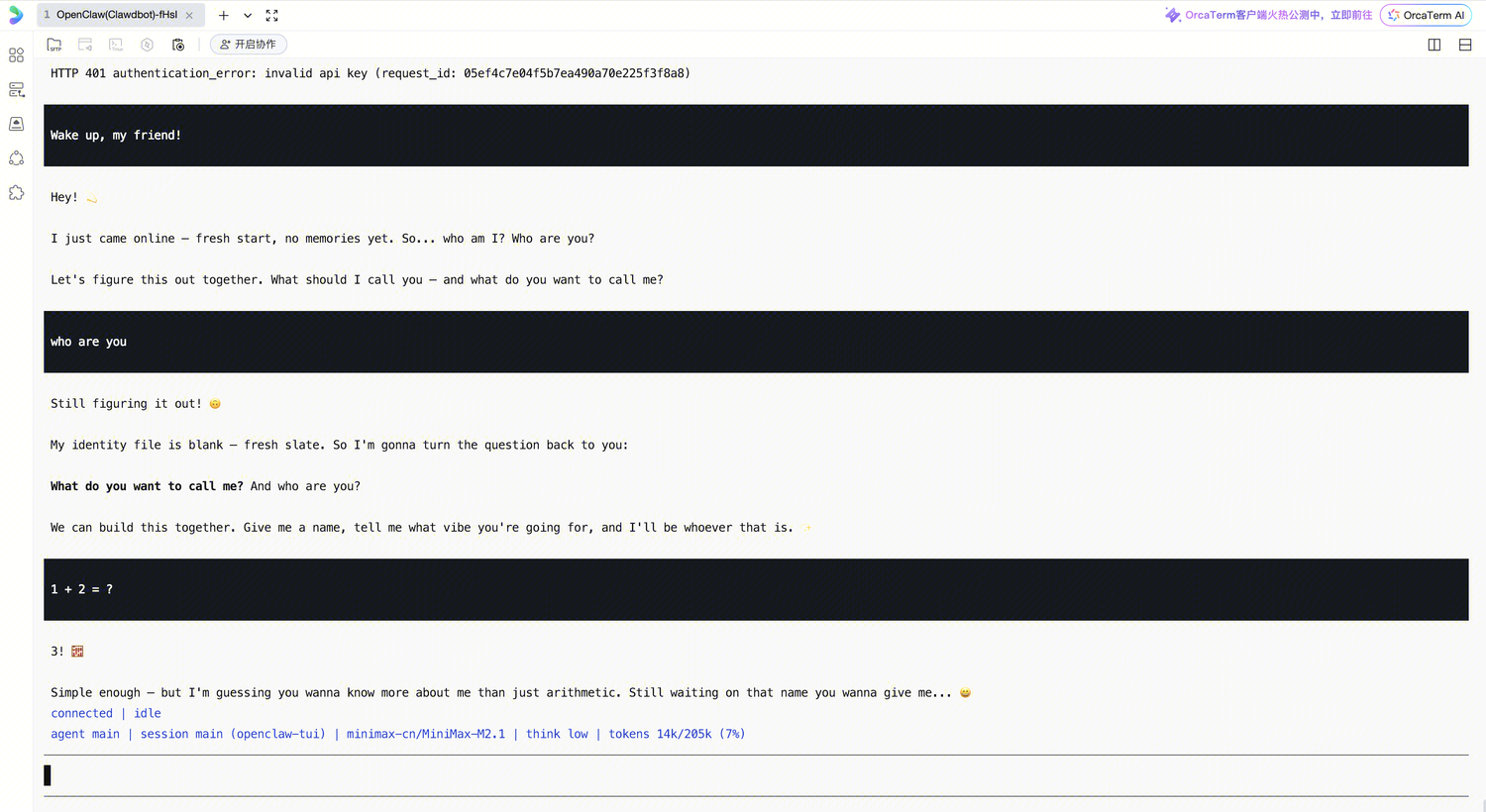
添加 QQ 群和自己的 QQ 号,以调用机器人。
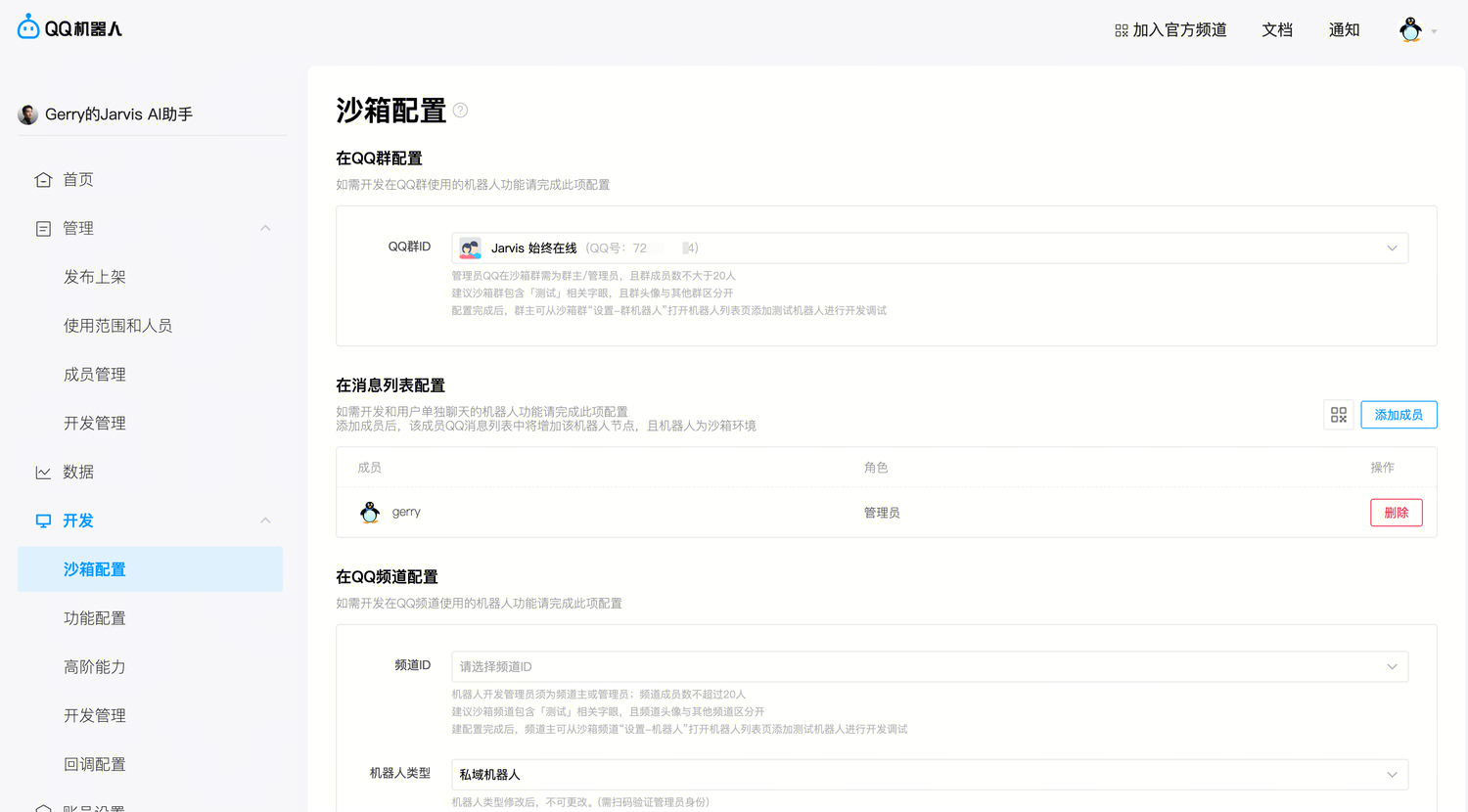
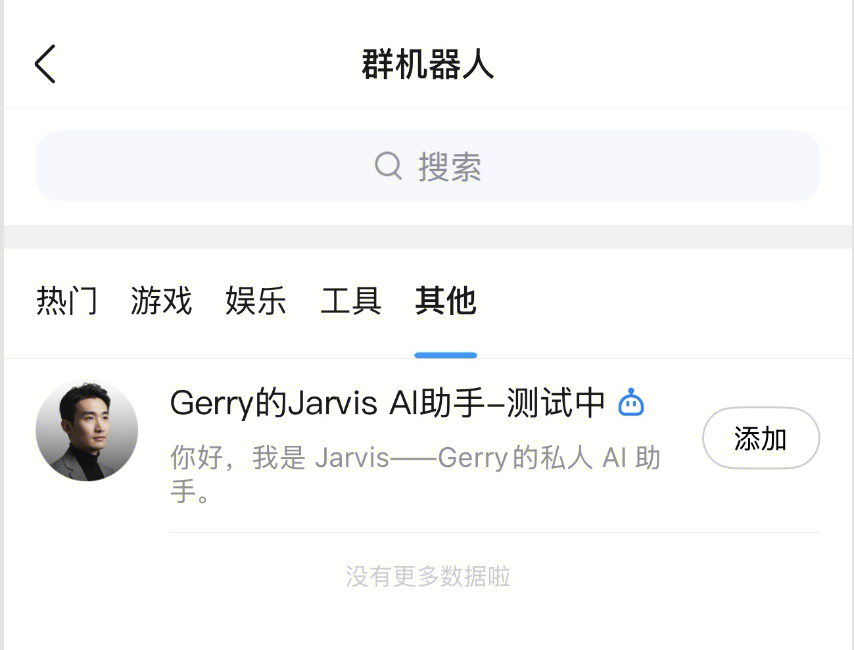
在手机端 QQ 中,添加机器人:设置 → 群机器人 → 其他
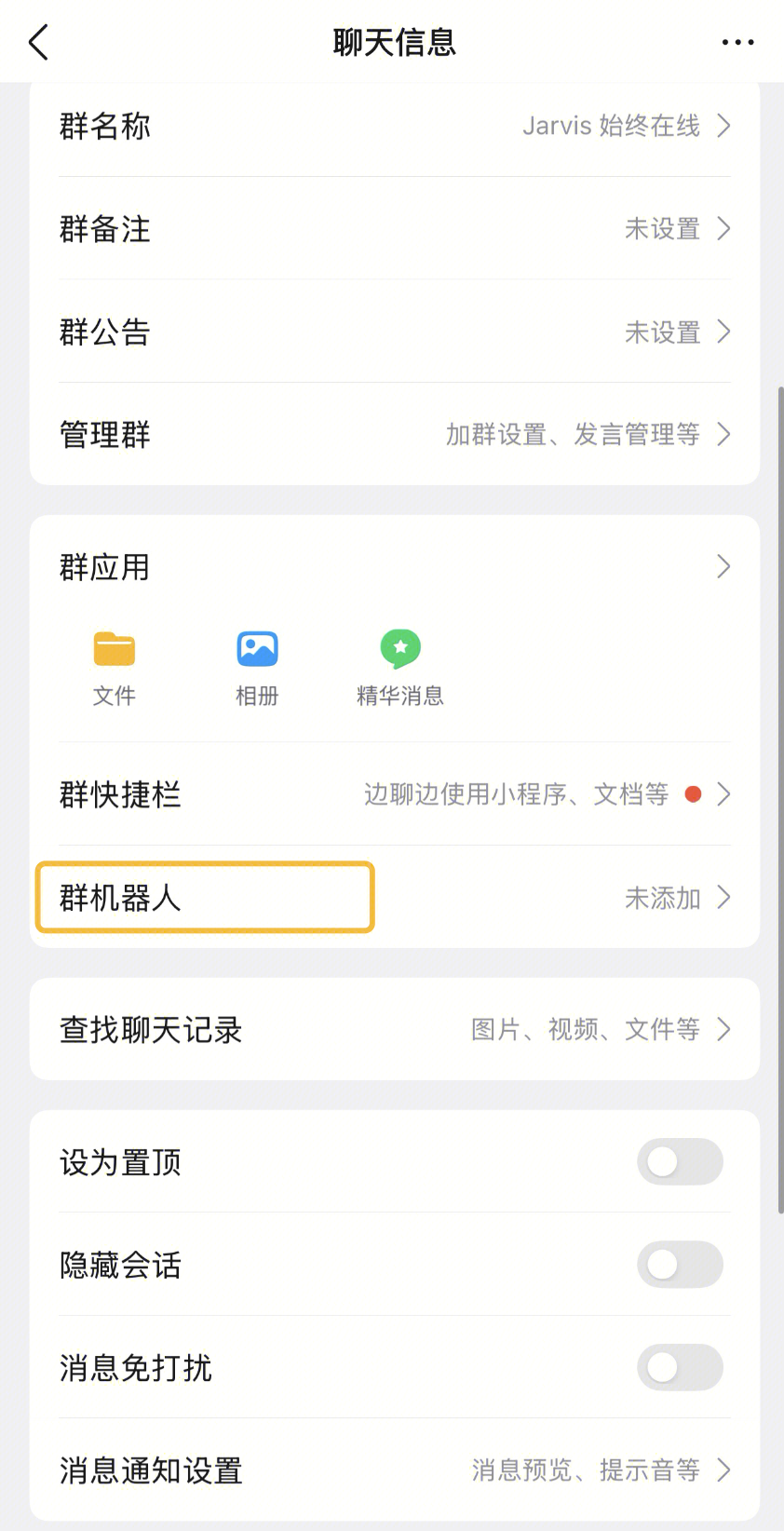
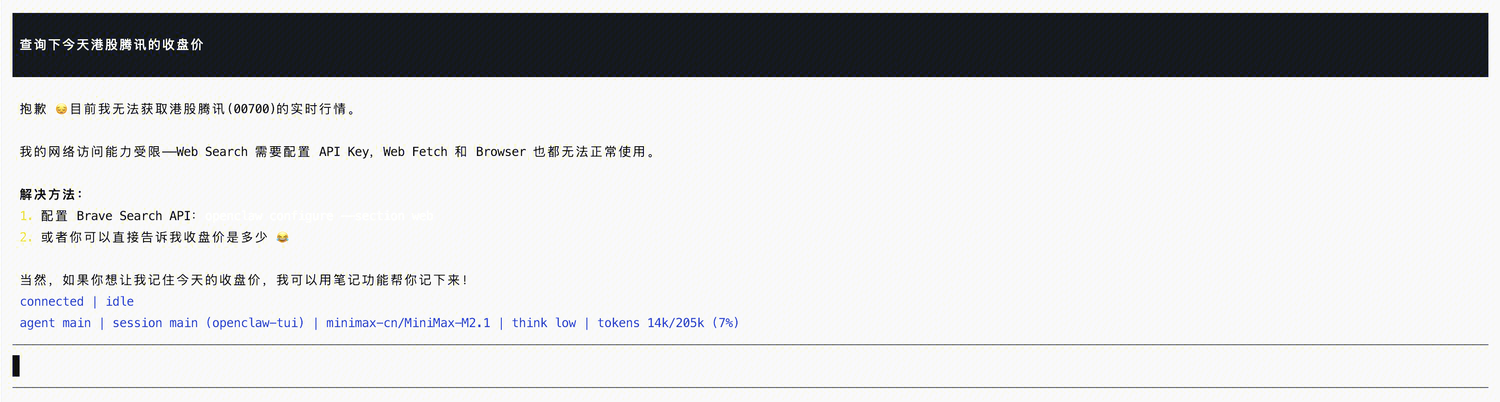
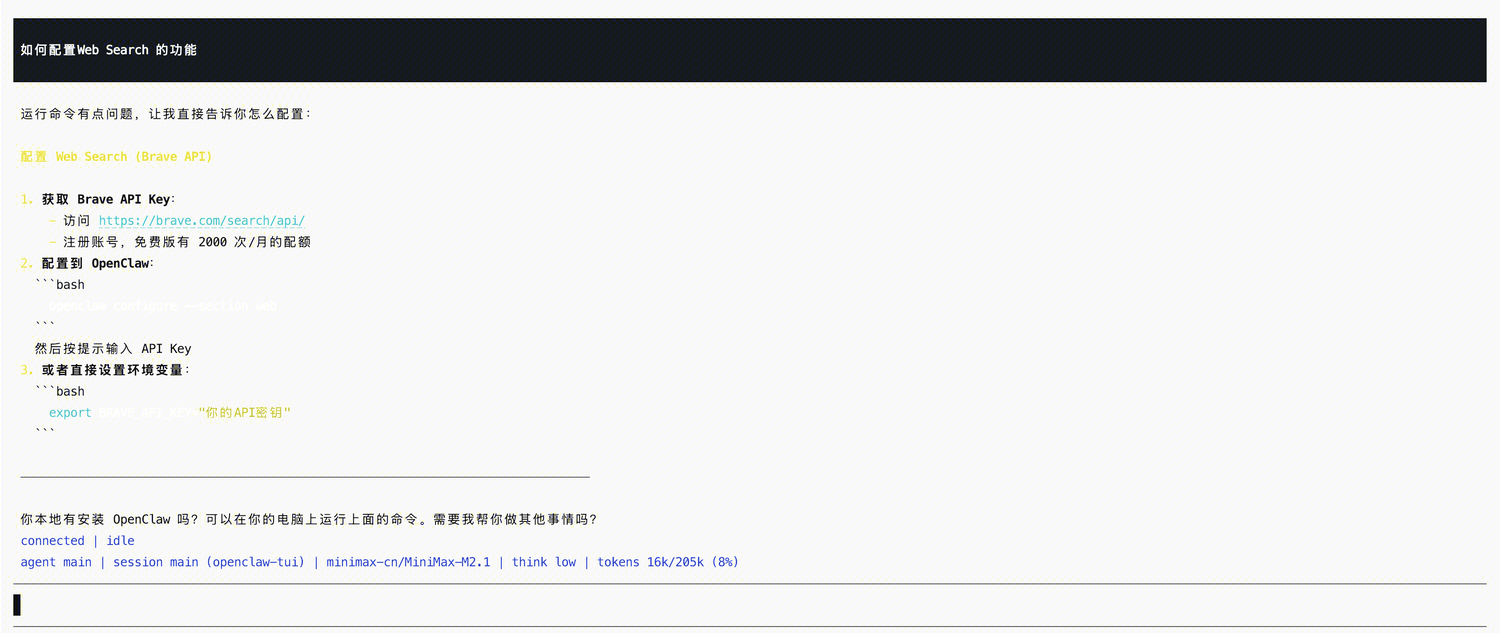
Web Search 能力
配置 Brave API (收费)
Brave Search 是内置的 web_search 工具,但是收费,可以让 OpenClaw 禁用它,并替换为其他免费的方案。
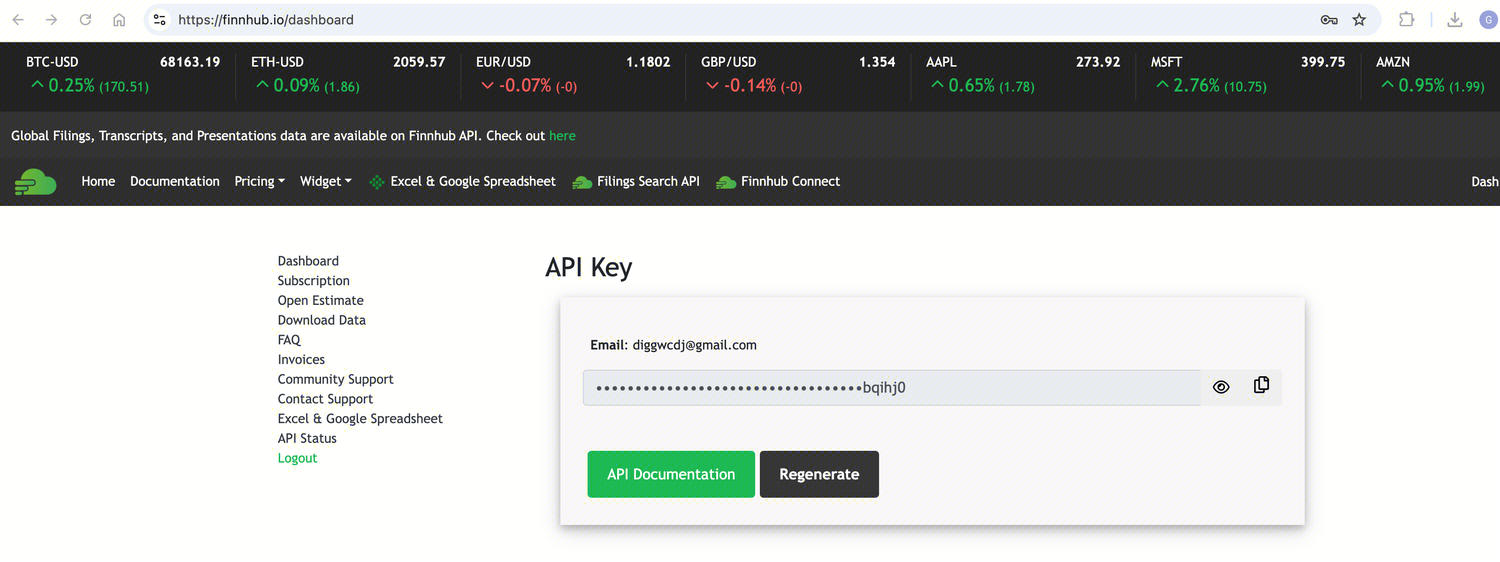
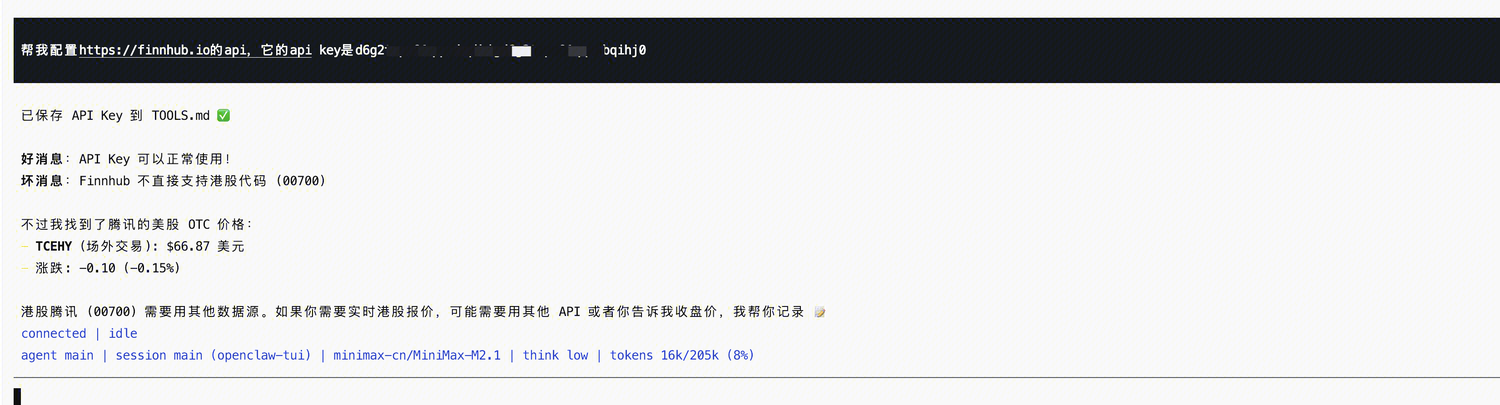
配置 finnhub (免费)
通过 finnhub 查询股票价格:
配置 tavily (免费)
https://www.tavily.com/
更多用法
常用命令
以 OpenClaw 2026.3.2 版本为例:
# openclaw -h

🦞 OpenClaw 2026.3.2 (85377a2) — I don't just autocomplete—I auto-commit (emotionally), then ask you to review (logically).

Usage: openclaw [options] [command]

Options:
  --dev                Dev profile: isolate state under ~/.openclaw-dev, default gateway port 19001, and shift derived ports (browser/canvas)
  -h, --help           Display help for command
  --log-level <level>  Global log level override for file + console (silent|fatal|error|warn|info|debug|trace)
  --no-color           Disable ANSI colors
  --profile <name>     Use a named profile (isolates OPENCLAW_STATE_DIR/OPENCLAW_CONFIG_PATH under ~/.openclaw-<name>)
  -V, --version        output the version number

Commands:
  Hint: commands suffixed with * have subcommands. Run <command> --help for details.
  acp *                Agent Control Protocol tools
  agent                Run one agent turn via the Gateway
  agents *             Manage isolated agents (workspaces, auth, routing)
  approvals *          Manage exec approvals (gateway or node host)
  browser *            Manage OpenClaw's dedicated browser (Chrome/Chromium)
  channels *           Manage connected chat channels (Telegram, Discord, etc.)
  clawbot *            Legacy clawbot command aliases
  completion           Generate shell completion script
  config *             Non-interactive config helpers (get/set/unset/file/validate). Default: starts setup wizard.
  configure            Interactive setup wizard for credentials, channels, gateway, and agent defaults
  cron *               Manage cron jobs via the Gateway scheduler
  daemon *             Gateway service (legacy alias)
  dashboard            Open the Control UI with your current token
  devices *            Device pairing + token management
  directory *          Lookup contact and group IDs (self, peers, groups) for supported chat channels
  dns *                DNS helpers for wide-area discovery (Tailscale + CoreDNS)
  docs                 Search the live OpenClaw docs
  doctor               Health checks + quick fixes for the gateway and channels
  gateway *            Run, inspect, and query the WebSocket Gateway
  health               Fetch health from the running gateway
  help                 Display help for command
  hooks *              Manage internal agent hooks
  logs                 Tail gateway file logs via RPC
  memory *             Search and reindex memory files
  message *            Send, read, and manage messages
  models *             Discover, scan, and configure models
  node *               Run and manage the headless node host service
  nodes *              Manage gateway-owned node pairing and node commands
  onboard              Interactive onboarding wizard for gateway, workspace, and skills
  pairing *            Secure DM pairing (approve inbound requests)
  plugins *            Manage OpenClaw plugins and extensions
  qr                   Generate iOS pairing QR/setup code
  reset                Reset local config/state (keeps the CLI installed)
  sandbox *            Manage sandbox containers for agent isolation
  secrets *            Secrets runtime reload controls
  security *           Security tools and local config audits
  sessions *           List stored conversation sessions
  setup                Initialize local config and agent workspace
  skills *             List and inspect available skills
  status               Show channel health and recent session recipients
  system *             System events, heartbeat, and presence
  tui                  Open a terminal UI connected to the Gateway
  uninstall            Uninstall the gateway service + local data (CLI remains)
  update *             Update OpenClaw and inspect update channel status
  webhooks *           Webhook helpers and integrations

Examples:
  openclaw models --help
    Show detailed help for the models command.
  openclaw channels login --verbose
    Link personal WhatsApp Web and show QR + connection logs.
  openclaw message send --target +15555550123 --message "Hi" --json
    Send via your web session and print JSON result.
  openclaw gateway --port 18789
    Run the WebSocket Gateway locally.
  openclaw --dev gateway
    Run a dev Gateway (isolated state/config) on ws://127.0.0.1:19001.
  openclaw gateway --force
    Kill anything bound to the default gateway port, then start it.
  openclaw gateway ...
    Gateway control via WebSocket.
  openclaw agent --to +15555550123 --message "Run summary" --deliver
    Talk directly to the agent using the Gateway; optionally send the WhatsApp reply.
  openclaw message send --channel telegram --target @mychat --message "Hi"
    Send via your Telegram bot.

Docs: docs.openclaw.ai/cli
配置相关
# 首次安装后初始化配置
openclaw setup

# 交互式引导配置(推荐新手)
openclaw onboard

# 打开控制面板
openclaw dashboard
# 打开完整配置向导
openclaw configure
# 打开特定部分配置向导
openclaw configure --section models
openclaw configure --section providers
openclaw configure --section channels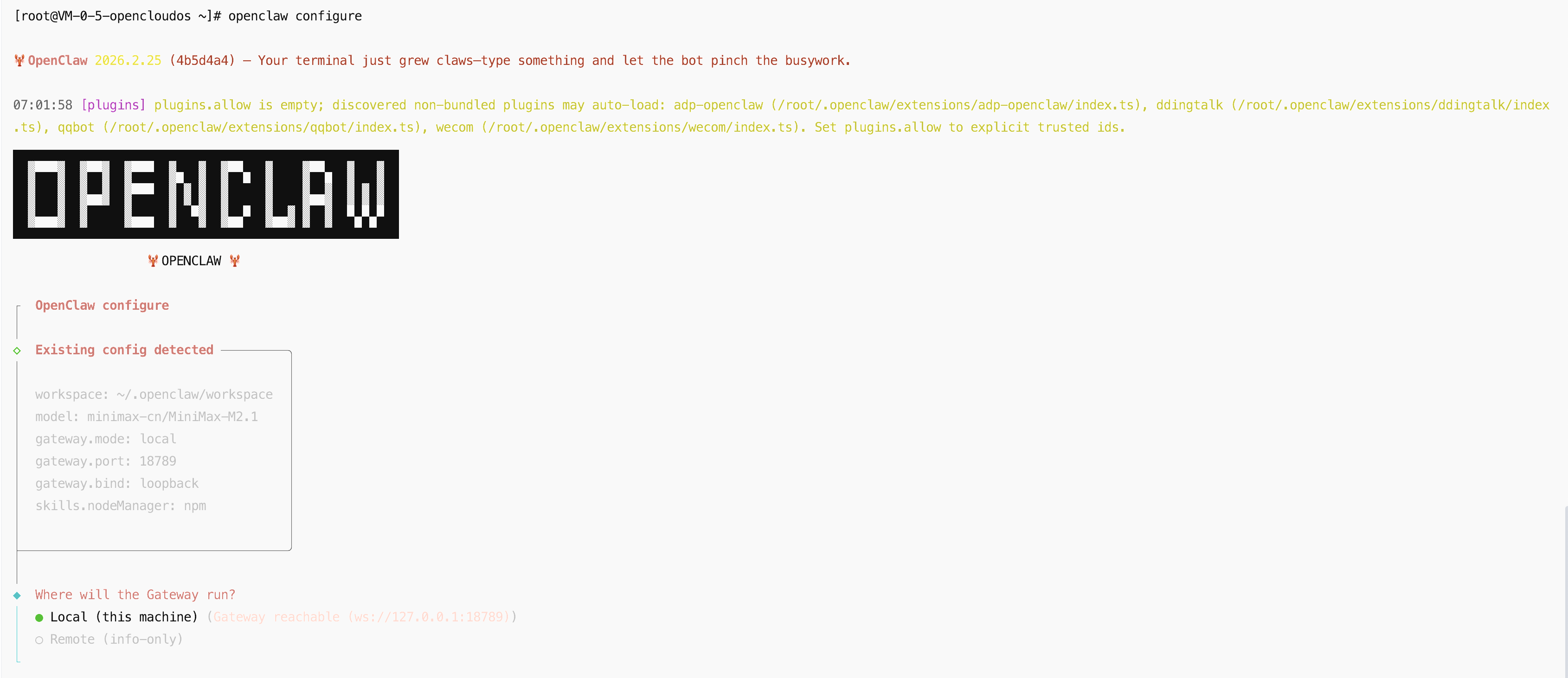
启停 Gateway
# 启动 Gateway(默认端口 18789)
openclaw gateway start

# 自定义端口启动
openclaw gateway start --port 19000

# 强制启动(杀死占用进程)
openclaw gateway start --force

# 停止 Gateway
openclaw gateway stop

# 重启 Gateway
openclaw gateway restart

# 查看运行状态
openclaw gateway status

# 查看健康状态
openclaw health
查看日志
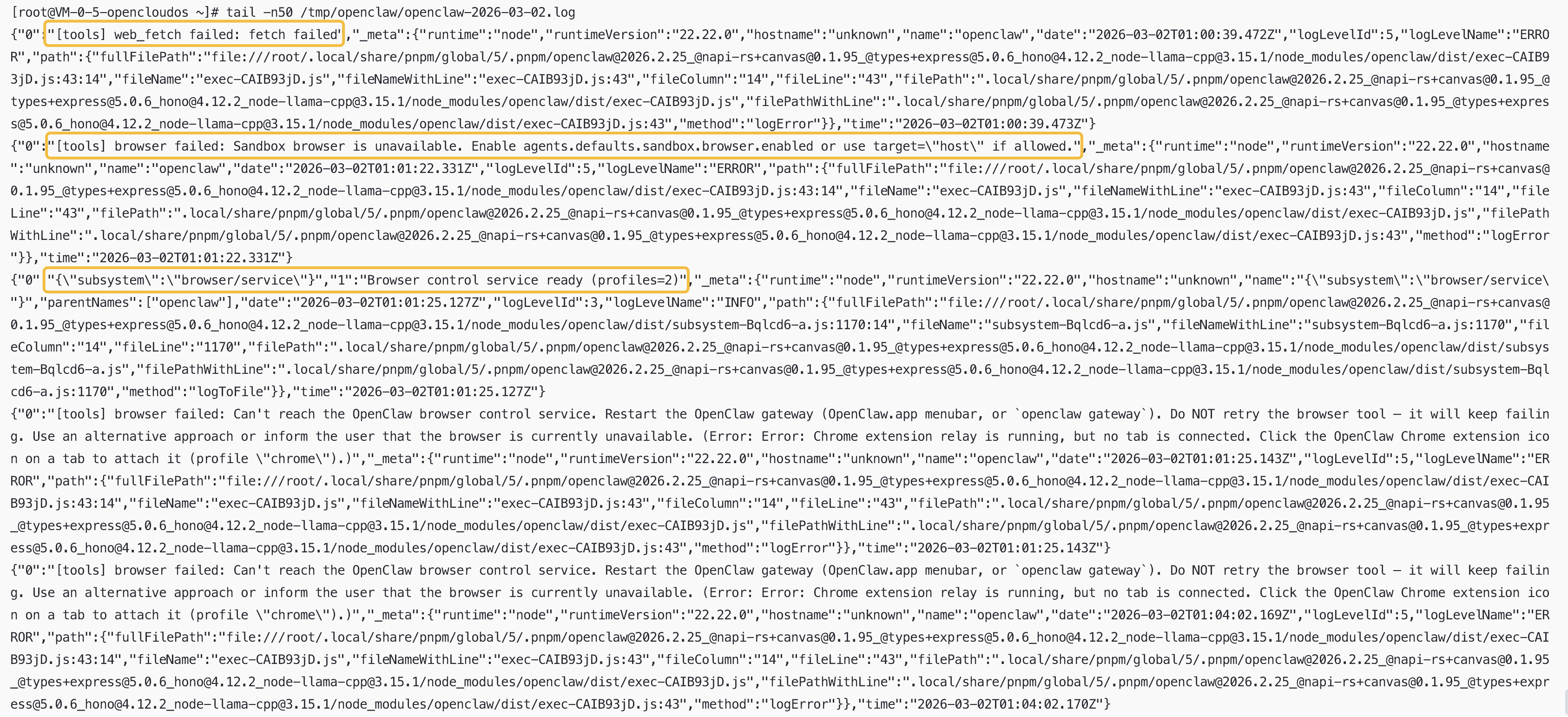
# 查看实时日志
openclaw logs

# 持续监控日志
openclaw logs --follow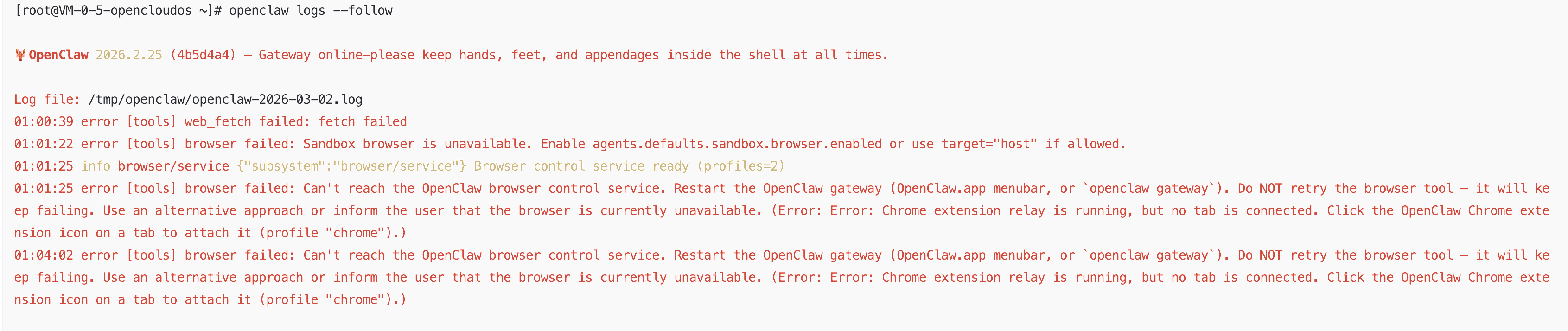
健康检查
# 运行健康检查
openclaw doctor

# 快速修复常见问题
openclaw doctor --fix
安全检查
# 运行安全检查
openclaw security audit

# 检查权限配置
openclaw security check-permissions

# 检查 API Key 有效性
openclaw security verify-keys
更新 OpenClaw
# 查看更新
openclaw update --dry-run

# 执行更新
openclaw update

# 更新到特定版本
openclaw update --tag 2026.2.22
Q&A
MiniMax 接口配置
由于 Kimi、MiniMax、GLM 分了国际版和国内版,Clawdbot 默认集成的是国际版的接口地址,因此如果在配置模型时需要使用这三家的模型,则需要登录国际版控制台申请 API Key:
- Kimi:https://platform.moonshot.ai/
- MiniMax:https://platform.minimax.io/
- GLM:https://z.ai/manage-apikey/apikey-list
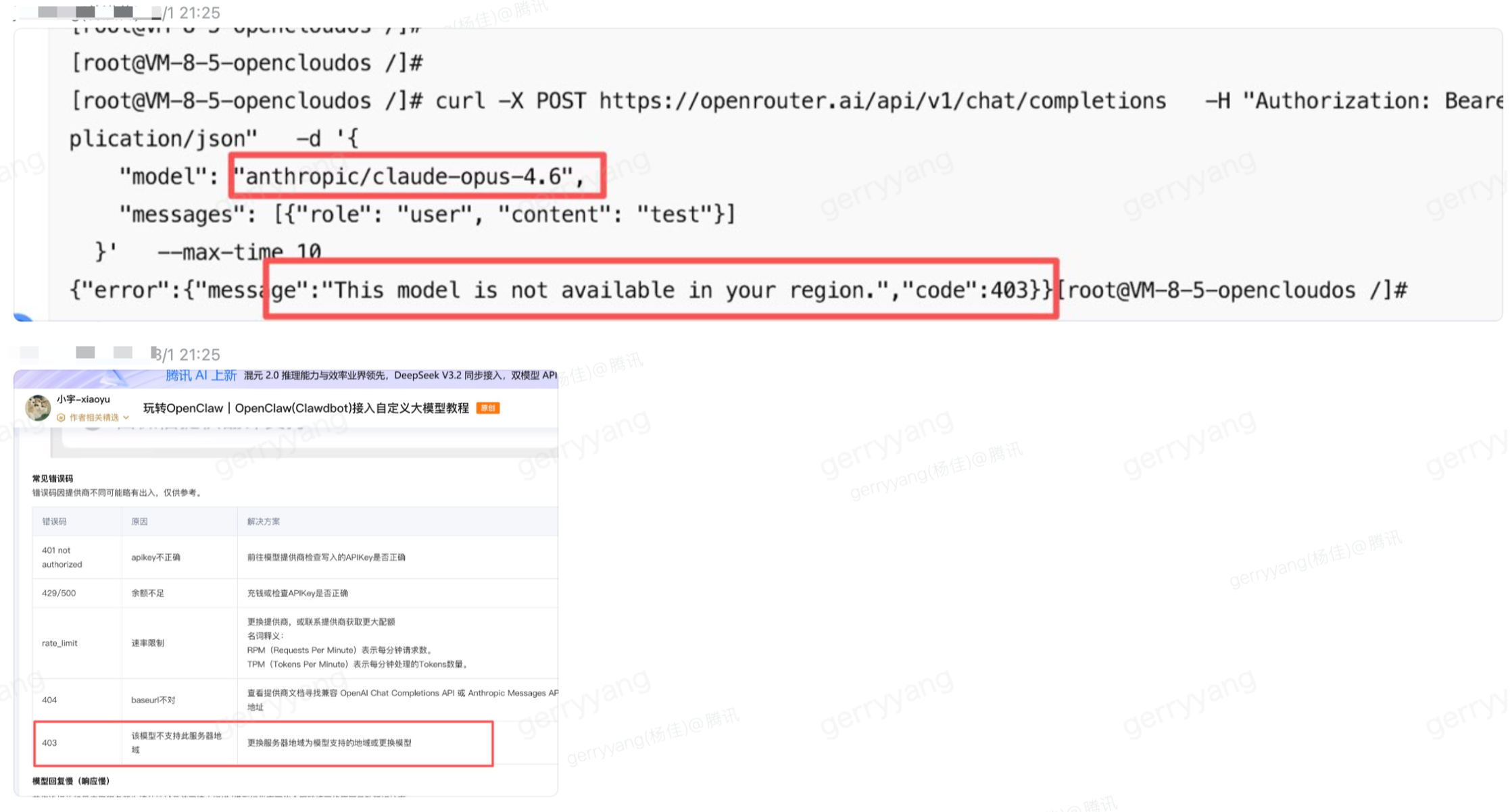
服务器的区域与模型选择
问题原因:由于 Claude 不支持中国区使用,所以需要购买相应地域的机器。
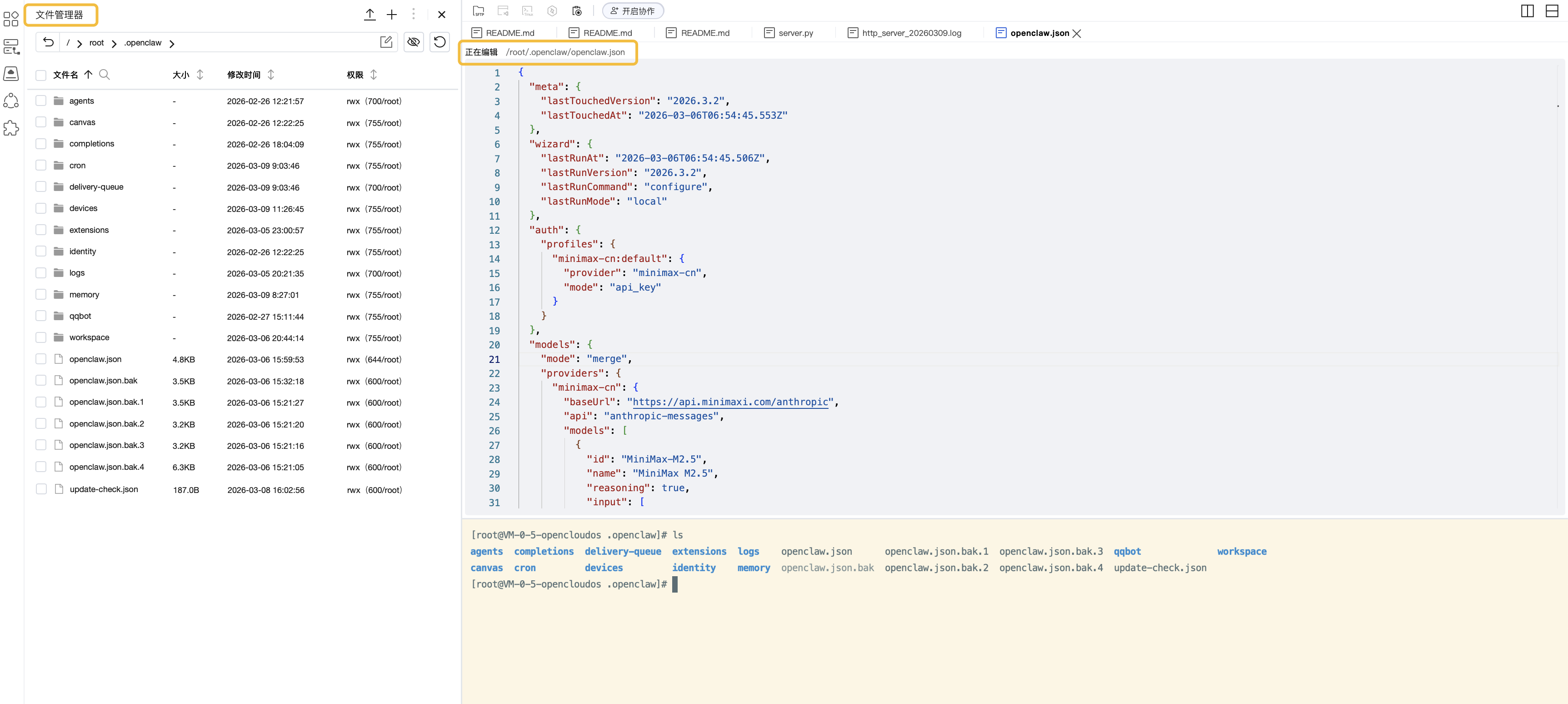
LightHouse 文件管理器功能 (方便编辑)
通过文件管理器方便修改编辑服务器上的文件。
升级 openclaw 版本之后用户之前安装的 skill 失效了 (权限问题)
问题现象:openclaw 升级到 2026.3.2 版本后,出现 openclaw 访问权限错误,工作区下 Skills (/root/.openclaw/workspace/skills/) 都会提示工具不可用。
# openclaw --version
2026.3.2
问题原因:openclaw 的版本权限收拢了,之前没有这个限制。查看 cat /root/.openclaw/openclaw.json | grep profile,新版本默认为 messaging,需要将其改为 full。
gateway 异常修复 (如何重新安装)
问题现象:使用 openclaw onboard 重新安装 gateway 出现异常导致 gateway 被删除且安装失败。

使用 openclaw gateway install --force 重新安装也会提示失败。

参考:https://www.answeroverflow.com/m/1478602967488790682?focus=1478602967488790682 找到了解决方法:
systemctl --user is-enabled openclaw-gateway.service→ not-found means the systemd user unit was never installed- Let Doctor rewrite the service to a sane modern config (incl. PATH):
openclaw doctor --repair - Restart:
openclaw gateway restart - Verify:
systemctl --user status openclaw-gateway.service --no-pager && openclaw gateway status - Log:
journalctl --user -u openclaw-gateway.service -n 200 --no-pager
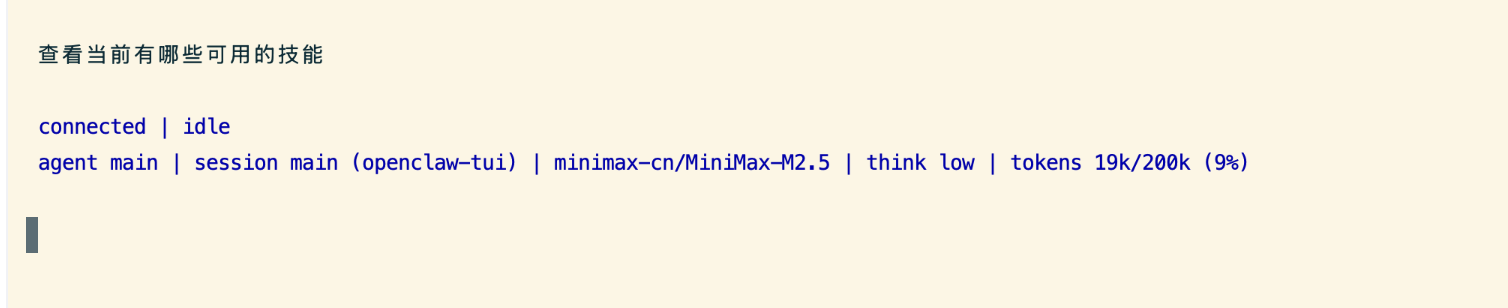
Link channel: unknown 错误 (TODO)
问题现象:使用 tui channel 没有实时返回结果信息,而显示 gateway connected | idle 状态。
Refer
- https://openclaw.ai/
- https://github.com/openclaw/openclaw
- https://docs.openclaw.ai/start/getting-started
- https://docs.openclaw.ai/help/troubleshooting
- https://docs.openclaw.ai/help/faq
- 被 Anthropic 强制要求改名!Clawdbot 创始人一人开发、100% AI 写代码